
Introduction
Thank you for choosing the Metronic Vintage Bluetooth Turntable, Model 477360. This device allows you to enjoy your vinyl records at three different speeds (33, 45, and 78 RPM) and stream audio wirelessly via Bluetooth. It features integrated speakers for direct playback and a classic wood finish. This manual provides essential information for safe operation, setup, and maintenance of your turntable.
Safety Instructions
- Power Source: Use only the provided 12V power adapter. Ensure the voltage matches your local power supply.
- Water and Moisture: Do not expose the unit to water, rain, or excessive moisture. Do not place objects filled with liquids, such as vases, on the apparatus.
- Heat Sources: Keep the turntable away from heat sources such as radiators, heat registers, stoves, or other apparatus (including amplifiers) that produce heat.
- Ventilation: Ensure proper ventilation. Do not block any ventilation openings.
- Cleaning: Unplug the unit from the power outlet before cleaning. Use a soft, dry cloth. Do not use liquid cleaners or aerosol cleaners.
- Servicing: Do not attempt to service this product yourself. Refer all servicing to qualified service personnel.
- Placement: Place the turntable on a stable, level surface to prevent vibrations and ensure proper playback.
Package Contents
Please check the package for the following items:
- Metronic Vintage Bluetooth Turntable (Model 477360) with pre-installed stylus
- 12-Volt Power Adapter
- Instruction Manual (this document)
Product Overview
Familiarize yourself with the components of your Metronic turntable.

Figure 1: Front view of the Metronic turntable. The volume/power knob is visible on the left, and the Metronic brand name is on the right side of the wooden base.

Figure 2: Angled view of the turntable with the dust cover open. A clear vinyl record is on the platter, and the tonearm with its red stylus is positioned above it.

Figure 3: Rear panel of the turntable. From left to right, it shows the 'Wireless connect' button, RCA Line Out ports (R and L), and the 12V power input.

Figure 4: Detailed view of the tonearm assembly, including the stylus cartridge, positioned over a vinyl record.
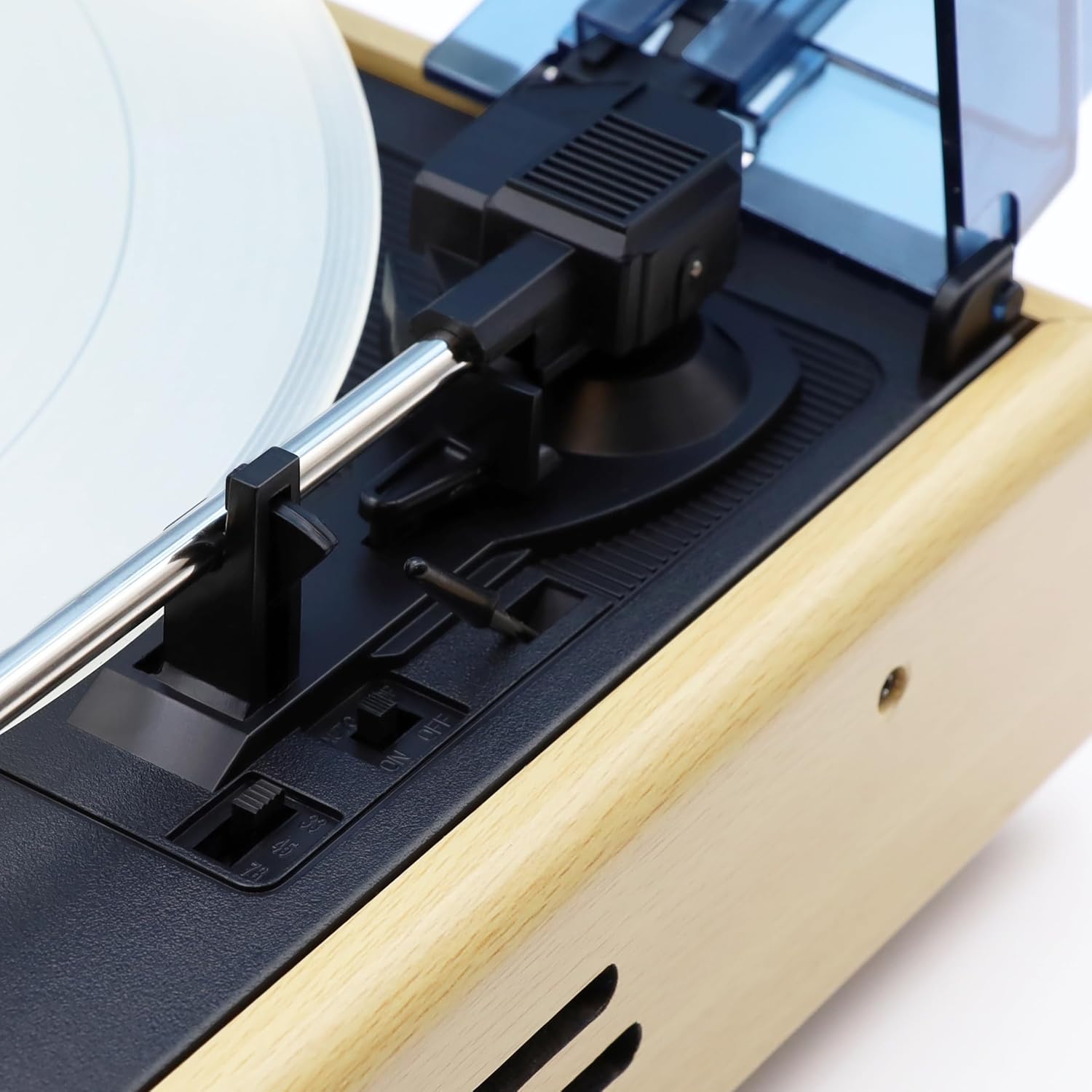
Figure 5: Control switches located near the tonearm base. These include the speed selector (33, 45, 78 RPM) and the Auto-Stop ON/OFF switch.

Figure 6: Side view of the turntable, showing the design of the wooden casing and the integrated speaker grille.
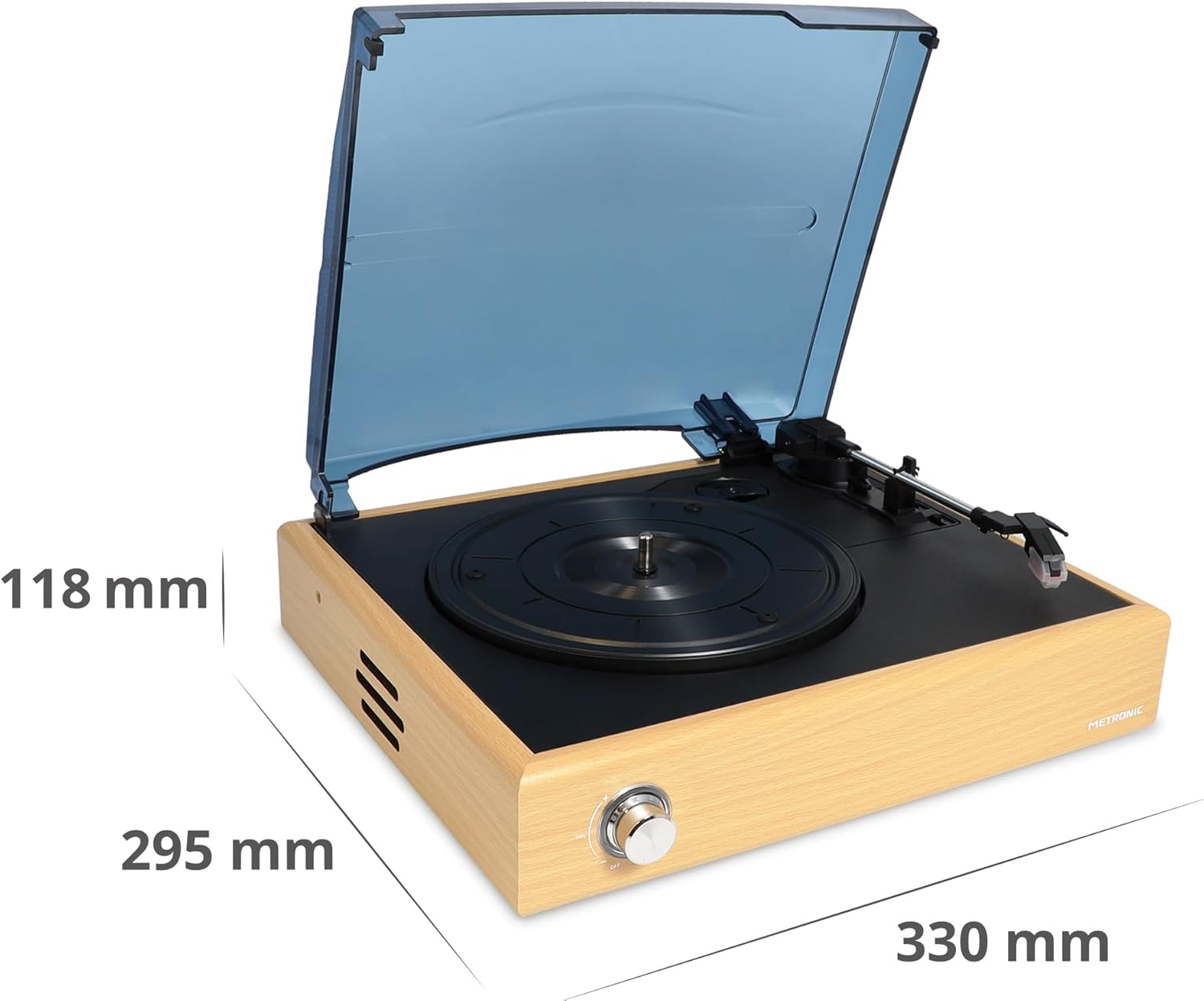
Figure 7: Dimensional diagram of the turntable, indicating its length, width, and height.
Setup
- Unpack the Turntable: Carefully remove all components from the packaging. Retain the packaging for future transport or storage.
- Place the Turntable: Position the turntable on a flat, stable, and vibration-free surface. Ensure there is adequate space around the unit for ventilation.
- Remove Stylus Protector: Gently remove the clear plastic stylus protector from the needle cartridge. Be careful not to bend the stylus.
- Connect Power: Insert the small end of the 12V power adapter into the DC IN port on the rear of the turntable. Plug the other end into a wall outlet.
- Dust Cover: The turntable comes with a hinged dust cover. You can leave it open during playback or close it when not in use to protect the platter and tonearm.
Operating Instructions
Playing Vinyl Records
- Power On: Turn the Volume/Power knob clockwise until it clicks to power on the unit.
- Select Speed: Set the speed selector switch (located near the tonearm base) to the appropriate speed for your record (33, 45, or 78 RPM). For 45 RPM records, place the included 45 RPM adapter on the spindle if needed.
- Place Record: Carefully place your vinyl record on the turntable platter.
- Auto-Stop Function: The Auto-Stop switch (next to the speed selector) can be set to ON or OFF. When ON, the platter will automatically stop spinning when the tonearm reaches the end of the record. When OFF, the platter will continue to spin.
- Position Tonearm: Gently lift the tonearm using the cueing lever. Move the tonearm over the desired starting groove of the record.
- Lower Tonearm: Slowly lower the tonearm onto the record using the cueing lever. The music will begin to play.
- Adjust Volume: Use the Volume/Power knob to adjust the playback volume from the integrated speakers.
- End of Playback: At the end of the record, if Auto-Stop is ON, the platter will stop. If OFF, manually lift the tonearm using the cueing lever and return it to the tonearm rest. Turn the Volume/Power knob counter-clockwise until it clicks to power off the unit.
Bluetooth Connection
The Metronic turntable can receive audio from a Bluetooth-enabled device (e.g., smartphone, tablet) and play it through its integrated speakers.
- Power On: Turn the Volume/Power knob clockwise to power on the turntable.
- Activate Bluetooth Mode: Press the 'Wireless connect' button on the rear panel (refer to Figure 3). The Bluetooth indicator light will flash, indicating it is in pairing mode.
- Enable Bluetooth on Your Device: On your smartphone or tablet, go to the Bluetooth settings and enable Bluetooth.
- Pair with Turntable: Search for available devices. You should see "METRONIC" or a similar name appear in the list. Select it to pair.
- Playback: Once paired, the Bluetooth indicator light will become solid. You can now play audio from your device through the turntable's speakers. Adjust volume using both your device and the turntable's volume knob.
- Disconnect: To disconnect, simply turn off Bluetooth on your device or press the 'Wireless connect' button again on the turntable.
Maintenance
- Cleaning the Unit: Wipe the turntable's exterior with a soft, dry, lint-free cloth. Do not use abrasive cleaners, waxes, or solvents.
- Stylus Care: The stylus (needle) is delicate. Clean it periodically with a soft brush, brushing gently from back to front. Avoid touching the stylus with your fingers. A worn or damaged stylus can damage your records and degrade sound quality. Replace the stylus if you notice a significant drop in sound quality or visible damage.
- Dust Cover: Keep the dust cover closed when the turntable is not in use to prevent dust accumulation on the platter and tonearm. Clean the dust cover with a soft, damp cloth.
- Record Care: Keep your records clean and free of dust. Store them vertically in their sleeves to prevent warping.
Troubleshooting
| Problem | Possible Cause | Solution |
|---|---|---|
| No power | Power adapter not connected; Power outlet not working; Unit not turned on. | Ensure power adapter is securely connected to the unit and a working outlet. Turn the Volume/Power knob clockwise until it clicks. |
| No sound from speakers | Volume too low; Stylus protector still on; Stylus damaged; Bluetooth mode active. | Increase volume. Remove stylus protector. Check stylus for damage. Ensure Bluetooth mode is not active if playing vinyl. |
| Record skipping | Record is dirty or scratched; Turntable not level; Stylus worn or dirty. | Clean the record. Place the turntable on a level surface. Clean or replace the stylus. |
| Bluetooth not connecting | Turntable not in pairing mode; Device Bluetooth off; Device too far. | Press 'Wireless connect' button to enter pairing mode. Ensure Bluetooth is enabled on your device. Keep devices within range (approx. 10 meters). |
| Platter not spinning | Unit not powered on; Auto-Stop engaged at end of record. | Ensure unit is powered on. If tonearm is at the end of a record and Auto-Stop is ON, the platter will stop. Lift the tonearm and return it to rest. |
Specifications
- Brand: Metronic
- Model Name: 477360
- Color: Natural Wood
- Connections: Bluetooth
- Special Features: Integrated Bluetooth receiver, Auto-stop function
- Compatible Devices: Smartphone, Tablet
- Rotation Speeds: 33, 45, 78 RPM
- Audio Output: Stereo 2 x 3 W (integrated speakers)
- Tonearm: Manual straight arm
- Power Supply: 12V adapter (included)
- Material: Wood
- Item Weight: 700 Grams
- Dimensions (approx.): 330 mm (Length) x 295 mm (Width) x 118 mm (Height)
Warranty and Support
This Metronic turntable comes with a 2-year manufacturer's warranty. Please retain your proof of purchase for warranty claims.
For technical support, troubleshooting beyond this manual, or warranty inquiries, please contact your retailer or visit the official Metronic website for customer service information.