
1. Introduction
Thank you for choosing the ZOOAOXO M900-128G MP3 Player. This device is designed to provide a versatile and high-quality portable audio experience, featuring a 2.4-inch full touchscreen, 128GB of storage, Bluetooth 5.2 connectivity, and a range of additional functions including an FM radio, voice recorder, e-book reader, and alarm clock. This manual will guide you through the setup, operation, and maintenance of your new MP3 player.
2. Package Contents
Please check the package for the following items:
- ZOOAOXO M900-128G MP3 Player
- Wired Headset
- USB Charging Cable
- Micro SD Card Reader
- User Manual (this document)
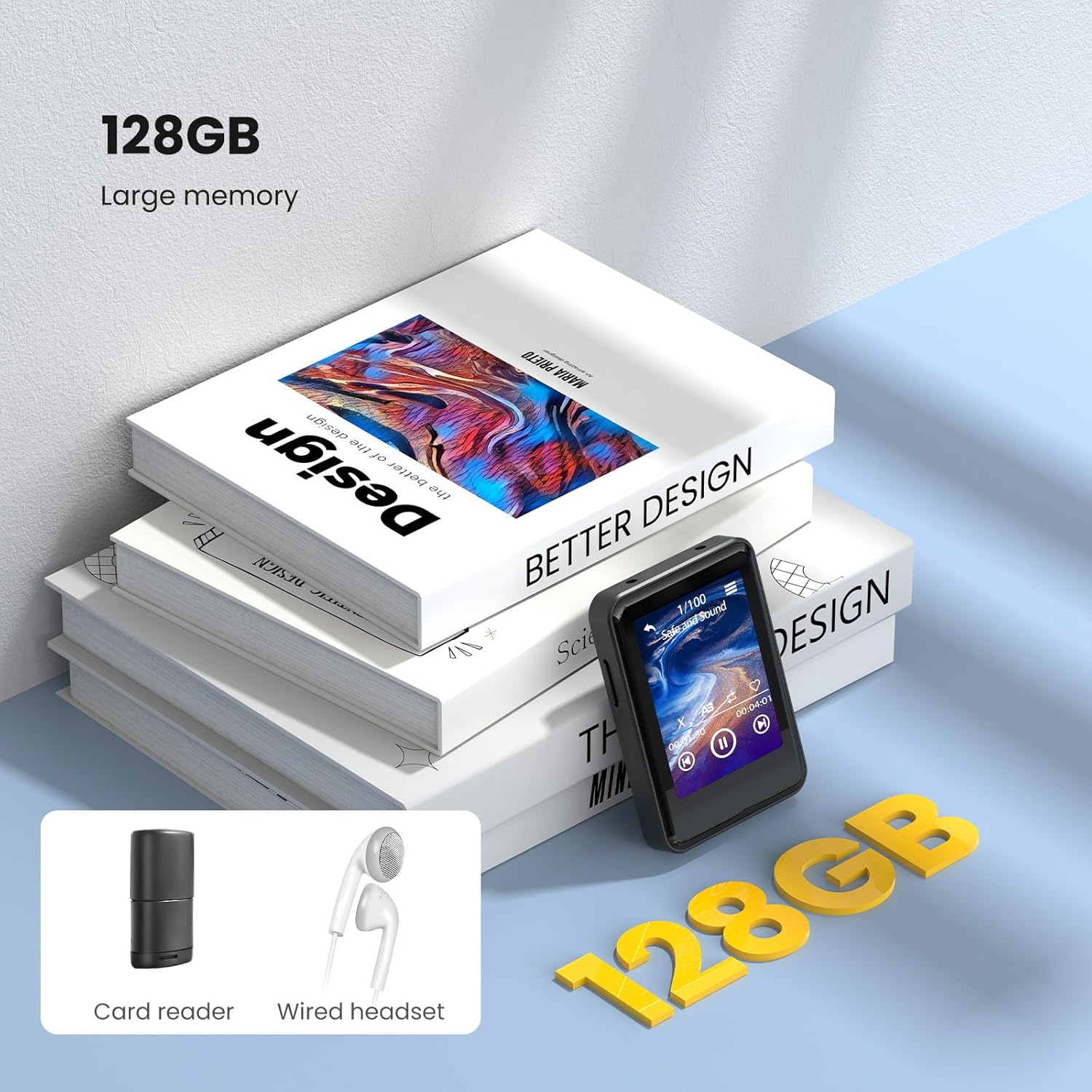
Image: The ZOOAOXO M900-128G MP3 Player, showcasing its 128GB storage capacity, along with the included card reader and wired headset.
3. Device Overview
The ZOOAOXO M900-128G features a compact design with a responsive full touchscreen for easy navigation.
3.1. Physical Features
- 2.4-inch Full Touchscreen: Capacitive screen with 320*240 resolution for multi-touch operation.
- Power Button: Located on the side/top for turning the device on/off and screen lock.
- Volume Buttons: For adjusting audio output.
- USB Port: For charging and data transfer.
- Headphone Jack: For wired audio output.
- Micro SD Card Slot: For expandable storage (up to 128GB included).
- Built-in Speaker: For audio playback without headphones.

Image: The ZOOAOXO M900-128G MP3 Player highlighting its HD Full Screen and sensitive touch control for intuitive operation.

Image: The ZOOAOXO M900-128G MP3 Player being placed into a pocket, illustrating its compact and portable design (dimensions: 8cm x 6cm x 1cm, 66.7g).
4. Setup
4.1. Charging the Device
Before first use, fully charge the MP3 player. Connect the device to a USB power adapter (not included) or a computer's USB port using the provided USB charging cable. The battery indicator on the screen will show charging status.
4.2. Transferring Music and Files
The device comes with 128GB of internal storage. You can transfer audio files, e-books, and other supported media directly to the player.
- Connect the MP3 player to your computer using the USB cable.
- The player will appear as a removable disk on your computer.
- Drag and drop your desired files into the appropriate folders (e.g., 'Music' for audio files).
- Safely eject the device from your computer before disconnecting the cable.
Alternatively, you can use the included Micro SD card reader to transfer files directly to the Micro SD card, then insert the card into the player.
4.3. Inserting/Removing Micro SD Card
The device supports Micro SD cards for additional storage. To insert, gently push the card into the slot until it clicks into place. To remove, push the card again until it springs out.
5. Operating Instructions
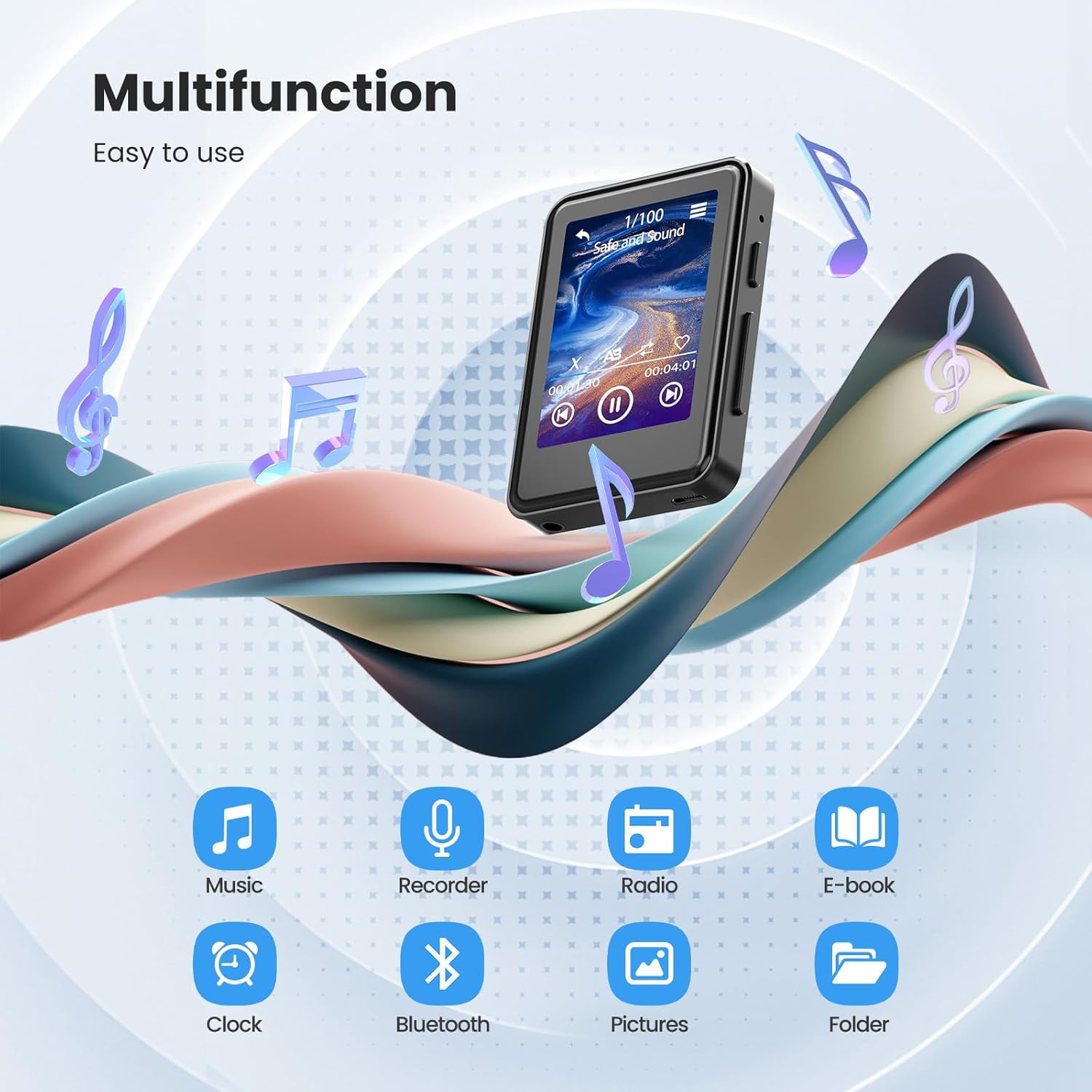
Image: The ZOOAOXO M900-128G MP3 Player's interface, illustrating its various functions such as Music, Recorder, Radio, E-book, Clock, Bluetooth, Pictures, and Folder.
5.1. Music Playback
The player supports APE, FLAC, MP3, WMA, and WAV audio formats, delivering superior HiFi sound quality.
- From the main menu, tap the 'Music' icon.
- Browse your music library by artist, album, genre, or folder.
- Tap on a song to begin playback.
- Use the on-screen controls for play/pause, skip tracks, and volume adjustment.

Image: The ZOOAOXO M900-128G MP3 Player displaying its HiFi sound quality and listing supported audio formats: APE, FLAC, MP3, WMA, WAV.
5.2. Bluetooth Connection
The device features Bluetooth 5.2 for stable and efficient wireless audio streaming to compatible headphones or speakers.
- From the main menu, tap the 'Bluetooth' icon.
- Turn on Bluetooth on the MP3 player.
- Ensure your Bluetooth headphones or speaker are in pairing mode.
- Select your device from the list of available devices to pair.

Image: A visual representation of the benefits of Bluetooth 5.2 on the ZOOAOXO M900-128G MP3 Player, including lower power consumption, better connection speed, powerful stability, and strong anti-interference.
5.3. Built-in Speaker
For convenient listening without headphones, the MP3 player includes a built-in HD speaker.
- To use the built-in speaker, ensure no headphones are connected.
- Adjust the volume using the physical buttons or on-screen controls.

Image: The ZOOAOXO M900-128G MP3 Player being used with its built-in speaker, enabling easier and more comfortable music listening.
5.4. FM Radio
Listen to your favorite FM radio stations.
- Connect wired headphones; they act as the antenna.
- From the main menu, tap the 'Radio' icon.
- Use the on-screen controls to scan for stations or manually tune.
5.5. Voice Recorder
Record audio using the built-in microphone.
- From the main menu, tap the 'Recorder' icon.
- Tap the record button to start and stop recording.
- Recordings are saved and can be played back from the 'Recordings' folder.
5.6. E-book Function
Read e-books on the 2.4-inch full touchscreen.
- Transfer compatible e-book files (e.g., TXT) to the device.
- From the main menu, tap the 'E-book' icon.
- Select the e-book you wish to read.
- Use the touchscreen to turn pages.
5.7. Alarm Clock
Set an alarm to wake you up or for reminders.
- From the main menu, tap the 'Clock' icon.
- Select 'Alarm' and set your desired time and alarm sound.

Image: The ZOOAOXO M900-128G MP3 Player functioning as a smart alarm clock, positioned on a bedside table.
5.8. Settings
Access the 'Settings' menu to customize various device options, including display brightness, language, date and time, and power-saving features like timed shutdown and idle shutdown.
6. Maintenance
- Cleaning: Use a soft, dry cloth to clean the device. Avoid liquid cleaners or abrasive materials.
- Storage: Store the MP3 player in a cool, dry place away from direct sunlight and extreme temperatures.
- Battery Care: To prolong battery life, avoid fully discharging the battery frequently. Charge the device regularly, even if not in use for extended periods.
- Software Updates: Check the manufacturer's website for any available firmware updates to ensure optimal performance.
7. Troubleshooting
- Device does not turn on: Ensure the battery is charged. Connect to a power source and try again.
- Cannot connect via Bluetooth: Ensure Bluetooth is enabled on both the MP3 player and the target device. Make sure both devices are in pairing mode and within range. Try restarting both devices.
- No sound from headphones/speaker: Check volume levels. Ensure headphones are properly plugged in or Bluetooth is correctly paired. If using the built-in speaker, ensure headphones are disconnected.
- Screen is unresponsive: Try restarting the device by holding the power button. If the issue persists, ensure the screen is clean and dry.
- Files not recognized: Ensure files are in supported formats (APE, FLAC, MP3, WMA, WAV for audio; TXT for e-books). Check if files are transferred to the correct folders.
- Battery swelling: If you observe any battery swelling, discontinue use immediately and contact customer support.
8. Specifications
| Model Number | M900-128G |
| Brand | ZOOAOXO |
| Storage Capacity | 128 GB |
| Screen Size | 2.4 Inches |
| Display Technology | LCD |
| Connectivity Technology | Bluetooth 5.2 |
| Supported Media Type | Micro SD |
| Supported Audio Standards | MP3, APE, FLAC, WMA, WAV |
| Special Features | 2.4-inch Full Touchscreen, Bluetooth 5.2, 128GB, Built-in Speaker, FM Radio, Voice Recorder, E-book, Alarm Clock |
| Battery | 1 Lithium-polymer (included) |
| Compatible Devices | Headphones |
9. Warranty and Support
This product comes with a standard manufacturer's warranty. For specific warranty details, please refer to the documentation included with your purchase or contact the retailer.
If you have any questions, encounter issues, or require technical assistance, please contact ZOOAOXO customer support. Contact information can typically be found on the product packaging or the official ZOOAOXO website.
