
1. Introduction
The DAN Technology 4-in-1 Hot Air Brush is designed to simplify your hair styling routine by combining the functions of a hair dryer, volumizer, straightener, comb, and curler into one versatile tool. This hot air brush utilizes advanced negative ion and ceramic coating technology to reduce frizz and static, promoting smoother, shinier, and healthier-looking hair. It delivers even heat distribution to prevent heat damage and helps achieve salon-quality results at home.
2. What's in the Box
Upon opening your DAN Technology 4-in-1 Hot Air Brush package, you should find the following items:
- DAN Technology 4-in-1 Hot Air Brush (Volumizer)
- Cleaning Brush
- Hair Clips (2 pieces)
- User Guide
3. Product Features
- Innovative 360° Airflow: This hot air brush features a 600-watt blower with 360° vents that provide surround drying, ensuring fast and even heat distribution to dry hair without damage and help maintain lasting hairstyles.

Image: Illustration of the innovative 360° airflow design for efficient drying.
- Ceramic Technology for Frizz Reduction: Equipped with ceramic and tourmaline coating technology, the brush ensures even heat distribution, preventing heat damage from over-styling. This technology helps reduce frizz by 30% and static, resulting in shinier and healthier hair. Sturdy short tufted bristles grip hair effectively without tearing or scratching the scalp, while massaging dots offer anti-scald protection.

Image: Detail of the ceramic glaze barrel, designed for even heat and anti-scald protection.

Image: Explanation of the double bristle design, featuring short tufts for lift and tangle-free nylon pin bristles with anti-scald properties.
- Multiple Temperature Settings: The brush offers three distinct heat settings to cater to various hair types:
- LOW: Ideal for soft, fine, or thin hair.
- MEDIUM: Suitable for semi-dry, medium-length hair.
- HIGH: Recommended for thick, coarse hair and quick drying.

Image: Visual guide to the three temperature settings and their recommended uses.
- One-step Hair Styler: This multi-functional tool acts as a blow dryer, volumizer, straightener, comb, and curler. It allows you to create curls, smooth frizz, and boost volume from root to tip while simultaneously drying your hair.
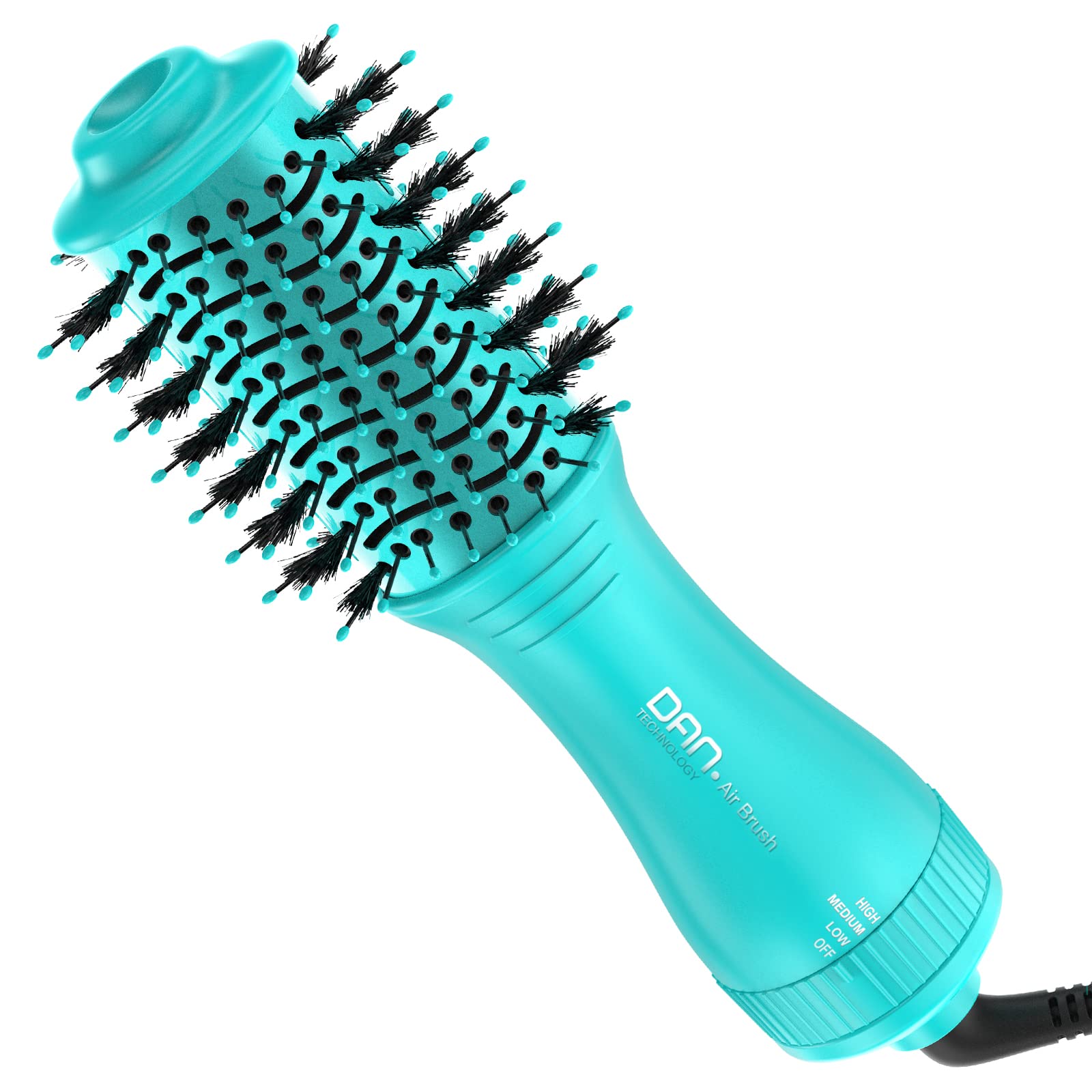
Image: The DAN Technology 4-in-1 Hot Air Brush highlighting its multiple styling capabilities.

Image: Demonstrates the volumizing and smoothing effects achieved with the hot air brush.
4. Setup
- Unpack: Carefully remove all components from the packaging. Ensure you have the hot air brush, cleaning brush, two hair clips, and this user guide.
- Inspect: Check the hot air brush and power cord for any signs of damage. Do not use the device if it appears damaged.
- Plug In: Insert the power plug into a suitable electrical outlet. Ensure the voltage matches the device's requirements (refer to specifications).
5. Operating Instructions
Follow these steps for optimal results when using your DAN Technology 4-in-1 Hot Air Brush:
- Prepare Hair: For best results, towel-dry your hair to remove excess water until it is damp, not dripping wet. Detangle your hair using a regular comb or brush.
- Section Hair: Use the included hair clips to divide your hair into manageable sections. This allows for more thorough and even drying and styling.
- Select Temperature: Rotate the dial at the base of the handle to select your desired heat setting:
- LOW: For gentle drying and styling of fine or thin hair.
- MEDIUM: For normal hair, providing moderate heat and airflow.
- HIGH: For quick drying and styling of thick or coarse hair.
- Begin Styling: Take one section of hair and place the hot air brush close to the roots. Glide the brush downwards towards the ends, rotating slightly to create volume or curls. Repeat until the section is dry and styled as desired.
- Repeat: Continue with each section of hair until your entire head is dry and styled.
- Finish: Once styling is complete, turn the dial to "OFF" and unplug the device from the power outlet. Allow the brush to cool down before storing.
6. Maintenance
Proper maintenance ensures the longevity and optimal performance of your hot air brush.
- Cleaning the Bristles: Regularly remove any accumulated hair from the bristles using the provided cleaning brush. This prevents blockages and maintains airflow.
- Cleaning the Air Inlet: Ensure the air inlet at the bottom of the handle is free from dust and debris. Use a soft, dry cloth or the cleaning brush to gently clear any obstructions.
- Wipe Down: After each use, wipe the body of the hot air brush with a soft, damp cloth. Do not use abrasive cleaners or immerse the device in water.
- Storage: Store the hot air brush in a cool, dry place, away from direct sunlight and moisture. Ensure the cord is not wrapped tightly around the device to prevent damage.
7. Troubleshooting
If you encounter any issues with your DAN Technology 4-in-1 Hot Air Brush, please refer to the following common problems and solutions:
| Problem | Possible Cause | Solution |
|---|---|---|
| Device does not turn on. | Not properly plugged in; Power outlet issue; Device malfunction. | Ensure the plug is fully inserted. Test the outlet with another appliance. If still not working, contact customer support. |
| Weak airflow or reduced heat. | Air inlet or bristles are blocked by hair/dust. | Clean the air inlet and bristles thoroughly using the provided cleaning brush. |
| Hair is not drying effectively. | Incorrect heat setting; Hair too wet; Sections too large. | Select a higher heat setting (e.g., HIGH). Ensure hair is towel-dried. Work with smaller sections of hair. |
| Device feels too hot to handle. | Prolonged use; Blocked air vents. | Allow the device to cool down. Ensure air vents are clear. Use for shorter periods or on a lower setting if necessary. |
If the problem persists after attempting these solutions, please contact DAN Technology customer support for further assistance.
8. Specifications
| Feature | Detail |
|---|---|
| Brand | DAN Technology |
| Model Name | 4-in-1 Hot Air Brush |
| ASIN | B0C5CHHV75 |
| Color | Cyan-01 |
| Power Source | Corded Electric |
| Hair Type Compatibility | Coarse, Frizzy, Thick (also suitable for soft, fine, thin hair with appropriate settings) |
| Number of Speeds | 3 (LOW, MEDIUM, HIGH) |
| Material Type | Ceramic, Nylon, Titanium |
| Product Dimensions (L x W x H) | 10 x 31 x 46 inches (Note: This dimension seems unusually large for a hairbrush, likely a packaging dimension. Actual product dimensions may vary.) |
| Item Weight | 1.19 Pounds |
| Included Components | Volumizer (Hot Air Brush), Cleaning Brush, Hair Clips |
| Manufacturer | DAN Technology |
9. Safety Information
Please read and follow all safety instructions to prevent injury or damage to the device:
- Always unplug the device immediately after use and before cleaning.
- Do not use this appliance near water, such as in a bathtub, shower, or sink.
- Keep the device away from children.
- Never operate the appliance if it has a damaged cord or plug, if it is not working properly, or if it has been dropped or damaged.
- Do not block the air openings or place the device on a soft surface, such as a bed or couch, where the air openings may be blocked.
- Do not direct hot air towards eyes or other heat-sensitive areas.
- Allow the device to cool completely before storing.
10. Warranty and Support
For warranty information or technical support, please refer to the contact details provided in your product packaging or visit the official DAN Technology website. Keep your purchase receipt as proof of purchase for any warranty claims.