
tewisefaok VC-L11
Tewisefaok Vacuum Cleaner Dust Display LED Lamp (Model VC-L11) Instruction Manual
Model: VC-L11 | Brand: Tewisefaok
Introduction
This manual provides comprehensive instructions for the safe and effective use of your Tewisefaok Vacuum Cleaner Dust Display LED Lamp, Model VC-L11. This accessory is designed to enhance your cleaning experience by illuminating microscopic dust and pet hair, making them visible for thorough removal. Please read this manual carefully before installation and operation.

Image: The Tewisefaok Dust Display LED Lamp attached to a vacuum head, casting a green light that reveals dust particles on a hard floor surface.
Product Overview
The Tewisefaok Dust Display LED Lamp is a compact, battery-powered accessory designed to attach to most vacuum cleaner heads. It emits a focused green light that highlights dust, pet hair, and other fine particles on surfaces, allowing for more effective cleaning.
Key Features:
- Enhanced Dust Detection: Specialized LED light reveals otherwise invisible dust and pet hair.
- Universal Compatibility: Designed to fit a wide range of upright, stick, and canister vacuum cleaners.
- Easy Installation: Wireless and lightweight design for quick, tool-free attachment.
- Battery Powered: Operates on a 23A 12V Alkaline Battery for cordless convenience.
- Compact Design: Mini size (2.5"L x 0.5"W x 1"H) ensures it does not obstruct vacuum operation.

Image: A diagram illustrating the compact dimensions of the Tewisefaok Dust Display LED Lamp, measuring 2.5 inches in length, 0.5 inches in width, and 1 inch in height.
Setup and Installation
Follow these steps to properly install your Tewisefaok Dust Display LED Lamp:
- Check Compatibility: Ensure the left side of your vacuum cleaner head is flat. The adhesive requires a flat surface for proper attachment.
- Install Battery: Open the battery compartment on the LED lamp unit. Insert the included 23A 12V Alkaline Battery, ensuring correct polarity. Close the compartment securely.

Image: Hands inserting a 23A 12V Alkaline battery into the battery compartment of the Tewisefaok Dust Display LED Lamp.
- Prepare Adhesive: Peel the protective backing from the adhesive pad on the back of the LED lamp unit.

Image: Hands peeling the protective film from the adhesive pad located on the back of the Tewisefaok Dust Display LED Lamp.
- Attach to Vacuum Head: Carefully align the LED lamp unit with the left side of your vacuum cleaner head. Press firmly for several seconds to ensure a secure bond. No tools are required for this step.

Image: A hand pressing the Tewisefaok Dust Display LED Lamp onto the left side of a vacuum cleaner head, securing it with adhesive.
Compatibility:
The Tewisefaok Dust Display LED Lamp is designed for wide compatibility with 99% of upright, stick, and canister vacuum cleaners. It is suitable for popular brands such as Bissell, Shark, Dyson, Tineco, Eureka, Dirt Devil, and INSE, among others. The key requirement is a flat surface on the left side of the vacuum head for secure attachment.
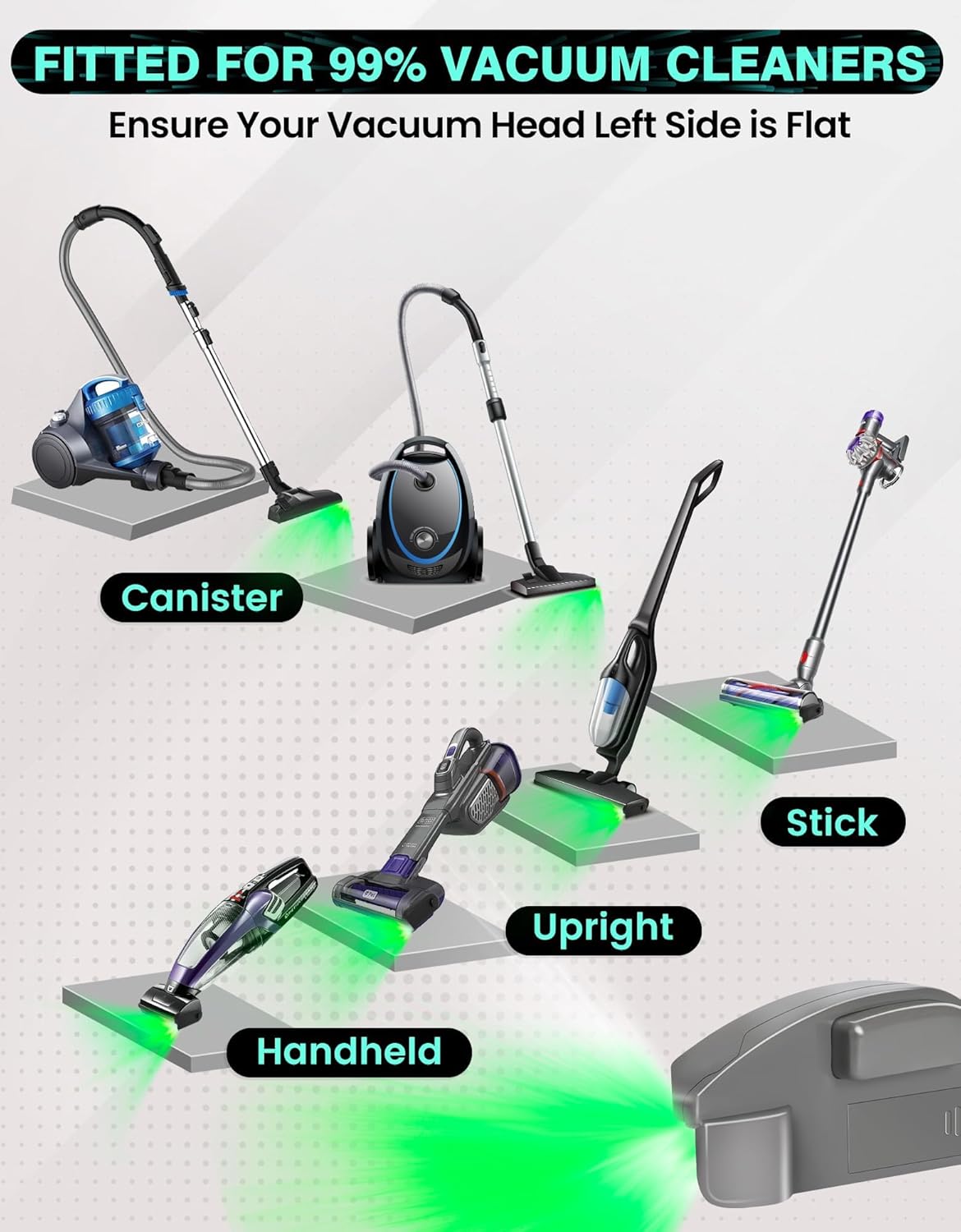
Image: An illustration showing different types of vacuum cleaners (canister, upright, stick, handheld) with the Tewisefaok Dust Display LED Lamp attached, demonstrating its universal compatibility.
Operating Instructions
Once installed, operating the Tewisefaok Dust Display LED Lamp is straightforward:
- Power On/Off: Locate the push button on the LED lamp unit. Press the button once to turn the light on. Press it again to turn the light off.
- Optimal Usage Conditions: For best results in dust detection, use the LED lamp in low-light conditions. While it can highlight crumbs and hair in daylight, its effectiveness in revealing fine dust is maximized in dimmer environments.

Image: A visual representation demonstrating how the Tewisefaok Dust Display LED Lamp reveals dust more effectively in low-light conditions (dusk, night) compared to bright daylight (noon).
- Cleaning Technique: As you vacuum, the green light will illuminate dust, pet hair, allergens, and other particles on the floor. Guide your vacuum cleaner over these illuminated areas to ensure thorough cleaning.
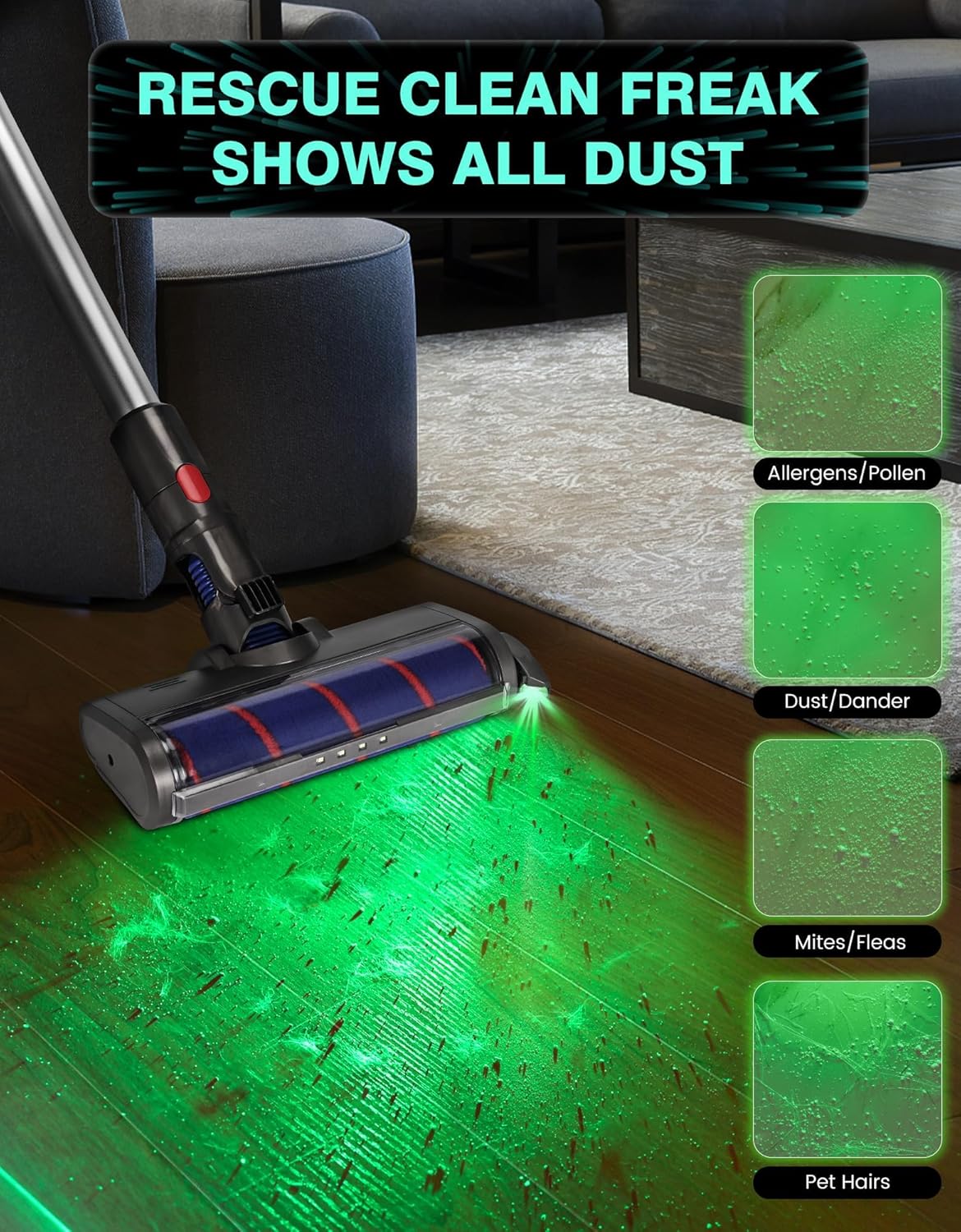
Image: A vacuum cleaner with the Tewisefaok Dust Display LED Lamp attached, highlighting different types of debris such as allergens, pollen, dust, dander, mites, fleas, and pet hairs on a floor surface.
The Tewisefaok Dust-Reveal Light is ideal for various applications, including general home cleaning, pet shops, baby rooms, and daycare facilities, where thorough removal of fine particles is crucial.
Maintenance
To ensure the longevity and optimal performance of your Tewisefaok Dust Display LED Lamp, follow these maintenance guidelines:
- Battery Replacement: When the LED light dims or stops functioning, it is time to replace the 23A 12V Alkaline Battery. Open the battery compartment, remove the old battery, and insert a new one with correct polarity.
- Cleaning the Lens: Periodically wipe the LED lens with a soft, dry cloth to remove any dust or debris that may accumulate and obstruct the light output.
- Storage: Store the unit in a cool, dry place when not in use. If storing for an extended period, consider removing the battery to prevent leakage.
Troubleshooting
| Problem | Possible Cause | Solution |
|---|---|---|
| LED light does not turn on. |
|
|
| LED light is dim. |
|
|
| Lamp does not stay attached to vacuum head. |
|
|
Specifications
| Model Name | Vacuum Cleaner Display Light |
| Model Number | VC-L11 |
| Brand | Tewisefaok |
| Dimensions (L x W x H) | 2.5" x 0.5" x 1" |
| Item Weight | 0.96 ounces |
| Power Source | Battery Powered |
| Battery Type | 23A 12V Alkaline Battery (1 included) |
| Wattage | 1 watt |
| Material | ABS |
| Color | Gray |
| Control Method | Push Button |
| Indoor/Outdoor Usage | Indoor |
| UPC | 740727312573 |
Warranty and Support
Tewisefaok is committed to customer satisfaction. Your product includes the vacuum cleaner dust light and adhesion accessories, along with one 23A 12V Alkaline battery. For any issues, questions, or concerns regarding your Tewisefaok Dust Display LED Lamp, please contact our customer service team. We are dedicated to assisting you and protecting your shopping rights.
Please refer to your purchase documentation or the seller's platform for specific warranty details and contact information.

Image: The Tewisefaok brand logo, featuring stylized text.
Ask a question about this manual
Ask about setup, troubleshooting, compatibility, parts, safety, or missing instructions. Manuals+ will review the question and use this page’s manual context to help answer it.