
EasyAcc F18
EasyAcc Portable Handheld Fan F18Plus User Manual
Model: F18Plus | Brand: EasyAcc
1. Introduction
Thank you for choosing the EasyAcc Portable Handheld Fan F18Plus. This device is designed to provide personal cooling with its powerful airflow, long-lasting battery, and versatile functionality, including a power bank feature. Please read this manual carefully before use to ensure proper operation and maintenance.
2. Important Safety Instructions
- Do not insert fingers or any objects into the fan grille when it is operating.
- Keep the fan away from water and high humidity environments.
- Do not disassemble, repair, or modify the fan yourself. Contact customer support if service is required.
- Keep out of reach of children. This product is not a toy.
- Use only the provided USB cable for charging.
- Avoid exposing the fan to direct sunlight or high temperatures for extended periods.
- Ensure the fan is placed on a stable surface when used in desk mode.
3. Package Contents
Verify that all items are present in your package:
- 1 x EasyAcc Portable Handheld Fan F18Plus
- 1 x Lanyard
- 1 x USB-C Charging Cable
- 1 x User Manual

Image: Contents of the EasyAcc Portable Handheld Fan F18Plus package, including the fan, lanyard, USB-C cable, and user manual.
4. Product Overview
The EasyAcc Portable Handheld Fan F18Plus features a compact, foldable design with multiple usage modes and a digital display for battery and speed information.

Image: The EasyAcc Portable Handheld Fan F18Plus displayed in both handheld and folded desk modes. The digital display shows battery percentage, and an illustration demonstrates its power bank function charging a smartphone.
Key Features:
- Digital Display: Shows current fan speed and battery percentage.
- 5 Speed Settings: Adjustable airflow from gentle breeze to powerful cooling.
- Foldable Design: Allows for handheld, desk, or neck-hanging use.
- Power Bank Function: Integrated 5000mAh battery can charge other devices.
- Detachable Front Cover: For easy cleaning of fan blades.
5. Setup
5.1 Initial Charging
Before first use, fully charge the fan. Connect the provided USB-C charging cable to the fan's input port and the other end to a USB power adapter (not included) or a computer's USB port. The digital display will show the charging progress.

Image: The EasyAcc Portable Handheld Fan F18Plus connected to a power source via its USB-C charging cable, illustrating the charging process.
5.2 Attaching the Lanyard
If desired, attach the lanyard to the designated loop on the fan handle for convenient neck-hanging use.
6. Operating Instructions
6.1 Power On/Off and Speed Adjustment
- Power On: Press the power button once to turn on the fan at speed 1.
- Adjust Speed: Press the power button repeatedly to cycle through speeds 1 to 5. The digital display will show the current speed.
- Power Off: After speed 5, pressing the button again will turn the fan off. Alternatively, press and hold the power button for 2 seconds to turn off the fan from any speed setting.
6.2 Using as a Power Bank
The fan can be used to charge other USB-powered devices. Connect your device's charging cable to the USB-A output port on the fan. The fan will automatically begin charging your device.
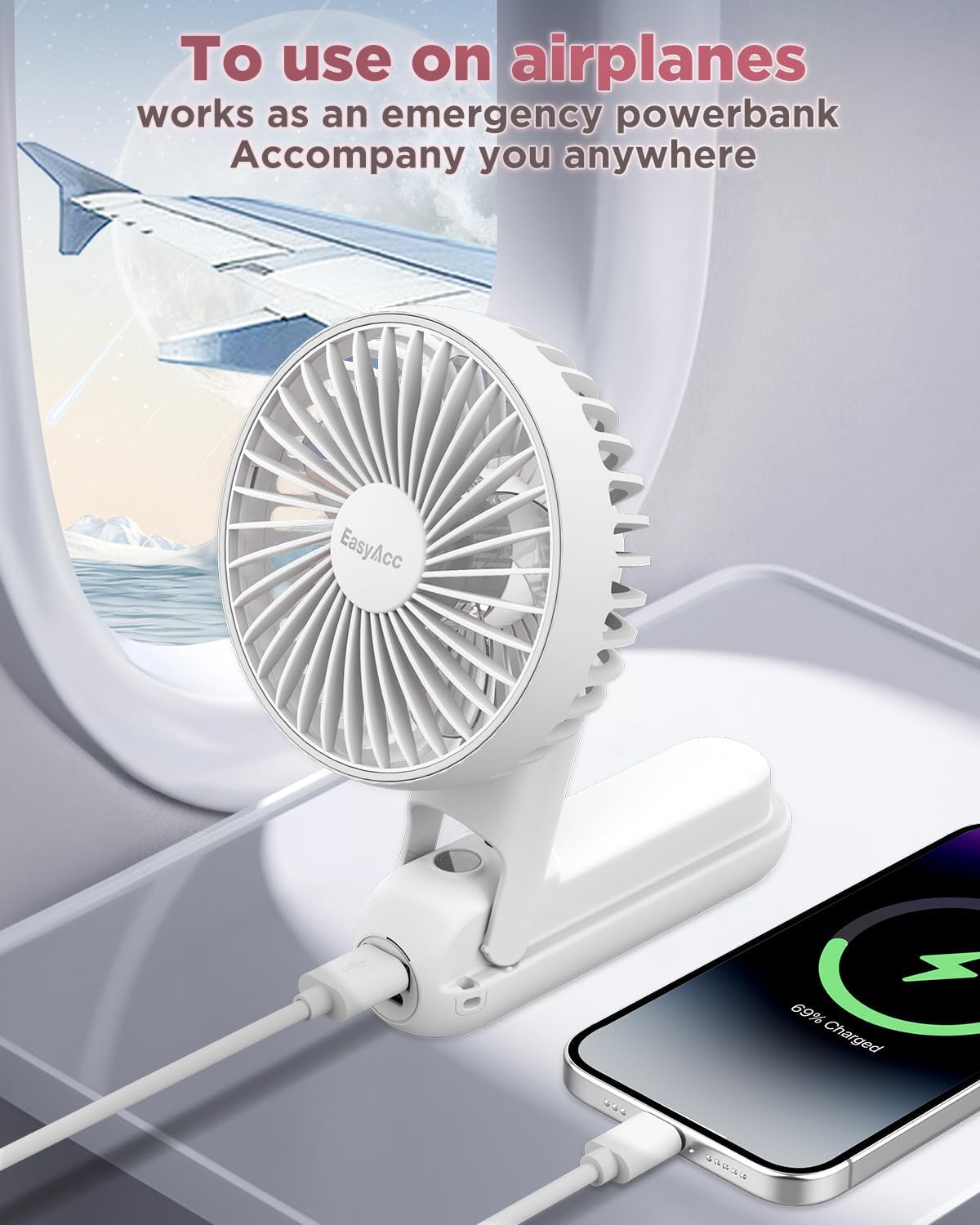
Image: The EasyAcc Portable Handheld Fan F18Plus positioned on a surface, charging a smartphone via its USB output port. This demonstrates its power bank functionality.
6.3 Usage Modes
The fan's 180° foldable handle allows for versatile use:
- Handheld Mode: Use the fan with the handle extended.
- Desk Mode: Fold the handle to create a stable base for tabletop use.
- Neck-hanging Mode: Attach the lanyard and wear the fan around your neck for hands-free cooling.

Image: A collage demonstrating the three primary usage modes of the fan: held in hand, folded and placed on a surface, and worn around the neck with the included lanyard.
7. Maintenance
7.1 Cleaning the Fan Blades
To ensure optimal performance and hygiene, regularly clean the fan blades:
- Ensure the fan is turned off before cleaning.
- Gently twist the front fan cover counter-clockwise to detach it. No tools are required.
- Wipe the fan blades and the inside of the cover with a soft, dry cloth. For stubborn dust, a slightly damp cloth can be used, ensuring the fan is completely dry before reassembly.
- Align the cover with the fan body and twist clockwise to secure it back in place.

Image: An illustration demonstrating the process of detaching the front grille of the fan by twisting it counter-clockwise, allowing access to the fan blades for cleaning.
7.2 Storage
When not in use for extended periods, store the fan in a cool, dry place, away from direct sunlight. It is recommended to charge the fan every 3 months to maintain battery health.
8. Troubleshooting
| Problem | Possible Cause | Solution |
|---|---|---|
| Fan does not turn on. | Battery is depleted. | Charge the fan fully using the provided USB-C cable. |
| Fan stops working unexpectedly. | Low battery. | Recharge the fan. |
| Weak airflow. | Fan speed is too low; fan blades are dirty. | Increase fan speed. Clean the fan blades as per maintenance instructions. |
| Digital display is not working. | Fan is off; battery is completely depleted. | Turn on the fan. Charge the fan. |
| Device not charging when connected to fan. | Fan battery is low; incorrect cable or connection. | Ensure the fan has sufficient charge. Verify the charging cable and connection are secure. |
9. Specifications
| Feature | Detail |
|---|---|
| Brand | EasyAcc |
| Model Name | F18Plus |
| Item Model Number | F18 |
| Battery Capacity | 5000mAh Lithium Polymer |
| Working Time | 6-32 hours (depending on speed setting) |
| Charging Port | USB-C (Input) |
| Output Port | USB-A (for power bank function) |
| Number of Speeds | 5 |
| Control Method | Touch Button |
| Special Feature | LED Display (Battery/Speed) |
| Dimensions (Folded) | 7.87"D x 3.54"W x 1.97"H (approximate) |
| Item Weight | 190 Grams (6.7 ounces) |
| Power Source | Battery Powered |
| Voltage | 5 Volts |
| Wattage | 20 watts |

Image: An artistic representation of the fan's internal motor and blade design, emphasizing its powerful airflow capability at 4900 RPM.
10. Warranty Information
EasyAcc products are covered by a limited warranty from the date of purchase. For specific warranty terms and conditions, please refer to the warranty card included in your package or visit the official EasyAcc website.
11. Customer Support
If you have any questions, concerns, or require assistance with your EasyAcc Portable Handheld Fan F18Plus, please contact our customer support team:
- Website: easyacc.com
- Email: Refer to your product packaging or warranty card for specific email contact.
Ask a question about this manual
Ask about setup, troubleshooting, compatibility, parts, safety, or missing instructions. Manuals+ will review the question and use this page’s manual context to help answer it.