Introduction
Thank you for purchasing the iTOMA Wireless Charging Alarm Clock Radio 205. This device combines multiple essential bedside functions into one compact unit, including a wireless charger, USB charging port, dual alarm clock, FM radio, Bluetooth speaker, night light, and a dimmable display. Please read this manual carefully to ensure proper operation and to fully utilize all features.
Product Overview

Figure 1: Front view of the iTOMA Alarm Clock Radio, showcasing its wireless charging pad for smartphones and a USB port for charging other devices like smartwatches.

Figure 2: The alarm clock radio positioned on a nightstand, highlighting its various features through illustrative icons such as volume, snooze, dual alarm, LED decor, dimmer, USB port, FM radio, and wireless charging.

Figure 3: A detailed top-down view of the alarm clock's control panel, showing the intuitive layout for setting dual alarms (AL1 and AL2) and other functions.

Figure 4: Diagram illustrating the compact dimensions of the iTOMA Alarm Clock Radio, measuring 5.67 inches in width, 5.67 inches in depth, and 2.8 inches in height.
Key Features:
- Double Charging Convenience: Built-in wireless charging board and USB interface for simultaneous charging of two devices.
- Dual Alarm Clock with Snooze: Set two different alarms with options for radio or buzzer wake-up sounds.
- FM Radio & Sleep Timer: Features an FM radio with 20 programmable preset stations and an external FM wire antenna. Sleep timer adjustable from 10 to 90 minutes.
- Dimmer Control & Night Light: 4-level dimmer and auto dimmer control for display brightness. Includes 2 night light modes.
- Bluetooth Technology: Connect to smartphones, tablets, or any Bluetooth-enabled device for wireless music streaming.
Setup
1. Power Connection
- Unpack the iTOMA Wireless Charging Alarm Clock Radio and all accessories.
- Connect the provided power adapter to the DC input port on the back of the unit.
- Plug the power adapter into a standard wall outlet. The display will light up, indicating the unit is powered on.
2. Setting the Time
- Press and hold the CLOCK SET button located on the top panel until the hour digits begin to flash.
- Use the HR+ and HR- buttons to adjust the hour.
- Press the CLOCK SET button again to confirm the hour and move to minute setting. The minute digits will flash.
- Use the MIN+ and MIN- buttons to adjust the minutes.
- Press the CLOCK SET button one more time to save the time and exit time setting mode.
Operating Instructions
Wireless Charging
Place your Qi-compatible smartphone directly on the wireless charging pad located on the top of the unit. Ensure the phone is centered for optimal charging. A charging indicator will appear on the clock display or your phone screen.
USB Charging
Connect your device (e.g., smartwatch, another smartphone) to the USB charging port on the side of the unit using a compatible USB cable. The device will begin charging automatically.
Video 1: An official product video demonstrating the wireless charging and USB charging capabilities of the iTOMA Alarm Clock Radio, along with other key features like dual alarm, FM radio, and dimmer control.
Setting Alarms (Dual Alarm)
The unit supports two independent alarms (AL1 and AL2).
- To set Alarm 1, slide the SET-♫-OFF switch for AL1 to the SET position. The alarm time will flash.
- Use the HR+ and HR- buttons to adjust the alarm hour.
- Use the MIN+ and MIN- buttons to adjust the alarm minutes.
- Slide the SET-♫-OFF switch for AL1 to the ♫ position to enable the alarm with a buzzer sound, or to the FM position to wake up to FM radio.
- Repeat steps 1-4 for Alarm 2 using the AL2 switch.
- To turn off an alarm, slide its respective switch to the OFF position.
Snooze Function
When an alarm sounds, press the large SNOOZE/DIMMER/SLEEP button on the top panel to temporarily silence the alarm for a few minutes. The alarm will sound again after the snooze period ends.
FM Radio Operation
- Extend the external FM wire antenna for better reception.
- Press the ON/OFF button to turn on the radio.
- Press the FM button to switch to FM mode.
- Press and hold the MEM./STO. button to auto-scan and store available FM stations (up to 20 presets).
- Press the MEM./STO. button briefly to cycle through stored preset stations.
- Use the HR+ and HR- buttons to manually tune the frequency.

Figure 5: The alarm clock radio displaying an FM frequency, indicating active radio playback. The unit can store up to 20 programmable radio stations.
Bluetooth Pairing
- Press the ON/OFF button to turn on the unit.
- Press the BT button to switch to Bluetooth mode. The display will show "BT" and flash, indicating it's in pairing mode.
- On your smartphone or Bluetooth-enabled device, search for "iTOMA 205" in the Bluetooth settings.
- Select "iTOMA 205" to pair. Once connected, the "BT" indicator on the clock display will stop flashing.
- You can now play audio from your device through the clock's speaker.
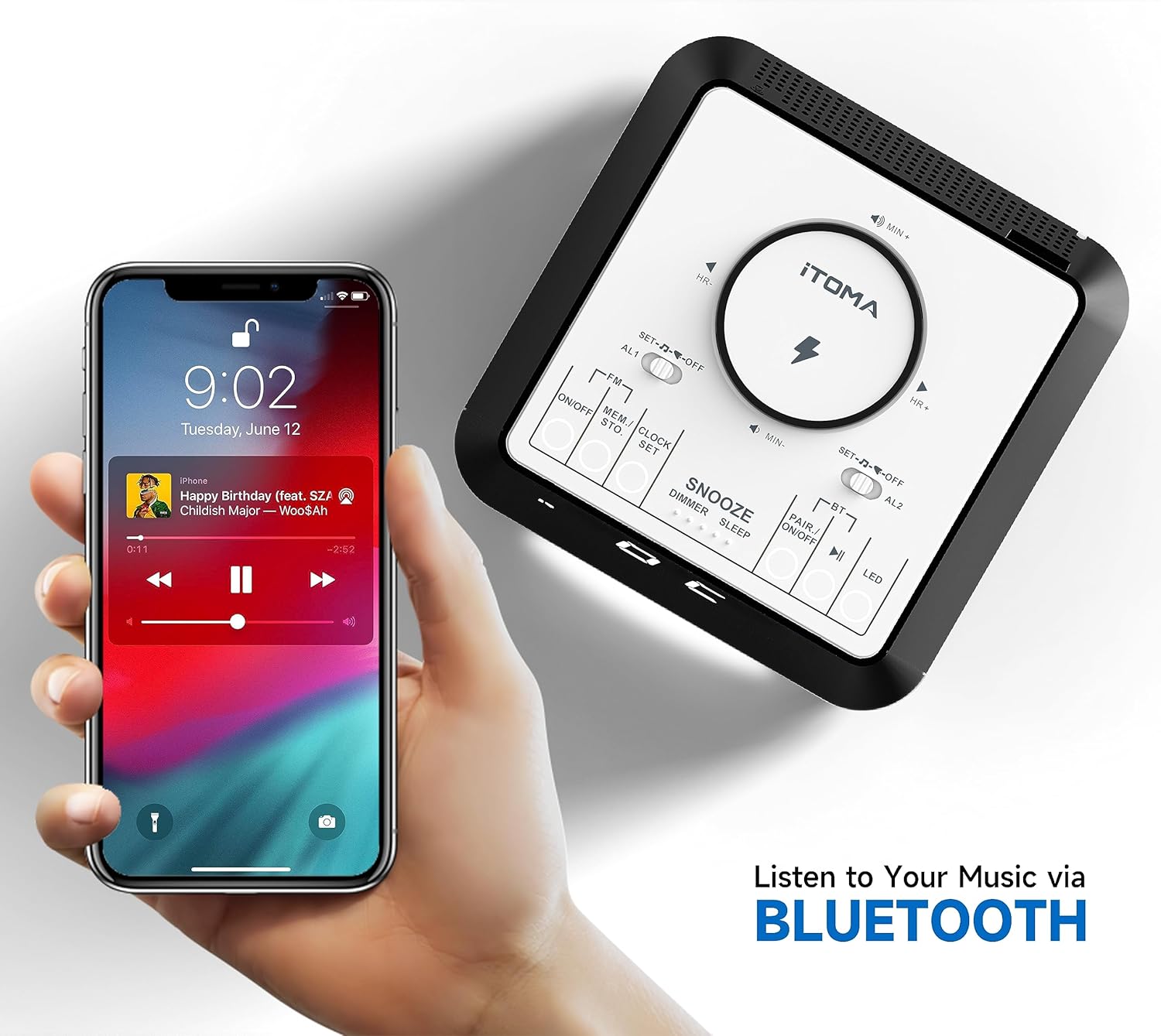
Figure 6: A smartphone displaying a music player interface, wirelessly connected to the iTOMA Alarm Clock Radio via Bluetooth, ready for audio streaming.
Display Dimmer Control
Press the SNOOZE/DIMMER/SLEEP button repeatedly to cycle through the 4 brightness levels (L-3, L-2, L-1, OFF) for the LED display. The unit also features an auto-dimmer function that adjusts brightness based on ambient light.

Figure 7: The alarm clock display illustrating the different dimmer control levels, from 0% (OFF) to 100% (L-3), allowing users to adjust brightness for comfort.
Night Light
Press the LED button to activate the night light feature. Press again to cycle through the 2 available night light modes or turn it off.
Sleep Timer
While playing FM radio or Bluetooth audio, press and hold the SNOOZE/DIMMER/SLEEP button to activate the sleep timer. Repeatedly press the button to set the sleep timer duration from 10 to 90 minutes. The audio will automatically turn off after the set time.
Maintenance
- Cleaning: Use a soft, dry cloth to clean the surface of the unit. Do not use liquid cleaners or abrasive materials.
- Power: Always disconnect the power adapter from the wall outlet before cleaning or if the unit will not be used for an extended period.
- Placement: Place the unit on a stable, flat surface away from direct sunlight, heat sources, and excessive moisture.
- Ventilation: Ensure proper ventilation around the unit to prevent overheating. Do not block any ventilation openings.
Troubleshooting
| Problem | Possible Cause | Solution |
|---|---|---|
| Unit does not power on. | Power adapter not connected or faulty outlet. | Ensure the power adapter is securely plugged into the unit and a working wall outlet. Try a different outlet. |
| Wireless charging not working. | Phone not Qi-compatible, not centered, or phone case too thick. | Verify phone compatibility. Reposition phone on the charging pad. Remove thick phone cases. |
| Poor FM radio reception. | Antenna not extended or interference. | Fully extend the FM wire antenna. Try repositioning the unit or antenna to reduce interference. |
| Bluetooth device cannot pair. | Unit not in pairing mode or device too far. | Ensure the unit is in Bluetooth pairing mode (BT flashing). Move the Bluetooth device closer to the unit. |
| Alarm does not sound. | Alarm not set or volume too low. | Check if the alarm is enabled (AL1/AL2 switch not in OFF position). Increase the volume. |
Specifications
- Brand: iTOMA
- Model: 205-US
- Display Type: Digital LED
- Power Source: Corded Electric
- Product Dimensions: 5.67"W x 5.67"D x 2.8"H (144mm x 144mm x 70mm)
- Item Weight: Approximately 1.5 Pounds (0.68 kg)
- Material: Plastic
- Special Features: Wireless Charger, USB Charging Port, Dual Alarm, FM Radio, Bluetooth Speaker, Snooze, Sleep Timer, Dimmable Display, Night Light
- Room Type: Bedroom, Home Office, Kid's Room, Living Room
Warranty and Support
iTOMA products are designed for reliability and performance. This product comes with a standard manufacturer's warranty against defects in materials and workmanship. For specific warranty details, including duration and coverage, please refer to the warranty card included in your product packaging or visit the official iTOMA website.
For technical support, troubleshooting assistance, or to inquire about replacement parts, please contact iTOMA Customer Service:
- Website: iTOMA Official Store on Amazon (for product information and support links)
- Refer to your product packaging for direct contact information (email/phone).
Please have your model number (205-US) and purchase date available when contacting support.


