
1. Introduction
Thank you for purchasing the Shot Navi Laser Sniper ELUA Golf Rangefinder. This manual provides essential information for the safe and effective use of your device. Please read it thoroughly before use and keep it for future reference.
2. Safety Information
- This device uses an invisible Class 1M laser product (IEC60825-1). Do not look directly into the laser beam or point it at others.
- Keep the device away from water and moisture, although it is rated IP54 for water resistance. Do not submerge.
- Do not disassemble or modify the device. This may void the warranty and cause damage.
- Store the device in a cool, dry place, away from direct sunlight and extreme temperatures.
- Keep out of reach of children.
3. Package Contents
Verify that all items are present in the package:
- Shot Navi Laser Sniper ELUA Main Unit
- Dedicated Zip Case
- USB Type-C Charging Cable
- Lens Cleaning Cloth
- Instruction Manual / Warranty Card

Image: All items included in the Shot Navi Laser Sniper ELUA package.
4. Product Overview
The Shot Navi Laser Sniper ELUA is a compact and lightweight golf rangefinder designed for quick and accurate distance measurement. It features a sub-display for easy reference and a tournament-legal mode.
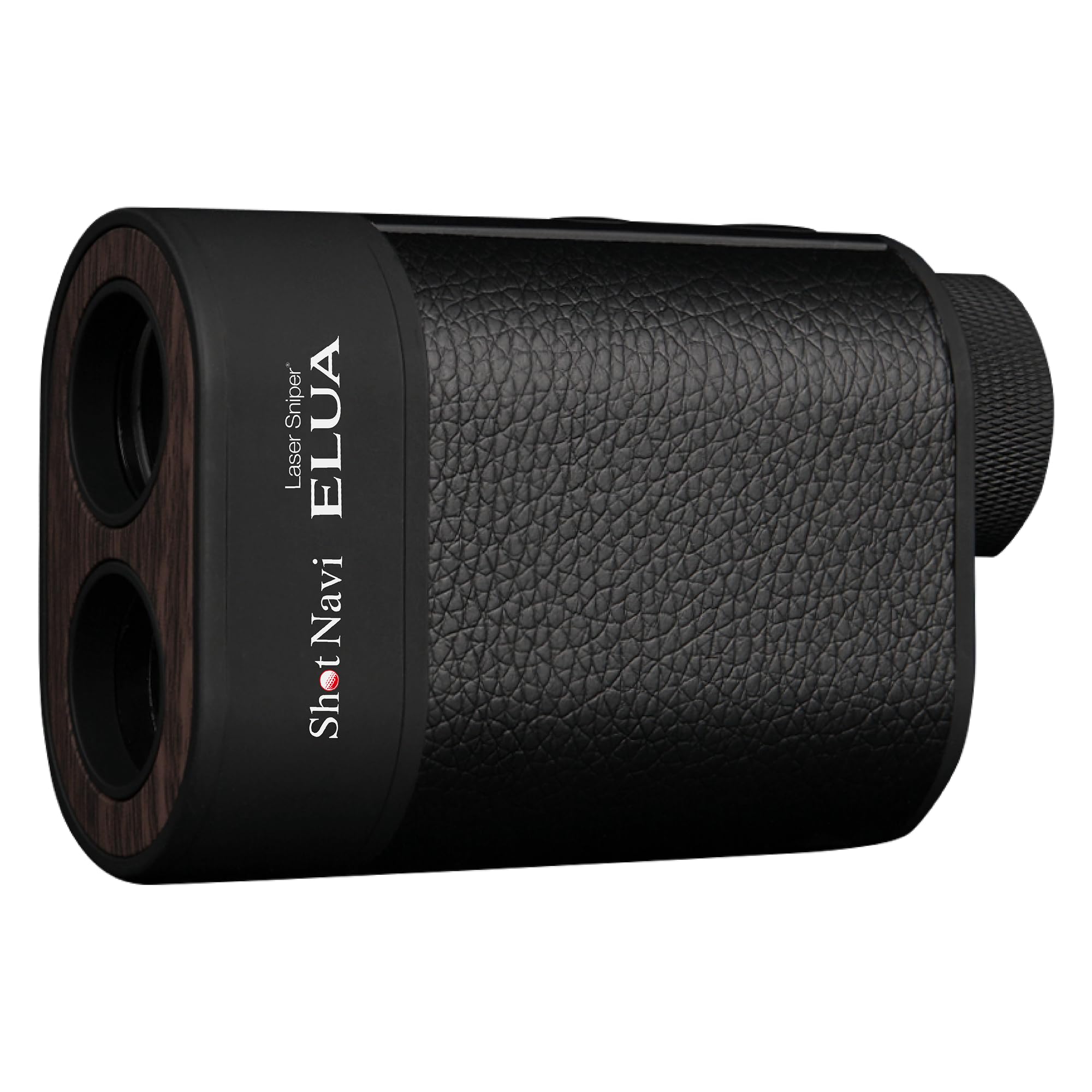
Image: Shot Navi Laser Sniper ELUA Golf Rangefinder.
4.1. Main Features
- External LCD (Sub-display): Displays previous measurements (distance and slope) without needing to look through the viewfinder.
- 0.2-second Speed Measurement: Provides instant distance readings.
- Superior Distance Measurement: Measures up to 1300 yards with improved optical clarity for easier pin targeting.
- Slope-Adjusted Distance: Calculates and displays the actual playing distance, accounting for uphill and downhill slopes.
- Tournament Mode: Disables slope compensation, indicated by a blue LED, making it compliant for competitive play.
- USB Type-C Rechargeable: Built-in battery provides approximately 39,000 measurements on a single charge.
- Water Resistance: IP54 rated for protection against splashes.
4.2. Display Information

Image: Internal viewfinder display and external sub-display showing various indicators like distance, slope, and battery status.
The internal display shows the measured distance, target mark, slope-adjusted distance, and distance unit. The external sub-display provides a quick reference for the last measured distance and slope information.
5. Setup
5.1. Initial Charging
Before first use, fully charge the device. Connect the supplied USB Type-C cable to the charging port on the rangefinder and to a USB power adapter (not included). The charging indicator will show the charging status.

Image: The rangefinder connected via USB Type-C for charging.
5.2. Power On/Off
Press and hold the Power button to turn the device On or Off.
6. Operating Instructions
6.1. Basic Measurement
- Look through the eyepiece and aim the target mark at the desired object.
- Press the measurement button. The distance will be displayed almost instantly (0.2 seconds).
- The measured distance and slope-adjusted distance (if slope mode is active) will be shown in the viewfinder and on the external sub-display.

Image: Demonstrating the rapid 0.2-second measurement speed.
6.2. Slope Function and Tournament Mode
The device can calculate and display slope-adjusted distances. This feature can be toggled ON/OFF. When OFF, the device is tournament legal, and a blue LED on the side will illuminate to indicate this mode.

Image: Explanation of slope compensation and adjusted distance display.

Image: Tournament mode with slope function OFF, indicated by a blue LED.
7. Measurement Modes
The Shot Navi Laser Sniper ELUA offers three measurement modes:
7.1. Point Measurement
Measures the distance to a single target by aiming the crosshairs at it and pressing the measurement button.
7.2. Pin Seek Measurement (Pin Flag Search Assist Function)
This mode helps identify the pin flag among background objects. Aim at the area around the pin, and the device will prioritize the closest object (the pin) and confirm with a vibration. The distance to the pin will then be locked and displayed.
7.3. Scan Measurement
Allows for continuous measurement for up to 10 seconds. This is useful for scanning various targets like bunkers, creeks, or trees to get multiple distances quickly.

Image: Visual representation of the three measurement modes: Point, Pin Seek, and Scan.
8. Charging
The Shot Navi Laser Sniper ELUA is equipped with a built-in rechargeable lithium-ion polymer battery. To charge, connect the included USB Type-C cable to the device and a compatible USB power source. A full charge provides approximately 39,000 measurements, allowing for over 100 rounds of golf (assuming 200 measurements per round).
9. Maintenance
- Cleaning the Lens: Use the provided lens cleaning cloth to gently wipe the lens. Do not use abrasive materials or chemical cleaners.
- Cleaning the Body: Wipe the device body with a soft, dry cloth. For stubborn dirt, a slightly damp cloth can be used, but ensure no moisture enters the device.
- Storage: When not in use for extended periods, store the device in its dedicated case in a dry, cool environment.
- Battery Care: To prolong battery life, avoid fully discharging the battery frequently. Charge the device regularly, even if not in use, to maintain battery health.
10. Troubleshooting
| Problem | Possible Cause | Solution |
|---|---|---|
| Device does not power on. | Battery is depleted. | Charge the device using the USB Type-C cable. |
| Inaccurate distance readings. | Lens is dirty; target is too small or reflective; weather conditions (rain/fog). | Clean the lens with the provided cloth. Ensure a clear line of sight. Measurement accuracy may be affected by severe weather. |
| Sub-display not showing information. | Device is off; no recent measurement. | Ensure the device is powered on and perform a measurement. |
| Blue LED not illuminating in Tournament Mode. | Slope function is not set to OFF. | Toggle the slope function to OFF to activate Tournament Mode. |
11. Specifications
| Feature | Specification |
|---|---|
| Brand | Shot Navi |
| Model Number | Laser Sniper ELUA |
| Measurement Range | Up to 1300 yards |
| Magnification | 6X |
| Measurement Speed | 0.2 seconds |
| Laser Safety Level | IEC60825-1 Class 1M Laser Product |
| Water Resistance | IP54 |
| Battery Type | Rechargeable Lithium-ion Polymer |
| Charging Port | USB Type-C |
| Material | ABS |
| Weight | 0.14 kg |
| Color | Black |
12. Warranty and Support
This Shot Navi Laser Sniper ELUA Golf Rangefinder comes with a 1-year manufacturer's warranty from the date of purchase. Please retain your purchase receipt and the warranty card included in the package as proof of purchase.
For technical support, warranty claims, or inquiries, please contact Shot Navi customer service through their official website or the contact information provided on your warranty card.
Please note that the warranty does not cover damage caused by misuse, unauthorized repairs, accidents, or normal wear and tear.