1. Introduction
This manual provides detailed instructions for the installation, operation, and maintenance of your Kussla 3-Channel Dash Cam. This device is designed to provide comprehensive video surveillance for your vehicle, capturing footage from the front, rear, and interior simultaneously. It features FHD 1080P recording, Super Night Vision, G-Sensor, Loop Recording, and 24-hour Parking Monitoring to enhance your driving safety and security.
2. What's in the Box
- Kussla 3-Channel Dash Cam Unit
- Suction Cup Mount
- Rear Camera
- Car Charger (Cigarette Lighter Adapter)
- 32GB SD Card
- USB-C Data Cable
- Cable Management Clips/Tool
- User Manual (this document)

Image: Included components of the Kussla Dash Cam package.
3. Product Overview
The Kussla X30 Dash Cam offers a robust solution for vehicle recording with its triple-camera system. The main unit houses the front-facing camera and the interior-facing camera, while a separate rear camera provides coverage for the back of your vehicle.
3.1 Key Features
- 3-Channel Recording: Simultaneous capture from Front (1080P), Interior (1080P), and Rear (720P).
- Wide Angle Lenses: Front 170°, Interior 150°, Rear 140° for comprehensive coverage.
- Rotatable Interior Camera: The cabin camera can be rotated 180 degrees for flexible viewing angles.
- Super Night Vision & WDR: Enhanced clarity in low-light conditions and balanced exposure in varying light.
- G-Sensor: Automatically detects sudden impacts and locks the current video file to prevent overwriting.
- Loop Recording: Continuously records, overwriting the oldest unlocked files when the SD card is full.
- 24-Hour Parking Monitoring: Provides surveillance when the vehicle is parked, activating recording upon detecting vibrations.
- Included 32GB SD Card: Ready to use out of the box.
- Waterproof Rear Camera: Allows for flexible installation options, both inside and outside the vehicle.
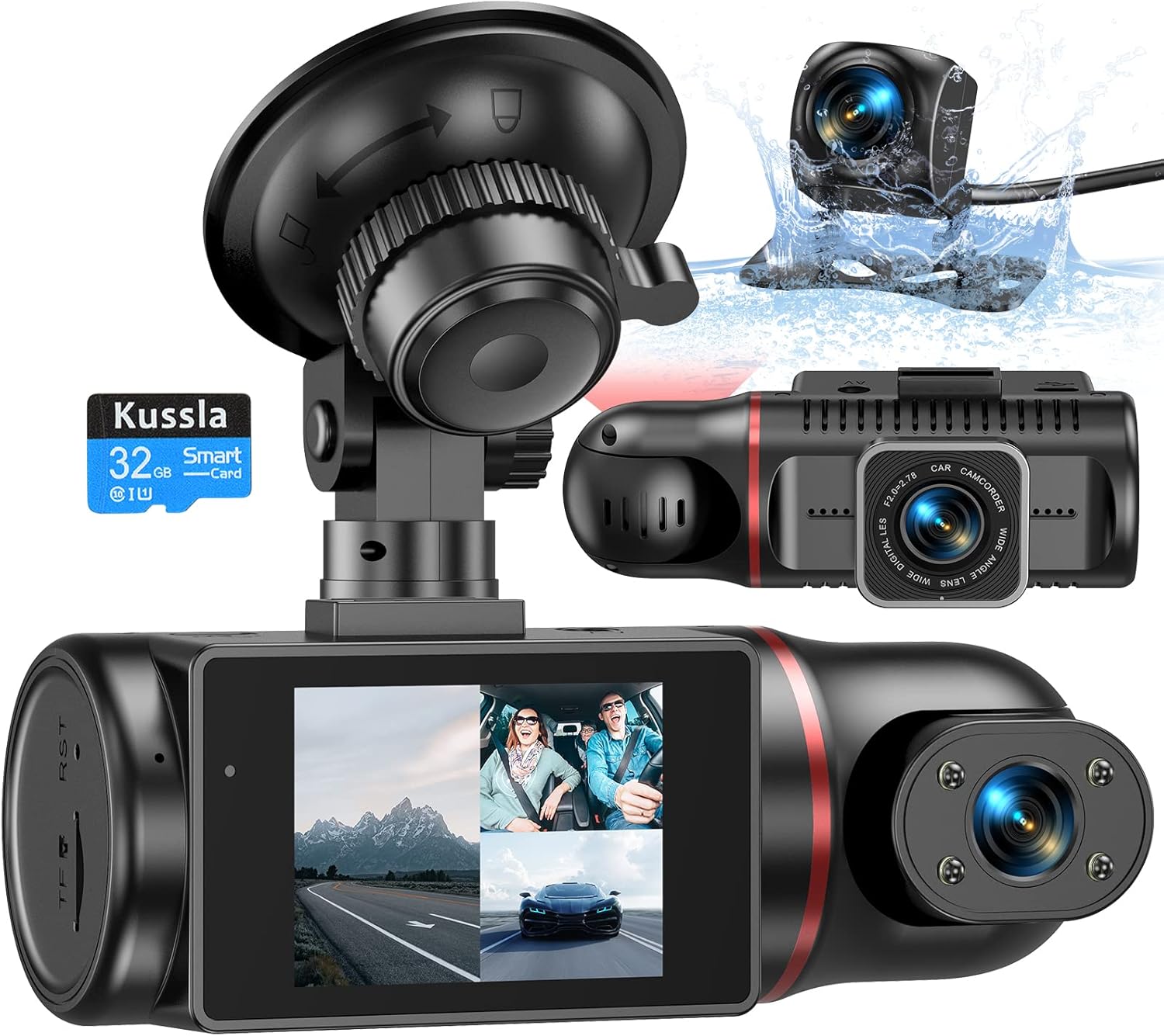
Image: Kussla 3-Channel Dash Cam main unit with its rotatable interior camera and the separate rear camera.

Image: Visual representation of the camera's wide-angle coverage.
4. Setup
Follow these steps for proper installation of your dash cam:
- Prepare the Main Unit: Attach the main dash cam unit to the suction cup mount. Ensure the mount is securely fastened to the camera.
- Mount the Main Unit: Clean the desired area on your windshield. Remove the protective film from the suction cup and firmly press the mount onto the windshield. Twist the locking mechanism to secure it. Position the camera so it has a clear view of the road ahead and the interior.
- Insert SD Card: Locate the SD card slot on the main unit. Insert the provided 32GB SD card until it clicks into place.
- Connect Power: Plug the car charger into your vehicle's cigarette lighter socket. Connect the USB-C end of the power cable to the main dash cam unit. Route the cable neatly along the windshield and dashboard using the provided cable management clips/tool to avoid obstructing your view or interfering with driving.
- Install Rear Camera: Decide on the mounting location for the rear camera (inside the rear window or outside near the license plate). The rear camera is waterproof. Use the adhesive pad or mounting screws (if applicable) to secure it.
- Connect Rear Camera: Connect the rear camera cable to the main dash cam unit. Route this cable discreetly from the main unit to the rear camera, tucking it under trim panels or along the vehicle's interior.
Video: A detailed demonstration of the unboxing and installation process for the Kussla 3-Channel Dash Cam, including mounting the main unit, routing cables, and installing the rear camera.
5. Operating
Your Kussla Dash Cam is designed for ease of use. Here's how to operate its main functions:
5.1 Basic Operation
- Power On/Off: The dash cam will automatically power on and begin recording when your vehicle starts and power is supplied. It will power off automatically when the vehicle is turned off.
- Screen Display: The 2.3-inch screen can display footage from all three cameras simultaneously in a split-screen view.
- Interior Camera Rotation: The interior camera can be manually rotated 180 degrees to capture different angles within the cabin.
5.2 Advanced Features
- Loop Recording: The camera continuously records video in segments (e.g., 1, 3, or 5 minutes). When the SD card is full, it automatically overwrites the oldest unlocked video files.
- G-Sensor (Emergency Lock): The built-in G-Sensor detects sudden movements or impacts (like a collision). When triggered, it automatically locks the current video segment, preventing it from being overwritten by loop recording.
- Parking Monitoring: When enabled, this feature allows the dash cam to monitor your vehicle while parked. If a vibration or impact is detected, the camera will automatically wake up and record for approximately 30 seconds. Important: It is recommended to disable motion detection/parking monitoring while driving to prevent unnecessary file locking and premature filling of the SD card.
- Super Night Vision & WDR: These technologies work together to improve video clarity and exposure in low-light conditions, ensuring clear recordings even at night.
- Audio Recording: The dash cam records audio inside the vehicle. This feature can typically be toggled on or off via the camera's settings menu.

Image: Visuals explaining Parking Monitoring, G-Sensor, and Loop Recording.
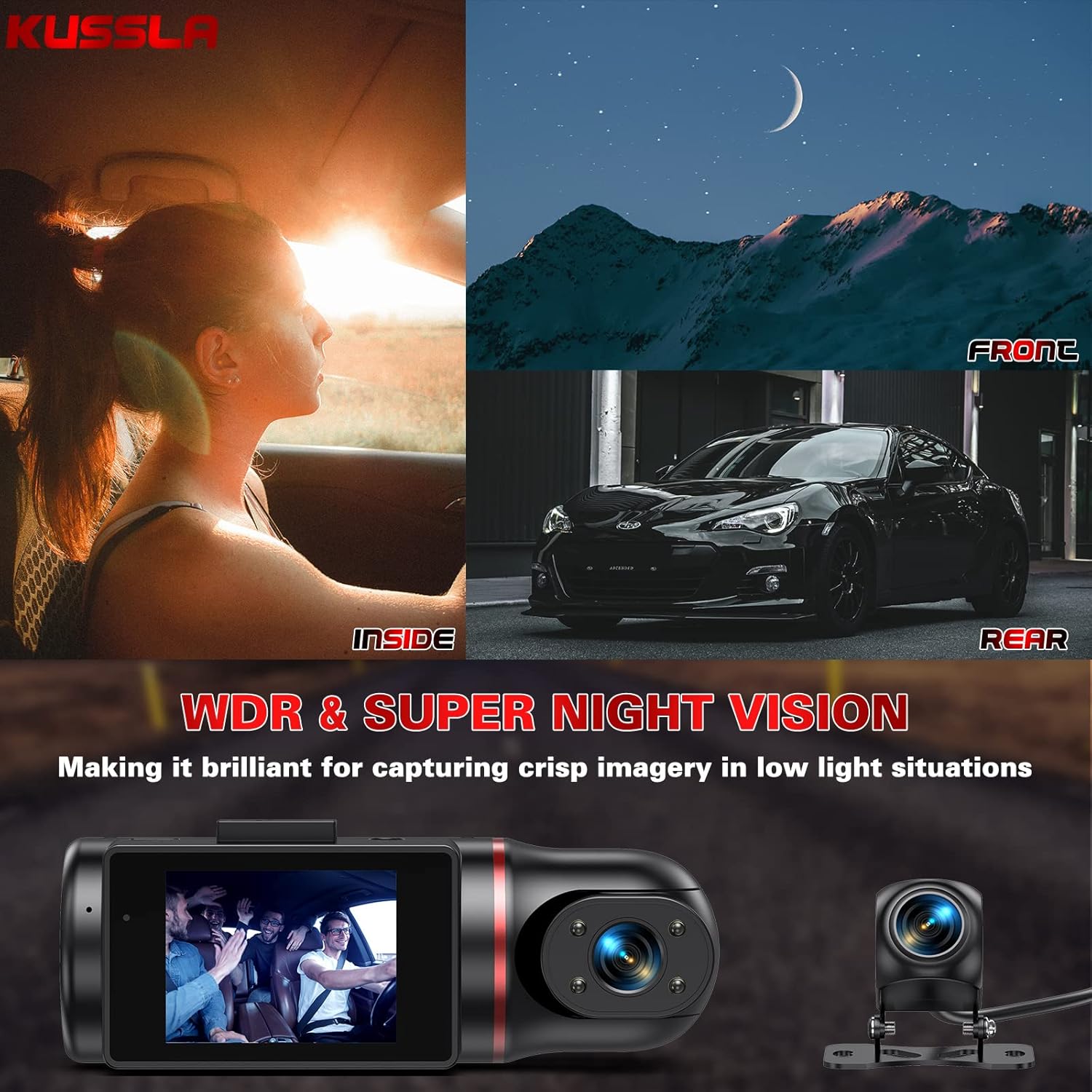
Image: Examples of WDR and Super Night Vision performance.
6. Maintenance
- Regular SD Card Formatting: To ensure optimal performance and prevent recording issues, it is crucial to format the SD card regularly (e.g., once a month). This clears old, unlocked files and maintains the card's health.
- Clean Lenses: Periodically clean the camera lenses with a soft, lint-free cloth to ensure clear video quality. Avoid abrasive materials that could scratch the lenses.
- Check Connections: Ensure all cables and connections are secure to prevent power interruptions or signal loss.
7. Troubleshooting
| Problem | Possible Cause | Solution |
|---|---|---|
| Camera not powering on. | No power from car charger; loose connection. | Check car charger connection to both the dash cam and the cigarette lighter socket. Ensure the vehicle's power outlet is active. |
| SD card full / Cannot record. | SD card needs formatting; too many locked files. | Format the SD card regularly. Disable parking monitoring/motion detection while driving to prevent unnecessary file locking. |
| Video quality is poor/blurry. | Dirty lens; protective film still on lens; extreme lighting conditions. | Clean the camera lenses. Ensure all protective films are removed. WDR and Super Night Vision features help in challenging light. |
| Camera freezes or crashes. | SD card issue; firmware issue. | Try formatting the SD card. If the issue persists, contact customer support for potential firmware updates. |
8. Specifications
- Video Capture Resolution: 1080p (Front/Interior), 720p (Rear)
- Screen Size: 2.3 Inches
- Optical Sensor Technology: CMOS
- Mounting Type: Interior Mount (Suction Cup)
- Control Method: Touch
- Connectivity Technology: USB
- Item Weight: 1.36 pounds
- Package Dimensions: 5.75 x 4.65 x 4.45 inches
9. Warranty and Support
Kussla stands behind the quality of its products. Your Kussla 3-Channel Dash Cam comes with a lifetime warranty.
We offer a 30-day full refund for any issues. Additionally, replacement parts are available for 30 days from the purchase date.
Our professional after-sales support team is available 24 hours online to assist you with any questions or concerns. Please refer to the contact information provided on the product packaging or our official website for support.


