
Introduction
Thank you for choosing the Nitigo Emergency Weather Radio. This versatile device is designed to keep you informed and safe during emergencies, offering multiple power sources, weather alerts, and essential lighting functions. Please read this manual carefully to ensure proper use and maintenance of your radio.
What's in the Box
- Emergency Weather Radio x 1
- USB Charging Cable x 1
- User Manual x 1
- Lanyard x 1

Setup
- Initial Charge: It is recommended to fully charge the radio before first use. Use the provided USB charging cable to connect the radio to a power source.
- Antenna: Extend the telescopic antenna for optimal radio reception.
- Lanyard: Attach the lanyard for convenient carrying and to prevent accidental drops.
Operating Instructions
Radio Functions
- Power On/Off & Volume: Rotate the 'VOL' knob clockwise to turn the radio on and increase volume. Rotate counter-clockwise to decrease volume and turn off.
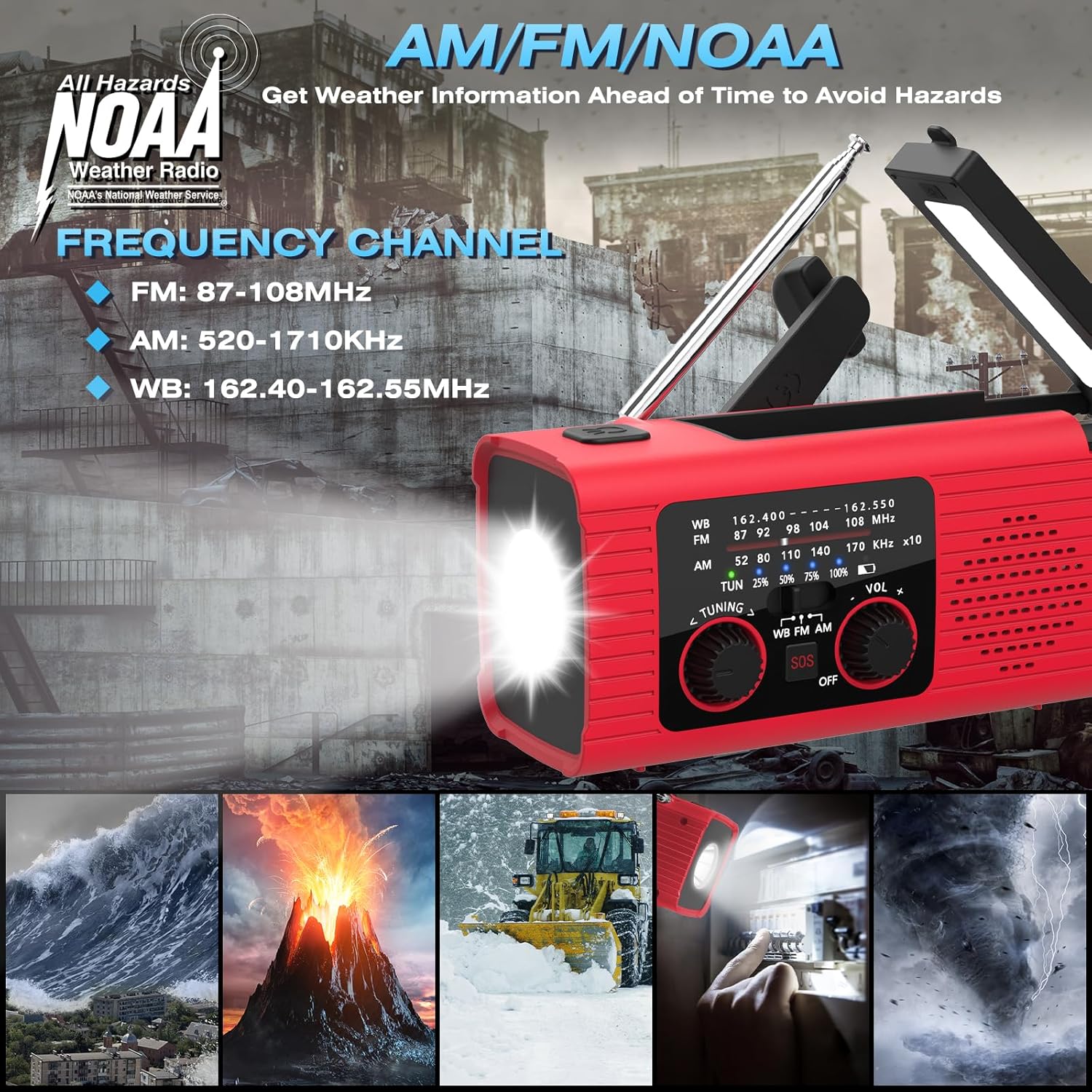
- Band Selection: Use the 'WB FM AM' switch to select between Weather Band (WB), FM, or AM radio frequencies.
- Tuning: Rotate the 'TUNING' knob to scan for radio stations. The tuning indicator light will illuminate when a strong signal is found.

NOAA Weather Alert
The radio receives severe weather alerts. To receive NOAA Weather alerts, ensure the radio is turned on and the 'WB' band is selected. This feature helps you prepare for natural disasters such as hurricanes, tornadoes, and floods.

Charging Options
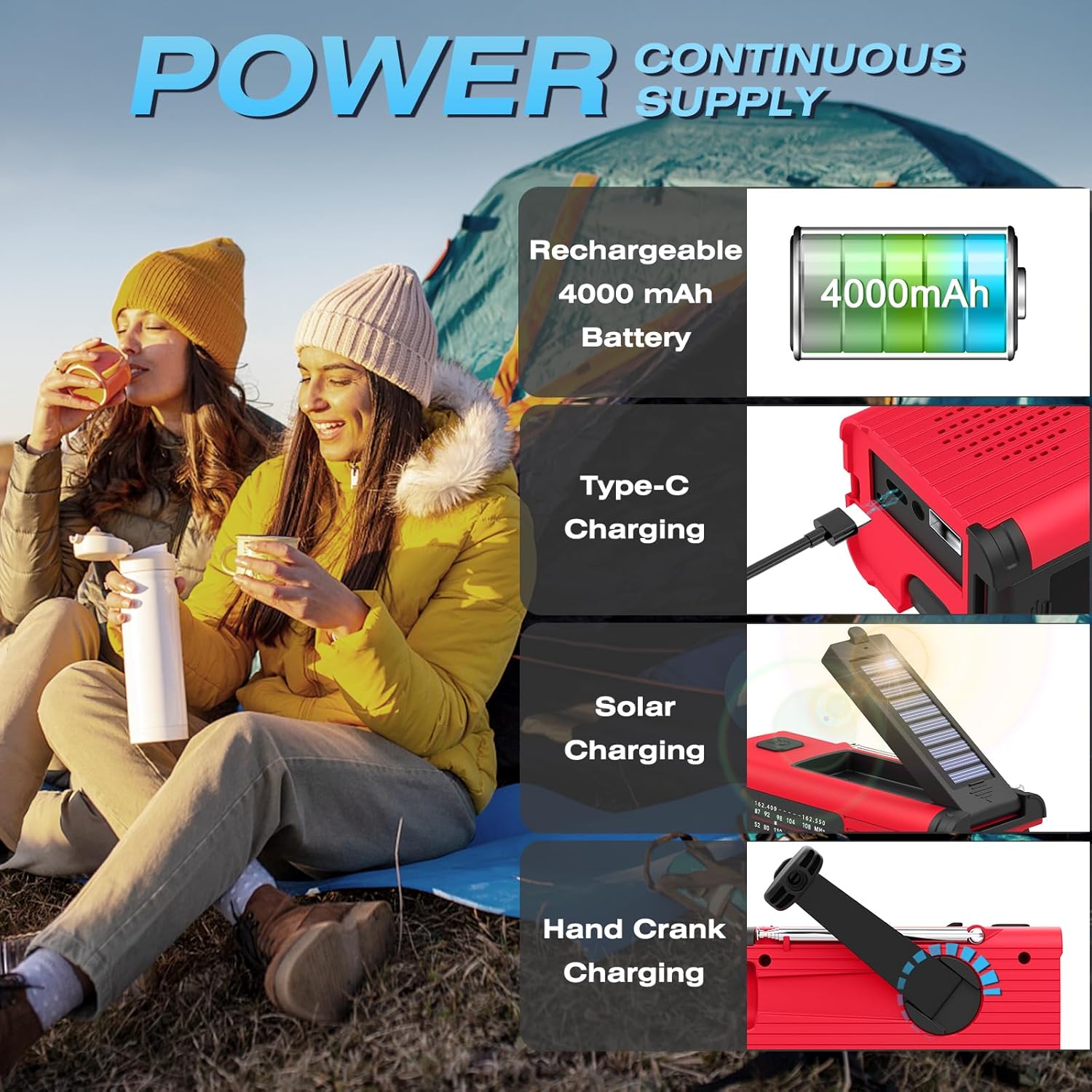
The Nitigo Emergency Weather Radio offers multiple ways to ensure a continuous power supply, making it reliable in any situation.
- USB Charging: Connect the provided USB-C cable to the radio's input port and to a USB power adapter (not included) or computer. The charging indicator will show progress.
- Solar Charging: Place the radio with its solar panel facing direct sunlight. The solar indicator light will illuminate when charging. This method is ideal for maintaining charge or slow charging in outdoor environments.
- Hand Crank Charging: Unfold the hand crank handle located on the side of the radio. Rotate the handle clockwise or counter-clockwise for approximately 2-3 minutes to generate power for short-term use or to jump-start the battery.


Power Bank Function
The built-in 4000mAh rechargeable battery can also serve as a power bank. Connect your phone, tablet, or other USB devices to the USB output port to charge them in an emergency.

Special Features
LED Flashlight
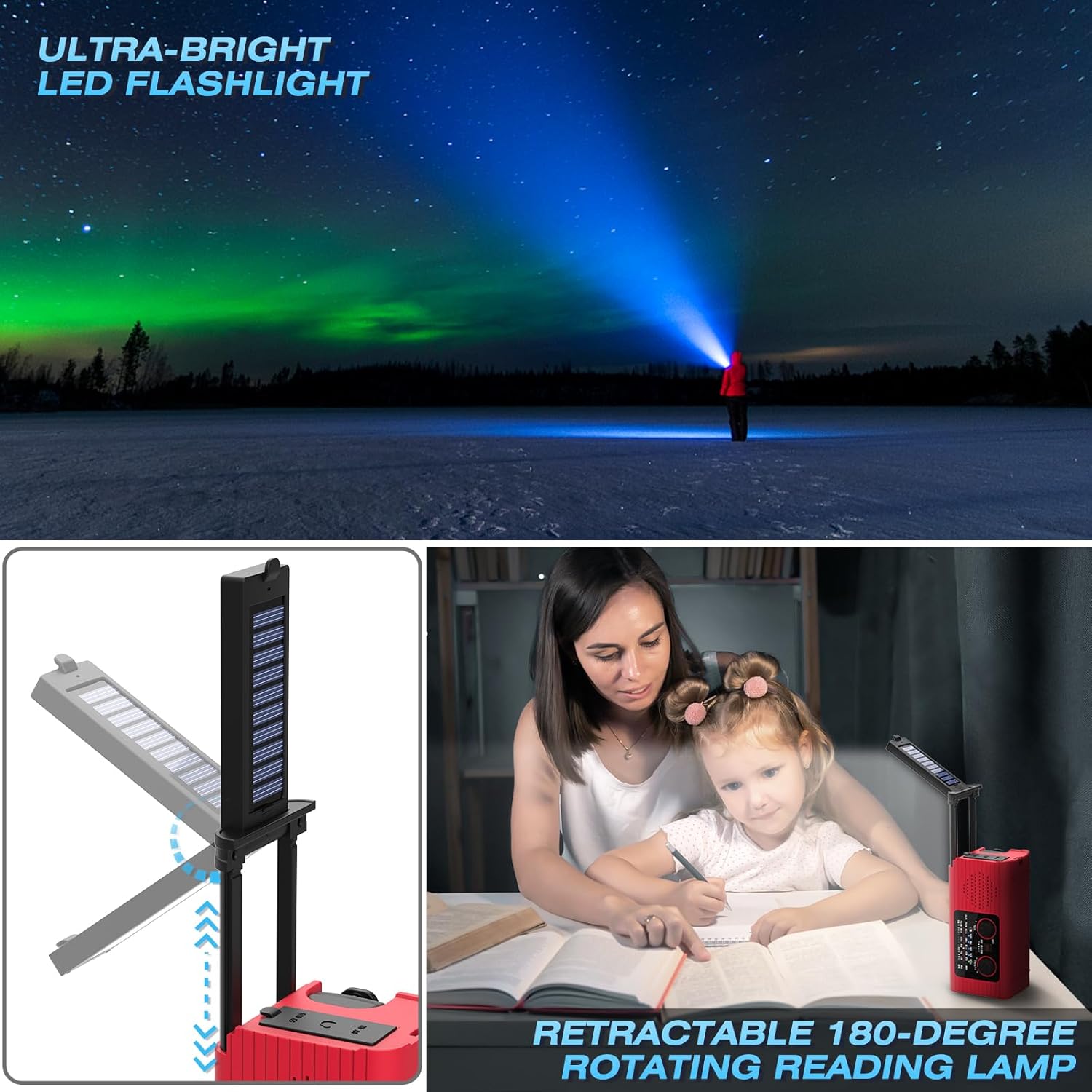
The radio includes an ultra-bright LED flashlight. Press the flashlight button on the top of the radio to activate it. This is useful for navigating in the dark or signaling.
Retractable Reading Lamp
A retractable 180-degree rotating reading lamp is integrated into the radio. Lift the solar panel to reveal the lamp and adjust its angle for comfortable illumination. Press the reading lamp switch to turn it on/off.
SOS Alarm
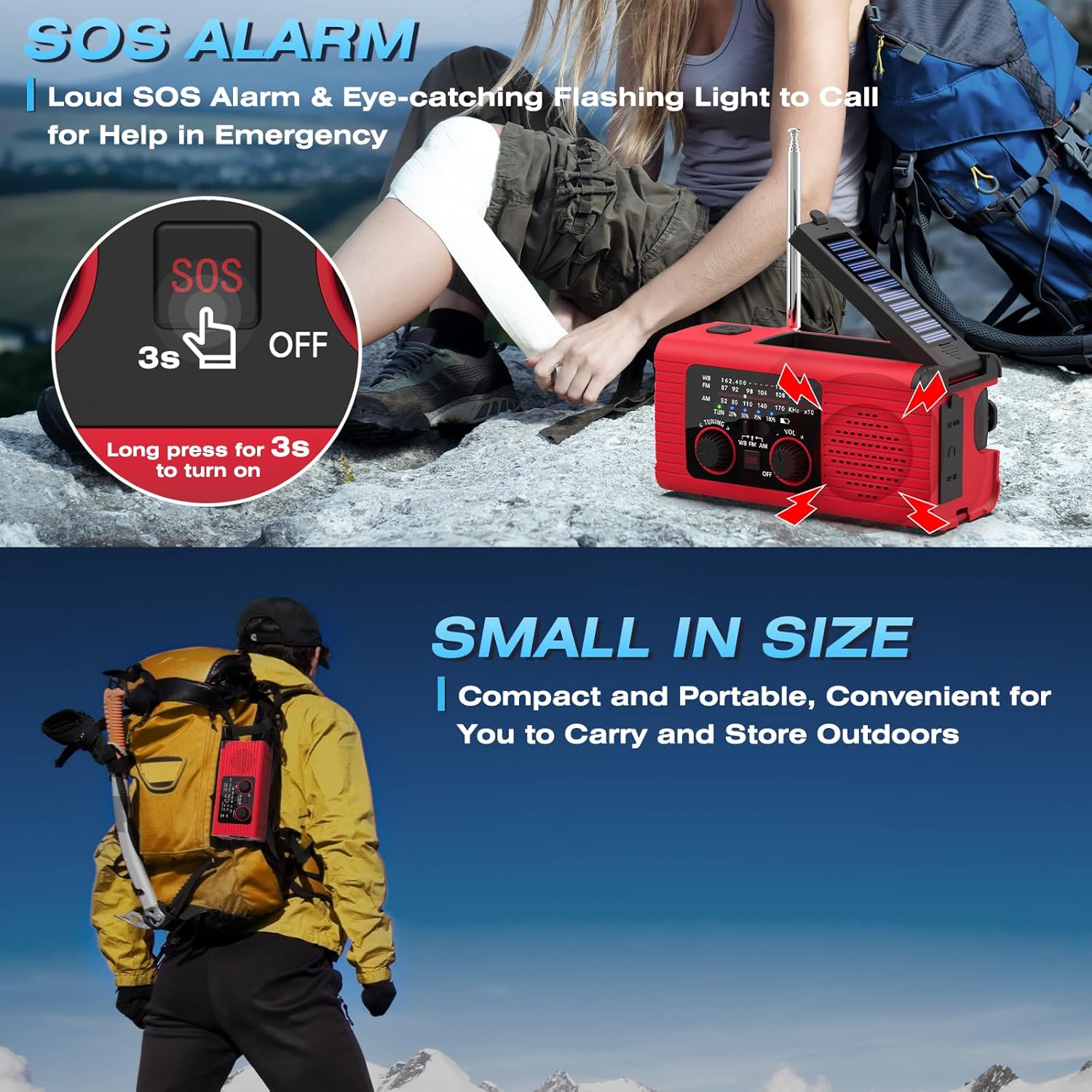
In emergency situations, activate the loud SOS alarm and eye-catching flashing light by long-pressing the 'SOS' button for 3 seconds. This feature is designed to attract attention and signal for help.
Headphone Jack
A 3.5mm headphone jack is included for private listening, allowing you to enjoy radio broadcasts without disturbing others.

Specifications
| Brand | Nitigo |
| Model Number | Emergency Radio |
| Color | Red |
| Product Dimensions | 5.31"L x 2.28"W x 2.68"H |
| Item Weight | 300 Grams |
| Power Source | Rechargeable Battery Powered, Hand Crank, Solar Powered |
| Battery Capacity | 4000mAh |
| Radio Bands Supported | AM/FM/WB/NOAA |
| Connectivity Technology | USB |
| Water Resistance Level | Waterproof (IPX4) |
| Included Components | Emergency Weather Radio x 1, Lanyard x 1, USB Charging Cable x 1, User Manual x 1 |
Maintenance
- Cleaning: Wipe the radio with a soft, dry cloth. Do not use harsh chemicals or abrasive cleaners.
- Storage: Store the radio in a cool, dry place away from direct sunlight and extreme temperatures.
- Battery Care: For optimal battery life, fully charge the radio at least once every three months, even if not in use.
Troubleshooting
- No Power: Ensure the battery is charged. Try hand-cranking for a few minutes to initiate a charge.
- Poor Radio Reception: Fully extend the antenna and try repositioning the radio. Ensure you are in an area with adequate signal coverage for the selected band.
- Flashlight/Reading Lamp Not Working: Check if the battery has sufficient charge. Ensure the respective power buttons are pressed correctly.
- Slow Solar Charging: Solar charging is primarily for maintaining battery life or slow charging. For faster charging, use the USB method. Ensure the solar panel is clean and exposed to direct sunlight.
Warranty and Support
This Nitigo Emergency Weather Radio comes with a 1-year manufacturer's warranty. For warranty claims, technical support, or any inquiries, please contact Nitigo customer service through the retailer where you purchased the product or visit the official Nitigo website.
Official Product Videos
Video: Detailed look at the Emergency Radio with its light and various features. This video provides a comprehensive overview of the product's functionalities.
Video: The emergency weather radio and charging station you need. This video demonstrates the radio's capabilities as a charging station and its emergency features.
Video: Great for emergency preparation - Nitigo Emergency Weather Radio. This video highlights the radio's importance as a survival tool for various emergency scenarios.
