
1. Introduction
Thank you for choosing the ANTEQI Waterproof Stopwatch Timer. This device is designed for precise timekeeping in various sports and training activities. It features a large display, simple operation, and a waterproof design, making it suitable for coaches, athletes, and enthusiasts. This manual provides detailed instructions for setup, operation, and maintenance to ensure optimal performance.
2. Safety Information
- Keep the stopwatch away from extreme temperatures and direct sunlight.
- Avoid dropping the device or subjecting it to strong impacts.
- While waterproof, avoid prolonged submersion beyond specified depths or high-pressure water jets.
- Do not attempt to disassemble the stopwatch beyond battery replacement, as this may void the warranty and compromise its waterproof seal.
- Dispose of used batteries responsibly according to local regulations.
3. Product Overview
Familiarize yourself with the components and controls of your ANTEQI Stopwatch Timer.

Figure 3.1: Front view of the ANTEQI Stopwatch Timer with button labels.
- ON/OFF Button: Located at the top center. Long press for 3 seconds to power on or off.
- Split/Reset Button: Located on the top left. Used to record split times or reset the stopwatch.
- Start/Stop Button: Located on the top right. Used to start and stop the timer.
- Large Display: Shows minutes, seconds, and 1/100th seconds for clear readability.
4. Setup
4.1 Battery Installation
The stopwatch comes with a CR2032 battery pre-installed. If the display is dim or unresponsive, you may need to replace the battery.
- Locate the small screws on the back of the stopwatch.
- Using a small screwdriver, carefully remove the screws and the back cover.
- Gently remove the old CR2032 battery.
- Insert a new CR2032 battery with the positive (+) side facing up.
- Replace the back cover and secure it with the screws, ensuring a tight seal to maintain waterproof integrity.
Video 4.1: Demonstration of how to uninstall and replace the battery in the stopwatch.
5. Operating Instructions
5.1 Power On/Off
- To turn ON the stopwatch, press and hold the ON/OFF Button (top center) for approximately 3 seconds until the display activates.
- To turn OFF the stopwatch, press and hold the ON/OFF Button (top center) for approximately 3 seconds. This feature helps conserve battery life.
5.2 Basic Timing (Start, Stop, Reset)
- Ensure the stopwatch is powered on and the display shows "00:00:00".
- Press the Start/Stop Button (top right) once to begin timing. The display will start counting.
- To pause the timer, press the Start/Stop Button again. The display will hold the current time.
- To resume timing from the paused point, press the Start/Stop Button once more.
- To stop the timer completely, press the Start/Stop Button.
- To reset the timer to "00:00:00", press the Split/Reset Button (top left) after the timer has been stopped.
Video 5.1: Demonstration of basic stopwatch operation, including start, stop, and reset functions.
5.3 Split/Lap Timing
The stopwatch can record split times, allowing you to measure intermediate segments of an event without stopping the main timer.
- Start the timer by pressing the Start/Stop Button.
- At the end of a lap or segment, press the Split/Reset Button. The display will show the split time while the main timer continues to run in the background.
- Press the Split/Reset Button again to return to the running main timer display.
- Repeat step 2 and 3 for subsequent split times.
- To stop the main timer, press the Start/Stop Button.
- To reset the stopwatch, press the Split/Reset Button after the timer has been stopped.
5.4 Waterproof Functionality
The ANTEQI Stopwatch Timer is designed to be waterproof up to 50 meters, making it suitable for use in wet conditions such as swimming or rain. Ensure the battery compartment is securely closed to maintain its waterproof integrity.
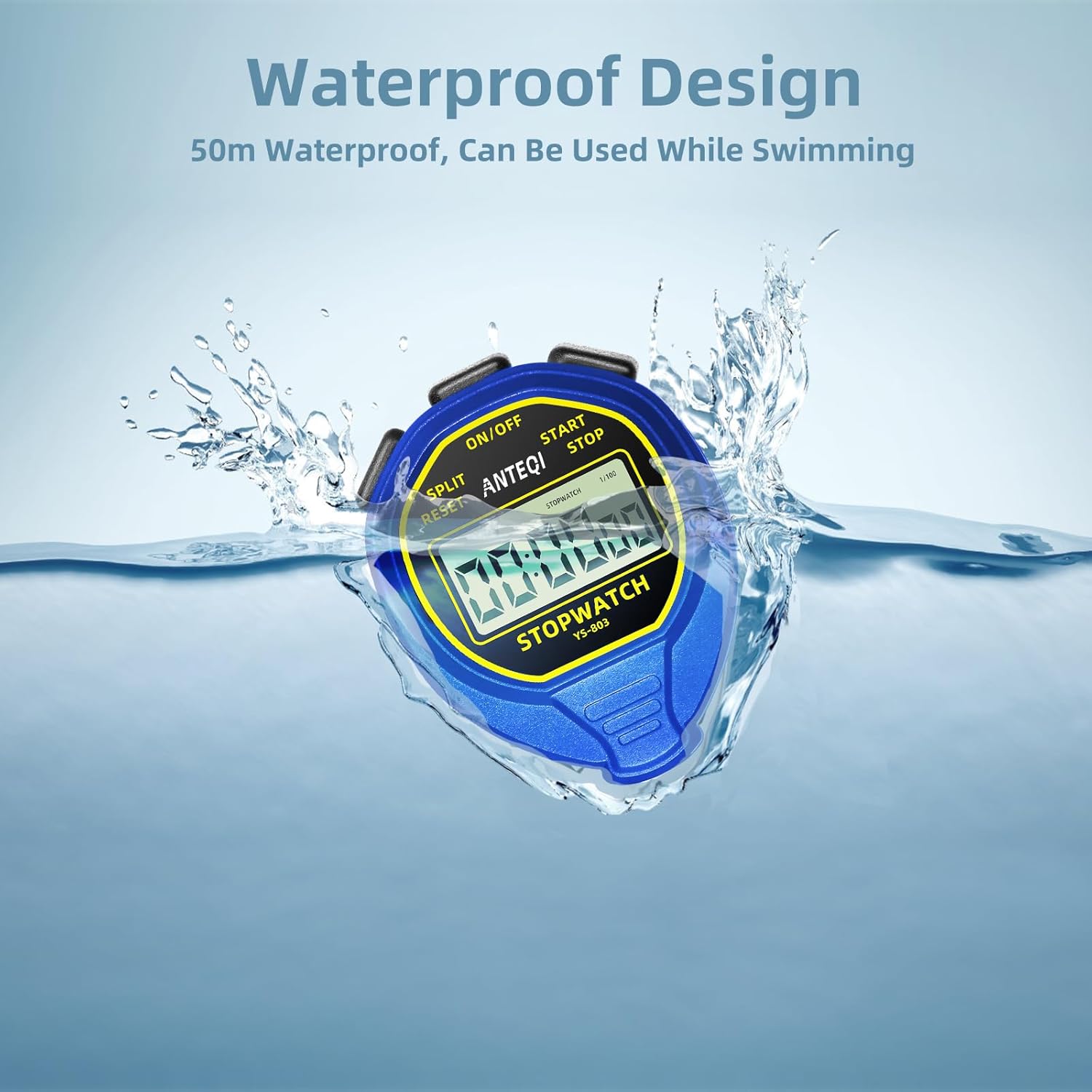
Figure 5.1: The stopwatch is designed for use in wet environments.
Video 5.2: A demonstration of the stopwatch's waterproof capabilities.
6. Maintenance
6.1 Cleaning
To clean your stopwatch, wipe it with a soft, damp cloth. Do not use abrasive cleaners or solvents, as these can damage the casing or display.
6.2 Battery Replacement
Refer to Section 4.1 for detailed instructions on replacing the CR2032 battery. Ensure the battery is correctly oriented and the back cover is securely fastened to maintain waterproof integrity.
7. Troubleshooting
- Display is blank or dim:
- Ensure the stopwatch is powered on by long-pressing the ON/OFF button.
- The battery may be low or depleted. Replace the CR2032 battery as described in Section 4.1.
- Buttons are unresponsive:
- Check if the stopwatch is powered on.
- Ensure there is no debris or obstruction around the buttons.
- If the issue persists after battery replacement, contact customer support.
- Water ingress after use in water:
- Immediately power off the device if possible.
- This indicates a compromise in the waterproof seal. Ensure the back cover screws were tightened properly after any battery replacement.
- Contact customer support for assistance.
8. Specifications
| Feature | Detail |
|---|---|
| Brand | ANTEQI |
| Model Number | Blue Stopwatch Timer |
| Material | Plastic |
| Product Dimensions | 0.7"D x 2.5"W x 3.15"H |
| Item Weight | 1.87 ounces (53 Grams) |
| Screen Size | 3.15 Inches |
| Water Resistance | 50M (Waterproof) |
| Battery Type | 1 CR2032 (included) |
| Functions | Start, Stop, Split, Reset, ON/OFF |
9. Warranty and Support
ANTEQI offers a satisfaction guarantee and 24-hour customer service. If you encounter any quality problems with your stopwatch timer, please contact ANTEQI customer support for warranty services. Your satisfaction is important to us.
For further assistance or inquiries, please refer to the contact information provided with your purchase or visit the official ANTEQI store on Amazon: ANTEQI Store.