
1. Product Overview
The Accutime Bluey Kids Digital Projector Watch (Model BLY4024AZ) is designed to make learning to tell time fun and interactive for young Bluey fans. This watch features an easy-to-read LCD display and a unique side projector that displays 6 exciting images of Bluey and her friends.
Key Features:
- Project 6 exciting Bluey images with the side projector light.
- Easy-to-read digital display for learning to tell time.
- Durable and comfortable design with a soft silicone strap.
- Officially Licensed Bluey Watch.

Image 1.1: Front view of the Accutime Bluey Kids Digital Projector Watch.
2. Setup
2.1 Unboxing
Carefully remove the watch from its packaging. Ensure all components are present.
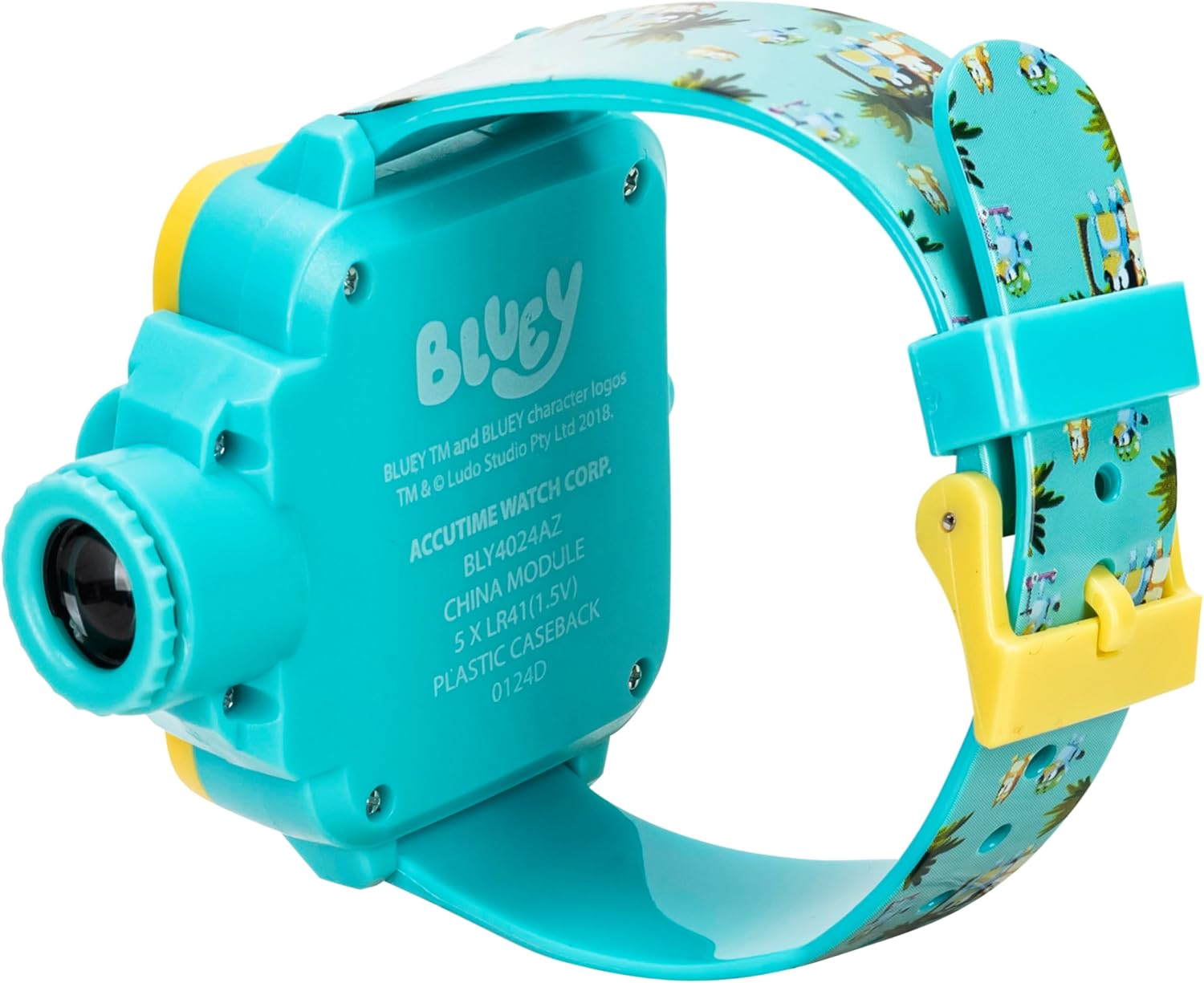
Image 2.1: The watch as it appears in its retail packaging.
2.2 Wearing the Watch
Adjust the silicone strap to fit comfortably on the child's wrist. Ensure it is snug but not too tight to allow for proper circulation.

Image 2.2: Example of the watch being worn on a child's wrist.
2.3 Initial Time Setting
The watch comes with a pre-installed battery. To set the time:
- Locate the small button on the side of the watch face.
- Press and hold this button until the digits on the display begin to flash.
- Press the button repeatedly to advance the hours.
- After setting the hours, press and hold the button again until the minutes begin to flash.
- Press the button repeatedly to advance the minutes.
- Release the button to set the time. The digits will stop flashing after a few seconds, indicating the time is set.
3. Operating Instructions
3.1 Reading the Time
The digital LCD display shows the current time in a clear, easy-to-read format. Simply glance at the watch face to see the time.
3.2 Using the Projector
The watch features a side projector that displays various Bluey images. To use the projector:
- Locate the projector lens on the right side of the watch casing.
- Press the button located near the projector lens to activate the light and project an image.
- Rotate the small dial next to the projector lens to cycle through the 6 different Bluey images.
- For best results, project images onto a flat, light-colored surface (such as a wall or ceiling) in a dimly lit room.

Image 3.1: The watch face with an illustration of the 6 projector images available.
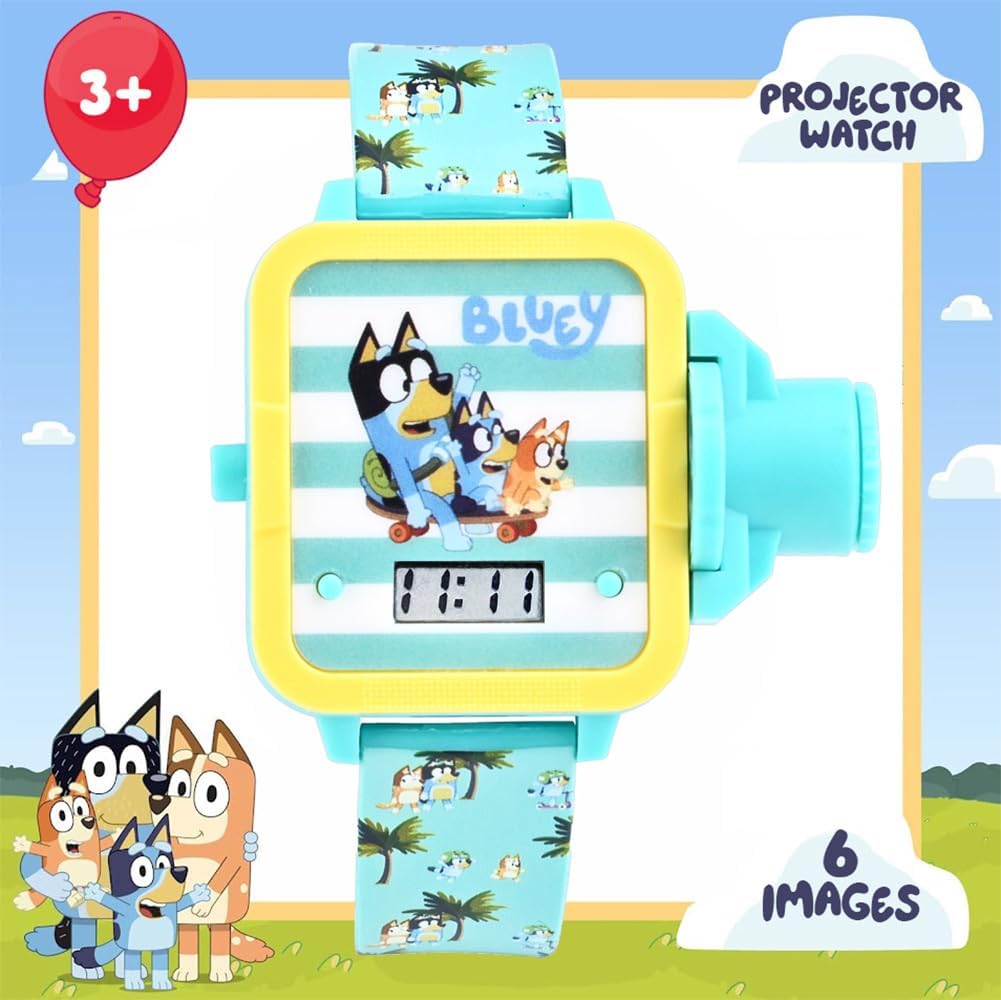
Image 3.2: Side view highlighting the projector lens and control dial.
4. Maintenance
4.1 Cleaning
Wipe the watch clean with a soft, dry cloth. Do not use abrasive cleaners, solvents, or harsh chemicals. Avoid immersing the watch in water as it is not designed to be waterproof.
4.2 Battery Replacement
The watch uses 5 x LR41 (1.5V) batteries. When the display or projector light dims significantly, it may be time for a battery replacement. This procedure should be performed by an adult or a qualified technician. To replace the batteries, carefully open the battery compartment on the back of the watch using a small screwdriver, replace the old batteries with new ones, ensuring correct polarity, and securely close the compartment.
4.3 Storage
Store the watch in a cool, dry place away from direct sunlight and extreme temperatures when not in use. Keep it away from strong magnetic fields.
5. Troubleshooting
5.1 Display is blank or dim
- Check battery: The battery may be low or depleted. Replace the batteries (5 x LR41 1.5V).
- Ensure proper button press: Make sure the time setting button is not stuck or partially pressed.
5.2 Projector image is dim or unclear
- Check battery: Low battery can significantly affect projector brightness. Replace the batteries.
- Adjust focus: Gently twist the projector lens to adjust the focus for a clearer image.
- Environment: Ensure the projection surface is light-colored and the room is sufficiently dark for optimal visibility.
5.3 Buttons are unresponsive
- Soft Reset: If the watch is unresponsive, try removing and reinserting the batteries to perform a soft reset.
- Check for debris: Ensure no dirt or debris is obstructing the buttons, preventing them from being pressed fully.
6. Specifications
| Attribute | Detail |
|---|---|
| Model Number | BLY4024AZ |
| Brand | Accutime |
| Manufacturer | Accutime Watch Corp. |
| Department | Boys |
| Package Dimensions | 10.75 x 4.13 x 1.14 inches |
| Item Weight | 3.53 ounces |
| Battery Type | 5 x LR41 (1.5V) |
| Country of Origin | China |
| ASIN | B0C54C3BG3 |
7. Warranty and Support
7.1 Warranty Information
This Accutime Bluey Kids Digital Projector Watch comes with a 1-year warranty from the date of purchase. This warranty covers manufacturing defects under normal use. Please retain your proof of purchase for any warranty claims.
7.2 Customer Support
For further assistance, technical support, or inquiries regarding your Accutime Bluey Kids Digital Projector Watch, please contact Accutime Watch Corp. customer support. Refer to the product packaging or the Accutime official website for specific contact details.