
1. Introduction
The Retevis RB645 is a compact and user-friendly PMR446 two-way radio designed for reliable communication. It features 16 channels, dual PTT buttons, VOX hands-free operation, and a long-lasting rechargeable battery. This manual provides essential information for setting up, operating, and maintaining your RB645 walkie talkie.
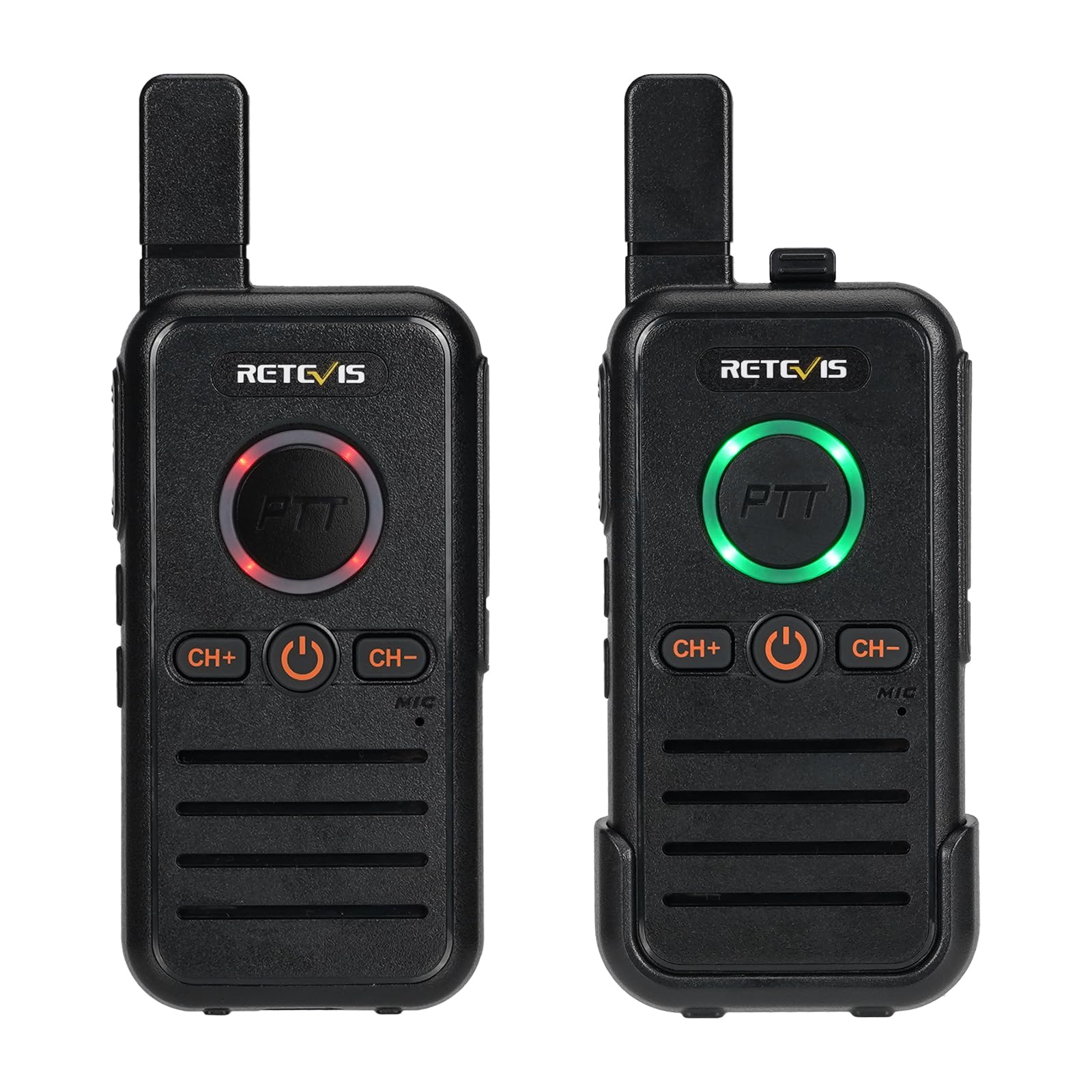
Figure 1: Retevis RB645 Walkie Talkie
2. Package Contents
Before use, please verify that all items are present in the package:
- 2 x RB645 Walkie Talkies
- 2 x 1100 mAh Li-ion Batteries
- 1 x 2-in-1 USB C Charging Cable
- 2 x Belt Clips
- 2 x Lanyards
- 1 x Multi-language User Manual

Figure 2: Included accessories: two walkie talkies, two batteries, one USB-C charging cable, two belt clips, and two lanyards.
3. Product Overview
The RB645 walkie talkie is designed for ease of use with essential communication features.
3.1 Key Features
- PMR446 License-Free Operation
- 16 Channels
- Dual Push-to-Talk (PTT) Buttons
- VOX Hands-Free Function
- Emergency Alarm Function
- Channel Lock
- USB Type-C Charging
- Compact and Lightweight Design
3.2 Controls and Functions
Familiarize yourself with the main controls:
- Power/Volume Knob: Rotate to turn the radio on/off and adjust volume.
- Main PTT Button: Press and hold to transmit, release to receive.
- Side PTT Button: An alternative PTT button for convenience.
- Channel Up (CH+): Press to increase the channel number.
- Channel Down (CH-): Press to decrease the channel number.
- Side Button 1: Long press to activate/deactivate VOX function.
- Side Button 2: Long press to activate the emergency alarm.
- USB-C Charging Port: For charging the device.

Figure 3: The RB645 features a dual PTT button design for flexible operation.
4. Setup
4.1 Battery Installation
The RB645 walkie talkie comes with a built-in detachable Li-ion battery. Ensure the battery is securely seated in its compartment before first use.

Figure 4: The RB645 features a built-in detachable battery for easy replacement or charging.
4.2 Charging the Battery
Before initial use, fully charge the battery. Connect the provided USB Type-C charging cable to the walkie talkie's charging port and to a compatible USB power source (e.g., power bank, PC, car charger, wall adapter). The charging indicator will show the charging status.
- Battery capacity: 1100mAh
- Standby time: Up to 30 hours
- Working time: Up to 10 hours

Figure 5: The walkie talkie charges conveniently via a USB Type-C port.
4.3 Attaching the Belt Clip and Lanyard
Attach the belt clip to the back of the walkie talkie for easy carrying. The lanyard can be attached for additional security.

Figure 6: The integrated back clip allows for secure attachment to clothing or bags.
5. Operating Instructions
5.1 Power On/Off and Volume Adjustment
- To power on, rotate the Power/Volume knob clockwise until you hear a click.
- To power off, rotate the Power/Volume knob counter-clockwise until you hear a click.
- Adjust the volume by rotating the Power/Volume knob.
5.2 Channel Selection
The RB645 has 16 PMR446 channels. To select a channel:
- Press the CH+ button to move to the next channel.
- Press the CH- button to move to the previous channel.
- Ensure all radios intended for communication are set to the same channel.
5.3 Transmitting and Receiving (PTT)
- To transmit, press and hold either the main PTT button or the side PTT button. Speak clearly into the microphone.
- Release the PTT button to stop transmitting and return to receive mode.
5.4 VOX Hands-Free Function
The VOX function allows you to transmit by speaking into the microphone without pressing the PTT button.
- To activate VOX, long press Side Button 1.
- To deactivate VOX, long press Side Button 1 again.

Figure 7: The VOX function allows for hands-free communication, improving efficiency.
5.5 Emergency Alarm Function
In an emergency, you can activate an alarm to alert other users.
- To activate the emergency alarm, long press Side Button 2.
- The radio will emit a loud alarm sound locally and transmit an alarm signal to other radios on the same channel.
- To deactivate the alarm, briefly press any button or power cycle the radio.

Figure 8: The emergency call feature provides remote and local alarm capabilities.
5.6 Channel Lock
The channel lock feature prevents accidental channel changes.
- To activate channel lock, consult your specific device's manual for the exact button combination or setting.
- Once activated, channel changes will be disabled until unlocked.

Figure 9: Channel lock prevents unintended channel changes during use.
6. Maintenance
To ensure optimal performance and longevity of your Retevis RB645 walkie talkie, follow these maintenance guidelines:
- Cleaning: Use a soft, damp cloth to clean the radio's surface. Do not use harsh chemicals or abrasive cleaners.
- Battery Care: Avoid overcharging or completely draining the battery. Store the radio and battery in a cool, dry place when not in use for extended periods.
- Storage: Store the walkie talkie in a dry environment, away from direct sunlight and extreme temperatures.
- Water Resistance: The device is rated IPX4 water-resistant, meaning it is protected against splashing water from any direction. Do not submerge the device in water.

Figure 10: The RB645 provides clear sound quality, even in noisy environments, due to its noise squelch function.
7. Troubleshooting
If you encounter issues with your RB645 walkie talkie, refer to the following common problems and solutions:
| Problem | Possible Cause | Solution |
|---|---|---|
| No power | Battery is low or not installed correctly. | Charge the battery. Ensure the battery is properly seated. |
| Cannot transmit or receive | Different channels, out of range, or PTT not pressed. | Verify both radios are on the same channel. Move closer to the other radio. Press and hold PTT firmly. |
| Poor sound quality or static | Weak signal, interference, or low battery. | Move to an open area. Avoid sources of interference. Charge the battery. |
| VOX not working | VOX sensitivity too low or not activated. | Ensure VOX is activated (long press Side Button 1). Speak louder or closer to the microphone. |
8. Specifications
| Feature | Specification |
|---|---|
| Model Number | RB645 |
| Brand | Retevis |
| Dimensions (D x W x H) | 1.8 x 5.5 x 13.5 cm |
| Weight | 103 g |
| Battery Type | 2 x Lithium Ion (included) |
| Battery Capacity | 1100 mAh |
| Average Battery Life | 10 Hours (working) / 30 Hours (standby) |
| Number of Channels | 16 |
| Frequency Range | 446.00625-446.19375 MHz (PMR446) |
| Maximum Talk Range | 2 Kilometers |
| Voltage | 3.7 Volts |
| Water Resistance Level | IPX4 (Water Resistant) |
| Operating Temperature Range | -20 to 50 Degrees Celsius |
| Special Feature | Dual PTT Buttons |
9. Warranty and Support
Retevis offers a comprehensive warranty and support policy for the RB645 walkie talkie:
- Warranty Period: 2 years for the radio body and 1 year for accessories.
- Return Policy: 30 days for returns without reason.
- Post-Warranty Service: Maintenance services are available beyond the warranty period; applicable costs will be charged to the buyer.
- Contact Support: For any inquiries or support needs, please contact us through Amazon. We aim to respond within 12 hours.


