
1. Introduction
The SuperFire HL23-S Headlamp is a lightweight, portable, and comfortable lighting solution designed for various outdoor activities such as running, fishing, hiking, and camping. It features 9 lighting modes, motion sensor functionality, and is IP44 water-resistant, making it suitable for diverse environments.

Figure 1.1: The SuperFire HL23-S Headlamp showcasing its lightweight design, weighing approximately 53 grams.
2. What's in the Box
Upon opening the package, please verify that all the following components are included:
- SuperFire HL23-S Headlamp
- USB Cable (Type-C)
- User Manual

Figure 2.1: Contents of the SuperFire HL23-S Headlamp package, including the headlamp and USB charging cable.
3. Product Overview
Familiarize yourself with the main components of your SuperFire HL23-S Headlamp:
- On/Off Buttons: Controls power and mode selection.
- LED Light Source: Provides primary illumination.
- Red Light Sensor: Detects hand movements for motion control.
- Type-C Charging Port: For recharging the internal battery.
- Adjustable Headband: Ensures a comfortable and secure fit.

Figure 3.1: Diagram illustrating the key components and features of the SuperFire HL23-S Headlamp.

Figure 3.2: Exploded view of the headlamp components, showing the adjustable stand, battery compartment, main light, auxiliary light, and sensors.
4. Setup
4.1 Attaching the Headband
The headlamp unit can be easily attached to the adjustable headband. Align the clips on the headlamp with the slots on the headband and press firmly until they click into place. Ensure the headband is securely fastened to the headlamp unit.
4.2 Adjusting the Fit
Place the headlamp on your head. Use the adjustable buckle on the headband to achieve a snug yet comfortable fit. The headlamp can also be adjusted to fit over hard hats and helmets.
4.3 Charging the Headlamp
Before first use, fully charge the headlamp. Connect the provided Type-C USB cable to the charging port on the headlamp and plug the other end into any standard USB charger (wall adapter, power bank, PC, etc.). The red light indicator will show charging status. A full charge takes approximately 2 hours and provides up to 5 hours of constant light.
5. Operating Instructions
5.1 Power On/Off and Mode Selection
Press the power button to turn the headlamp on. Subsequent presses will cycle through the 9 available lighting modes:
- Strong Light
- Medium Light
- Low Light
- Strobe Light
- SOS Mode
- Auxiliary Light
- Main and Auxiliary Light
- Red Light
- Red Strong Light
To turn off the headlamp, press and hold the power button for a few seconds until the light extinguishes.

Figure 5.1: Illustration of the headlamp's ability to switch between spotlight, floodlight, and red light modes for various visibility needs.
5.2 Motion Sensor Function
The headlamp features a motion sensor for hands-free operation. To activate the motion sensor mode, press the dedicated motion sensor button. Once activated, you can turn the light on or off by waving your hand within approximately 10 cm of the sensor. This feature is particularly useful when your hands are dirty or gloved.
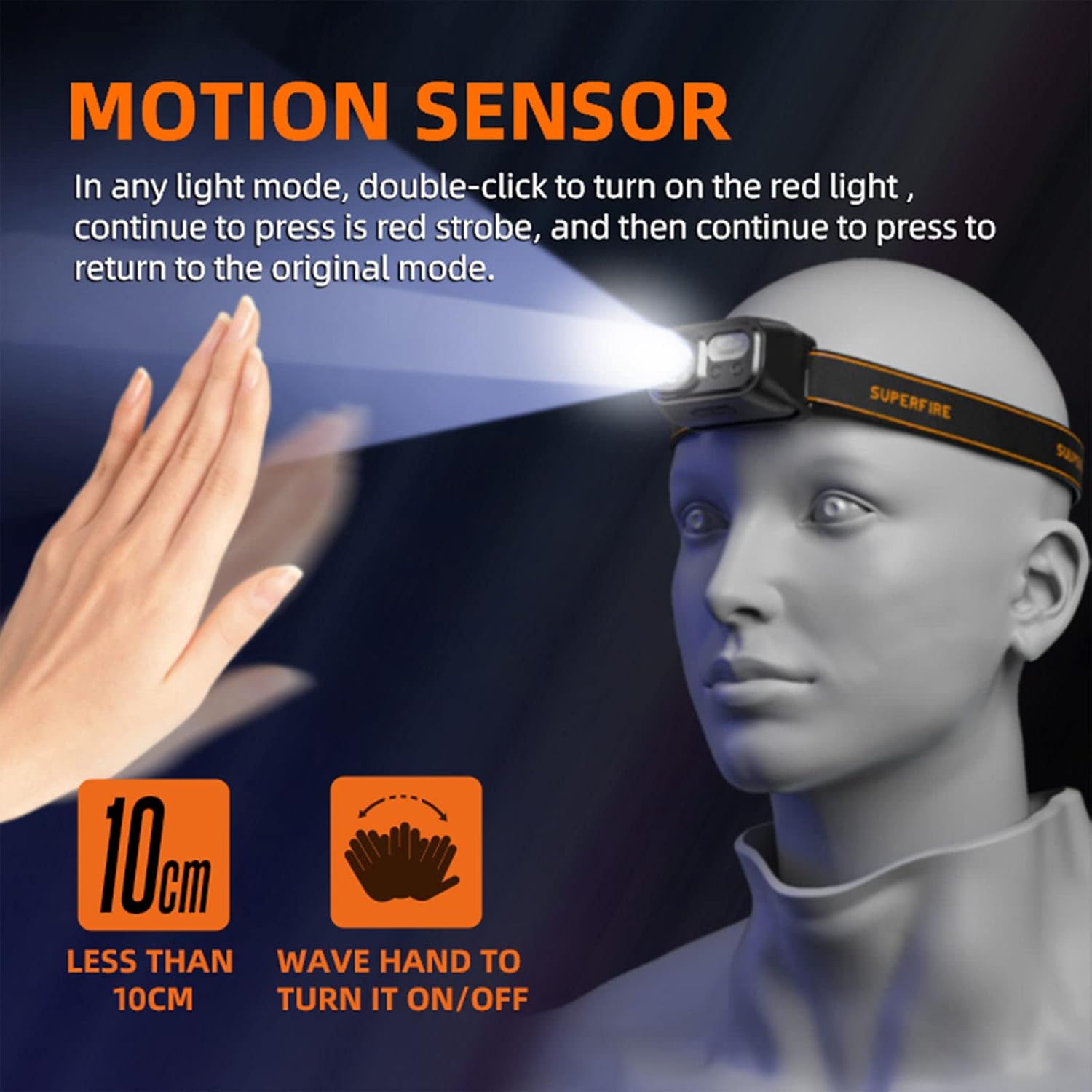
Figure 5.2: Demonstrates the motion sensor functionality, allowing users to turn the headlamp on/off with a simple hand wave.
5.3 Official Product Video
For a visual guide on the features and operation of the SuperFire HL23-S Headlamp, please watch the official product video below:
Video 5.3.1: Official SuperFire HL23A Headlamp product video, demonstrating various features and use cases.
6. Maintenance
6.1 Cleaning
To clean the headlamp, wipe it with a soft, damp cloth. Do not use abrasive cleaners or solvents, as these may damage the surface or internal components. Ensure the charging port cover is securely closed before cleaning or exposing to water.
6.2 Storage
Store the headlamp in a cool, dry place away from direct sunlight and extreme temperatures. If storing for an extended period, it is recommended to charge the battery every 3-6 months to maintain battery health.
7. Troubleshooting
| Problem | Possible Cause | Solution |
|---|---|---|
| Headlamp does not turn on. | Low battery; Power button not pressed correctly. | Charge the headlamp fully. Press the power button firmly. |
| Light output is dim. | Low battery; Incorrect mode selected. | Recharge the headlamp. Cycle through modes to select a brighter setting. |
| Motion sensor not responding. | Motion sensor mode not activated; Obstruction in front of sensor. | Ensure motion sensor mode is active. Clear any obstructions from the sensor area. |
| Short battery life. | Using high brightness modes frequently; Battery degradation over time. | Use lower brightness modes when possible. Ensure full charge before use. |
8. Specifications
- Model: HL23-S
- Brand: SuperFire
- Material: ABS
- Color: Black
- Light Source Type: LED
- Brightness: 800 Lumens (White Light)
- Power Source: Battery Powered (2 Lithium Polymer batteries, included)
- Voltage: 3.7 Volts
- Runtime: Approximately 5-7 hours (depending on mode)
- Charging Time: Approximately 2 hours (via Type-C USB)
- Product Dimensions: 2.4"D x 1.57"W x 1.5"H
- Item Weight: 2.4 Ounces
- Water Resistance Level: IP44 Water Resistant
- Drop Resistance: 1M Anti-drop
- Special Features: Adjustable, Portable, Rechargeable, Motion Sensor
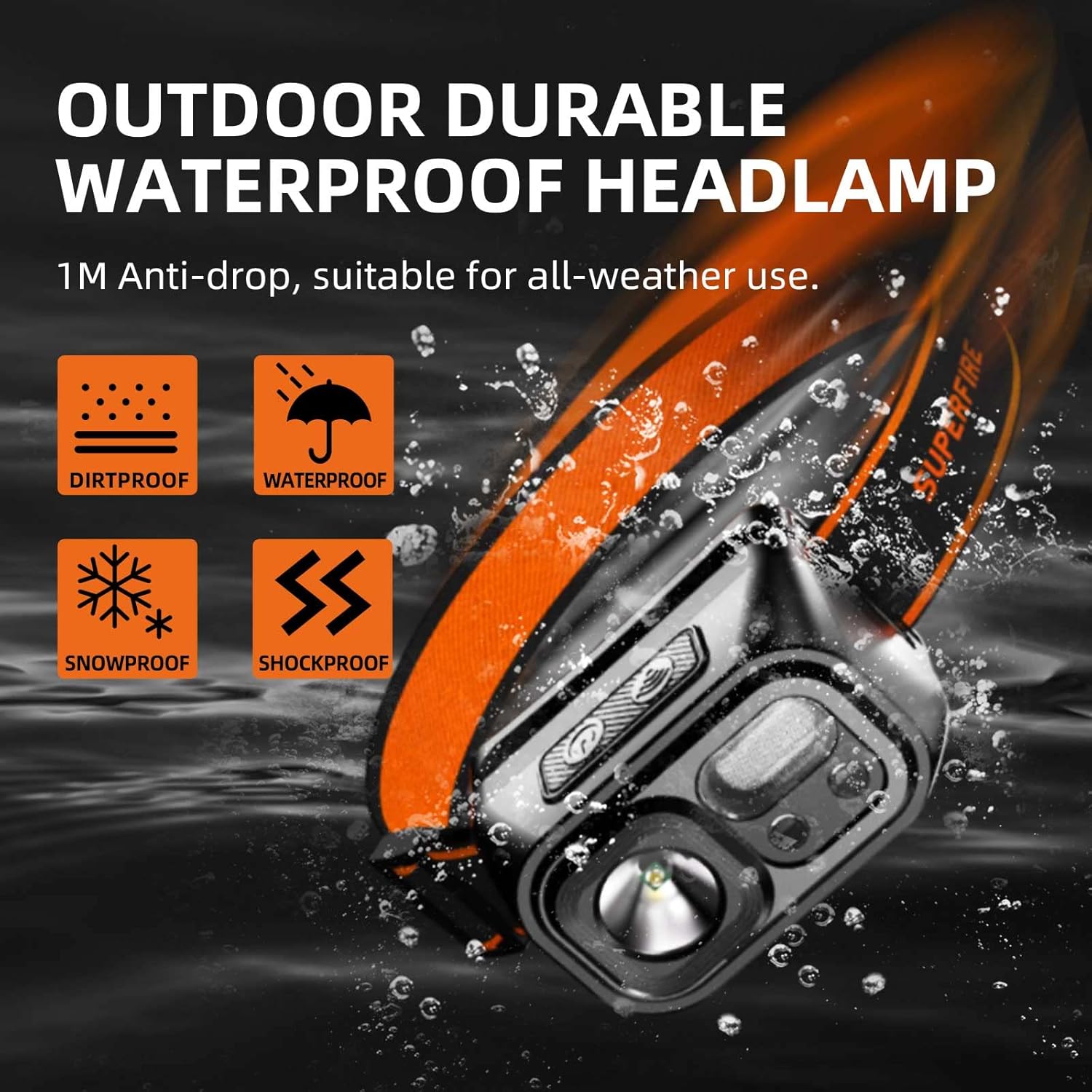
Figure 8.1: Highlights the headlamp's durability and IP44 water resistance, making it suitable for various outdoor conditions including rain and snow.
9. Safety Information
- Do not look directly into the LED light source when it is on, as it may cause temporary vision impairment.
- Keep out of reach of children.
- Do not disassemble or modify the headlamp. Unauthorized modifications may void the warranty and pose safety risks.
- Avoid exposing the headlamp to extreme temperatures or open flames.
- Use only the provided or a certified Type-C USB cable for charging.
- Dispose of the product and its battery responsibly according to local regulations.
10. Warranty and Support
10.1 Warranty
The SuperFire HL23-S Headlamp comes with a limited or full warranty. Please refer to the warranty card included in your package for specific terms and conditions. Retain your proof of purchase for warranty claims.
10.2 Customer Support
For any questions, technical assistance, or warranty inquiries, please contact SuperFire customer support through the official website or the contact information provided on your product packaging.
Visit the SuperFire Store: SuperFire Amazon Store