
Introduction
Thank you for choosing the ODK 48-inch Gaming Desk. This desk is designed to enhance your gaming and work experience with its integrated LED lighting, convenient power outlets, and a spacious monitor stand. Constructed with a durable metal frame and engineered wood, it offers stability and functionality for your home office or gaming setup. This manual provides essential information for assembly, operation, maintenance, and safety.

Image: The ODK 48-inch Gaming Desk in a complete setup, showcasing the integrated LED lighting and monitor stand.
Safety Information
- Always assemble the desk strictly according to the instructions provided in the included assembly manual.
- Do not exceed the maximum weight limit of 17.7 kg (39 lbs) on the desk surface to ensure stability and prevent damage.
- For enhanced stability, especially in households with children or pets, consider securing the desk to a wall or floor using appropriate anti-tip hardware (not included unless specified in the assembly manual).
- Keep the area around and under the desk clear of obstacles to prevent tripping hazards and ensure proper ventilation for electronic devices.
- Ensure all electrical connections for the LED lights and power outlets are made correctly and safely. Do not overload the power outlets.
Package Contents
Before beginning assembly, verify that all components listed in your separate assembly manual are present and undamaged. Typical components include:
- Desk panels (main desktop, monitor stand, side shelves)
- Metal frame components (legs, crossbars)
- Hardware pack (screws, bolts, Allen wrench)
- LED light strip with controller
- Recessed power strip with USB ports
- Headphone hook
- Assembly instruction manual
Assembly Instructions
Assembly of the ODK Gaming Desk typically requires one person and includes all necessary tools. Please follow the detailed step-by-step instructions provided in the dedicated assembly manual included in your package. Ensure you have ample space and lay out all parts before starting.
- Unpack and Identify Parts: Carefully remove all components from the packaging. Refer to the parts list in your assembly manual to identify each piece.
- Assemble Frame: Begin by connecting the metal frame components using the provided hardware. Do not overtighten screws until the entire frame is loosely assembled.
- Attach Desk Panels: Secure the main desktop, monitor stand, and side shelves to the assembled frame. Ensure all panels are correctly oriented.
- Install Power Strip and LED Lights: Integrate the recessed power strip into its designated slot. Attach the LED light strip using the adhesive backing, typically under the monitor stand or main desktop, as shown in the manual. Connect the LED controller.
- Final Tightening: Once all components are in place, systematically tighten all screws and bolts to ensure the desk is stable and secure.
- Attach Headphone Hook: Secure the headphone hook to the desired location on the desk frame.

Image: A diagram illustrating the dimensions of the ODK 48-inch Gaming Desk, including the monitor stand and side shelves, crucial for assembly planning.
Operating Instructions
LED Lighting System
The desk features integrated RGB LED lights to create an immersive environment. The LED strip is typically installed under the monitor stand. Use the included controller to manage the lighting effects.
- Power On/Off: Press the power button on the controller to turn the LEDs on or off.
- Color Change: Cycle through 10 different static colors by pressing the color selection button.
- Dynamic Modes: Select from 10 dynamic lighting modes (e.g., fade, strobe, flash) to customize your ambiance.
- Brightness Adjustment: Adjust the brightness level to your preference using the dedicated buttons.
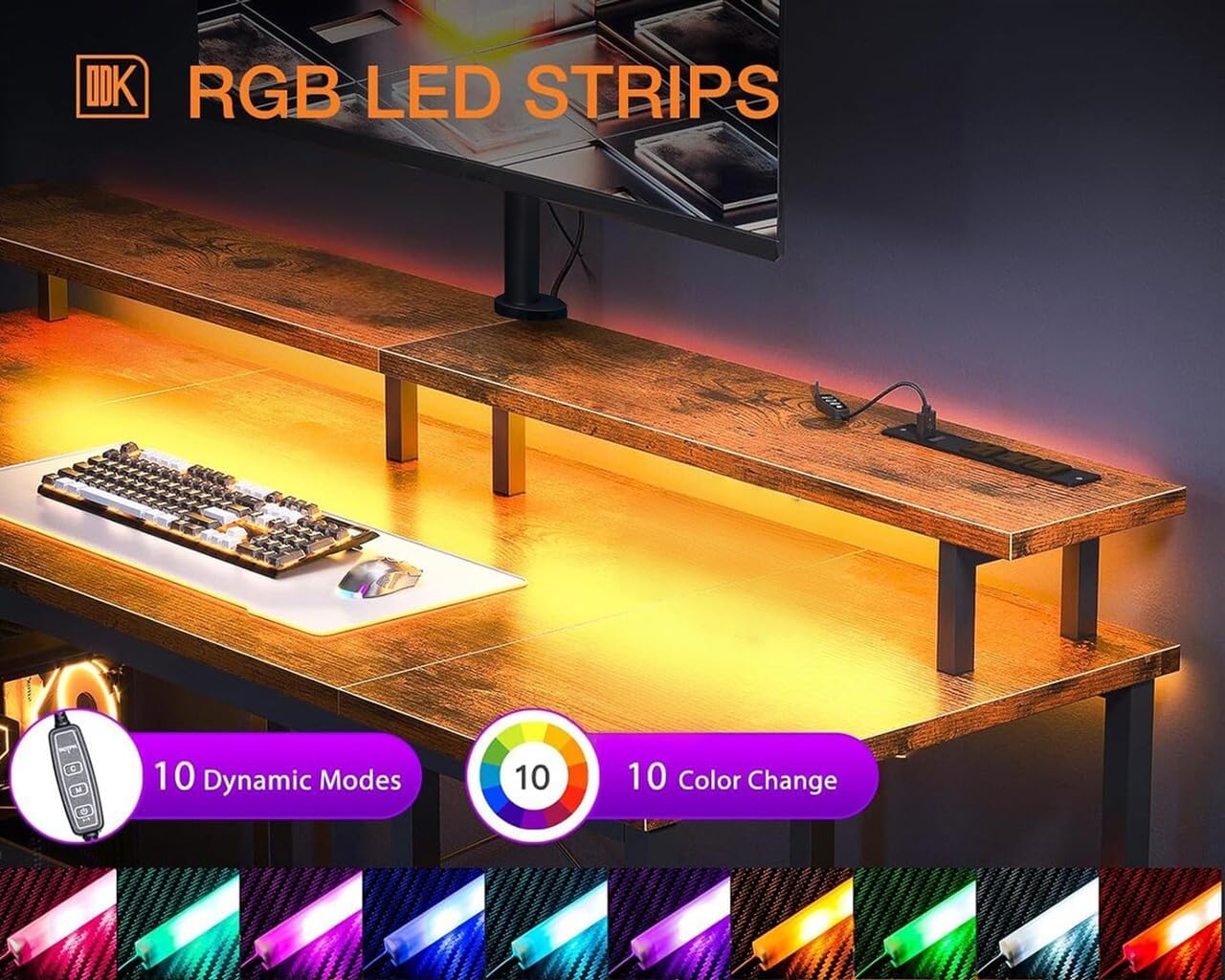
Image: A close-up view of the RGB LED strip and its controller, highlighting the 10 dynamic modes and 10 color options available.
Integrated Power Outlets and USB Ports
The desk includes a recessed power strip with 3 AC outlets and 2 USB ports for convenient charging and powering of your devices.
- AC Outlets: Provides 120V/12A power for standard electronic devices.
- USB Ports: Provides 5V/2A power for charging smartphones, tablets, and other USB-powered accessories.
- Power Cord: The power strip is equipped with a 6.6-foot power cord for flexible placement.
- Usage: Plug the desk's main power cord into a wall outlet. Then, connect your devices to the integrated AC outlets or USB ports. Do not exceed the maximum rated current for the power strip.

Image: A detailed view of the recessed power strip, showing its three AC outlets and two USB ports, along with specifications for voltage and amperage.
Maintenance
Regular maintenance will help prolong the life and appearance of your ODK Gaming Desk.
- Cleaning: Wipe the desk surfaces with a soft, damp cloth. Avoid harsh chemicals or abrasive cleaners that could damage the finish. For the metal frame, a dry cloth is usually sufficient.
- Dusting: Regularly dust the LED strip and power outlets to prevent accumulation that could affect performance or safety.
- Hardware Check: Periodically check all screws and bolts to ensure they remain tight. Retighten if necessary to maintain stability.
- Liquid Spills: Immediately wipe up any liquid spills to prevent damage to the engineered wood surface or electrical components.
Troubleshooting
If you encounter issues with your ODK Gaming Desk, refer to the following common solutions:
| Problem | Possible Cause | Solution |
|---|---|---|
| Desk is wobbly. | Loose screws or uneven floor. | Ensure all assembly screws are tightened. Adjust the leveling feet on the desk legs if your floor is uneven. |
| LED lights not working. | Power connection issue, faulty controller, or damaged LED strip. | Check if the power cord for the LED lights is securely plugged into the power strip and the wall outlet. Ensure the LED controller is properly connected to the strip. Try replacing batteries in the remote if applicable (check manual). If issues persist, contact customer support. |
| Power outlets/USB ports not working. | Desk power cord unplugged, circuit breaker tripped, or overloaded. | Verify the desk's main power cord is securely plugged into a functional wall outlet. Check your home's circuit breaker. Reduce the number of devices plugged into the power strip to avoid overloading. |
| Missing parts during assembly. | Packaging error. | Double-check all packaging materials. If parts are genuinely missing, contact ODK customer support with your purchase details. |
Specifications
| Model Number | 0v |
| Dimensions (L x W x H) | 119.89 cm x 49.78 cm x 86.36 cm (47.2 in x 19.6 in x 34 in) |
| Weight | 17.69 kg (39 lbs) |
| Material | Engineered Wood (Desktop), Metal (Frame) |
| Color/Style | Vintage (Multicolor variant) |
| Monitor Stand Dimensions | Approx. 119.9 cm (47.2 in) length, 19.05 cm (7.5 in) depth, 11.43 cm (4.5 in) height (from main desktop) |
| Power Outlets | 3 x AC Outlets (120V/12A) |
| USB Ports | 2 x USB Ports (5V/2A) |
| Power Cord Length | 6.6 feet |
| Special Features | Integrated LED Lights (RGB, 10 dynamic modes, 10 colors), Reversible PC shelves, Headphone hook |
| Assembly Required | Yes (Tools included, 1 person recommended) |
| Maximum Load Capacity | 17.7 kg (39 lbs) |

Image: A user seated at the ODK Gaming Desk, demonstrating the ergonomic benefits of the monitor stand for comfortable viewing.
Warranty and Support
ODK provides a standard warranty for this product against manufacturing defects. Please refer to the warranty card included in your package for specific terms, conditions, and duration. For any questions, missing parts, or technical support, please contact ODK customer service through the retailer where you purchased the product or visit the official ODK website for contact information.
When contacting support, please have your purchase receipt, product model number (0v), and ASIN (B0C52Y3T7Q) ready.


