
1. Introduction
Thank you for choosing the Lamshaw Smart Watch Screen Protector. This manual provides essential information for the proper installation, use, and maintenance of your new screen protector. Designed for the Mingdaln H76 Plus and LBSAU H76 Plus Smart Watches with a 1.57" HD Touch Screen, this full-coverage TPU clear film offers superior protection against scratches and impacts while maintaining high transparency and touch sensitivity.
Important: Please ensure your watch model number is compatible before proceeding with installation.
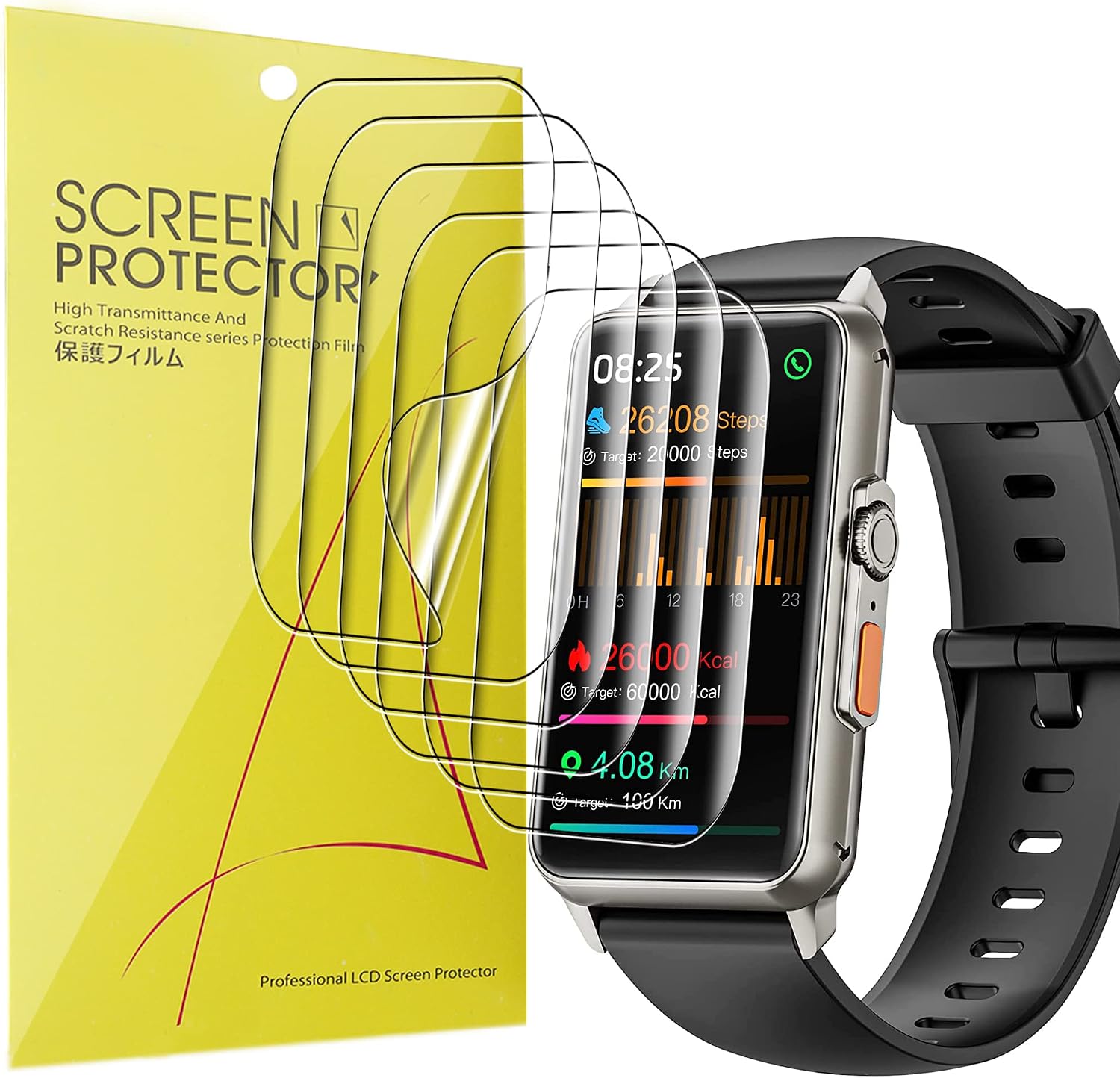
Image: The Lamshaw Smart Watch Screen Protector packaging alongside a compatible smartwatch.
2. Product Features
- Soft TPU Material: Provides full coverage and flexibility for curved screens.
- Self-Healing Properties: Minor scratches and bubbles can self-heal over time.
- High Transparency: Ensures 99.9% ultra-clear HD viewing experience.
- High Sensitivity: Maintains original touch screen responsiveness.
- Anti-Shatter & Anti-Scratch: Protects your smartwatch screen from daily wear and accidental damage.
- Anti-Fingerprint Coating: Helps reduce smudges and fingerprints.

Image: Key features of the TPU screen protector, highlighting its protective qualities.

Image: The screen protector's ultra-clear HD quality, showcasing vivid display.

Image: Demonstration of the screen protector's flexible TPU material.

Image: Cross-section diagram illustrating the five protective layers of the screen protector.
3. Installation Guide
Follow these steps carefully for optimal installation of your screen protector. A clean, dust-free environment is recommended.
- Clean the Screen: Use the provided wet wipe (Wipes 1) to thoroughly clean your smartwatch screen. Follow with the dry wipe (Wipes 2) to remove any moisture. Finally, use the fiber cloth to polish the screen and remove any remaining dust or smudges.
- Prepare the Protector: Take one screen protector from the pack. The protector has three layers. Carefully peel off the Red "Back 1" layer.
- Align and Apply: Align the screen protector precisely with the edges of your smartwatch screen. Once aligned, gently place it onto the screen, starting from one side and allowing it to adhere.
- Smooth Out Bubbles: While applying, use the provided card (or a similar flat, soft object) to push out any air bubbles from the center towards the edges.
- Remove Top Layer: Once the protector is smoothly applied, carefully peel off the Black "Front 2" layer. The middle layer is the actual screen protector that remains on your watch.
- Final Smoothing: Use the fiber cloth or the card again to gently smooth out any remaining small bubbles.
Note on Layers:
The middle layer is designed to be stickier to the side of "Back 1". If you accidentally peel "Front 2" first and find the side to "Front 2" is not sticky, gently wrinkle the Red "Back 1" layer, separate it into two layers, peel off the middle layer, and then re-align it with the Black "Front 1" side before installing it onto the screen.
Bubble Self-Healing:
Small bubbles may disappear naturally within 24-48 hours due to the self-healing properties of the TPU material. For larger bubbles, you may need to carefully lift the protector and reapply, pushing the bubbles out with the card.

Image: Step-by-step visual instructions for applying the screen protector.
Installation Video Guide
Video: Official installation method for the TPU screen protector, demonstrating each step visually.
4. Operating & Maintenance
Once installed, the screen protector requires minimal special operation. Its high transparency and sensitivity ensure your smartwatch functions as intended.
- Cleaning: To clean the screen protector, gently wipe it with a soft, lint-free cloth. For stubborn smudges, a slightly damp cloth can be used, followed by a dry one. Avoid harsh chemicals or abrasive materials.
- Protection: While the protector is highly durable, avoid sharp objects or excessive force that could damage it or the underlying screen.
5. Troubleshooting
| Problem | Solution |
|---|---|
| Bubbles after installation | Small bubbles will typically disappear within 24-48 hours due to the self-healing properties. For larger bubbles, gently push them towards the edges using the provided card. If a bubble is very large, carefully lift the nearest edge of the protector and reapply, smoothing it down. |
| Protector not sticking properly (especially after peeling "Front 2" first) | The middle layer is stickier to the "Back 1" side. If you peeled "Front 2" first and the protector isn't adhering, gently wrinkle the Red "Back 1" layer to separate it, then peel off the middle layer. Re-align the middle layer with the Black "Front 1" side and then install it onto the screen. |
| Dust particles under the protector | This usually occurs if the screen was not thoroughly cleaned. Carefully lift the nearest edge of the protector, use a dust-absorber sticker (if provided) or a piece of tape to lift the dust, and then reapply. Ensure you are in a dust-free environment during installation. |
6. Specifications
- Product Type: Smart Watch Screen Protector
- Material: Thermoplastic Polyurethane (TPU)
- Compatibility: Mingdaln H76 Plus, LBSAU H76 Plus Smart Watch 1.57" HD Touch Screen
- Features: Full Coverage, Clear Film, Anti-Shatter, Anti-Scratch, High Transparency, High Sensitivity, Bubble Self-Healing, Anti-Fingerprint
- Package Quantity: 6 Pack
- Manufacturer: Lamshaw
- Model Number: 1
- Item Weight: 0.704 ounces
- Product Dimensions: 0.5 x 0.5 x 0.5 inches (Note: These dimensions are for the package/item, not the protector itself)
7. Warranty and Support
Lamshaw stands behind the quality of its products. For any questions, concerns, or support needs regarding your screen protector, please contact our customer service. While specific warranty details are not provided in this manual, we are committed to ensuring your satisfaction.
Please refer to the product packaging or the retailer's website for the most up-to-date warranty information and contact details.