
1. Introduction
This manual provides essential information for the safe and effective use of The ONE Single-X Keyboard Stand. Please read these instructions carefully before setup and operation. This stand is designed for stability and portability, featuring a heavy-duty metal construction and an adjustable X-style design.
Note: This stand is not compatible with 88-key keyboards. For 88-key keyboards, a double-X keyboard stand is recommended.
2. Product Features
- Stable & Portable: Constructed from heavy-duty metal, weighing approximately 2.18 kg (4.4 lbs) for easy transport and space-saving storage.
- Durable & Adjustable: Features adjustable arms suitable for most electric keyboards, including The ONE Smart Keyboard. Metal brackets and rubber sleeves enhance strength and durability.
- Quick-Release Mechanism: Allows for fast and easy height adjustments with six available settings.
- Locking Straps: Includes screw holes and bolts to firmly secure your electronic keyboard, preventing movement during use.
- Pre-Assembled: No assembly is required. The stand's metal components are expertly welded for sturdy construction.
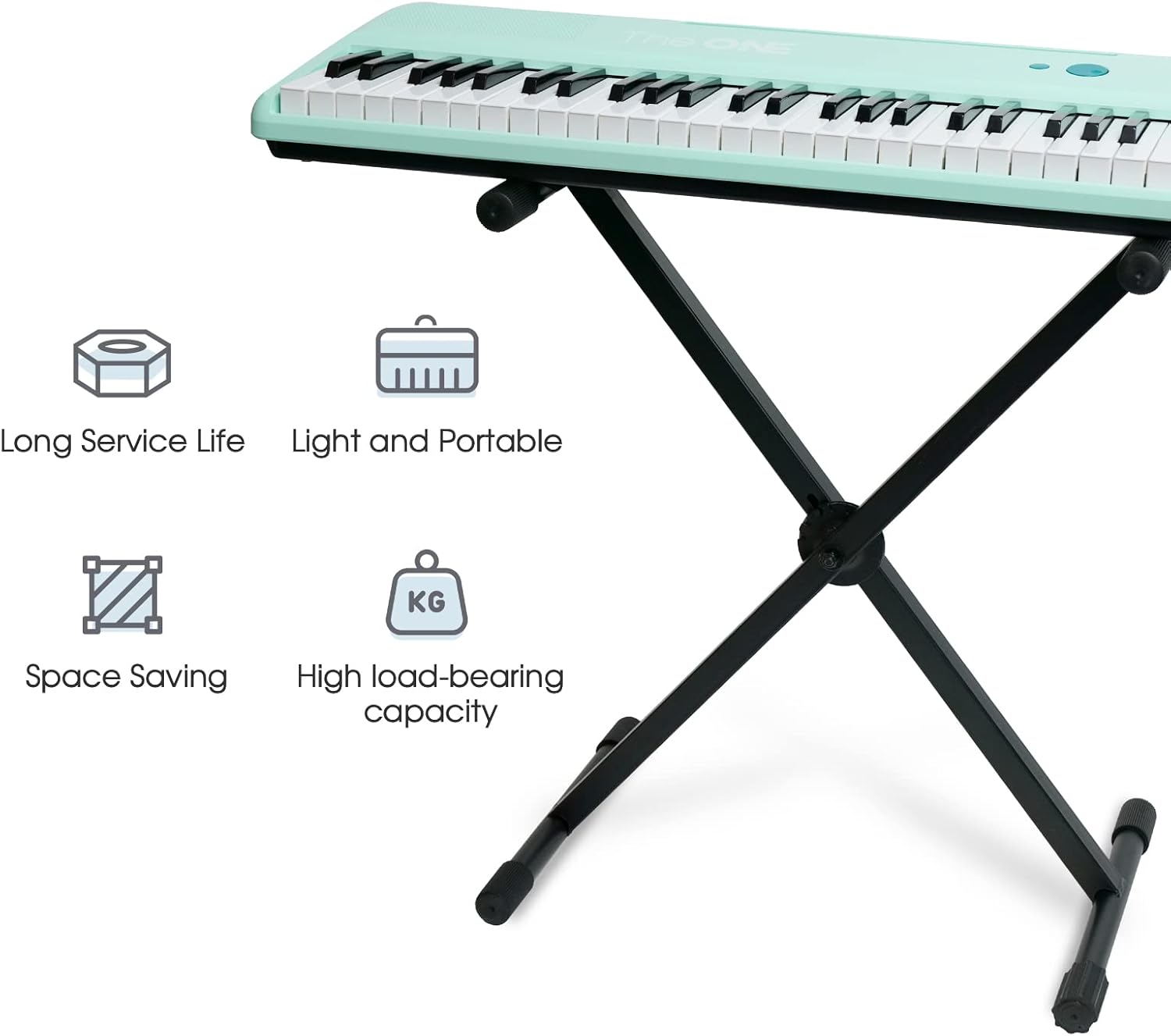
Figure 2.1: Key features of The ONE Single-X Keyboard Stand.
3. Setup Instructions
The ONE Single-X Keyboard Stand comes pre-assembled, requiring no complex setup. Follow these steps for initial deployment and keyboard placement:
- Unfold the Stand: Gently pull the two main sections of the X-frame apart until the stand is fully extended and stable. The quick-release mechanism will engage to hold the desired height.
- Adjust Height: Locate the quick-release mechanism on the side of the stand. Press the lever or button to disengage the lock, then adjust the height to one of the six available settings (15.7 - 30.7 inches). Ensure both sides are adjusted to the same height for stability. Release the lever to lock the height.
- Place Keyboard: Carefully place your electric keyboard onto the rubber sleeves on the top arms of the stand. Ensure the keyboard is centered and stable.
- Secure with Locking Straps: Identify the screw holes underneath your keyboard. Align these with the bolts on the locking straps provided with the stand. Screw in the bolts to firmly fix your electronic keyboard in place. This prevents any movement during performance.

Figure 3.1: Stand in folded (OFF) and unfolded (ON) positions.
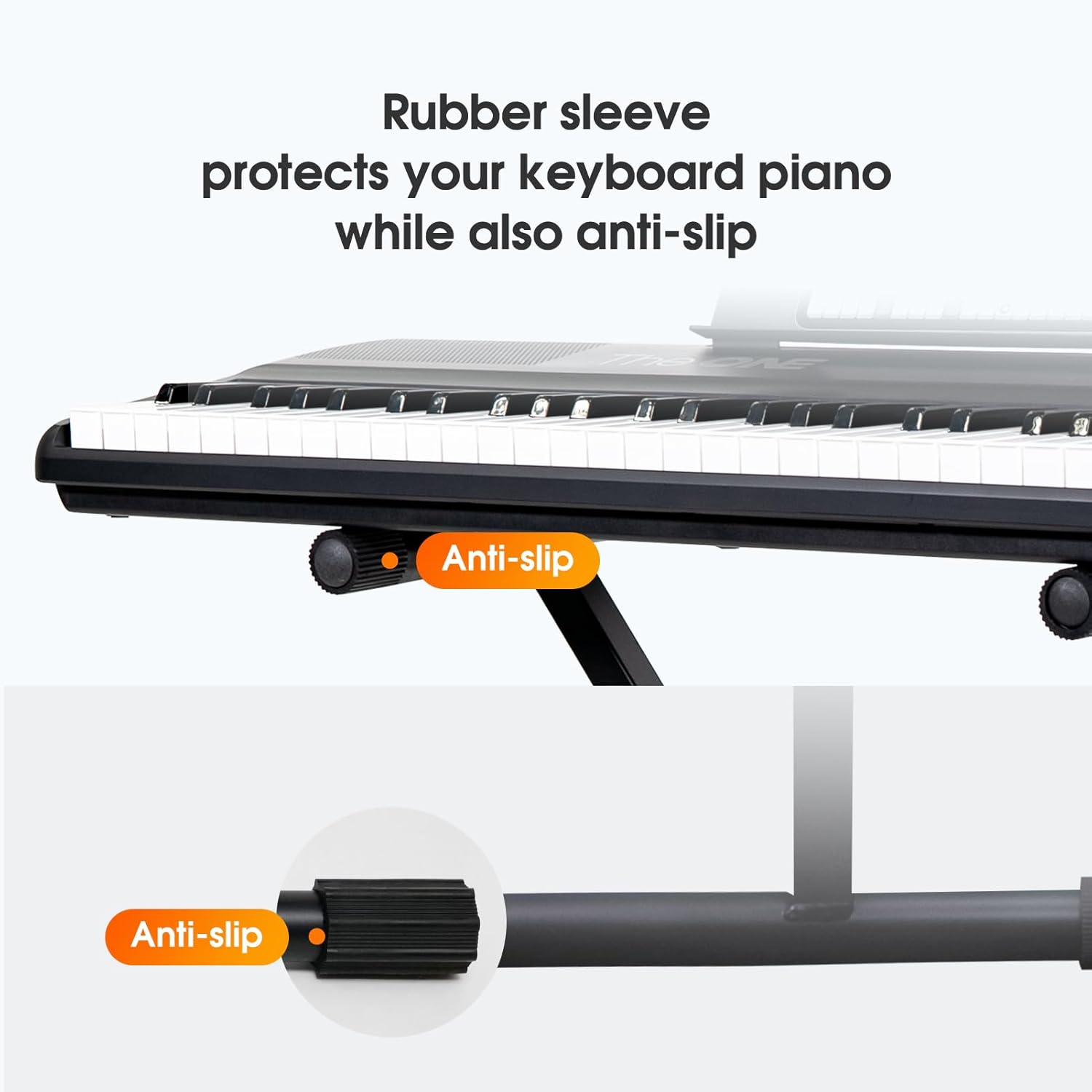
Figure 3.2: Detail of rubber sleeves for keyboard protection and anti-slip function.

Figure 3.3: Quick-release mechanism for adjusting stand height.
Video 3.1: Official instruction video demonstrating the setup and use of The ONE X-Style Keyboard Stand, including height adjustment and securing the keyboard.
4. Operation
Once the keyboard is securely placed and the stand height is adjusted, the stand is ready for use. The design ensures a stable platform for your musical instrument.
- Stability Check: Before playing, gently test the stability of the stand and keyboard to ensure it is firm and does not wobble.
- Portability: To move the stand, first remove the keyboard. Then, disengage the quick-release mechanism and fold the stand for compact transport or storage.

Figure 4.1: The keyboard stand in use with a keyboard.
5. Maintenance
Regular maintenance ensures the longevity and safe operation of your keyboard stand.
- Cleaning: Wipe the metal surfaces with a soft, dry cloth to remove dust and dirt. Avoid abrasive cleaners or solvents.
- Inspection: Periodically check all joints, bolts, and rubber components for wear or damage. Ensure the quick-release mechanism operates smoothly and locks securely.
- Storage: When not in use, fold the stand and store it in a dry place away from extreme temperatures or humidity.
6. Troubleshooting
If you encounter any issues with your keyboard stand, refer to the following common solutions:
- Stand is Unstable:
- Ensure the quick-release mechanism is fully engaged and locked at the desired height.
- Verify that the stand is placed on a flat, level surface.
- Check if the keyboard is properly secured with the locking straps.
- Difficulty Adjusting Height:
- Ensure the quick-release lever is fully pressed before attempting to adjust the height.
- Check for any obstructions in the adjustment mechanism.
7. Specifications
| Feature | Specification |
|---|---|
| Brand | The ONE |
| Model Number | SX-Stand |
| Material | Metal (Thick Steel Pipe) |
| Color | BLACK |
| Item Weight | 2.18 Kilograms (4.4 lbs) |
| Item Dimensions (L x W x H) | 31.5 x 12 x 3.1 inches |
| Adjustable Height Range | 15.7 - 30.7 inches (6 levels) |
| Assembly Required | No (Pre-assembled) |
| Special Features | Pre-assembled, locking straps with screw holes, quick-release mechanism |

Figure 7.1: Overview of stand dimensions and material.
8. Contact and Support
For further assistance, technical support, or warranty information, please contact The ONE customer service through their official channels or visit their website.
Website: The ONE Official Store


