
1. Product Overview
The Cigaroze EB-100 Cigar Humidor Humidifier is a durable and high-performance device designed to maintain ideal humidity conditions for your cigar collection. It features an industrial-grade 60Hz fan for even airflow, a user-friendly LCD display for precision control, and a robust 304 stainless steel build for long-term reliability. This humidifier is suitable for large humidors ranging from 10 to 70 cubic feet.
Key features include advanced humidification, precise humidity control (30%-90%), durable and stylish design, easy use and maintenance with water alerts, and a compact, universal power design.
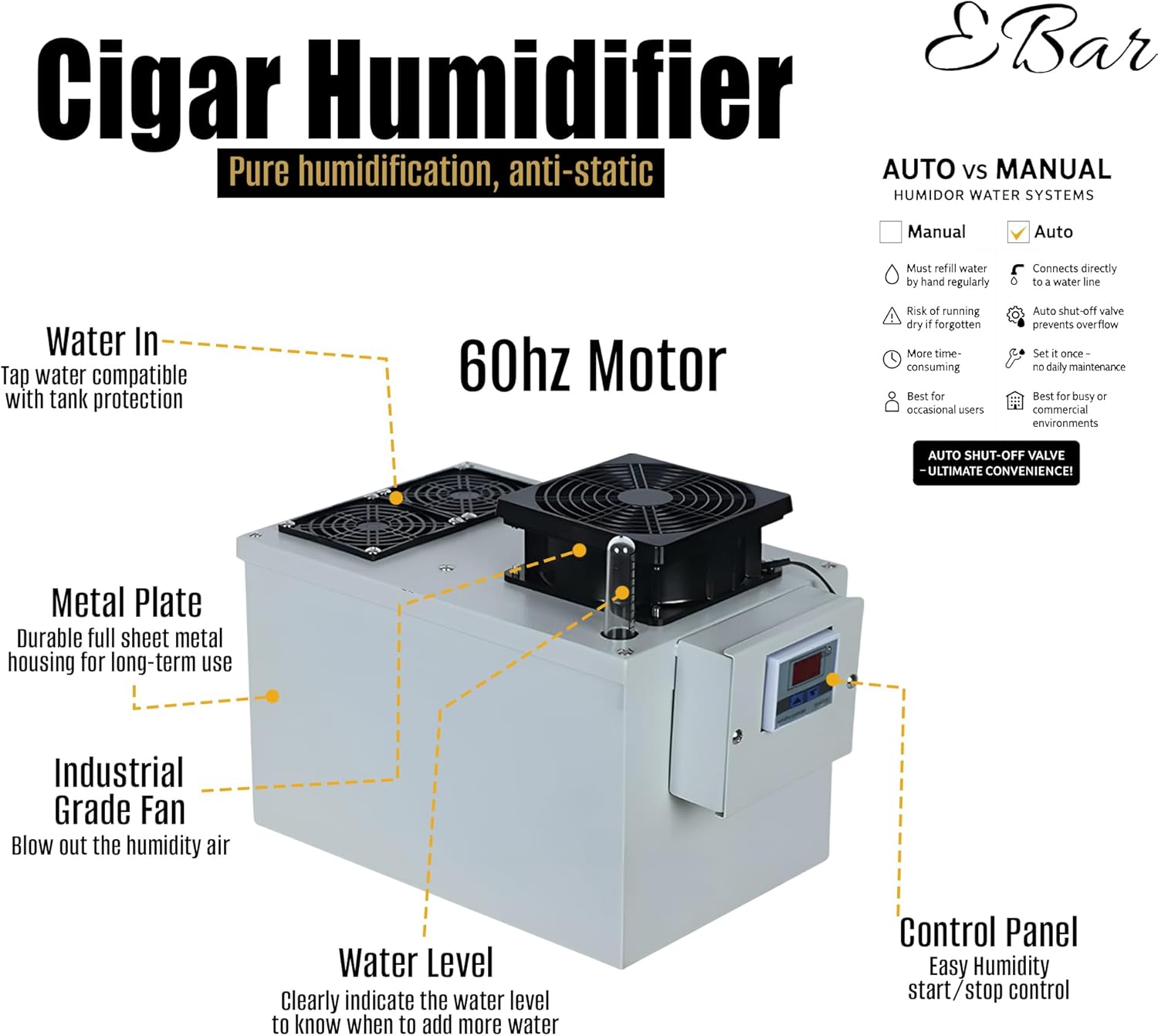
Figure 1: Overview of the Cigaroze EB-100 Humidifier components.
2. Setup Instructions
- Unpacking: Carefully remove the humidifier from its packaging. Inspect for any damage.
- Placement: Position the humidifier within your cigar humidor. Ensure adequate space for airflow around the unit.
- Water Filling: Locate the "Water In" port. Fill the water tank with distilled water. The water level indicator will show the current level. Do not overfill.
- Power Connection: Connect the power cord to a 110VAC (50/60Hz) power outlet.
- Initial Power On: The LCD display will illuminate, showing the current relative humidity.
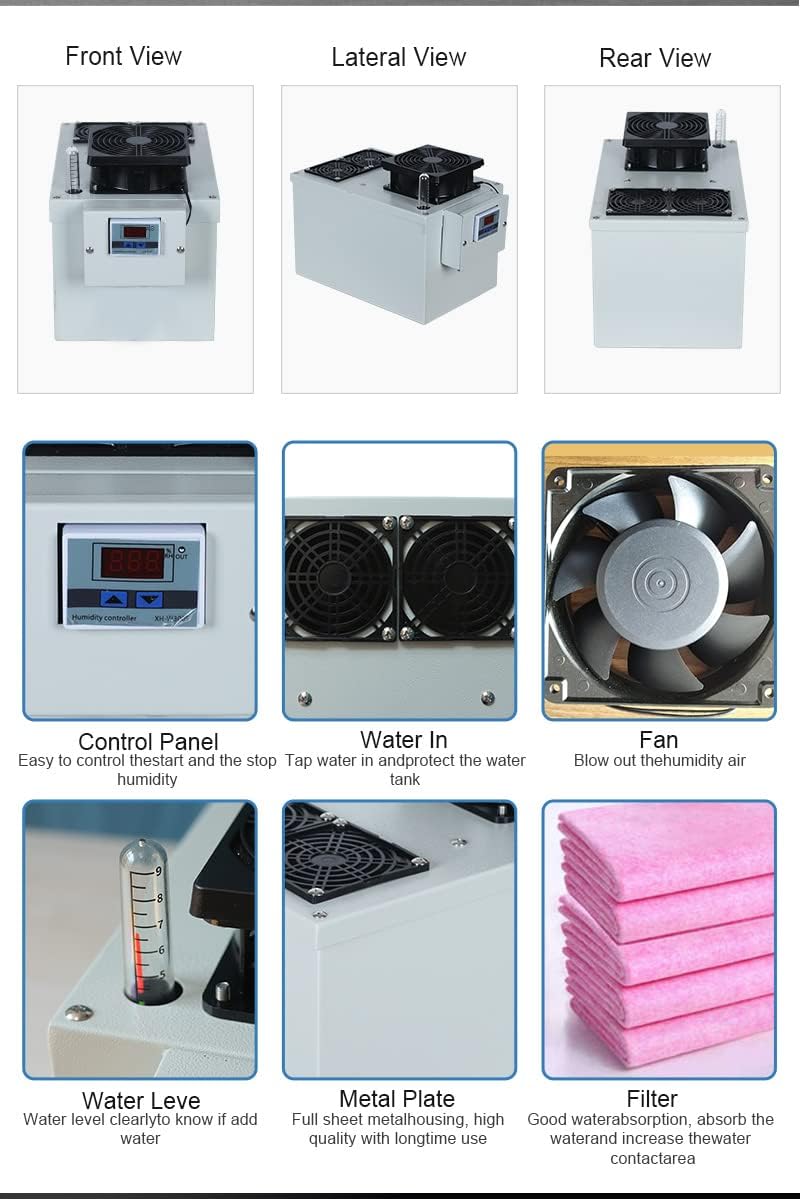
Figure 2: Detailed views of humidifier components for setup.
3. Operating Instructions
The EB-100 humidifier uses a two-number setting system for precise humidity control, allowing you to define a lower and an upper humidity threshold. The humidifier will activate when the humidity drops below the lower threshold and deactivate when it reaches the upper threshold.
- Setting the Lower Humidity Threshold:
Press and hold the left arrow button (pointing up) for approximately 3 seconds until the display starts flashing. Use the up/down arrow buttons to adjust the desired lower humidity percentage. This is the point at which the humidifier will begin to operate. Once set, leave it untouched for a few seconds, and the display will stop flashing, saving the setting. - Setting the Upper Humidity Threshold:
Press and hold the right arrow button (pointing down) for approximately 3 seconds until the display starts flashing. Use the up/down arrow buttons to adjust the desired upper humidity percentage. This is the point at which the humidifier will stop operating. Once set, leave it untouched for a few seconds, and the display will stop flashing, saving the setting. - Normal Operation:
Once both thresholds are set, the humidifier will automatically maintain the humidity within your specified range. The fan will turn on and off as needed to achieve and maintain the desired humidity levels.
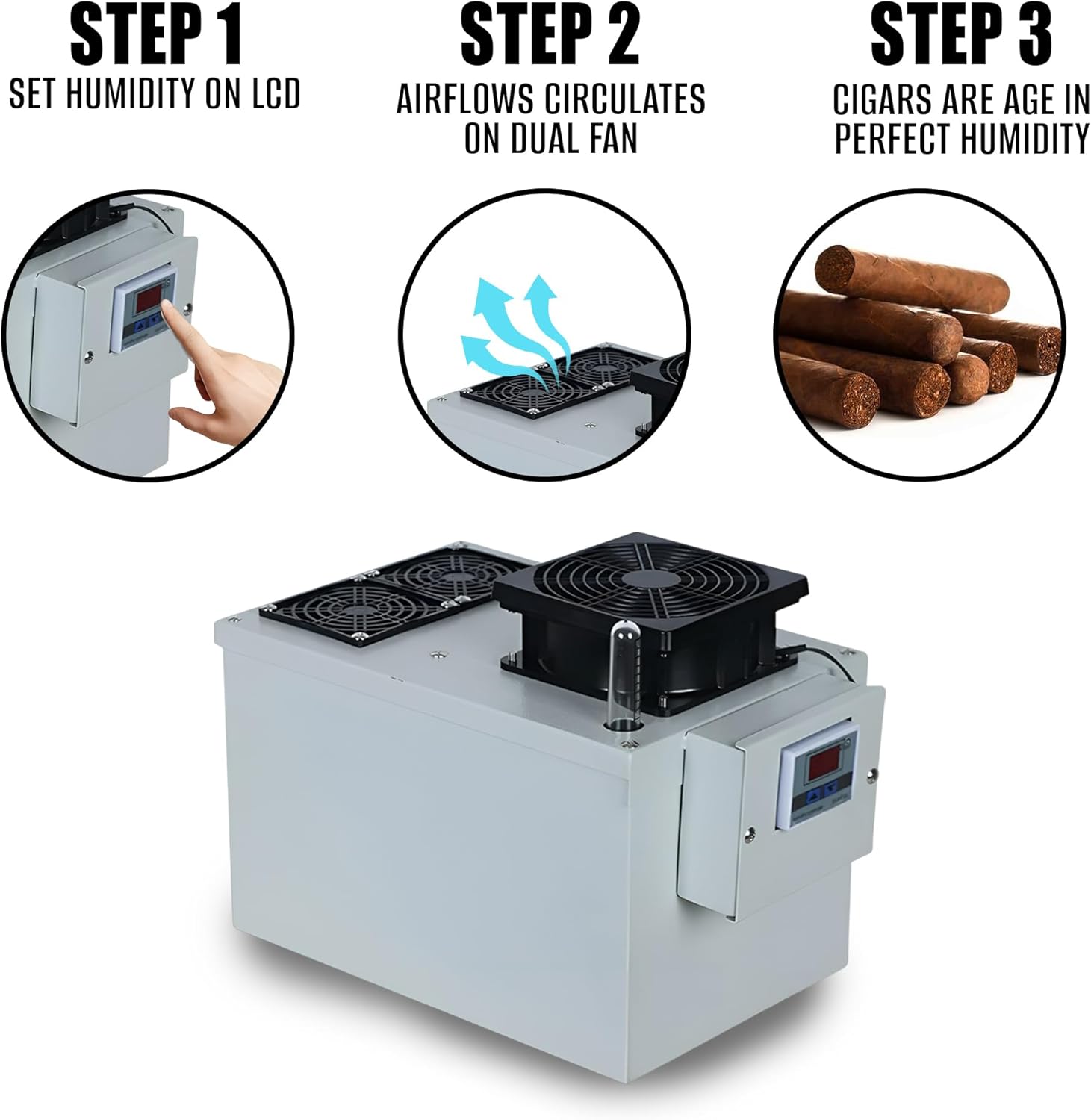
Figure 3: Visual guide to setting humidity and fan operation.
4. Maintenance
Regular maintenance ensures optimal performance and longevity of your Cigaroze EB-100 Humidifier.
- Water Refill: Monitor the water level indicator regularly. When the water level is low, refill the tank with distilled water. The unit will provide water alerts.
- Cleaning: Periodically clean the water tank and internal components to prevent mineral buildup and ensure efficient operation. The stainless steel construction is corrosion-resistant, simplifying cleaning.
- Filter Replacement: The humidifier uses a wick filter. Check the filter periodically and replace it when it appears dirty or hardened to maintain optimal humidification.
5. Troubleshooting
If your humidifier is not functioning as expected, refer to the following common issues and solutions:
- Fan Not Turning On: If the fan is not activating, check the humidity threshold settings. Ensure that the lower humidity threshold (set using the left arrow button) is a lower number than the upper humidity threshold (set using the right arrow button). If these numbers are switched (e.g., lower threshold set higher than upper threshold), the machine will not know when to activate, and the fan will remain off. Correct the settings as described in the Operating Instructions.
- No Humidity Output: Check the water level. Ensure the tank is filled with distilled water. Verify that the unit is properly plugged into a power source.
- Inaccurate Humidity Readings: Ensure the sensor is clean and unobstructed. Allow some time for the humidifier to stabilize and provide accurate readings, especially after initial setup or refilling.
6. Specifications
| Feature | Specification |
|---|---|
| Brand | Your Elegant Bar |
| Model Name | Cigaroze EB-100 |
| Capacity | 10-70 Cubic Feet |
| Humidity Control Range | 30%-90% |
| Power Source | 110 Volts (AC) |
| Operation Mode | Manual Waterfeed |
| Special Features | Adjustable Humidity Control, Auto Shut Off, Digital Display, Humidistat, Low Water Indicator |
| Material | Stainless Steel |
| Item Dimensions (D x W x H) | 8"D x 13.87"W x 8.7"H |
| Item Weight | 10.38 Pounds |
| Filter Type | Wick |
| Included Components | Inbuilt control system and sensor |

Figure 4: Key specifications of the Cigaroze EB-100 Humidifier.
7. Warranty and Support
Your Elegant Bar is committed to providing reliable products and excellent customer service. While specific warranty details are not provided in this manual, our team is available to assist with any questions or concerns you may have regarding your Cigaroze EB-100 Humidor Humidifier.
For support, please refer to the contact information provided with your purchase or visit the official Your Elegant Bar website.