
1. Product Overview
The Greenvelly White Metal Storage Cabinet is a robust and versatile storage solution designed for various environments including home offices, garages, classrooms, and workshops. Constructed from heavy-duty cold-rolled steel, this 72-inch tall cabinet features a secure locking system and four adjustable shelves, providing ample and customizable storage space for tools, files, and other essentials.
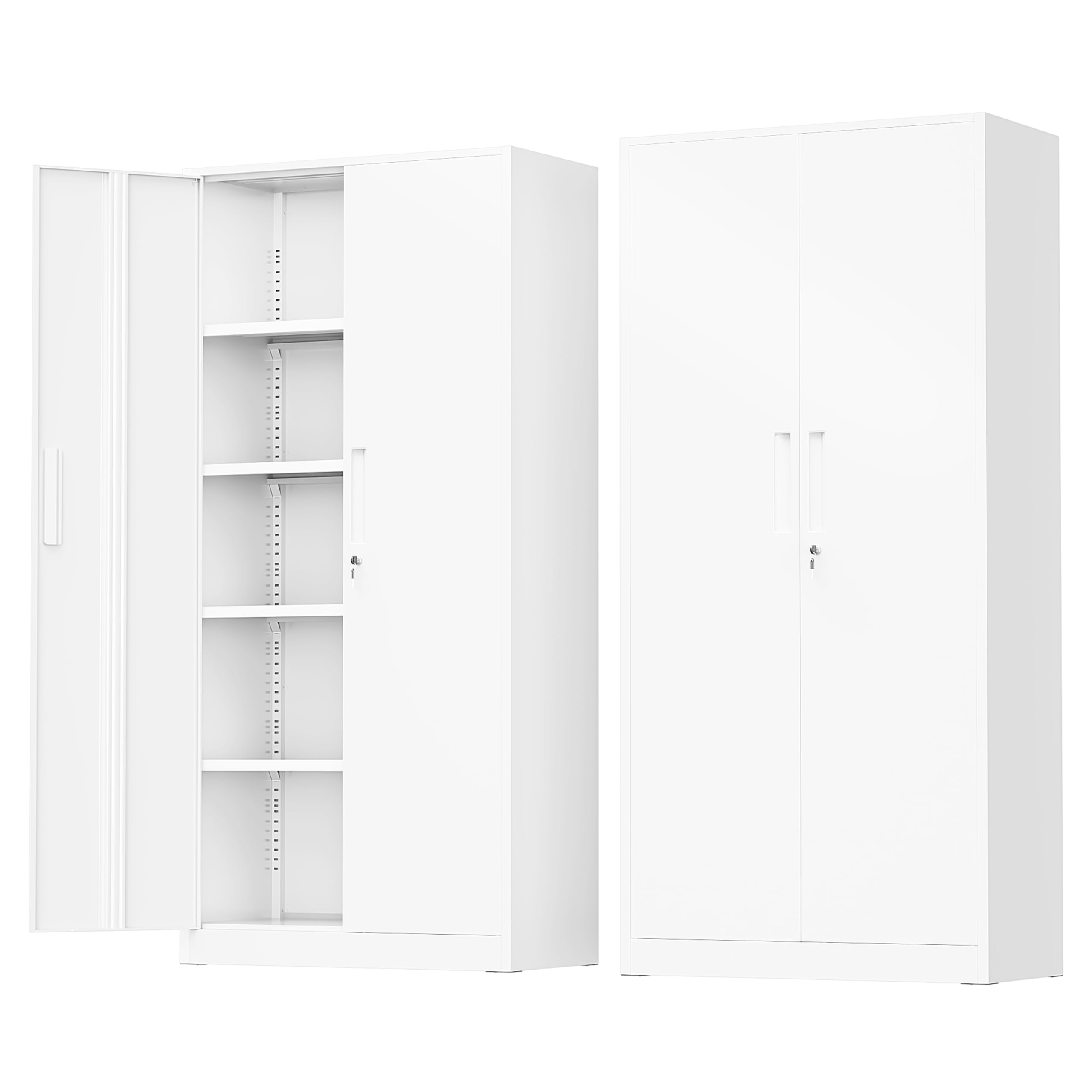
Image: Front view of the Greenvelly White Metal Storage Cabinet.
2. Safety Information
To ensure safe use and prevent accidents, please adhere to the following safety guidelines:
- Always keep the cabinet locked when not in use to secure contents and prevent unauthorized access.
- Secure the cabinet to the wall using the anti-tipping design to prevent it from tipping over, especially in households with children or in areas prone to seismic activity.
- Do not overload the shelves or doors. Each adjustable shelf can withstand a weight of 180 pounds, with a total cabinet weight capacity of 900 pounds.
- Always follow the assembly instructions carefully for safe and stable installation.

Image: Cabinet dimensions, highlighting the anti-tipping feature and included locking keys.
This image illustrates the overall dimensions of the 72-inch cabinet, along with a close-up of the anti-tipping mechanism and the two included locking keys, emphasizing safety and security features.
3. Setup and Assembly
The Greenvelly storage cabinet is designed for straightforward assembly. It is recommended to have two people for easier and safer installation. An installation tool and detailed instructions are included with your purchase.
Key Assembly Steps:
- Unpack all components and verify against the parts list in the instruction manual.
- Assemble the main frame of the cabinet according to the provided diagrams.
- Install the doors and the 3-point chain locking system.
- Insert the adjustable shelves into your desired positions.
- Utilize the anti-tipping design to fix the cabinet securely to a wall, enhancing stability and safety.
Visual Assembly Guide:
Video: Step-by-step assembly of the Greenvelly steel tool cabinet.
This video provides a visual walkthrough of the assembly process, demonstrating how to put together the cabinet components and install the doors and shelves.
Video: Greenvelly White Metal Cabinet Buyer Show Video, demonstrating assembly and usage.
This video showcases the assembly process and provides examples of how the white metal cabinet can be used in various settings, offering practical insights into its functionality.
4. Operating Instructions
Adjusting Shelves:
The cabinet features 4 adjustable shelves with reinforced beams. To adjust a shelf, simply lift it slightly and reposition the support clips into the desired slots along the vertical rails. This allows for flexible storage configurations to accommodate items of various sizes.

Image: Close-up of adjustable shelves, 3-point lock system, and stainless steel handle.
This image highlights the key operational features of the cabinet, including the adjustable shelves for customized storage, the robust 3-point lock system for security, and the durable stainless steel handles.
Locking System:
The cabinet is equipped with an upgraded 3-point chain locking system to secure your valuables. Insert the key into the lock on the door handle and turn to engage or disengage the locking mechanism. Ensure both doors are fully closed before locking.
Operational Demonstration:
Video: Demonstration of the 72" Steel Locking Storage Cabinets with Adjustable Shelves.
This video illustrates the functionality of the adjustable shelves and the secure locking mechanism, showing how to customize the interior and keep contents safe.
Video: Greenvelly metal storage cabinet with locking door shelves.
This video provides a detailed look at the locking door shelves, demonstrating the security features and ease of access.
5. Maintenance
To maintain the appearance and longevity of your Greenvelly metal storage cabinet, regularly wipe surfaces with a damp cloth. Avoid abrasive cleaners or harsh chemicals that could damage the electrostatic powder coating.
6. Troubleshooting
If you encounter any issues with your cabinet, consider the following:
- Doors not closing properly: Check for any obstructions on the shelves or within the door frame. Ensure the cabinet is on a level surface.
- Lock mechanism sticking: Apply a small amount of graphite lubricant to the keyhole and key. Avoid oil-based lubricants.
- Shelves unstable: Verify that all shelf clips are securely seated in the corresponding slots on both sides of the cabinet. Ensure the cabinet is not overloaded.
7. Specifications
| Feature | Detail |
|---|---|
| Brand | Greenvelly |
| Color | White |
| Material | Metal (Cold-rolled steel, Alloy Steel) |
| Product Dimensions (D x W x H) | 16"D x 32"W x 72"H |
| Item Weight | 120 Pounds |
| Number of Shelves | 4 (Adjustable) |
| Weight Capacity (per shelf) | 180 Pounds |
| Total Weight Capacity | 900 Pounds |
| Additional Features | Lockable (3-point chain system), Anti-tipping design |
| Installation Type | Freestanding, Wall mount |
| Required Assembly | Yes |
| Finish Types | Powder Coated |
8. Warranty and Support
Specific warranty details are not provided in the product information. Please refer to your purchase documentation or contact Greenvelly customer service for warranty information.
For any questions or assistance regarding your Greenvelly White Metal Storage Cabinet, please contact Greenvelly customer support. Contact details can typically be found on the product packaging or the official Greenvelly website.

