
Introduction
The CIVYPRO Callus Remover for Feet (Model V-601) is an electric foot file designed to effectively remove calluses, cracked heels, and dry, dead skin, providing a comfortable and safe foot care experience. This device is built for durability and ease of use, offering quick results for smoother feet.

Image: The CIVYPRO Callus Remover in action, demonstrating its effectiveness on foot calluses.
Package Contents
Your CIVYPRO Callus Remover kit includes the following items:
- 1 x Electric Foot File (Main Unit)
- 3 x Roller Heads (Gentle Coarse, Regular Coarse, Extra Coarse)
- 1 x USB Charging Cable
- 1 x Cleaning Brush
- 1 x Callus Shaver
- 1 x 2-sided Foot File
- 1 x Long Sandpaper Nail File
- 1 x Cuticle Remover
- 1 x V-shaped Push Stick
- 1 x Nail Brush

Image: Overview of the CIVYPRO Callus Remover and its accompanying 13-in-1 pedicure tools.
Setup
- Unpack: Carefully remove all components from the product packaging.
- Charge the Device: Before first use, fully charge the electric foot file using the provided USB charging cable. Connect the cable to the charging port on the device and a suitable USB power source (e.g., wall adapter, laptop, power bank). The digital display will indicate the charging status. Charging typically takes no more than 1.5 hours for up to 90 minutes of working time.
- Attach Roller Head: Select the desired grinding head (Gentle Coarse, Regular Coarse, or Extra Coarse) based on your foot's condition. Align the roller head with the device and press it firmly into place until it clicks.

Image: The electric foot file connected to its USB charging cable, highlighting its rechargeable feature.

Image: Illustration of the three different quartz sand refill rollers and how to attach them to the device.
Operating Instructions
- Prepare Your Feet: For best results, ensure your feet are clean and dry. You may wet your feet briefly before use, but dry them thoroughly before operating the device.
- Power On: Press the power button to turn on the device. The LED light will illuminate, and the digital display will show the remaining battery percentage.
- Adjust Speed: The device features two adjustable speeds: 1700RPM (low speed) and 2000RPM (high speed). Press the power button again to switch between speeds. Use the low speed for everyday maintenance or areas with fewer calluses. Use the high speed for feet with thick calluses.
- Apply to Skin: Gently glide the rotating roller head over the areas of hard, dry, or callused skin. Apply light to moderate pressure. Do not apply excessive force or use on broken, irritated, or wounded skin.
- Monitor Progress: Continue until the desired smoothness is achieved. Avoid using the device in one spot for too long to prevent discomfort or irritation.
- Power Off: Once finished, press and hold the power button to turn off the device.
- Post-Treatment: After using the electric foot file, rinse your feet and apply a moisturizing lotion for optimal results.

Image: The device's two-speed settings (1700RPM and 2000RPM) for varied exfoliation needs.
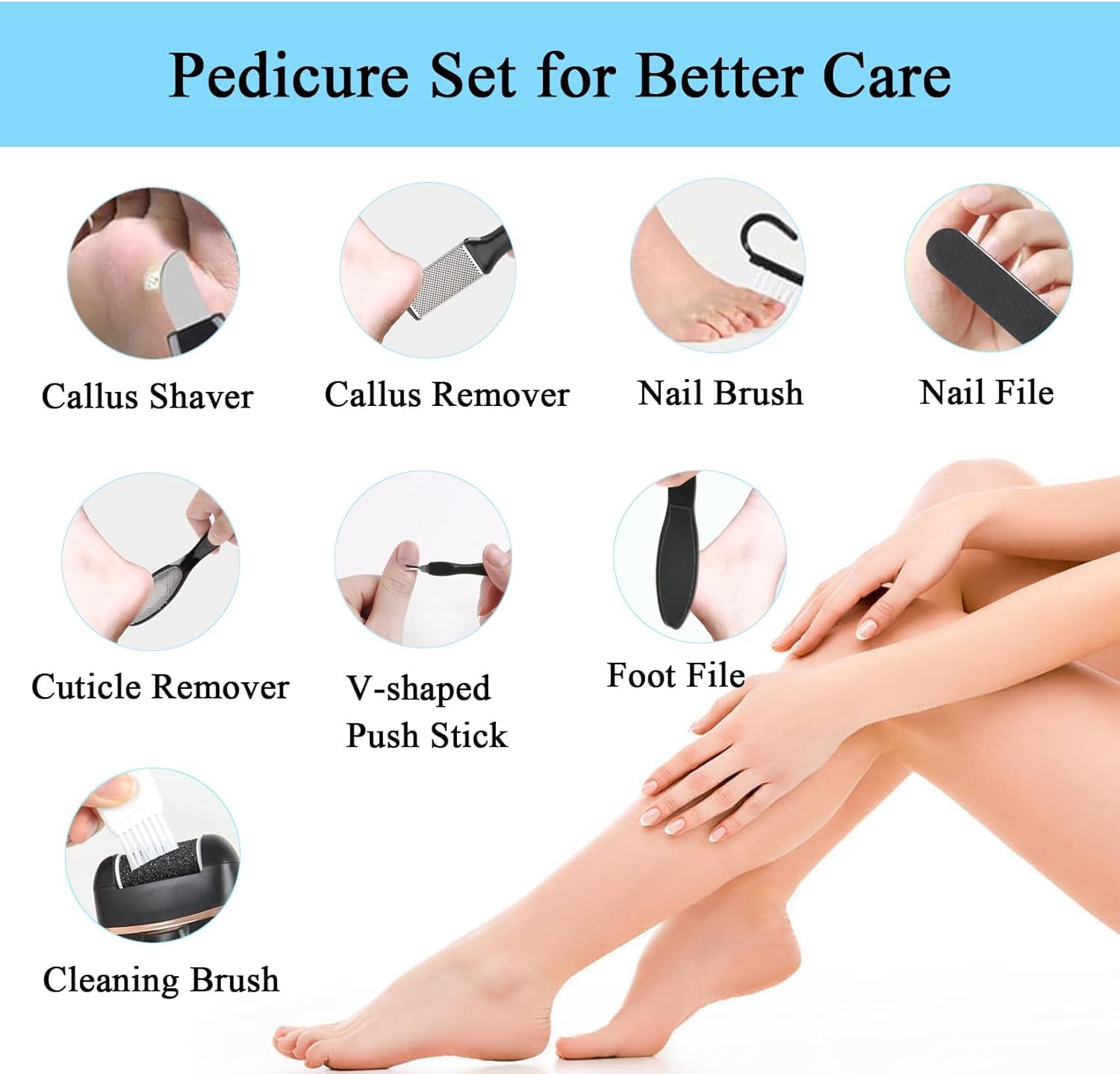
Image: Visual comparison of feet before and after using the callus remover, highlighting the smoothing effect.
Maintenance
- Cleaning the Roller Head: After each use, remove the roller head by pressing the release button. Use the provided cleaning brush to remove any dead skin particles from the roller head.
- Cleaning the Main Unit: The foot scrubber has an IPX7 waterproof rating, allowing you to rinse the main unit under water without concern for damage, provided the roller head is removed. Ensure the device is completely dry before storing or recharging.
- Storage: Store the device and all accessories in a clean, dry place away from direct sunlight and extreme temperatures.
- Roller Head Replacement: Replace roller heads when they show signs of wear or become less effective.

Image: The device being rinsed under water, demonstrating its IPX7 waterproof capability for easy cleaning.
Troubleshooting
- Device Not Turning On: Ensure the device is fully charged. If the battery display shows low power, connect it to the charger.
- Roller Head Not Spinning: Check if the roller head is correctly installed and securely clicked into place. Ensure there are no obstructions preventing its rotation.
- Reduced Effectiveness: If the device is not removing calluses effectively, the roller head may be worn out and require replacement. Ensure you are using the appropriate coarse roller for the thickness of the callus.
- Device Stops During Use: This may indicate low battery. Recharge the device. It may also stop if excessive pressure is applied; reduce pressure to resume operation.
Specifications
| Brand | CIVYPRO |
| Model Number | V-601 |
| Waterproof Rating | IPX7 |
| Battery Capacity | 1200mAh Lithium Batteries |
| Working Time | Up to 90 minutes |
| Charging Time | Approx. 1.5 hours |
| Speeds | 2 (1700RPM, 2000RPM) |
| Display | Digital Battery Display |
| Material | Plastic |
| Item Weight | 0.34 Kilograms (approx. 11.99 ounces) |
Warranty and Support
CIVYPRO is committed to ensuring client satisfaction and quality control. This product comes with a lifetime warranty, reflecting our confidence in its durability and performance. For any questions, concerns, or support needs, please contact CIVYPRO customer service through the retailer where the product was purchased.
Important Safety Information
- Use with caution to avoid injury.
- Do not apply excessive force.
- Do not use on broken skin, irritated skin, or open wounds.
- Keep out of reach of children.
- Consult a healthcare professional if you have diabetes, poor circulation, or any other foot conditions before using this device.