
1. Introduction
This manual provides instructions for the safe and efficient operation of your Jebao Jecod EP-10000M Smart DC Pump. This pump is designed for use in both marine and freshwater aquarium systems, offering precise control via an LCD display controller and 2.4G Wi-Fi connectivity through the Jebao App.
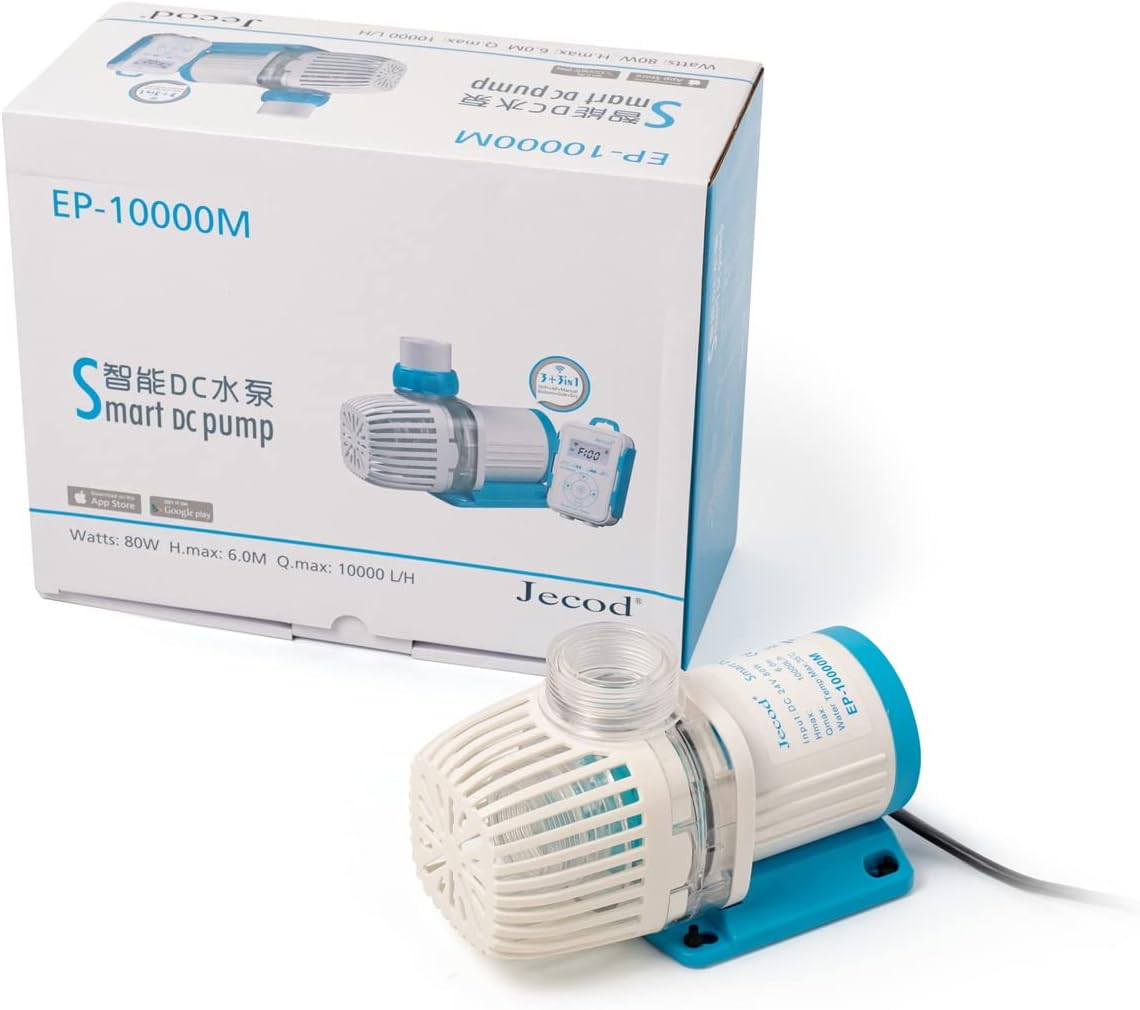
Image 1.1: The Jebao Jecod EP-10000M Smart DC Pump with its retail packaging.
2. Safety Information
Please read all safety warnings and instructions carefully before operating the pump. Failure to follow these instructions may result in electric shock, fire, or serious injury.
- Electrical Safety: Ensure the power supply matches the pump's requirements (24V DC). Always disconnect power before performing any maintenance or installation.
- Water Contact: The pump is designed for submersible use. Ensure all electrical connections are dry and away from water. There are no exposed copper elements, making it suitable for both marine and fresh water environments.
- Automatic Protection: The pump features IC electronic detection for automatic power-off protection if no water is detected. It also includes motor protection if the rotor becomes blocked. Do not bypass these safety features.
- Placement: Position the pump securely to prevent accidental movement or damage.
3. Package Contents
Verify that all components are present in the package:
- Jebao Jecod EP-10000M DC Pump
- LCD Display Controller
- Power Adapter (110-120V 60Hz input, 24V DC output)
- Various hose connectors/fittings
- O-rings
- Instruction Manual (this document)

Image 3.1: All included components: pump, controller, power adapter, and various fittings.
4. Setup
Follow these steps to set up your EP-10000M pump:
- Prepare the Pump: Attach the appropriate hose connectors/fittings to the pump's inlet and outlet. Ensure O-rings are correctly seated for a watertight seal.
- Position the Pump: Place the pump in your desired location within the aquarium or sump. Ensure it is fully submerged if intended for submersible operation.
- Connect to Controller: Connect the pump's cable to the LCD display controller. Ensure the connection is secure.
- Connect Power Adapter: Connect the power adapter to the LCD display controller.
- Power On: Plug the power adapter into a suitable electrical outlet. The LCD display should illuminate.
- Wi-Fi Connection (Optional):
- Download the Jebao App from your smartphone's app store (iOS or Android).
- Follow the in-app instructions to connect the pump to your 2.4G Wi-Fi network. The controller also supports AP (Access Point) mode, allowing direct connection without a router if needed.
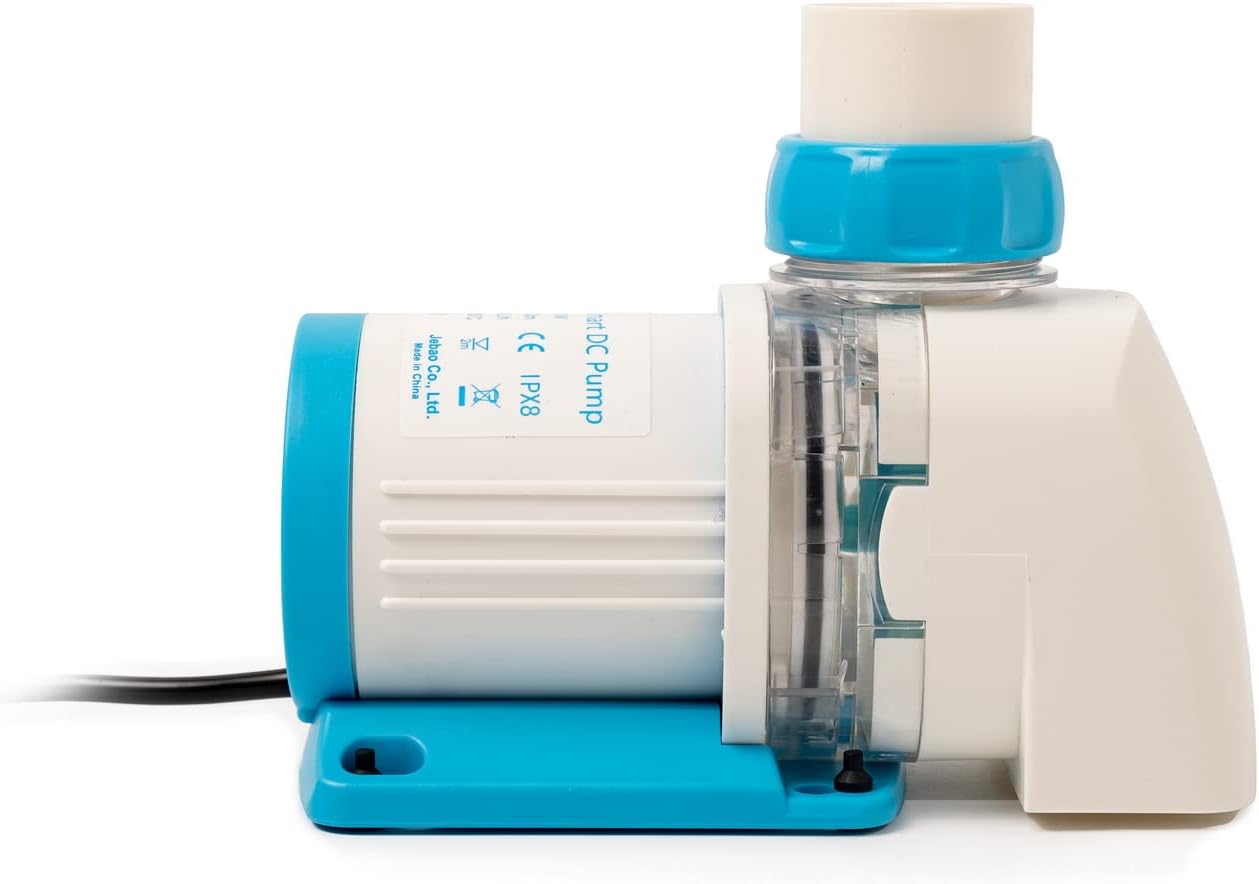
Image 4.1: The pump with an output adapter installed, ready for hose connection.
5. Operating Instructions
The EP-10000M pump offers flexible control options:
- LCD Display Controller: Use the buttons on the LCD controller to adjust flow rate, switch modes, and access settings. Refer to the controller's specific interface for detailed button functions.
- Jebao App: Once connected via Wi-Fi, the Jebao App provides comprehensive control over the pump's functions, including scheduling, power adjustments, and mode selection.
- SINE Wave Technology: This pump utilizes SINE wave technology for ultra-quiet operation and stable performance, minimizing noise and vibrations in your aquarium system.

Image 5.1: A detailed view of the pump's intake section, highlighting its design.
6. Maintenance
Regular maintenance ensures optimal performance and longevity of your pump.
- Disconnect Power: Always unplug the pump from the power source before any maintenance.
- Rotor Cleaning: Periodically remove the pump's front cover and impeller assembly. Clean the impeller and its housing to remove any debris, algae, or calcium buildup. A small brush can be used.
- Housing Cleaning: Wipe down the pump's exterior and controller with a damp cloth. Do not use harsh chemicals.
- Cable Inspection: Regularly inspect the power cable and pump cable for any signs of damage or wear. Replace if necessary.
- Reassembly: Ensure all parts are correctly reassembled and seals are properly seated before reconnecting power.
7. Troubleshooting
If you encounter issues with your EP-10000M pump, refer to the following common problems and solutions:
| Problem | Possible Cause | Solution |
|---|---|---|
| Pump not running | No power; blocked impeller; no water detected (safety shutdown) | Check power connection; clean impeller; ensure pump is submerged and water level is adequate. |
| Reduced flow rate | Clogged impeller or intake; kinked tubing; incorrect setting | Clean impeller and intake; check tubing for obstructions; adjust flow setting on controller/app. |
| Unusual noise/vibration | Debris in impeller; worn impeller; pump not securely placed | Clean impeller; inspect impeller for damage (replace if necessary); ensure pump is stable. |
| Wi-Fi connection issues | Incorrect Wi-Fi password; 5Ghz network; distance from router; app issues | Ensure 2.4Ghz network is used; re-enter password; move closer to router; restart app/controller. |
8. Specifications
Technical specifications for the Jebao Jecod EP-10000M Smart DC Pump:
| Feature | Specification |
|---|---|
| Model | EP-10000M |
| Max Flow Rate | 2641 GPH (10000 L/H) |
| Max Head | 19.7 ft (6.0 m) |
| Power Consumption | 80W |
| Input Voltage | 110-120V, 60Hz (for power adapter) |
| Output Voltage | DC 24V (to pump) |
| Dimensions (LxWxH) | 8 x 4 x 5 inches (approximate pump dimensions) |
| Material | Plastic, Polypropylene (PP) |
| Color | White |
| Weight | 7 pounds (item weight) |
| Connectivity | 2.4G Wi-Fi, AP Mode, Manual Controller |
| Water Type | Marine and Fresh Water |
| Protection | IC electronic detection, automatic power-off (no water), motor protection (rotor blocked) |
9. Warranty and Support
For warranty information and customer support, please refer to the documentation provided with your purchase or contact Jebao customer service directly. Specific warranty terms may vary by region and retailer.


