
Motorola MDSLEABRONA
Motorola Defy Satellite Link: User Manual
Model: MDSLEABRONA
Introduction
The Motorola Defy Satellite Link is a rugged, handheld GPS communicator designed to provide two-way global SMS text messaging and emergency SOS alerting capabilities. This device extends your smartphone's connectivity to satellite networks, enabling communication in areas without cellular service. It is compatible with iOS 14 and Android 10 and later smartphones.

Image: Front view of the Motorola Defy Satellite Link, showcasing its compact, rugged design with a D-ring attachment and indicator lights.
Getting Started
What's in the Box
- Motorola Defy Satellite Link Device (including internal battery)
- D-ring strap
- USB Type-C cable
- Quick Start Guide & Warranty Guide
- QR code insert with activation and ICCID number
- Webbing strap attachment
Initial Charging
Before first use, fully charge your Motorola Defy Satellite Link. Connect the device to a power source using the provided USB Type-C cable. The charging indicator light will provide status updates.

Image: Rear view of the Motorola Defy Satellite Link, highlighting the USB-C charging port and the device's robust construction.
Setup
1. Install the Companion App
Download and install the dedicated companion application on your compatible smartphone (iOS 14+ or Android 10+). Search for the 'Motorola Defy Satellite Link' app in your device's app store.
2. Pair with Your Smartphone
- Ensure Bluetooth is enabled on your smartphone.
- Turn on your Motorola Defy Satellite Link.
- Open the companion app and follow the on-screen instructions to pair your device via Bluetooth.
- Maintain a clear line of sight between the device and the sky for optimal satellite signal acquisition.
3. Activate a Service Plan
A service plan is required for satellite messaging and SOS functions. Follow the instructions provided in the app or the QR code insert to activate your chosen service plan. Plans are available starting from $4.99 per month for SOS satellite assist.
Operating the Device
Two-Way Satellite Messaging
Once paired and a service plan is active, you can send and receive messages via satellite. Use the companion app on your smartphone to compose and manage messages. The device will automatically attempt to connect to the satellite network when sending messages in areas without cellular coverage.
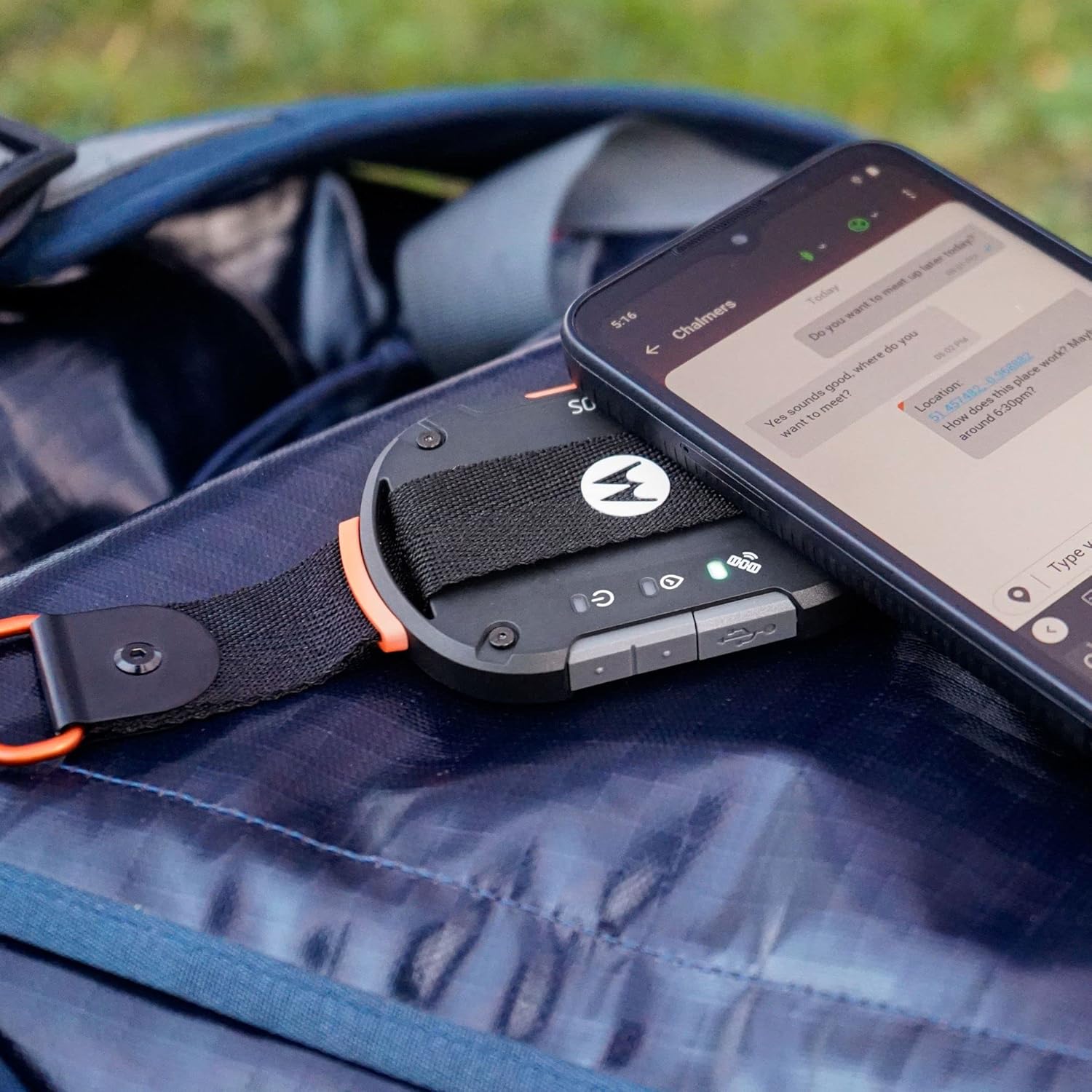
Image: The Motorola Defy Satellite Link positioned next to a smartphone, illustrating its use for satellite messaging in an outdoor setting.
Check-In Function
The device features a dedicated check-in button. Pressing this button allows you to send your coordinates or a pre-set message to designated contacts, providing peace of mind to your loved ones.
Emergency SOS Assist
In an emergency, the SOS assist feature allows you to trigger an alert without requiring a cellular connection. Unlimited SOS is included with every service plan. Refer to the Quick Start Guide for detailed instructions on activating SOS assist and understanding its protocols.
Indicator Lights
The device features several indicator lights to communicate its status:
- Power Indicator: Shows power status and battery level.
- Satellite Signal Indicator: Indicates satellite connectivity strength.
- Bluetooth Indicator: Shows Bluetooth pairing status with your smartphone.
- Message Indicator: Notifies of new messages or message transmission status.
Consult the Quick Start Guide for a detailed explanation of each light's behavior.
Maintenance
Battery Care
The device is equipped with a 600 mAh Li-Po battery, providing up to 4 days of standby power. To maximize battery life:
- Charge the device regularly, especially before extended trips.
- Avoid extreme temperatures during charging and operation.
- Store the device with a partial charge (around 50%) if not used for long periods.
Cleaning and Storage
The Motorola Defy Satellite Link is IP68 rated for dust and water resistance (up to 5 ft for 30 min). It is also MIL-STD-810H rated for ruggedness. To maintain its condition:
- Wipe the device with a soft, damp cloth. Avoid harsh chemicals.
- Ensure the USB-C port cover is securely closed to maintain water and dust resistance.
- Store in a cool, dry place away from direct sunlight when not in use.
Troubleshooting
Device Not Pairing with Smartphone
- Ensure the device is powered on and fully charged.
- Verify Bluetooth is active on your smartphone.
- Restart both the Motorola Defy Satellite Link and your smartphone.
- Ensure the companion app is updated to the latest version.
Unable to Send/Receive Satellite Messages
- Confirm you have an active service plan.
- Ensure the device has a clear, unobstructed view of the sky. Satellite signals can be blocked by buildings, dense foliage, or metallic surfaces.
- Check the satellite signal indicator on the device for signal strength.
- Ensure the device is within Bluetooth range of your paired smartphone.
Short Battery Life
- Ensure the device is fully charged before use.
- Minimize unnecessary background app usage on your smartphone that might drain the device's battery via Bluetooth connection.
- Operating in very cold temperatures can reduce battery performance.
Specifications
| Model Number | MDSLEABRONA |
| Product Dimensions | 3.4 x 2.5 x 0.5 inches |
| Item Weight | 2.5 ounces |
| Battery | 1 Lithium Ion battery (600 mAh Li-Po, included) |
| Connectivity Technology | Bluetooth |
| Special Features | IP68 dustproof and waterproof (up to 5 ft for 30 min), Webbing strap with D-ring attachment, Works up to 75 miles offshore in coverage areas |
| Supported Application | Alarm (via companion app) |
| Specific Uses | Emergency Preparedness, Multisport |
| Manufacturer | Bullitt |
Warranty and Support
Warranty Information
The Motorola Defy Satellite Link is manufactured by Bullitt. For detailed warranty information, please refer to the Warranty Guide included in your product packaging or visit the official Motorola/Bullitt support website. Keep your proof of purchase for warranty claims.
Customer Support
If you encounter issues not covered in this manual or require further assistance, please contact customer support through the official Motorola or Bullitt support channels. Contact information can typically be found on their respective websites or within the companion application.
Related documentsMDSLEABRONA


Ask a question about this manual
Ask about setup, troubleshooting, compatibility, parts, safety, or missing instructions. Manuals+ will review the question and use this page’s manual context to help answer it.