
1. Introduction
Product Overview
The Nikon Z 8 is a professional full-frame mirrorless hybrid camera designed for both stills and video. Paired with the NIKKOR Z 24-120mm f/4 S all-purpose zoom lens, it offers exceptional performance in a compact and lightweight body. Its advanced features include high-resolution video recording, a stacked CMOS sensor, and a sophisticated autofocus system.
Key Features
- 45.7MP stacked CMOS sensor and EXPEED 7 processing engine.
- Nikon’s most advanced autofocus system with deep learning technology for subject detection and 3D tracking.
- Internal 8K/60p and 4K/120p video recording, including 12-bit N-RAW and ProRes RAW.
- Flexible still image file formats: RAW 14-bit, High Efficiency RAW, 10-bit HEIF and JPEG 8-bit.
- Enhanced portrait features: Skin Softening, Portrait Impression Balance, and Improved White Balance.
- High-speed continuous shooting options: 20, 30, 60, and 120 fps.
2. Setup
Unboxing
Your Nikon Z 8 package should contain the following items:
- Nikon Z 8 Camera Body
- NIKKOR Z 24-120mm f/4 S Zoom Lens
- Rechargeable Lithium-Ion Battery
- Battery Charger
- USB Cable
- Camera Strap
- Body Cap
- Lens Caps (front and rear)
Battery Installation
Insert the provided Lithium-Ion battery into the battery compartment located at the bottom of the camera body. Ensure it clicks securely into place. Charge the battery fully before first use.

Image: The Nikon Z 8 camera body with its battery compartment open, revealing the slot for the rechargeable Lithium-Ion battery. This view also shows the memory card slots.
Lens Attachment
Align the white mounting mark on the NIKKOR Z lens with the white mounting mark on the camera body's lens mount. Rotate the lens clockwise until it clicks into place. Ensure the lens is firmly attached before operation.

Image: A front-facing view of the Nikon Z 8 mirrorless camera, showcasing the attached NIKKOR Z 24-120mm f/4 S zoom lens. The camera's robust build and prominent Nikon Z branding are visible.
Memory Card Insertion
The Z 8 supports both XQD and SD memory cards. Open the memory card slot cover on the side of the camera. Insert the cards firmly until they click into place. Ensure the cards are inserted correctly to avoid damage.

Image: The Nikon Z 8 camera body with its memory card compartment open, revealing two slots. One slot contains an XQD card, and the other holds an SD card, demonstrating the camera's dual card compatibility.
3. Operating Instructions
Basic Operation
To power on the camera, rotate the power switch around the shutter button. The 3.2-inch tilting LCD touchscreen provides a clear view of your settings and composition. You can also use the electronic viewfinder for a more immersive shooting experience.

Image: An angled front view of the Nikon Z 8 mirrorless camera with the NIKKOR Z 24-120mm f/4 S lens attached. The tilting LCD screen is partially extended, showcasing the camera's flexible viewing options.
Photography Modes
The Z 8 offers various shooting modes including Program, Shutter Priority, Aperture Priority, and Manual. Select your desired mode using the mode dial on the top of the camera.
Autofocus System
The Z 8 features Nikon’s most advanced autofocus system, utilizing deep learning technology to detect and track various subjects including people, animals (dogs, cats, birds), and vehicles (cars, bikes, motorcycles, trains, planes). Its 3D tracking capabilities ensure sharp focus even with fast-moving subjects.
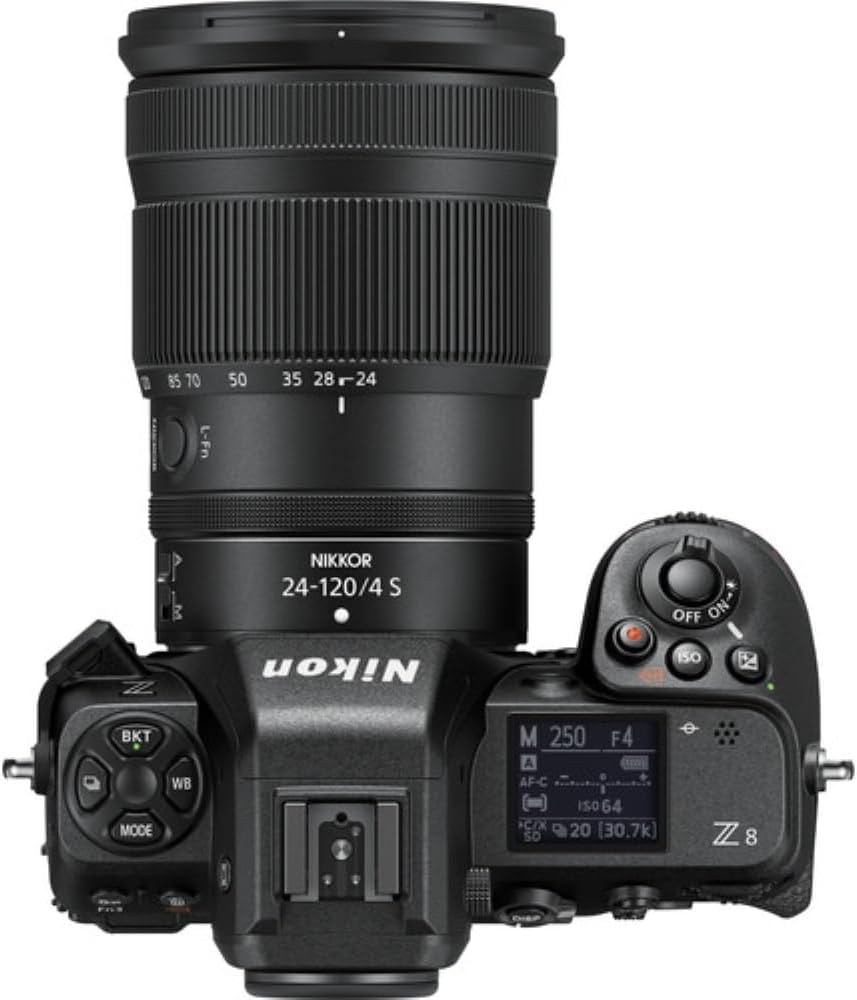
Image: A dynamic action shot of two athletes diving horizontally on a green sports field, attempting to catch a frisbee. The image demonstrates the camera's ability to capture fast-moving subjects with clarity.
Continuous Shooting
Capture decisive moments with blazing fast continuous shooting options, including 20, 30, 60, and 120 frames per second. This is ideal for sports, wildlife, and other fast-paced scenarios.
Image Quality Settings
The Z 8 supports RAW 14-bit, High Efficiency RAW, 10-bit HEIF, and JPEG 8-bit file formats. Adjust white balance settings (Auto, Incandescent, Fluorescent, Custom, Cloudy, Shade) to ensure accurate color reproduction under various lighting conditions.
Video Recording
The Z 8 is a powerful video tool, offering internal 12-bit 8K/60p and 4K/120p RAW recording, as well as 10-bit ProRes 422 HQ. This allows for high-quality cinematic productions.
Video:
Related documentsZ 8 FX


Ask a question about this manual
Ask about setup, troubleshooting, compatibility, parts, safety, or missing instructions. Manuals+ will review the question and use this page’s manual context to help answer it.