
1. Introduction
The BETOWEY B2X Bluetooth Intercom Headset is designed to provide clear and reliable communication for motorcyclists. This device integrates advanced audio processing, noise reduction, and supports full-duplex intercom communication, music playback, FM radio, and hands-free calling. It is built for durability and ease of use, enhancing your riding experience.

Image: The BETOWEY B2X Bluetooth Intercom Headset, showcasing its sleek design and integrated controls.
2. Product Features
- Enhanced Audio Clarity: Utilizes intelligent DSP audio processing and CVC noise reduction technology, ensuring clear conversations and effective noise suppression even at speeds up to 110 km/h.
- Full-Duplex Wireless Intercom: Supports communication between two riders in full-duplex mode within an 800-meter range, allowing for seamless conversation.
- User-Friendly Controls: Features a large multi-functional knob for easy control of hands-free calls, music playback, and FM radio, designed for convenient operation even while wearing gloves.
- Adaptable and Durable: Rated IP65 for water resistance, making it suitable for various weather conditions. Compatible with open-face, modular, and full-face helmets, and includes an easy-to-install mounting system.
- Extended Battery Life: Equipped with a 700mAh lithium-polymer battery, providing approximately 18 hours of continuous use (phone calls/music) and 300 hours of standby time on a single charge.

Image: Icons representing key features: Two Riders Intercom, Bluetooth 5.1, FM Radio, Music Control, Voice Assistant, CVC&DSP Noise Reduction, 700mAh Battery, IP65 Waterproof.
3. Package Contents
Please verify that all items listed below are included in your package:
- Microphone and Earpiece
- Bluetooth Device (Main Unit)
- Clamp (for helmet mounting)
- USB Charging Cable
- Velcro Clip
- Hook and Loop Fasteners (for speakers)
- Velcro for Earpiece
- Screwdriver
- User Manual (this document)

Image: Visual representation of all included components and a step-by-step installation guide.
4. Setup and Installation
Follow these steps to install your BETOWEY B2X intercom system onto your helmet:
- Attach the Clamp: Securely attach the mounting clamp to the side of your helmet. Ensure it is firmly in place.
- Install the Main Unit: Slide the BETOWEY B2X main unit onto the mounted clamp until it clicks into place.
- Position Speakers: Place the hook and loop fasteners inside your helmet's ear pockets. Attach the speakers to these fasteners, ensuring they are aligned with your ears for optimal audio.
- Route Cables: Carefully route the speaker cables inside the helmet lining to connect to the main unit. Ensure cables do not obstruct your vision or comfort.
- Attach Microphone: Secure the microphone in front of your mouth, ensuring it is close enough for clear voice pickup but does not interfere with your helmet's visor or comfort. Connect the microphone cable to the main unit.
5. Operating Instructions
The BETOWEY B2X features an intuitive knob design for easy control. Specific button presses and knob rotations control various functions.

Image: Close-up of the BETOWEY B2X showing the large multi-functional knob, indicating its use for music playback/phone controls, forward/rewind, and volume adjustment.
5.1. Power On/Off
- Power On: Press and hold the main function button (often integrated into the knob) for approximately 3 seconds until the indicator light illuminates and you hear a voice prompt.
- Power Off: Press and hold the main function button for approximately 3 seconds until the indicator light turns off and you hear a voice prompt.
5.2. Bluetooth Pairing (with Phone/GPS)
- Ensure the B2X is powered off.
- Press and hold the main function button for about 5-7 seconds until the indicator light flashes red and blue alternately, indicating pairing mode.
- On your phone or GPS device, enable Bluetooth and search for new devices. Select "BETOWEY B2X" from the list.
- Once connected, the indicator light will turn blue and flash slowly.
5.3. Intercom Pairing (with another B2X unit)
- Ensure both B2X units are powered on and not connected to any other Bluetooth devices.
- On both units, simultaneously press and hold the intercom button (refer to your device's specific button layout if not the main knob) for approximately 3 seconds until the indicator lights flash rapidly.
- The units will automatically search and pair with each other. Once connected, the indicator lights will flash slowly, and you will hear a confirmation tone.

Image: Two motorcyclists communicating via the BETOWEY B2X intercom, illustrating the 800-meter communication range.
5.4. Music Control
- Play/Pause: Short press the main function button.
- Next Track: Rotate the knob clockwise.
- Previous Track: Rotate the knob counter-clockwise.
- Volume Up: Rotate the knob clockwise and hold.
- Volume Down: Rotate the knob counter-clockwise and hold.
5.5. FM Radio
- Turn On/Off FM Radio: Double-press the main function button.
- Scan Stations: While FM radio is on, short press the main function button to scan for the next available station.
5.6. Phone Calls
- Answer Call: Short press the main function button when a call comes in.
- End Call: Short press the main function button during a call.
- Reject Call: Press and hold the main function button for 2 seconds when a call comes in.
- Redial Last Number: Double-press the main function button when not on a call.
5.7. Voice Assistant
- Activate Voice Assistant: Triple-press the main function button to activate your phone's voice assistant (e.g., Siri, Google Assistant).
6. Maintenance
- Cleaning: Use a soft, damp cloth to clean the exterior of the device. Do not use harsh chemicals or abrasive cleaners.
- Water Resistance: The device is IP65 water-resistant, meaning it can withstand splashes and light rain. Do not submerge the device in water. Ensure the charging port cover is securely closed when not charging.
- Charging: Always use the provided USB charging cable. Charge the device fully before first use and when the battery is low. Avoid overcharging.
- Storage: Store the device in a cool, dry place away from direct sunlight and extreme temperatures. If storing for an extended period, charge the battery every few months to maintain its health.
7. Troubleshooting
If you encounter issues with your BETOWEY B2X, please refer to the following common solutions:
| Problem | Possible Cause | Solution |
|---|---|---|
| Device does not power on | Low battery | Charge the device fully. |
| Cannot pair with phone/intercom | Not in pairing mode; device already connected; interference | Ensure device is in pairing mode (flashing red/blue). Disconnect from other devices. Move closer to the device you are pairing with. Restart both devices. |
| No sound from speakers | Volume too low; speakers disconnected; incorrect audio source | Increase volume. Check speaker connections to the main unit. Ensure the correct audio source (music, intercom, call) is active. |
| Poor audio quality/noise | Microphone position; environmental noise; distance from paired device | Adjust microphone position. Ensure CVC noise reduction is active. Reduce distance between intercom units. Avoid high wind noise. |
| Intercom range is limited | Obstructions; terrain; environmental factors | Ensure line of sight between units. Avoid dense urban areas or large physical obstructions. |
8. Specifications
| Feature | Detail |
|---|---|
| Model Number | B2X |
| Brand | BETOWEY |
| Connectivity Technology | Wireless (Bluetooth 5.1) |
| Intercom Range | Up to 800 meters (between 2 riders) |
| Battery Type | Lithium-Polymer |
| Battery Capacity | 700mAh |
| Charging Time | Approx. 2 hours |
| Phone Calls/Music Time | Approx. 18 hours |
| Intercom Time | Approx. 15 hours |
| Standby Time | Approx. 300 hours |
| Water Resistance | IP65 Rated |
| Noise Reduction | CVC & DSP Technology |
| Item Weight | 49 Grams |
| Color | Black |
| Included Components | Main unit, microphone, earpiece, clamp, USB cable |
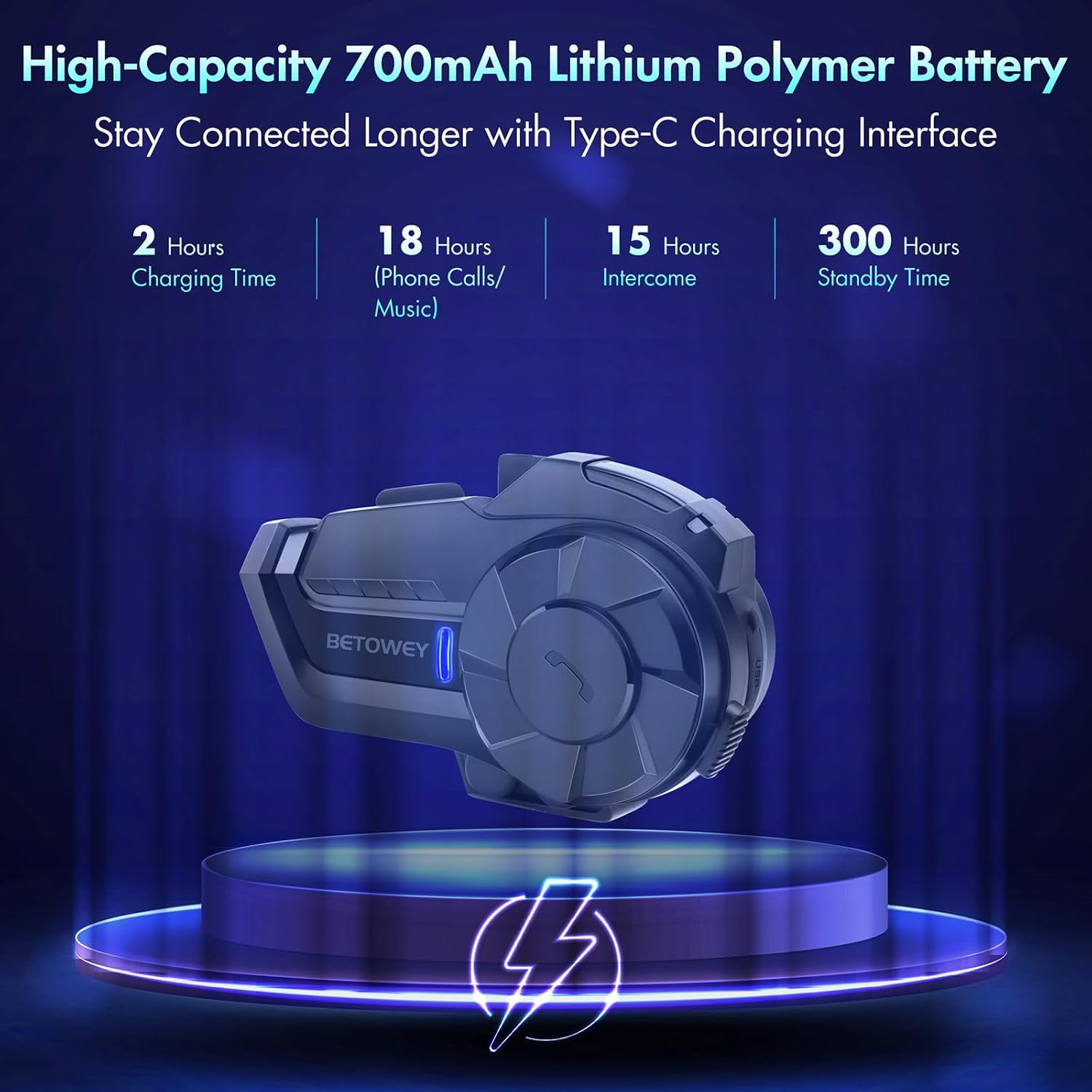
Image: Visual representation of the BETOWEY B2X's battery performance, highlighting 2 hours charging time, 18 hours phone calls/music, 15 hours intercom, and 300 hours standby time.
9. Warranty and Support
The BETOWEY B2X Bluetooth Motorcycle Intercom Headset comes with a 2-year manufacturer's warranty from the date of purchase. This warranty covers defects in materials and workmanship under normal use.
For warranty claims, technical support, or any questions regarding your product, please contact the seller or BETOWEY customer service directly. Please have your purchase receipt and product model number (B2X) ready when contacting support.