
Bingozones B7 Pro.
Bingozones B7 Pro. Over-Ear Bluetooth Headphones
User Manual
1. Introduction
Welcome to the world of immersive audio with your new Bingozones B7 Pro. Over-Ear Bluetooth Headphones. Designed for comfort, extended playtime, and superior sound quality, these headphones are perfect for daily use, travel, work, and leisure. This manual provides essential information to help you get the most out of your device.

Image: Bingozones B7 Pro. Over-Ear Bluetooth Headphones.
2. What's in the Box
Your Bingozones B7 Pro. package includes the following items:
- Bingozones B7 Pro. Bluetooth Headset
- 3.5mm Audio Cable (for wired mode)
- USB Charging Cable
- User Manual
- Lifetime Customer Support
- Lifetime Warranty
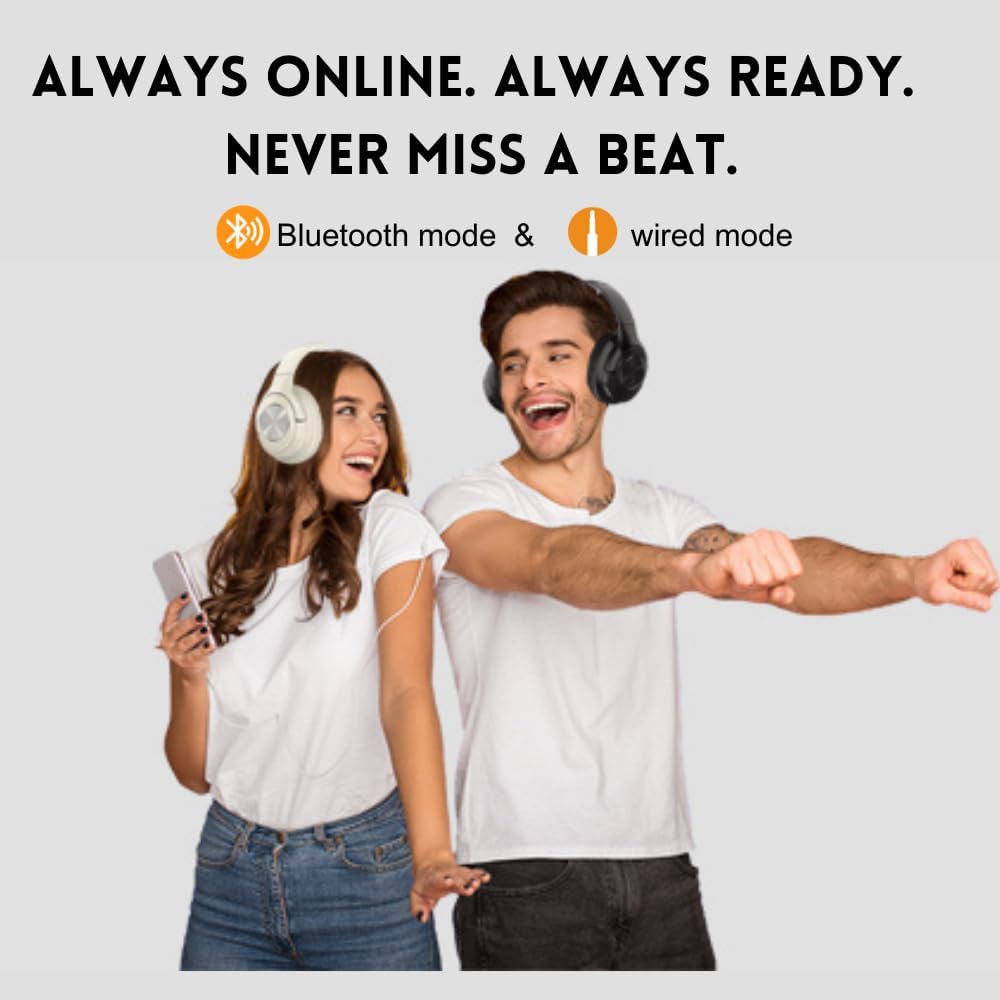
Image: Package contents of the B7 Pro. Headphones.
3. Product Overview
3.1 Controls and Ports
Familiarize yourself with the various buttons and ports on your headphones for seamless operation:
- Power Switch: Slide to turn the headphones On or Off.
- Volume Up (+): Short press to increase volume. Long press for next track.
- Volume Down (-): Short press to decrease volume. Long press for previous track.
- Multi-function Button (Play/Pause): Press to play/pause music, answer/end calls.
- 3.5mm Audio Jack: For wired connection using the included audio cable.
- USB Charging Port (Type-C): For charging the headphones.
- Indicator Light: Displays power, charging, and Bluetooth status.
- Microphone: Built-in for hands-free calling.
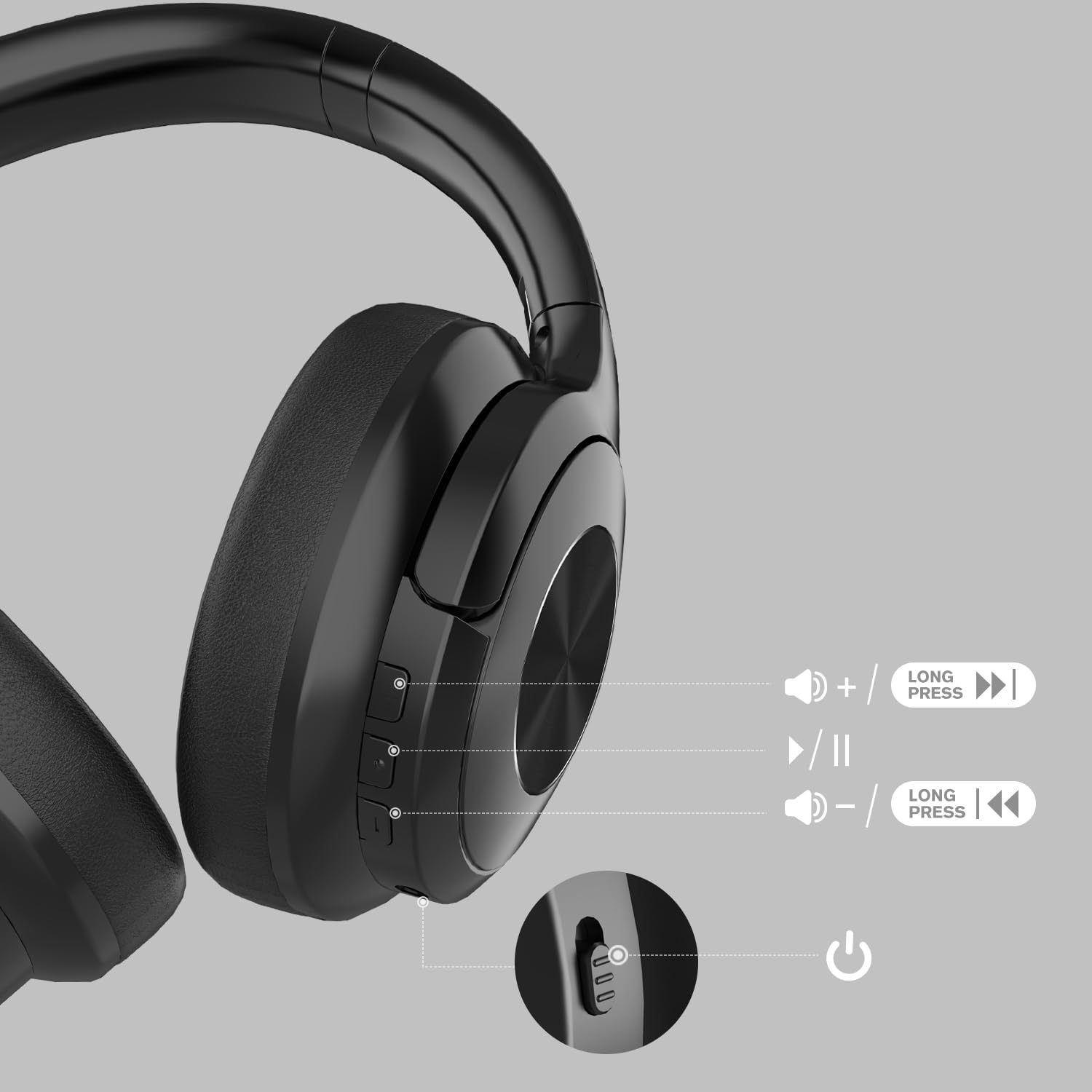
Image: Overview of headphone controls and ports.
3.2 Key Features
- Extended Playtime: Up to 65 hours of continuous music playback on a single charge.
- Bluetooth 5.5 Technology: Ensures stable transmission, lower latency, and quick pairing.
- Dual Device Connectivity: Connect to two devices simultaneously for seamless switching.
- Foldable & Lightweight Design: Easy to store and carry, weighing only 0.9 lbs.
- Comfortable Earmuffs: Soft protein earmuffs with memory foam for prolonged comfort.
- Deep Bass HiFi Stereo Sound: Experience high-quality audio with rich bass and clear treble.
- Built-in Microphone: For enhanced call quality with noise reduction.
- Wired Mode Option: Use the included 3.5mm audio cable for a wired connection when battery is low or for non-Bluetooth devices.
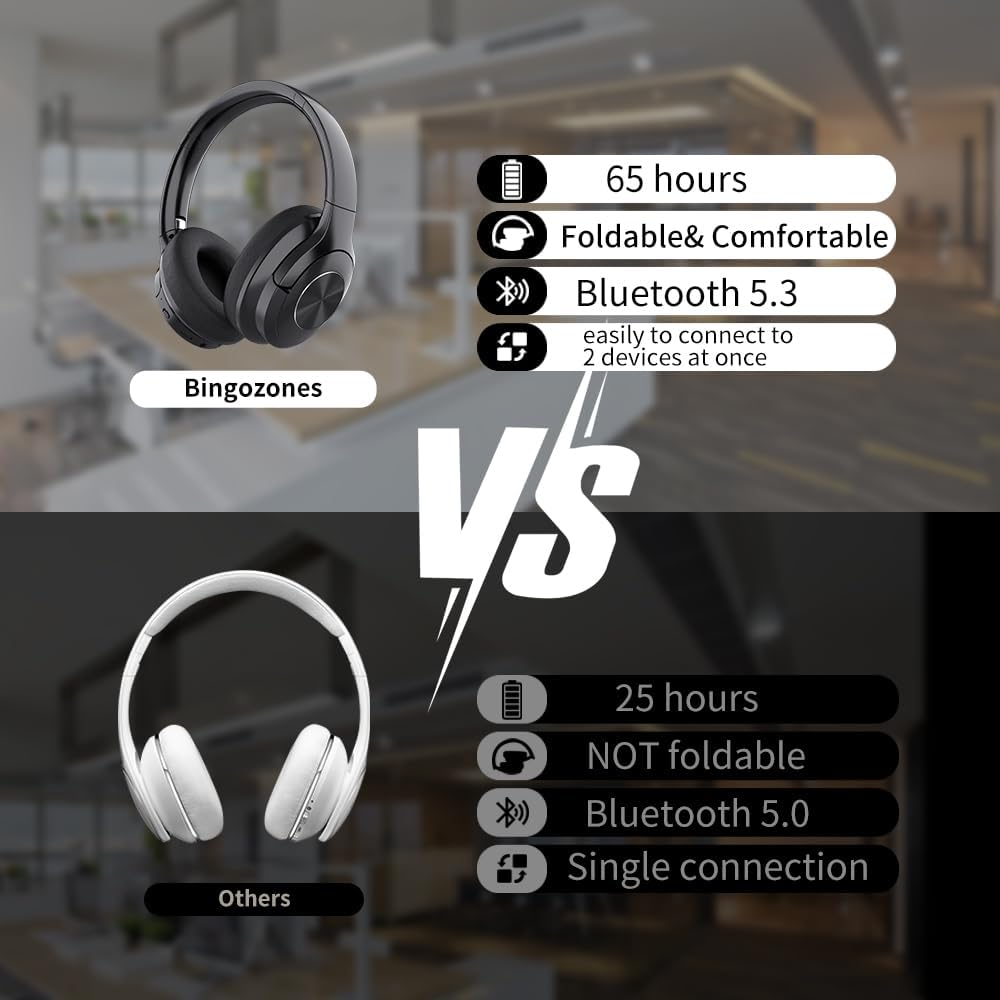
Image: Key features comparison.
4. Setup
4.1 Charging the Headphones
Before first use, fully charge your headphones. Connect the USB charging cable to the Type-C port on the headphones and the other end to a USB power source (e.g., computer, wall adapter). The indicator light will show charging status and turn off when fully charged.
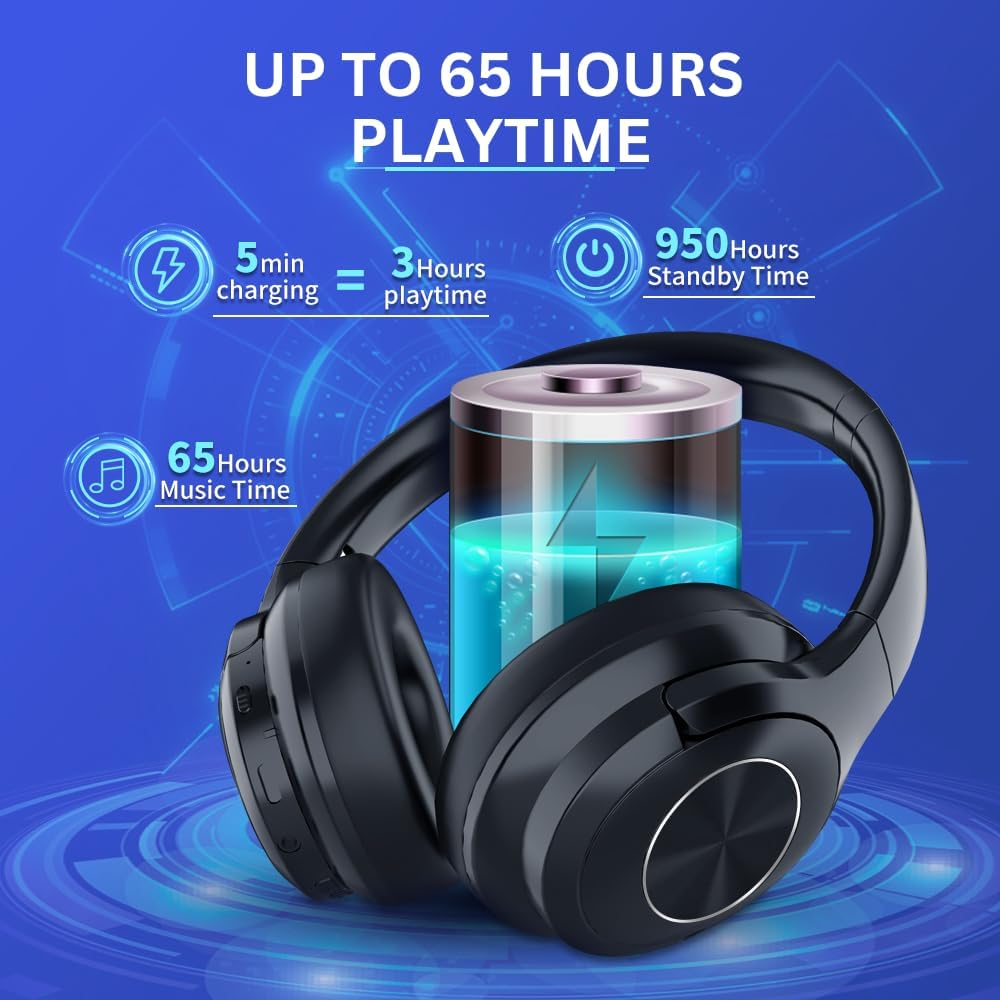
Image: Battery life and charging information.
4.2 Power On/Off
- To Power On: Slide the Power Switch to the 'ON' position. The indicator light will flash, and you will hear an audible prompt.
- To Power Off: Slide the Power Switch to the 'OFF' position. The indicator light will turn off.
4.3 Bluetooth Pairing
To pair your headphones with a Bluetooth-enabled device:
- Ensure the headphones are powered off.
- Slide the Power Switch to the 'ON' position. The headphones will automatically enter pairing mode, indicated by a flashing blue light.
- On your device (smartphone, tablet, computer), enable Bluetooth and search for available devices.
- Select "B7 Pro." from the list of devices.
- Once connected, the indicator light will turn solid blue, and you will hear a confirmation sound.

Image: Seamless dual device connectivity.
5. Operating Instructions
5.1 Music Playback
- Play/Pause: Press the Multi-function Button once.
- Next Track: Long press the Volume Up (+) button.
- Previous Track: Long press the Volume Down (-) button.
- Volume Up: Short press the Volume Up (+) button.
- Volume Down: Short press the Volume Down (-) button.
5.2 Phone Calls
- Answer/End Call: Press the Multi-function Button once.
- Reject Call: Long press the Multi-function Button.
- Voice Assistant: Activate your device's voice assistant (e.g., Siri, Google Assistant) by pressing the Multi-function Button twice.
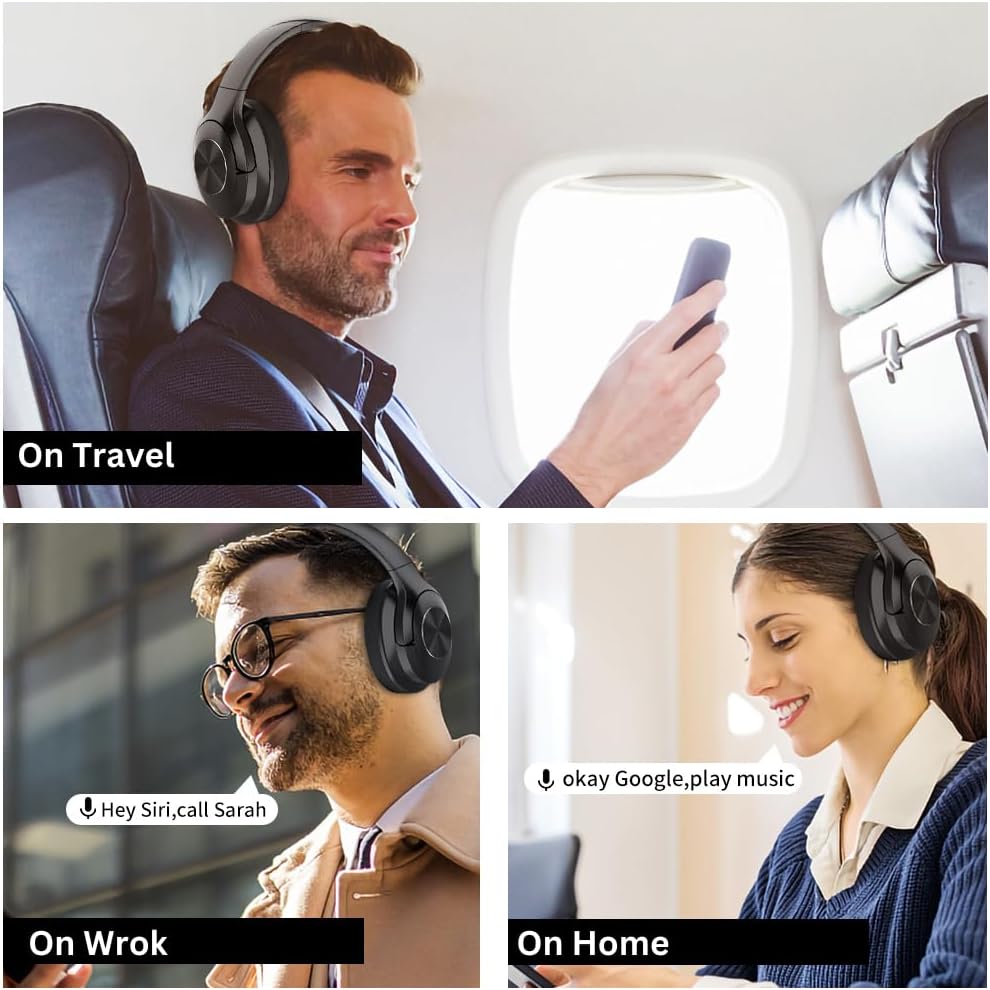
Image: Usage scenarios for the headphones.
6. Maintenance
- Cleaning: Wipe the headphones with a soft, dry cloth. Do not use harsh chemicals or abrasive materials.
- Storage: When not in use, store the headphones in a cool, dry place, away from direct sunlight and extreme temperatures. The foldable design allows for compact storage.
- Battery Care: To prolong battery life, avoid fully discharging the headphones frequently. Charge them regularly, even if not in constant use.
- Water Resistance: The headphones are water-resistant, but not waterproof. Avoid submerging them in water or exposing them to heavy rain.
7. Troubleshooting
| Problem | Possible Solution |
|---|---|
| Headphones won't turn on | Ensure the battery is charged. Connect to a power source and try again. |
| Cannot pair with device | Ensure headphones are in pairing mode (flashing blue light). Turn off and on Bluetooth on your device. Move closer to the headphones. |
| No sound or low volume | Check headphone and device volume levels. Ensure headphones are properly connected. Try wired mode with 3.5mm cable. |
| Intermittent connection | Move closer to your device. Avoid obstacles between headphones and device. Disconnect and reconnect Bluetooth. |
8. Specifications
| Feature | Detail |
|---|---|
| Model Name | B7 Pro. |
| Connectivity Technology | Wireless (Bluetooth 5.5), Wired (3.5 mm Jack) |
| Battery Life | 65 Hours |
| Audio Driver Size | 40 Millimeters |
| Bluetooth Range | 23 Feet |
| Earpiece Shape | Over Ear |
| Material | Acrylonitrile Butadiene Styrene (ABS) |
| Item Weight | 0.31 Kilograms (10.8 ounces) |
| Water Resistance Level | Water Resistant |
| Control Type | Volume Control, Button, Voice |
9. Warranty & Support
Bingozones stands behind the quality of its products. Your B7 Pro. headphones come with a one-year money-back guarantee and a three-year warranty.
We also provide lifetime worry-free user support. If you have any product-related questions or require assistance, please do not hesitate to contact us. We are committed to responding within 12 hours to ensure your satisfaction.
For support, please refer to the contact information provided in your product packaging or visit the official Bingozones website.
Related documentsB7 Pro.

Ask a question about this manual
Ask about setup, troubleshooting, compatibility, parts, safety, or missing instructions. Manuals+ will review the question and use this page’s manual context to help answer it.