
1. Introduction
Thank you for choosing the Aokeo A350 Dynamic Microphone. This manual provides essential information for the proper setup, operation, and maintenance of your microphone. Designed for high-quality sound reproduction, the Aokeo A350 is ideal for vocal performances, karaoke, recording, and various other audio applications.

Figure 1: Aokeo A350 Dynamic Microphone, including the microphone unit, XLR cable, and a protective foam cover.
2. Product Components
The Aokeo A350 Dynamic Microphone kit includes the following items:
- 1 x Aokeo A350 Dynamic Microphone
- 1 x 5-meter XLR Cable
- 1 x Foam Microphone Cover
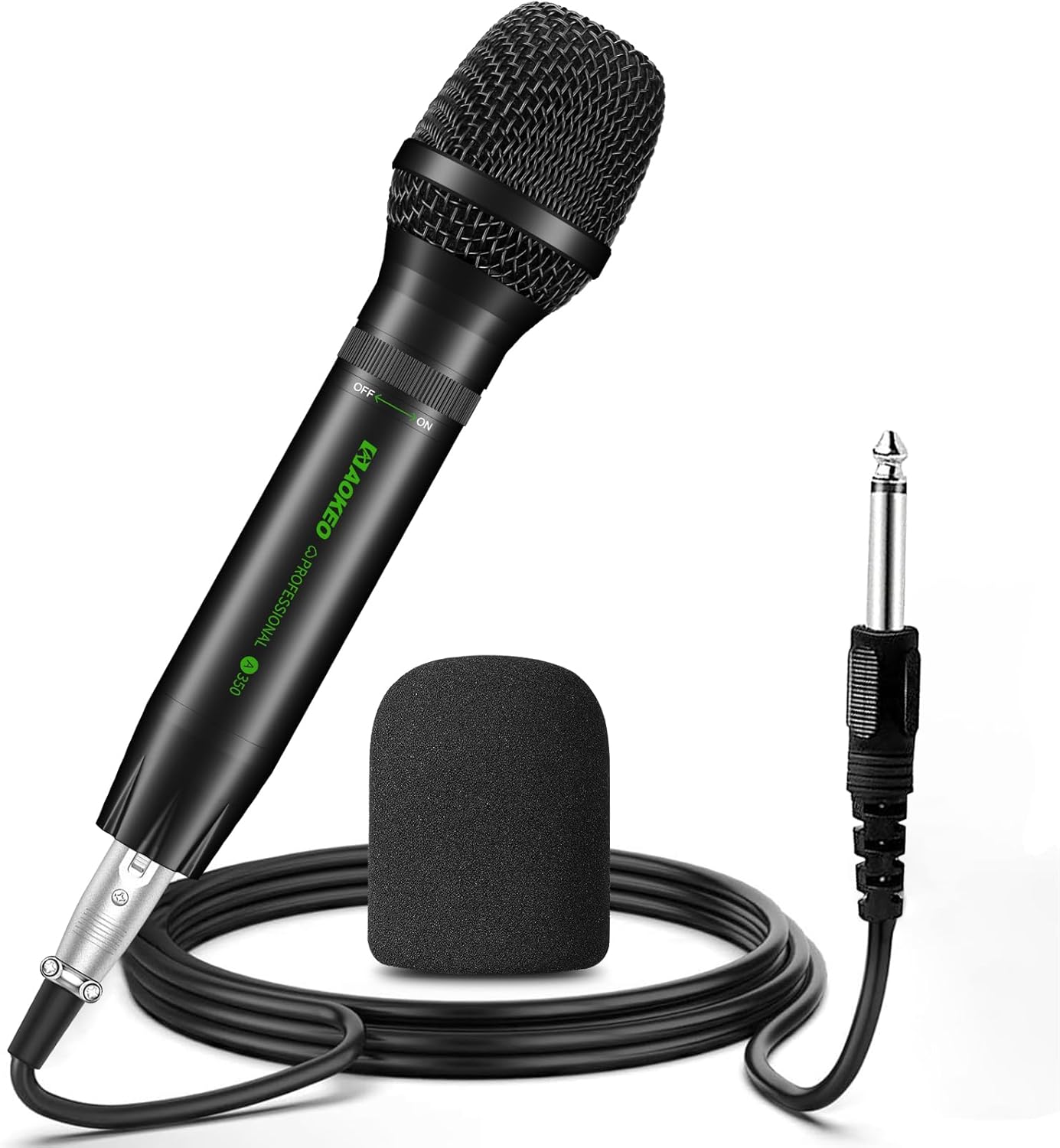
Figure 2: All components included in the Aokeo A350 microphone package.
3. Setup Guide
Follow these steps to set up your Aokeo A350 microphone:
- Connect the XLR Cable: Insert the XLR connector of the provided 5-meter cable into the XLR port at the base of the microphone. Ensure it clicks securely into place.
- Connect to Audio Device: Plug the other end of the XLR cable (6.35mm plug) into the microphone input of your compatible audio device, such as a karaoke machine, speaker, amplifier, or mixer.
- Attach Foam Cover: Gently slide the foam microphone cover over the microphone head. This helps reduce plosives and protects the microphone.
- Power On: Locate the rotary switch on the microphone body. Rotate it to the "ON" position to activate the microphone.
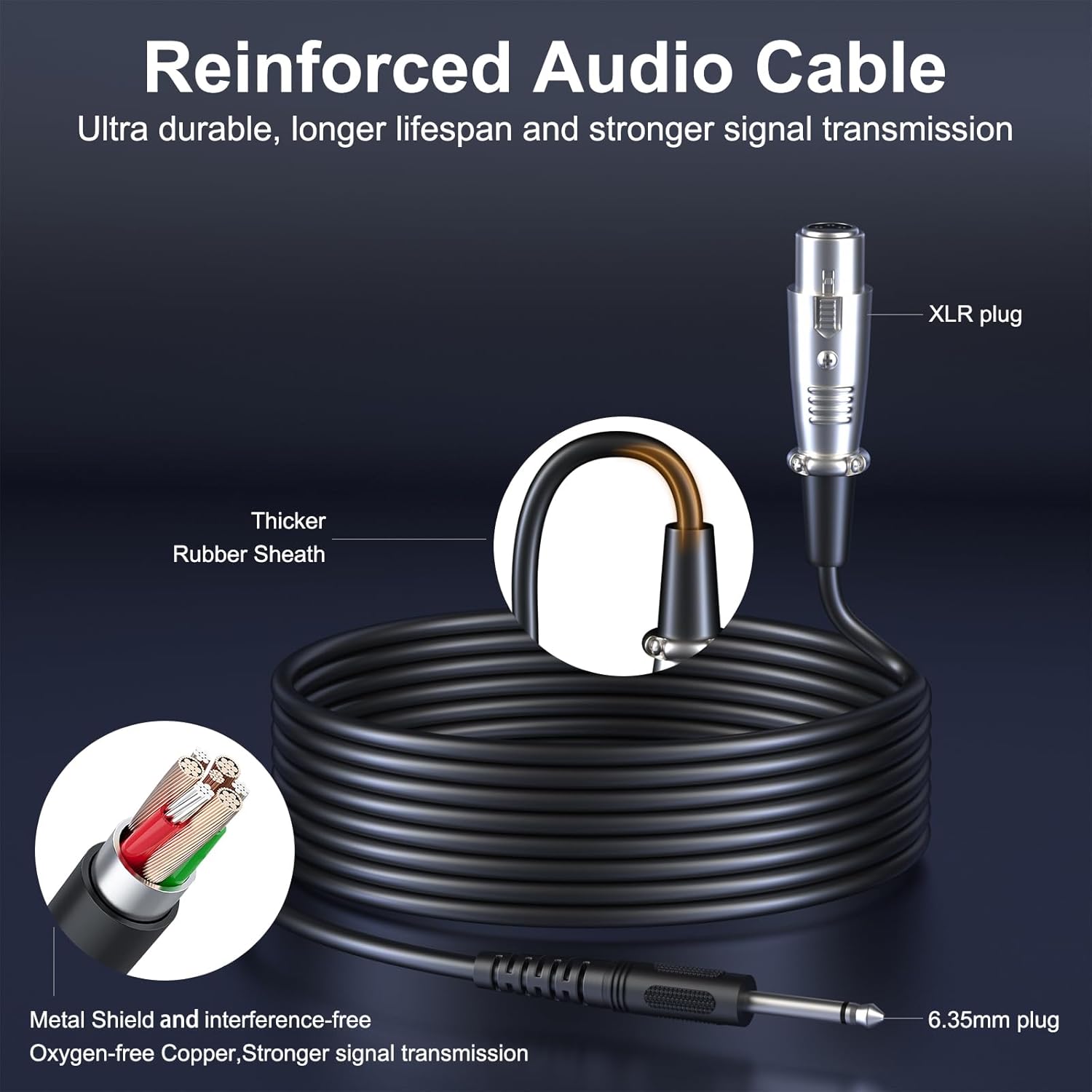
Figure 3: Illustration of the reinforced audio cable, showing the XLR and 6.35mm plugs for connection.
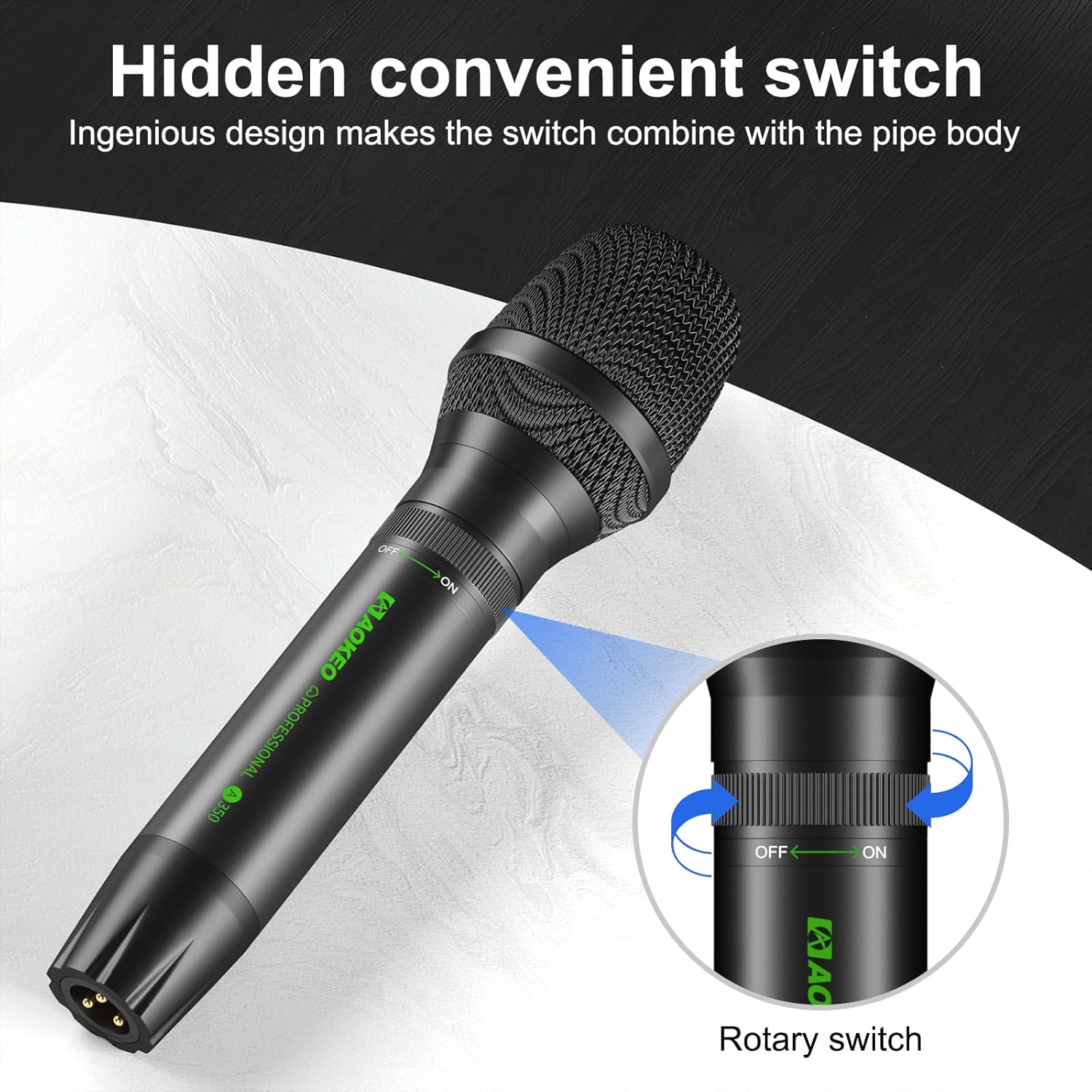
Figure 4: The hidden convenient rotary switch on the microphone for power control.
4. Operating Instructions
4.1. Basic Operation
- Ensure the microphone is connected to a compatible audio input device.
- Turn the microphone's rotary switch to the "ON" position.
- Adjust the volume on your connected audio device (speaker, mixer, amplifier) to a comfortable listening level.
- Speak or sing directly into the top of the microphone for optimal sound capture.
- When finished, turn the microphone's rotary switch to the "OFF" position.
4.2. Optimal Performance Tips
- Microphone Placement: Hold the microphone with the top (grille) facing directly towards the sound source. The A350 features a unidirectional (cardioid) polar pattern, meaning it primarily picks up sound from the front, minimizing background noise.
- Distance: Maintain a consistent distance from the microphone, typically 2-6 inches, for balanced sound.
- Feedback Prevention: Position speakers in front of the microphone, not behind it, to prevent audio feedback. The A350 is designed with excellent feedback rejection.
- Foam Cover: Always use the foam cover to reduce plosive sounds (like 'p' and 'b') and protect the microphone from moisture.
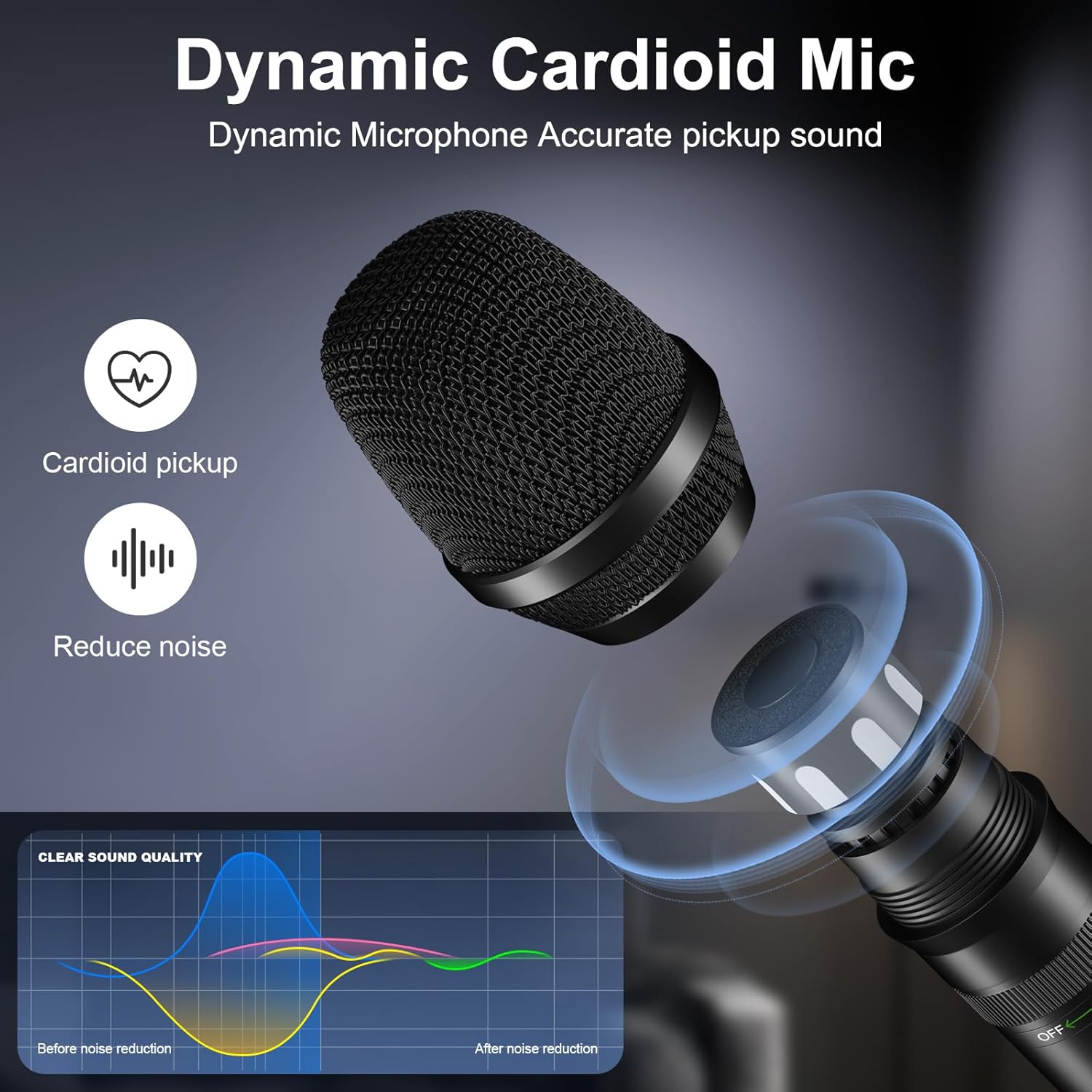
Figure 5: The Aokeo A350's cardioid pickup pattern and noise reduction capabilities for clear sound.

Figure 6: Proper microphone handling and the use of the anti-wind sponge for optimal sound.

Figure 7: Various usage scenarios for the Aokeo A350 microphone, including recording, band singing, podcasting, and family entertainment.
5. Maintenance
To ensure the longevity and optimal performance of your Aokeo A350 microphone, follow these maintenance guidelines:
- Cleaning: Use a soft, dry cloth to wipe the microphone body. Do not use liquid cleaners or solvents, as they may damage the finish or internal components.
- Foam Cover Care: The foam cover can be gently hand-washed with mild soap and water, then air-dried completely before reattaching.
- Storage: Store the microphone in a dry, cool place, away from direct sunlight and extreme temperatures.
- Handling: Despite its durable metal construction, avoid dropping or subjecting the microphone to harsh impacts to prevent internal damage.
6. Troubleshooting
If you encounter issues with your Aokeo A350 microphone, refer to the following common problems and solutions:
| Problem | Possible Cause | Solution |
|---|---|---|
| No Sound Output |
|
|
| Distorted Sound |
|
|
| Feedback (Squealing Noise) |
|
|
If the problem persists after trying these solutions, please contact Aokeo customer support for assistance.
7. Specifications
| Feature | Specification |
|---|---|
| Model Number | A350 |
| Microphone Type | Dynamic |
| Polar Pattern | Unidirectional (Cardioid) |
| Frequency Range | 40 Hz - 20 kHz |
| Impedance | 600 ohms |
| Audio Sensitivity | 40 dB |
| Signal-to-Noise Ratio | 70 dB |
| Connections | XLR |
| Cable Length | 5 meters |
| Dimensions (L x W x H) | 213 x 50 x 50 mm (approx. 8.38 x 1.97 x 1.97 inches) |
| Weight | 800 Grams |
| Material | Metal, Foam |
| Special Features | Rotary ON/OFF Switch |
| Compatible Devices | Karaoke Machine, Speaker, Amplifier, Mixer |

Figure 8: Detailed dimensions of the Aokeo A350 microphone and examples of compatible audio equipment.
8. Warranty and Support
The Aokeo A350 Dynamic Microphone comes with a 1-year manufacturer's warranty from the date of purchase. This warranty covers defects in materials and workmanship under normal use.
For warranty claims, technical support, or any questions regarding your product, please contact Aokeo customer service. Refer to your purchase documentation for specific contact details or visit the official Aokeo website.
Aokeo is committed to providing quality products and excellent customer service.
