
SPYPOINT LM2-TWINPACK
SPYPOINT LM2 Cellular Trail Camera User Manual
Model: LM2-TWINPACK
1. Introduction
The SPYPOINT LM2 Cellular Trail Camera is designed to provide remote monitoring of wildlife and property by sending photos directly to your mobile device or computer. This twin pack offers enhanced scouting power with two cameras, featuring 20MP photo resolution, infrared night vision, and an optimized antenna for reliable cellular transmission. Its compact design and user-friendly app integration make it an efficient tool for outdoor enthusiasts and hunters.

Image: Two SPYPOINT LM2 cellular trail cameras, highlighting the twin pack offering.
Video: An introductory overview of the SPYPOINT LM2 camera, showcasing its features and capabilities.
2. Key Features
- Cellular Connectivity: Receive photos directly to your SPYPOINT app on your phone, tablet, or computer, eliminating the need to physically retrieve SD cards.
- 20MP Photo Resolution: Capture high-quality 20-megapixel images, providing clear details for effective scouting.
- Optimized Antenna: Designed to maximize available cellular signal for reliable transmission and consistent performance.
- Compact Design: The small footprint of the camera makes it discreet and easy to conceal in various environments.
- Easy to Use: All camera settings are managed conveniently through the intuitive SPYPOINT app.
- Fast Trigger Speed: Features a 0.5-second trigger speed to capture fast-moving subjects.
- 90-foot Flash & Detection Range: Provides extensive coverage for both flash illumination and motion detection.

Image: SPYPOINT LM2 camera showcasing its core specifications: 20 Megapixels, 0.5-second responsive trigger, and 90-foot flash and detection range.

Image: SPYPOINT LM2 camera emphasizing its optimized connectivity, powerful monitoring capabilities, direct photo transmission to the app, and ultra-compact design.
3. What's in the Box
Your SPYPOINT LM2 Twin Pack includes the following items:
- 2 x SPYPOINT LM2 Cellular Trail Cameras
- 2 x Mounting Straps
- Quick Start Guide
Note: Batteries and SD cards are sold separately.
4. Setup
4.1 Battery Installation
The LM2 camera requires 8 AA batteries. For optimal performance and battery life, it is highly recommended to use new, high-quality alkaline or lithium batteries. Ensure correct polarity when inserting the batteries.

Image: A person's hands inserting a battery pack into the SPYPOINT LM2 camera's battery compartment.
4.2 SD Card Insertion
Insert a compatible SD card (up to 32GB, Class 10 recommended) into the SD card slot with the label facing up. Ensure it clicks into place.
4.3 SPYPOINT App Download & Account Creation
Download the SPYPOINT app from your device's app store (iOS or Android). Create a new account or log in to your existing account. This app is essential for managing your camera and receiving photos.

Image: Multiple smartphone screens showing the SPYPOINT app, illustrating how users can manage cameras, view customizable maps, and check weather conditions.
4.4 Camera Activation & Pairing
- Turn the camera's power switch to the 'ON' position.
- The status LED will indicate cellular signal strength.
- Follow the in-app instructions to add your new camera by scanning the QR code inside the camera's battery compartment or manually entering the serial number.
- Configure initial settings such as photo delay, detection mode, and transmission frequency via the app.
4.5 Mounting the Camera
Use the provided mounting strap to secure the camera to a tree or post. Position the camera approximately 3-4 feet (1-1.2 meters) off the ground, aiming towards the area you wish to monitor. Ensure there are no obstructions directly in front of the camera's lens or sensor.

Image: A SPYPOINT LM2 camera securely mounted to a tree trunk with a black strap, ready for deployment.
5. Operating the Camera
5.1 Basic Operation
Once powered on and configured via the app, the LM2 camera will automatically begin detecting motion and capturing photos according to your set parameters. The single LED on the camera provides basic status feedback, while detailed status and settings are available in the app.
5.2 Photo Transmission & Viewing
Captured photos are automatically transmitted to your SPYPOINT app. You can view, organize, and analyze these photos from anywhere with an internet connection. The app also allows you to manage multiple cameras and review historical data.
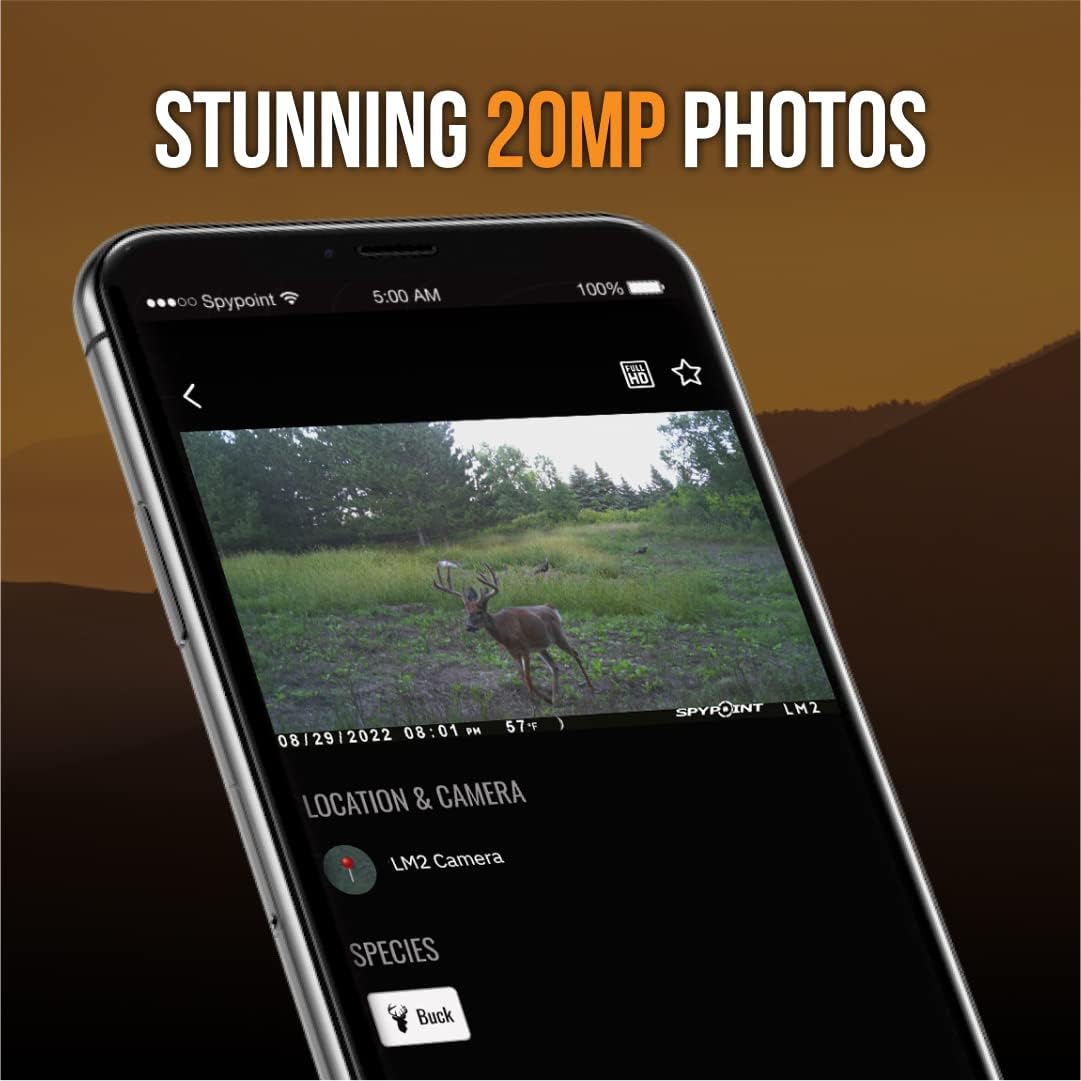
Image: A smartphone screen showcasing a stunning 20MP photo of a deer, demonstrating the image quality captured by the LM2 camera and viewed within the SPYPOINT app.
5.3 App-Based Control
All advanced settings, including photo delay, multi-shot mode, detection sensitivity, and transmission plans, are controlled remotely through the SPYPOINT app. This allows for convenient adjustments without disturbing the camera's location.
6. Maintenance
- Battery Replacement: Monitor battery levels via the SPYPOINT app. Replace batteries promptly when low to ensure continuous operation.
- Cleaning: Periodically clean the camera lens and housing with a soft, dry cloth to remove dirt, dust, or moisture. Ensure the camera is dry before closing the battery compartment.
- Firmware Updates: SPYPOINT may release firmware updates to improve camera performance or add new features. Check the SPYPOINT app regularly for available updates and follow the instructions for installation.
- SD Card Management: Regularly format your SD card using the camera or a computer to prevent data corruption and ensure optimal storage performance.
7. Troubleshooting
| Issue | Possible Cause / Solution |
|---|---|
| No photos received in app |
|
| Poor battery life |
|
| Fogging inside lens |
|
| Images are blurry or dark at night |
|
8. Specifications
| Feature | Detail |
|---|---|
| Effective Still Resolution | 20 MP |
| Video Capture Resolution | 720p |
| Trigger Speed | 0.5 seconds |
| Flash & Detection Range | 90 feet |
| Wireless Communication Technology | Wi-Fi (for app communication, not direct internet) |
| Control Method | App |
| Power Source | 8 x AA Batteries (not included) |
| Item Dimensions (L x W x H) | 1.6 x 10.5 x 12 inches |
| Item Weight | 1.68 pounds |
| International Protection Rating | IP54 |
| Model Number | LM2-TWINPACK |
| UPC | 887157022327 |
9. Warranty & Support
SPYPOINT products are manufactured to high standards and are backed by a limited warranty. For specific warranty terms and conditions, please refer to the warranty information provided with your product packaging or visit the official SPYPOINT website.
Customer Support
If you encounter any issues or have questions regarding your SPYPOINT LM2 camera, please contact SPYPOINT customer support. You can typically find contact information (phone, email, or support portal) on the official SPYPOINT website or within the SPYPOINT app.
For more information and resources, visit the SPYPOINT Store on Amazon.
Related documentsLM2-TWINPACK


Ask a question about this manual
Ask about setup, troubleshooting, compatibility, parts, safety, or missing instructions. Manuals+ will review the question and use this page’s manual context to help answer it.