1. Introduction
Thank you for choosing the Metapen Crayon A8. This stylus is designed to enhance your iPad experience with its advanced features, including pixel-perfect precision, tilt sensitivity, and fast charging. This manual provides detailed instructions on how to set up, operate, and maintain your Metapen Crayon A8.
2. Setup
2.1. Charging Your Metapen Crayon A8
The Metapen Crayon A8 features 2X faster charging. A full charge takes only 30 minutes via USB-C, providing up to 10 hours of continuous use. A quick 1-minute charge provides 50 minutes of work time, and 4 minutes of charging provides 2 hours of work time.

Image: The Metapen Crayon A8 connected to a USB-C charger, illustrating its rapid charging capability.
The LED indicator displays different colors based on the power level:
- White: >60% battery
- Blue: 20%-60% battery
- Red: <20% battery
- Breathing Red: Charging
- Solid White: Fully Charged

Image: A diagram illustrating the LED light indicators for battery status and charging.
2.2. Powering On/Off
To turn the Metapen Crayon A8 on or off, simply double-tap the rounded end of the stylus with your finger. No Bluetooth pairing is required for basic functionality.
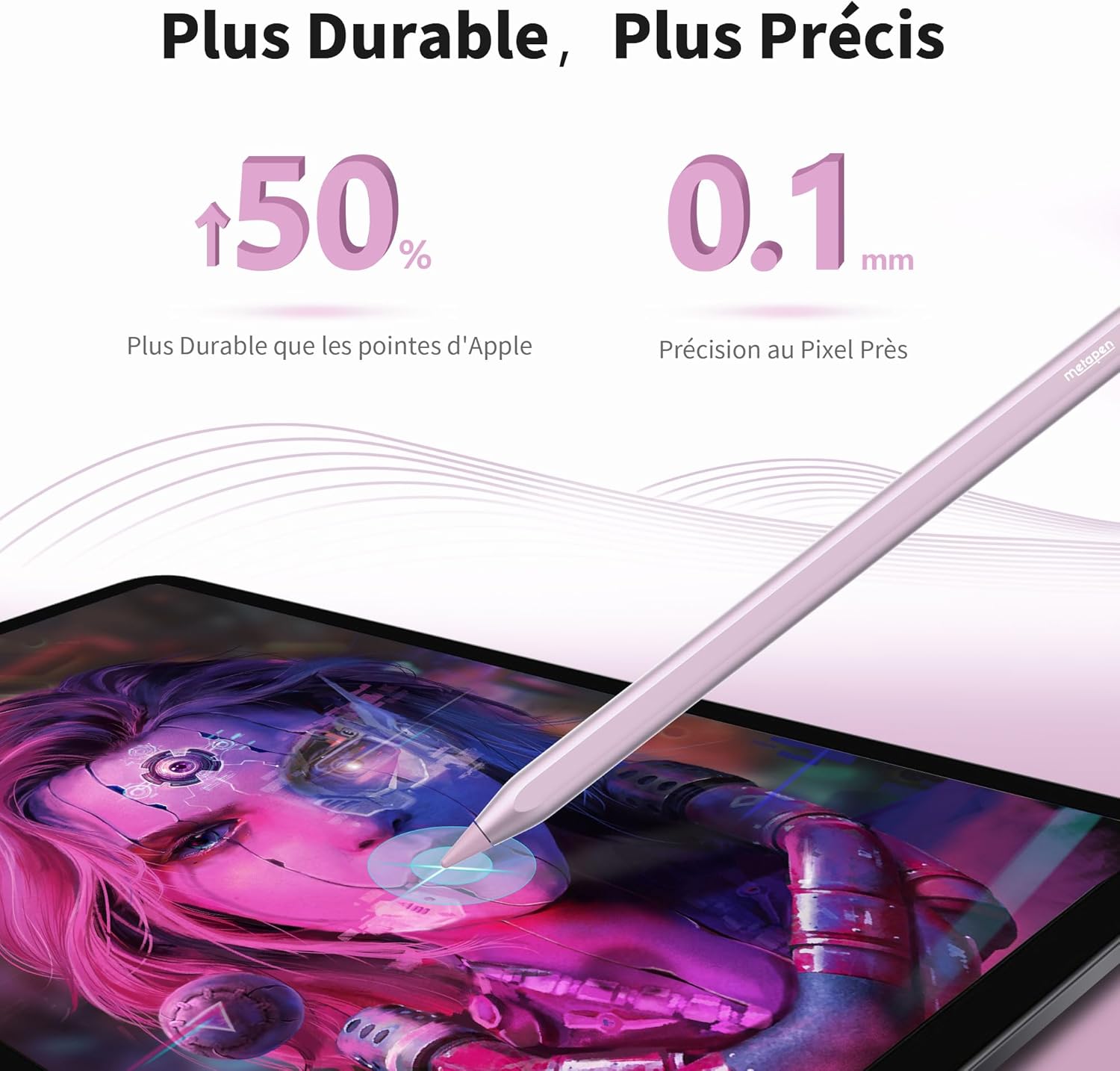
Image: A visual guide demonstrating the double-tap gesture on the stylus for power control.
2.3. Compatibility
The Metapen Crayon A8 is compatible with iPad models from 2018 to 2025. Please verify your iPad model before use. Compatible models include:
- iPad 6th, 7th, 8th, 9th, 10th Generation
- iPad Air 3rd, 4th, 5th Generation, iPad Air 11" (M2), iPad Air 13" (M2)
- iPad Pro 11" 1st, 2nd, 3rd, 4th Generation, iPad Pro 11" (M4)
- iPad Pro 12.9" 3rd, 4th, 5th, 6th Generation, iPad Pro 13" (M4)
- iPad Mini 5th, 6th Generation
Note: iPad models with a 'U' symbol in the compatibility chart support magnetic attachment.
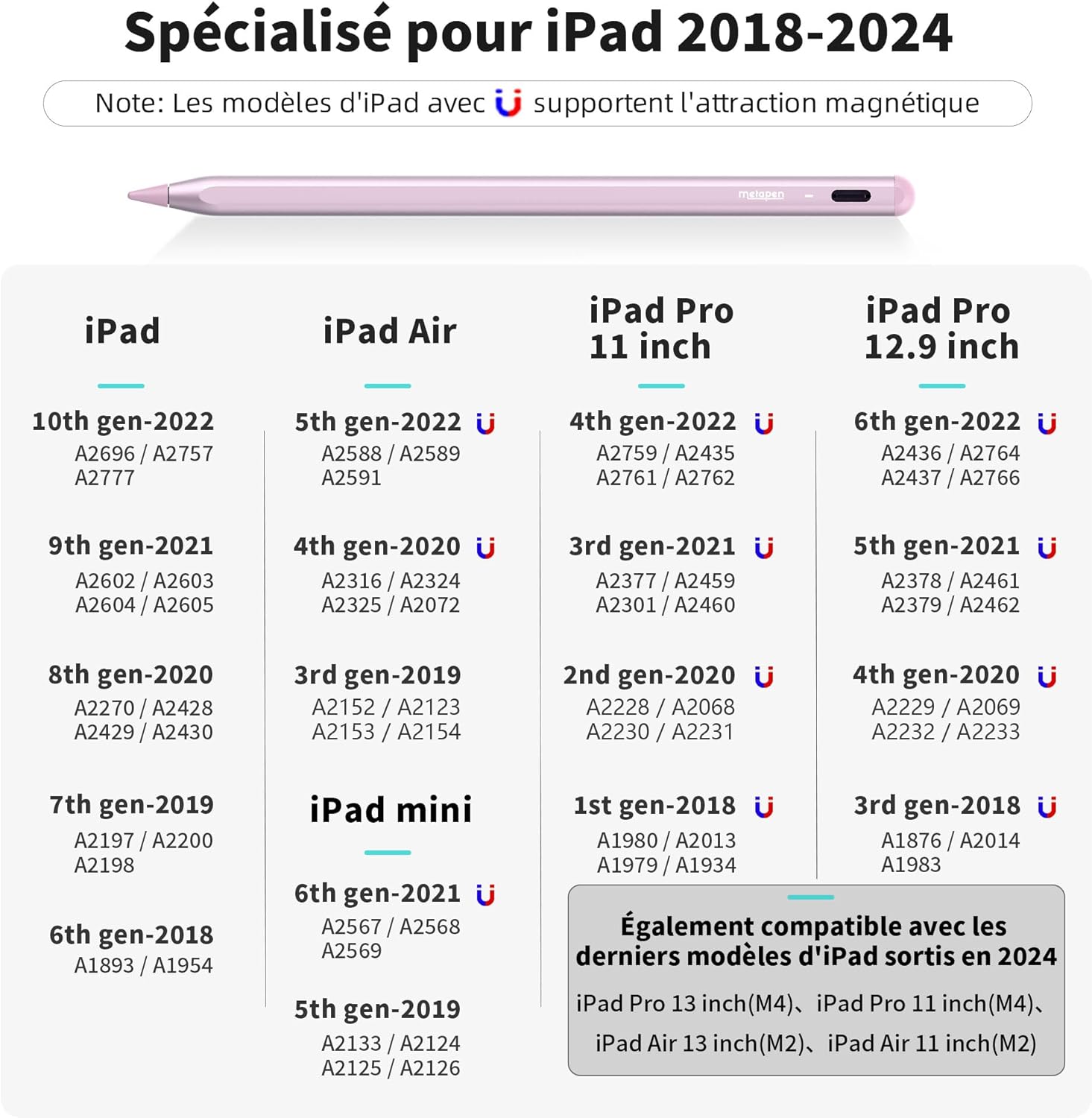
Image: A detailed chart outlining the compatible iPad models for the Metapen Crayon A8.
The Metapen Crayon A8 is not compatible with iPad models released before 2018, iPhones, Android devices, or Microsoft devices.
3. Operating Instructions
3.1. Pixel Precision and Lag-Free Performance
Equipped with an upgraded smart chip, the Metapen Crayon A8 offers pixel-level precision up to 0.1mm. This ensures high sensitivity, no break points, and no lag, allowing you to write small words and draw fine lines with ease, similar to a traditional pencil.
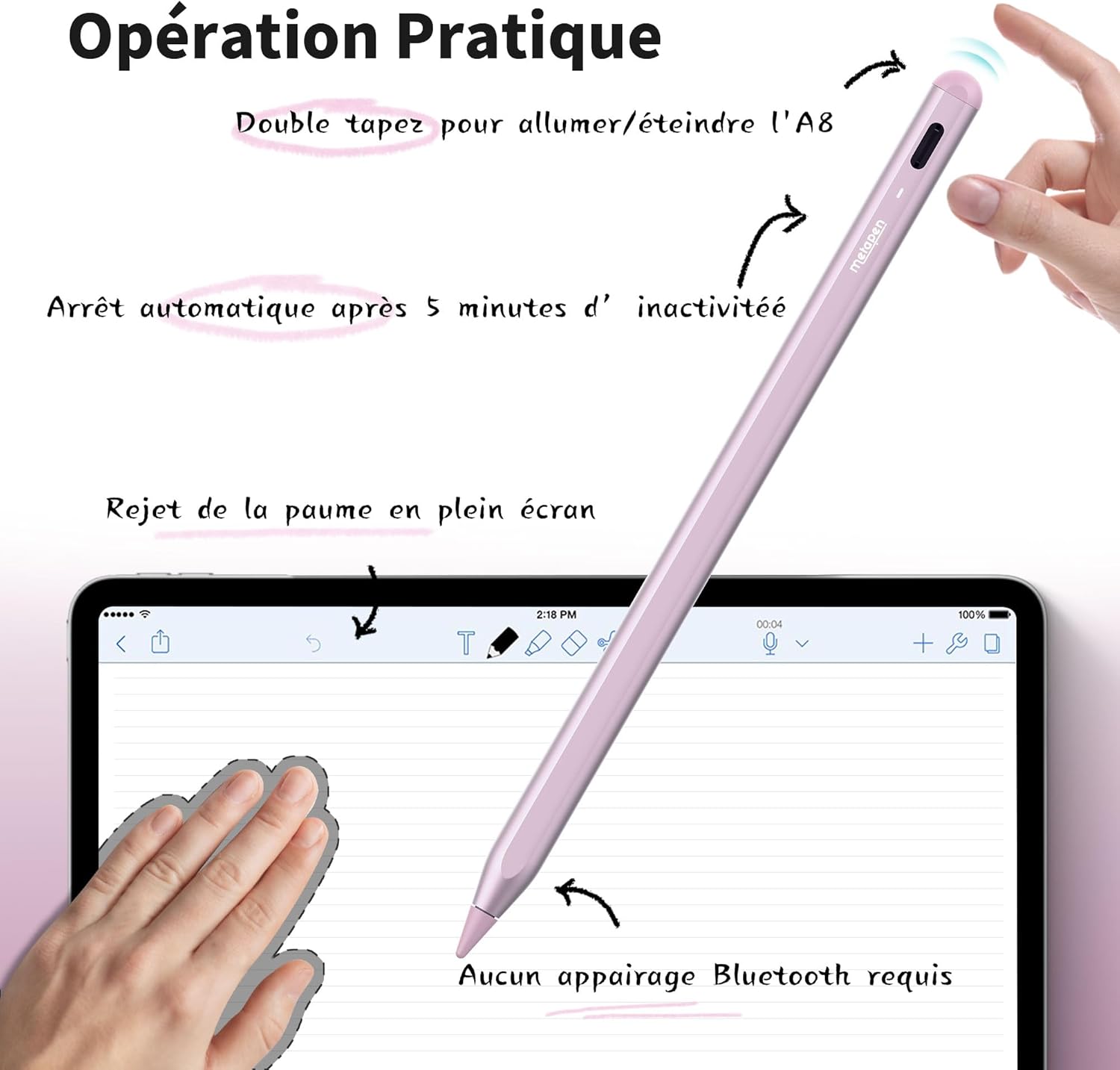
Image: A visual representation emphasizing the Metapen Crayon A8's pixel-perfect precision on a tablet screen.
3.2. Tilt Sensitivity
The Metapen Crayon A8 supports tilt sensitivity, allowing you to create different lines and shades on the screen by varying the stylus angle (15°-90°). This feature is ideal for shading in drawing applications or creating thicker lines with a marker brush.
Image: A diagram demonstrating how the stylus's tilt angle affects stroke thickness.
3.3. Palm Rejection
The stylus supports palm rejection, meaning you can comfortably rest your palm or fingers on the iPad screen while sketching, drawing, or writing without causing unintended marks or interference. No special glove is needed.

Image: A user's hand resting on an iPad screen while using the Metapen Crayon A8, showcasing the palm rejection feature.
3.4. Magnetic Attachment
With two built-in magnets, the Metapen Crayon A8 can securely attach to your compatible iPad, preventing it from rolling away or getting lost. (Note: Magnetic attachment is not supported for iPad Air 3rd Gen, iPad 6th/7th/8th/9th Gen, iPad mini 5th Gen.)

Image: A comparison illustrating the strong magnetic attachment of the Metapen Crayon A8 to an iPad.
3.5. Usage Scenarios
The Metapen Crayon A8 is versatile for various activities:
- Study: Ideal for note-taking and annotating documents.
- Drawing: Perfect for creative expression with pixel precision and tilt sensitivity.
- Meeting: Efficient for digital whiteboarding and collaborative work.
- Gift: A thoughtful present for iPad users.

Study

Drawing

Meeting

Gift
3.6. Smart Drawing and Memo Express
In Apple Notes, you can draw a basic shape (circle, square, etc.), hold the last stroke for 2 seconds, and it will automatically transform into a perfect shape.
Image: The smart drawing feature in Apple Notes, demonstrating automatic shape correction.
With Memo Express, you can double-tap on the locked screen to quickly access the Notes interface, allowing you to capture ideas instantly.
Image: The Memo Express feature, showing quick access to the Notes app from the locked screen.
4. Maintenance
4.1. Tip Replacement
Metapen tips are made from high-quality polymer material and are designed for durability, lasting twice as long as original iPencil tips. Each Metapen A8 comes with two additional replaceable tips. To replace a tip, simply twist the old tip counter-clockwise to remove it, and then twist a new tip clockwise to secure it.

Image: A step-by-step diagram on how to replace the stylus tip by twisting.
4.2. Automatic Shutdown
The Metapen Crayon A8 will automatically shut down after 5 minutes of inactivity to conserve battery life.
5. Troubleshooting
5.1. My iPad is Compatible, but the Pencil A8 Doesn't Seem to Work.
Please try the following methods:
- Double-click the rounded end of the Pencil A8 with your finger to turn it on/off.
- Loosen the pen tip slightly or replace it.
- Ensure your iPad is running iOS 12.2 or higher.
- If you have an Apple Pencil, unpair it from your iPad: Go to Settings > Bluetooth > Tap the 'i' icon next to Apple Pencil > Forget This Device.
- If your iPad's original screen has been replaced, the A8 might not function correctly.
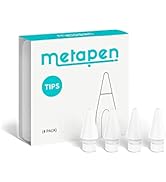
Image: A visual troubleshooting guide for common compatibility issues.
5.2. Why Does the Battery Drain So Quickly?
Generally, the A8 should last about 10 hours on a full charge. If the battery drains quickly, you might have a defective product. Please do not hesitate to inform us by contacting customer support.
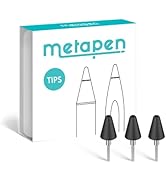
Image: A visual troubleshooting guide for rapid battery drain.
6. Specifications
| Feature | Detail |
|---|---|
| Brand | metapen |
| Model Number | ME-APP152 |
| Color | Rose |
| Compatible Devices | iPad Pro 13" (M4), iPad Pro 11" (1st/2nd/3rd/4th/M4), iPad (6th/7th/8th/9th/10th/11th Gen), iPad Air (3rd/4th/5th/M2/M3), iPad Pro 12.9" (3rd/4th/5th/6th Gen), iPad Mini (5th/6th Gen) |
| Battery Composition | Lithium-ion |
| Battery Included | Yes (1 CR5) |
| Charging Time | 30 minutes |
| Average Battery Life (Standby) | 365 days |
| Material | Plastic |
| Item Dimensions (LxWxH) | 16.6 x 0.9 x 0.9 centimeters |
| Country of Origin | China |
7. Warranty and Support
Metapen is committed to providing excellent customer service and product quality.
- 2-Year Warranty: Your Metapen Crayon A8 is covered by a 2-year warranty.
- 30-Day Replacement: Enjoy a 30-day replacement policy for any issues.
- 24/7 Customer Service: For any inquiries or support, please contact us at Support@metapen.com.

Image: Metapen's commitment to customer support and product guarantees.
8. Official Product Video
Watch the official product video for a comprehensive overview of the Metapen Crayon A8's features and usage.
Video: An official demonstration of the Metapen Crayon A8 stylus, showcasing its design, features, and how it interacts with an iPad.


