
ALLPOWERS AP-SS-008-JP-NEW
ALLPOWERS S1500 PLUS Portable Power Station User Manual
Model: AP-SS-008-JP-NEW
1. Introduction
Thank you for choosing the ALLPOWERS S1500 PLUS Portable Power Station. This device is designed to provide reliable and versatile power for various applications, from outdoor adventures and camping to emergency home backup. Its compact and lightweight design, combined with high power output and multiple charging options, makes it an essential tool for modern power needs. Please read this manual thoroughly before use to ensure safe and optimal operation.

Figure 1.1: ALLPOWERS S1500 PLUS Portable Power Station main unit.
2. Product Overview
2.1. Components and Features
The ALLPOWERS S1500 PLUS is equipped with a variety of ports and features to meet diverse power requirements:
- AC Output: Four AC outlets (100V, 1500W rated, 3000W surge) with pure sine wave output, suitable for most household appliances.
- USB-C Ports: Two USB-C ports (PD100W) for fast charging of compatible devices.
- USB-A Ports: Two USB-A ports (Max 18W x2) for standard USB charging.
- DC5525 Output: One DC5525 port (Max 12V/5A) for DC-powered devices.
- Cigarette Lighter Socket: One 12V/10A cigarette lighter output port.
- Large Capacity: 1092Wh (approx. 295,200mAh) battery for extended power supply.
- Lightweight Design: Weighs approximately 10kg with dimensions of 32x22x19cm, making it highly portable.
- Quiet Operation: Operates at a low noise level of 43dB, comparable to a library environment.
- UPS Function: Features a 15ms Uninterruptible Power Supply (UPS) function for seamless power transition during outages.
- BMS System: Integrated Battery Management System for comprehensive protection.
- LED Light: Built-in LED light for illumination in dark environments or emergencies.
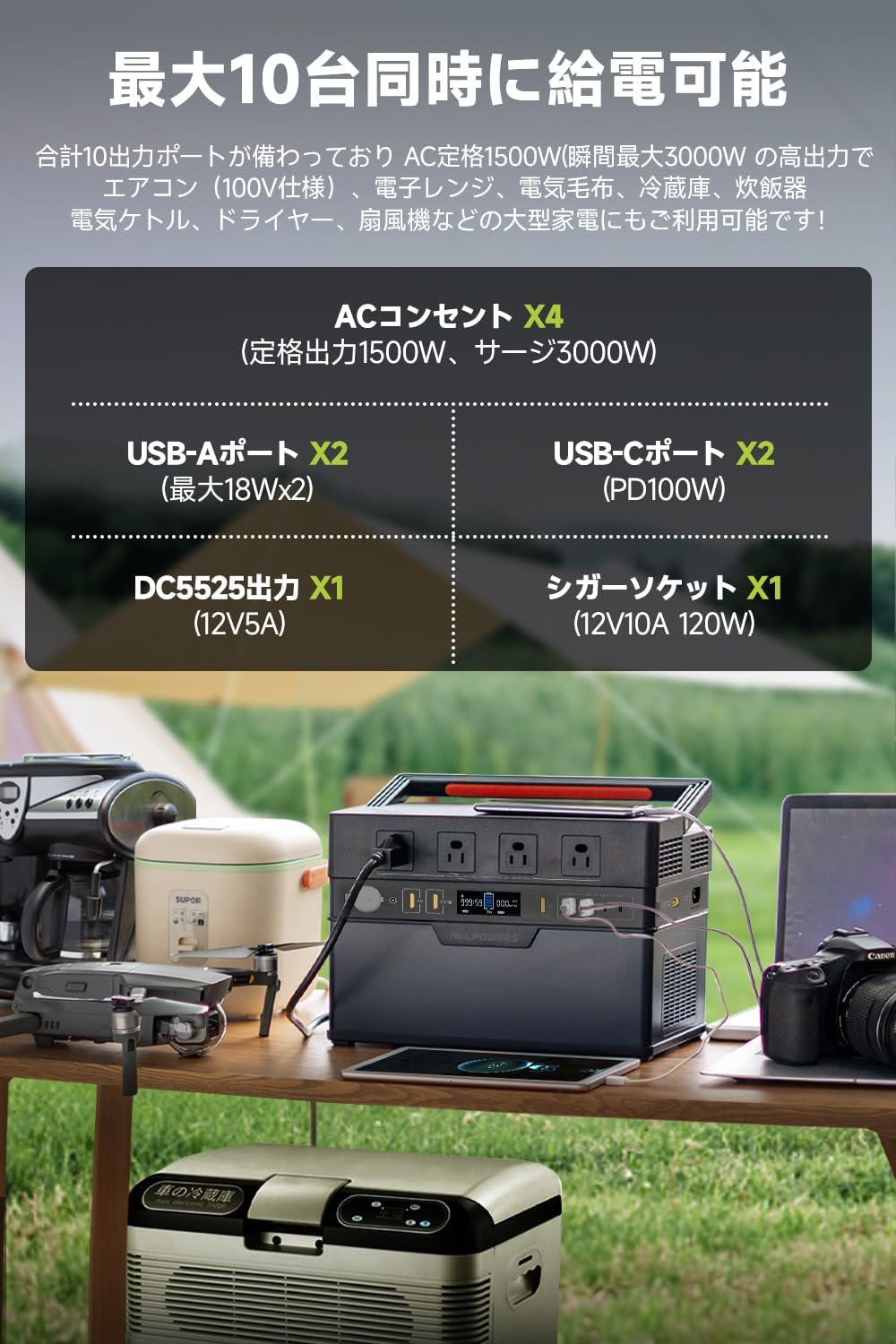
Figure 2.1: The S1500 PLUS can power up to 10 devices simultaneously.

Figure 2.2: Quiet operation at 43dB, suitable for indoor use.
3. Setup
3.1. Initial Charge
Before first use, it is recommended to fully charge the ALLPOWERS S1500 PLUS. Connect the provided AC charging cable to the AC input port on the power station and then to a wall outlet. The display will show the charging status. A full charge typically takes about 1.2 hours using AC input.
3.2. Powering On/Off
To power on the unit, press and hold the main power button for a few seconds until the display illuminates. To power off, press and hold the same button until the display turns off.
4. Operating Instructions
4.1. Using AC Output
Press the AC power button to enable the AC outlets. Plug your appliances into the AC ports. Ensure the total power consumption does not exceed 1500W (or 3000W surge). The pure sine wave output ensures compatibility with sensitive electronics.
4.2. Using USB and DC Outputs
The USB-C, USB-A, and DC5525 ports are typically active when the unit is powered on. Simply connect your devices to the appropriate ports for charging or power supply.
4.3. LED Light Operation
The LED light located on the back of the unit can be activated by pressing its dedicated button. Multiple presses may cycle through different lighting modes (e.g., steady, SOS). This feature is useful for emergency lighting or general illumination.

Figure 4.1: The integrated LED light provides convenient illumination.
5. Charging Methods
The ALLPOWERS S1500 PLUS offers versatile charging options:
- AC Wall Outlet: Connect the included AC charging cable to a standard wall outlet. Supports up to 1000W input for a full charge in approximately 1.2 hours.
- Solar Panel: Connect compatible solar panels (MPPT up to 650W) for eco-friendly charging. Charging time varies based on sunlight intensity and panel wattage.
- Car Charger: Use the car charging cable to charge from your vehicle's 12V/24V cigarette lighter socket (Max 100W).
- Dual Charging: Combine AC input with solar or car charging for faster recharge times, up to a total of 1000W input, allowing a full charge in as little as 1.2 hours.

Figure 5.1: Multiple charging options for flexibility.
6. App Control
The ALLPOWERS S1500 PLUS can be conveniently controlled and monitored via the ALLPOWERS mobile application, available for both iOS and Android devices. Connect your power station via Bluetooth to access features such as:
- Monitoring battery remaining capacity.
- Checking input and output power.
- Estimating remaining usage time.
- Turning AC, DC, and USB outputs on/off.
- Switching AC output frequency between 50Hz and 60Hz.
- Controlling the LED light.

Figure 6.1: Remote control and monitoring through the ALLPOWERS app.
7. Safety Features
The ALLPOWERS S1500 PLUS incorporates advanced safety mechanisms to ensure reliable and secure operation:
- Battery Management System (BMS): An intelligent BMS protects against various issues, including:
- Over-temperature protection
- Over-charge protection
- Over-load protection
- Short-circuit protection
- Over-current protection
- Low-voltage protection
- Pure Sine Wave Output: Provides clean and stable AC power, preventing damage to sensitive electronics.
- UPS Function: The 15ms Uninterruptible Power Supply (UPS) feature automatically switches to battery power in case of a grid outage, protecting connected devices like computers from data loss.
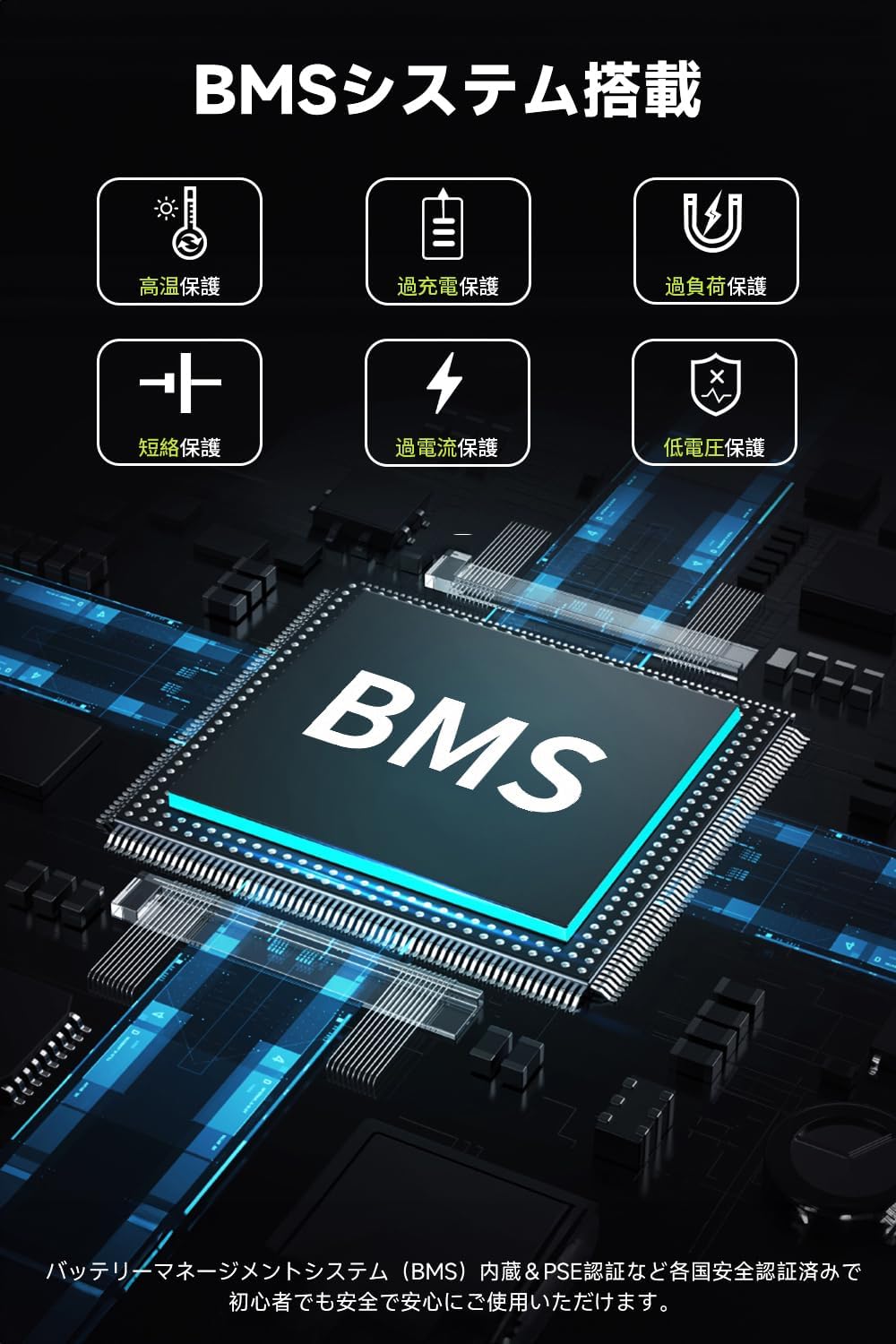
Figure 7.1: Advanced BMS for comprehensive battery protection.

Figure 7.2: Pure Sine Wave output ensures stable power for all devices.
8. Applications
The ALLPOWERS S1500 PLUS is versatile and can be used in various scenarios:
- Outdoor Activities: Ideal for camping, RV trips, picnics, and other outdoor adventures, powering lights, small appliances, and electronic devices.
- Emergency Backup: Provides essential power during outages for critical home appliances like refrigerators, lights, and communication devices.
- Telework/Workcation: Ensures you have power for laptops, monitors, and other office equipment wherever you are.
- Daily Use: Can be used for power saving by running certain appliances off the power station during peak hours.

Figure 8.1: Powering outdoor activities with the S1500 PLUS.

Figure 8.2: Seamless power transition for sensitive electronics with UPS function.
9. Maintenance
To ensure the longevity and optimal performance of your ALLPOWERS S1500 PLUS, follow these maintenance guidelines:
- Storage: Store the unit in a cool, dry place away from direct sunlight and extreme temperatures. For long-term storage, charge the battery to 50-80% every 3-6 months to prevent deep discharge.
- Cleaning: Use a soft, dry cloth to clean the exterior of the unit. Do not use abrasive cleaners or solvents. Keep ventilation openings clear of dust and debris.
- Avoid Water: Do not expose the unit to water or high humidity.
- Handle with Care: Avoid dropping or subjecting the unit to strong impacts.
10. Troubleshooting
If you encounter any issues with your ALLPOWERS S1500 PLUS, please refer to the following common troubleshooting tips:
- Unit Not Turning On: Ensure the battery is charged. If completely discharged, connect to AC power for a few minutes before attempting to power on.
- No Output from Ports: Check if the respective output (AC, USB, DC) is enabled by pressing its button. Ensure the device you are trying to power is within the unit's power limits.
- Overload Protection Activated: If the unit shuts down due to overload, disconnect some devices and restart the unit. Reduce the total power draw.
- App Connection Issues: Ensure Bluetooth is enabled on your smartphone and the power station. Try restarting both devices.
For persistent issues or technical support, please contact ALLPOWERS customer service.
11. Specifications
| Specification | Value |
|---|---|
| Model Number | AP-SS-008-JP-NEW |
| Battery Type | Lithium-ion |
| Capacity | 1092Wh (295,200mAh) |
| AC Output | 1500W (Rated), 3000W (Surge), 100V AC |
| USB-C Output | PD100W x2 |
| USB-A Output | 18W x2 |
| DC5525 Output | 12V/5A x1 |
| Cigarette Lighter Output | 12V/10A x1 |
| AC Input | Max 1000W |
| Solar Input (MPPT) | Max 650W |
| Car Input | 12V/24V (Max 100W) |
| Dimensions (L x W x H) | 32 x 22 x 19 cm |
| Weight | 10 kg |
| Special Features | Lightweight, Fast Charging, App Control, UPS Function, Pure Sine Wave, BMS |

Figure 11.1: Product dimensions for easy reference.
12. Warranty and Support
The ALLPOWERS S1500 PLUS comes with a 2+3 year warranty, providing a total of 5 years of coverage. While no electronic device is immune to issues, ALLPOWERS is committed to providing excellent after-sales service for product malfunctions or troubles.
Our customer service team aims to respond within 24 hours (excluding holidays). Domestic repair services are available in Japan.
For any inquiries or support, please contact ALLPOWERS customer service through the official channels.
13. Package Contents
Upon opening the package, please verify that all the following items are included:
- ALLPOWERS S1500 PLUS Portable Power Station Main Unit
- AC Charging Cable
- Japanese Instruction Manual


Figure 13.1: Included items in the ALLPOWERS S1500 PLUS package.
Related documentsAP-SS-008-JP-NEW


Ask a question about this manual
Ask about setup, troubleshooting, compatibility, parts, safety, or missing instructions. Manuals+ will review the question and use this page’s manual context to help answer it.