
Introduction
This manual provides essential instructions for the safe and efficient operation of your TIGERKING 7.2 Cubic Feet Heavy Duty Digital Safe Box. Please read this manual thoroughly before installation and use to ensure proper functionality and to prevent damage. Keep this manual for future reference.
Safety Information
- Always store emergency keys and the emergency battery box outside the safe, in a secure location known only to you. Never store them inside the safe.
- Ensure the safe is placed on a stable, level surface.
- For enhanced security, it is recommended to bolt the safe to a wall or floor using the provided expansion screws.
- Do not expose the safe to extreme temperatures or humidity.
- Keep children away from the safe and its keys/passcodes.
Package Contents
Verify that all items listed below are included in your package:
- 1 x TIGERKING Safe Box
- 1 x User Manual
- 1 x Emergency Battery Box
- 2 x Blue Master Keys
- 2 x Emergency Keys
- 2 x Inner Door Keys (for internal lock box)
- 2 x Expansion Screws (for mounting)

Figure 1: Included Components. This image displays the safe box along with its accessories: user manual, emergency battery box, master keys, emergency keys, inner door keys, and expansion screws.
Setup
1. Unpacking and Placement
Carefully remove the safe from its packaging. The safe is equipped with removable wheels for easier transportation to your desired location. Once positioned, remove the wheels to enhance stability and security.
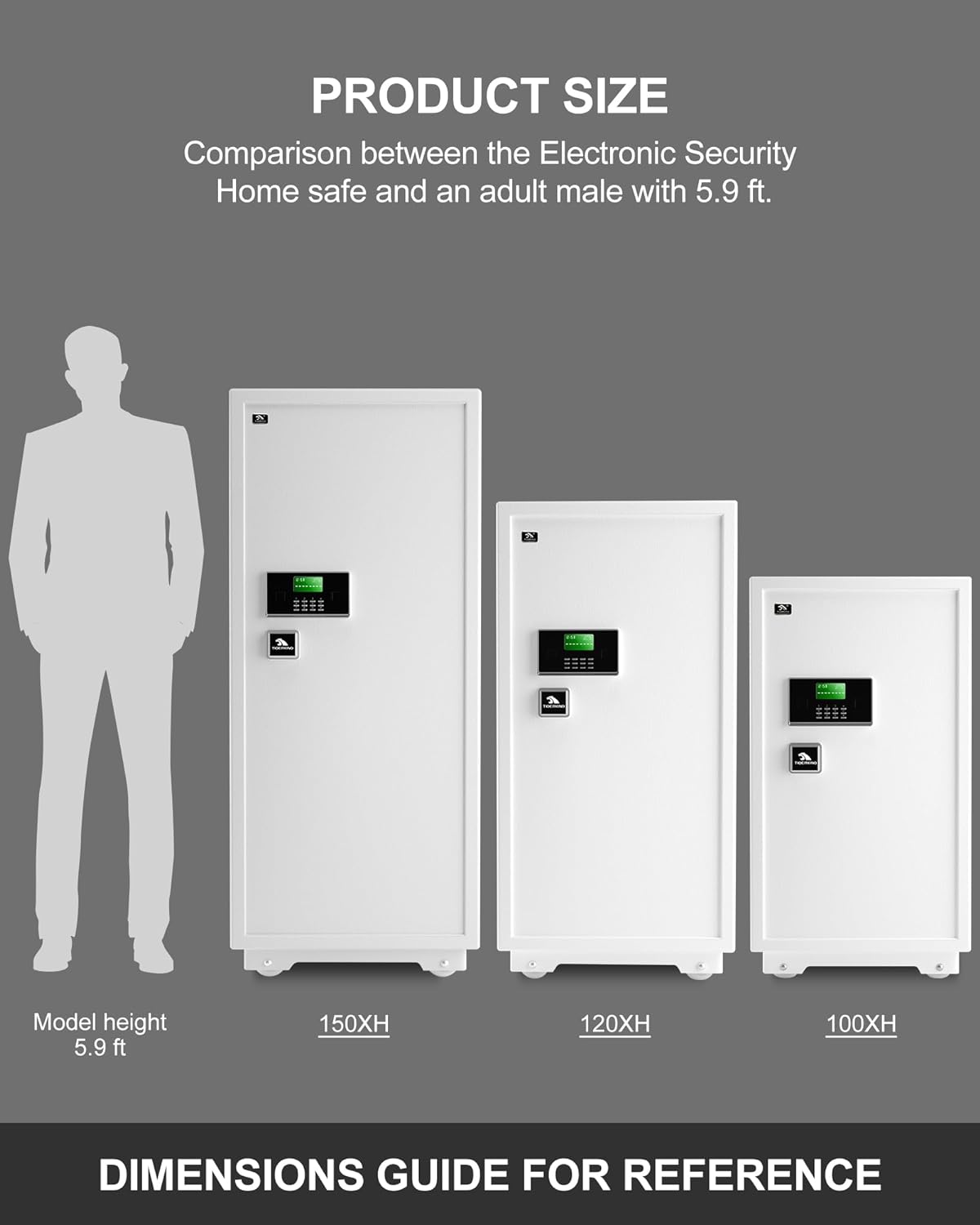
Figure 2: Safe in a Home Environment. This image illustrates the safe's appearance when placed in a typical room, highlighting its compact design.
2. Mounting the Safe
For optimal security, it is highly recommended to secure the safe to a wall or floor. Use the provided expansion screws for this purpose. Ensure the mounting surface is structurally sound.
3. Battery Installation
The digital keypad requires batteries (not included). Locate the battery compartment, typically on the inside of the safe door or behind the keypad. Insert the correct type and number of batteries as indicated. If the batteries are depleted, use the emergency battery box by connecting it to the external power port on the keypad.
Operating Instructions
1. Understanding the Digital Keypad
Your safe is equipped with a digital keypad featuring an LED display. This display shows the time, date, and provides feedback during operation. The keypad allows for programming a personal code and offers a 'hide code' feature.
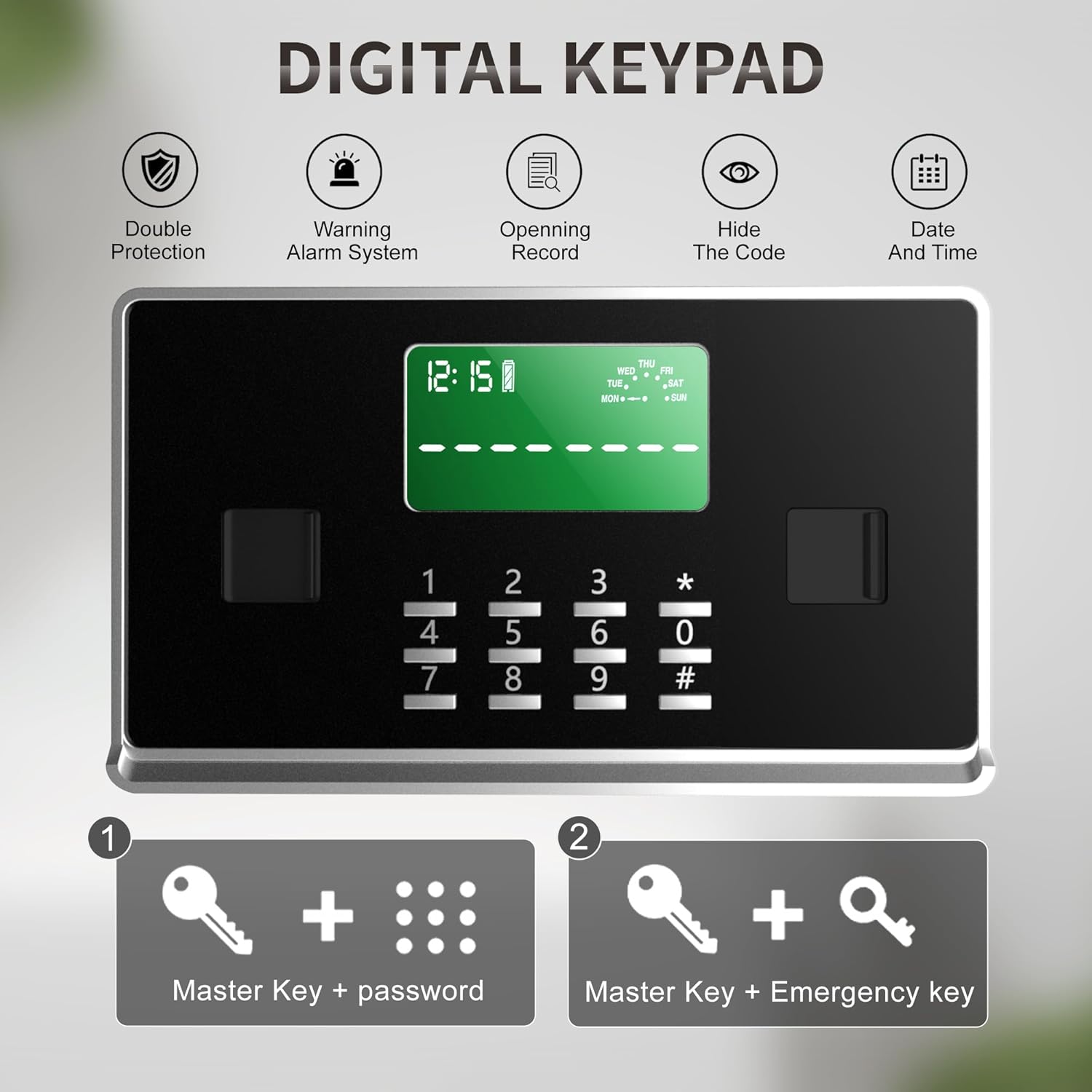
Figure 3: Digital Keypad Interface. This image details the digital keypad with its LED display, numerical buttons, and function indicators for double protection, warning alarm, opening record, hide code, and date/time.
2. Setting/Changing Your Passcode
- With the safe door open, press the internal reset button (usually a small red button on the inside of the door).
- Enter your desired 1-8 digit passcode on the keypad.
- Press the '#' key to confirm. The display will indicate successful programming.
To activate the secure display feature (hide code), dial '*' before entering your code. This will prevent your entered code from being shown on the screen.
3. Unlocking Methods
Your TIGERKING safe offers two primary unlocking methods:
- Dual Key Unlocking: Insert and turn both the Master Key and the Emergency Key simultaneously.
- Master Key + Passcode Unlocking: Insert and turn the Master Key, then enter your 1-8 digit passcode on the digital keypad, and press '#'.
Important Note: The Master Key is always required to open the safe. This design ensures that even if someone obtains your passcode, they cannot access the safe without the physical Master Key.

Figure 4: Double Safety Key Lock System. This diagram visually explains the two methods to unlock the safe: using the Master Key with a password, or using the Master Key with an Emergency Key.
4. Using the Internal Lock Box
The safe includes an interior lock box for additional security of smaller, highly valuable items. Use the provided Inner Door Keys to lock and unlock this compartment.
5. Adjusting Shelves
The safe features two removable shelves that can be adjusted to different heights to accommodate various item sizes. Simply lift and reposition the shelves as needed.

Figure 5: Large Capacity and Adjustable Interior. This image highlights the safe's spacious interior, the separate lock box, and the flexibility of the removable shelves.
6. Anti-Theft Alarm System
The safe is equipped with an anti-theft alarm system. Violent vibration or three consecutive incorrect passcode entries will activate an audible alarm for 60 seconds.

Figure 6: Dual Warning System. This diagram illustrates how violent vibration or three incorrect entries trigger the safe's alarm system, producing both sound and vibration.
7. Opening Records
The safe can store up to 35 opening records, allowing you to review recent access attempts.
Maintenance
1. Battery Replacement
When the battery indicator on the LED display shows low power, replace the batteries promptly to ensure continuous operation. Use the emergency battery box if the batteries are completely depleted and you cannot open the safe.
2. Cleaning
Clean the exterior of the safe with a soft, damp cloth. Avoid using abrasive cleaners or solvents that could damage the finish or keypad.
3. Key Management
Always keep your emergency keys and emergency battery box in a secure location outside the safe. This ensures access in case of battery failure or forgotten passcodes.
Troubleshooting
- Safe will not open with passcode: Ensure the Master Key is inserted and turned correctly. Check battery levels. If batteries are dead, use the emergency battery box.
- Alarm activates unexpectedly: Check for any vibrations or impacts to the safe. Ensure no one has attempted incorrect passcode entries.
- Keypad unresponsive: Replace batteries. If the issue persists, use the emergency keys to open the safe and contact customer support.
Specifications
| Feature | Specification |
|---|---|
| Brand | TIGERKING |
| Model Number | 100XH-1 |
| Product Dimensions (D x W x H) | 16.73" x 20.28" x 40.16" |
| Inner Dimensions (D x W x H) | 13.4" x 19.7" x 28.4" |
| Capacity | 7.2 Cubic Feet |
| Item Weight | 132 Pounds |
| Lock Type | Electronic Combination Lock, Dual Key Lock |
| Material | Alloy Steel |
| Special Features | Alarm System, Anti-Theft, Combination Lock, Sensor Light, Removable Shelves, Internal Lock Box |
| Mounting Type | Wall Mount (expansion screws included) |
| Alarm | Vibration sensor, audible alarm upon incorrect entry attempts |
Warranty and Support
TIGERKING provides a one-year warranty for this product. For any inquiries or assistance, please contact our 24-hour online customer service. Please note that the removable wheels are considered part of the packaging materials and are not covered under warranty. For security, remove the wheels after positioning the safe.
For further support, please visit the official TIGERKING store: TIGERKING Store
