
1. Introduction
This manual provides essential information for the safe operation, setup, maintenance, and troubleshooting of your SKIL PWR CORE 20 Brushless 20V 1/2 Inch Mid-Torque Impact Wrench Kit, model IW5761B-10. Please read these instructions carefully before using the tool to ensure optimal performance and user safety.
2. General Safety Information
WARNING: Read all safety warnings, instructions, illustrations, and specifications provided with this power tool. Failure to follow all instructions listed below may result in electric shock, fire, and/or serious injury.
- Always wear eye protection and hearing protection when operating power tools.
- Keep your work area clean and well-lit. Cluttered or dark areas invite accidents.
- Do not operate power tools in explosive atmospheres, such as in the presence of flammable liquids, gases, or dust.
- Keep children and bystanders away while operating a power tool. Distractions can cause you to lose control.
- Avoid accidental starting. Ensure the switch is in the off-position before connecting to battery pack, picking up or carrying the tool.
- Use the correct tool for your application. Do not force the tool.
- Maintain power tools. Check for misalignment or binding of moving parts, breakage of parts, and any other condition that may affect the tool’s operation.
- Use power tool, accessories, and tool bits in accordance with these instructions, taking into account the working conditions and the work to be performed.
3. Package Contents
Verify that all items listed below are included in your kit:
- SKIL PWR CORE 20 Brushless 20V 1/2 In. Mid-Torque Impact Wrench (IW5761B-00)
- SKIL 20V 4.0Ah PWR CORE 20 Lithium Battery (BY519601)
- SKIL PWR CORE 20 Auto PWRJump Charger (QC536001)

Figure 1: SKIL PWR CORE 20 Impact Wrench, 4.0Ah Battery, and Auto PWRJump Charger.
4. Setup
4.1 Charging the Battery
The SKIL PWR CORE 20 Auto PWRJump Charger is designed for efficient charging. Ensure the battery is fully charged before first use.
- Connect the charger to a standard power outlet.
- Slide the 4.0Ah PWR CORE 20 Lithium Battery onto the charger until it clicks into place.
- The charger's indicator lights will show the charging status. A full charge is indicated when all lights are solid green.
- Once charging is complete, remove the battery from the charger.
4.2 Installing and Removing the Battery
- To Install: Align the battery with the base of the impact wrench. Slide the battery into the tool until it locks securely into place.
- To Remove: Press the battery release button(s) located on the sides of the battery pack and slide the battery out of the tool.
4.3 Attaching and Removing Sockets
The impact wrench features a 1/2-inch square anvil with a friction ring for quick and secure socket changes.
- To Attach: Push the desired 1/2-inch square drive socket firmly onto the anvil until the friction ring engages and holds the socket in place.
- To Remove: Pull the socket firmly off the anvil. The friction ring will release the socket.

Figure 2: The 1/2-inch square anvil with friction ring for socket attachment.
5. Operating Instructions
5.1 Powering the Tool
To start the impact wrench, depress the trigger switch. To stop the tool, release the trigger switch. The tool's speed is variable based on trigger pressure.
5.2 Speed Control
The impact wrench offers three-speed selections for precise control and maximum power, depending on the application.
- Press the speed selection button to cycle through the three available speeds.
- Use lower speeds for delicate tasks or when precise control is required.
- Select higher speeds for applications requiring maximum torque and impact.

Figure 3: Speed selection buttons for adjusting tool performance.
5.3 Nut Busting Mode
This mode provides up to 800 foot-pounds of breakaway torque, specifically designed to loosen stubborn or rusted nuts and bolts. Activate this mode when facing heavily seized fasteners.

Figure 4: Impact wrench in action, capable of 800 ft-lbs nut-busting torque and 480 ft-lbs fastening torque.
5.4 Reverse Control Mode
The Reverse Control Mode is designed to stop rotation and impact in seconds once a fastener is loosened. This prevents over-loosening and potential damage to the fastener or workpiece.
5.5 Halo Light Operation
The integrated Halo Light provides 5X more light than common LEDs, illuminating the work area and reducing shadows for improved visibility. The light activates automatically when the trigger is pressed.

Figure 5: The Halo Light feature provides enhanced illumination of the work area.
5.6 Digital Brushless Motor
The tool is equipped with a digital brushless motor, which provides increased efficiency, longer run-time, and extended tool life compared to brushed motors.
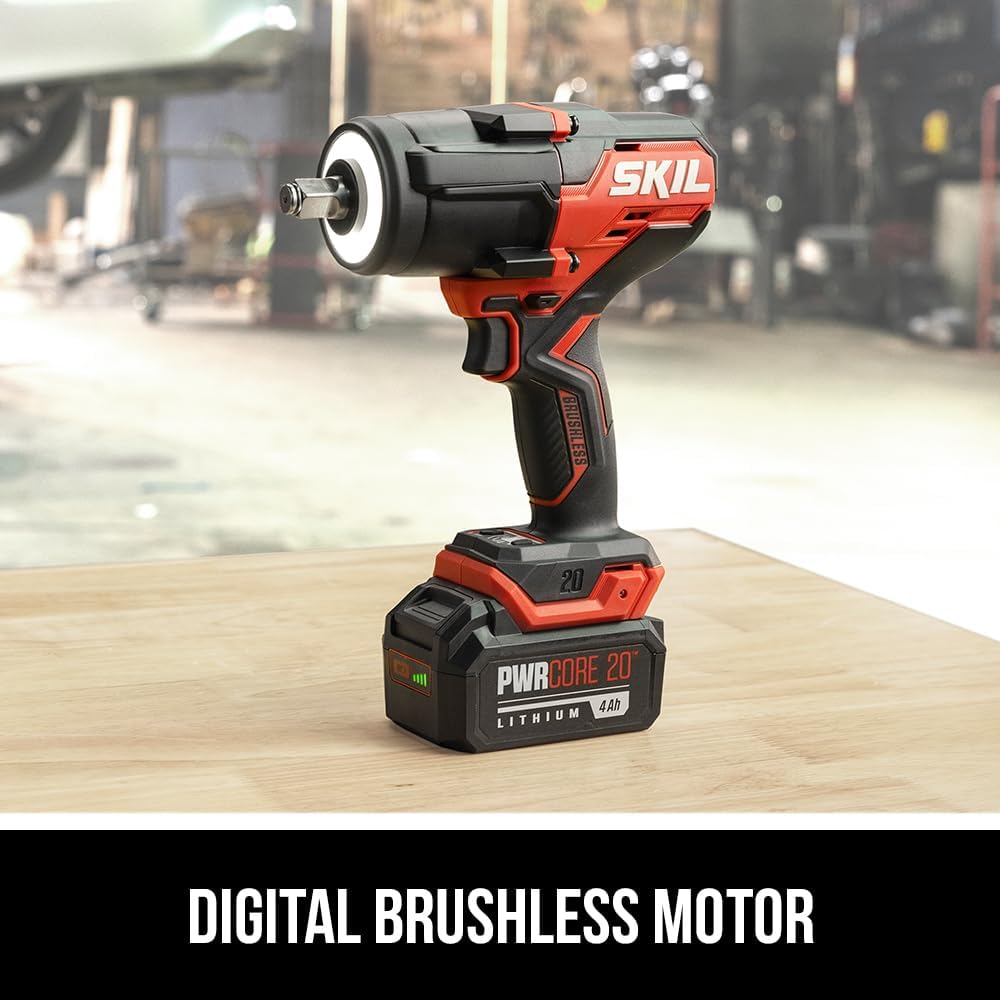
Figure 6: The digital brushless motor enhances tool performance and durability.
6. Maintenance
Regular maintenance ensures the longevity and optimal performance of your impact wrench.
- Cleaning: Keep the tool's ventilation openings clear and free of debris. Use a soft, damp cloth to clean the exterior. Do not use harsh chemicals or abrasive cleaners.
- Inspection: Periodically inspect the tool, battery, and charger for any signs of damage, wear, or loose connections.
- Storage: Store the tool, battery, and charger in a cool, dry place, away from direct sunlight and extreme temperatures. Ensure the battery is removed from the tool before storage.
7. Troubleshooting
Refer to the table below for common issues and their solutions.
| Problem | Possible Cause | Solution |
|---|---|---|
| Tool does not start | Battery not charged or improperly installed. | Ensure battery is fully charged and securely installed. |
| Reduced power/torque | Low battery charge. Incorrect speed setting. | Recharge battery. Select a higher speed setting. |
| Socket difficult to attach/remove | Debris in anvil. Worn friction ring. | Clean anvil. If issue persists, contact support. |
| Charger indicator lights not working | Charger not plugged in. Faulty outlet. | Check power connection. Try a different outlet. |
8. Technical Specifications
| Feature | Specification |
|---|---|
| Model Number | IW5761B-10 |
| Voltage | 20 Volts |
| Anvil Size | 1/2 Inch Square with Friction Ring |
| Fastening Torque | 480 Foot-Pounds |
| Nut Busting Torque | 800 Foot-Pounds |
| Impacts Per Minute (IPM) | Up to 2,600 IPM |
| Motor Type | Brushless |
| Battery Type | Lithium Ion (4.0Ah included) |
| Charger Type | Auto PWRJump Charger |
| Item Weight | 8.66 Pounds |
| Item Length | 14.76 Inches |
9. Support Information
For technical assistance, warranty claims, or further information regarding your SKIL PWR CORE 20 Impact Wrench Kit, please refer to the official SKIL website or contact their customer support directly. Keep your purchase receipt as proof of purchase for warranty purposes.
Online Resources: Visit the official Skil Store on Amazon for product information and support.

