
1. Introduction
This manual provides essential information for the safe and effective use of your TOPUTURE TP-TM01W Walking Pad Treadmill. Please read this manual thoroughly before operating the device and retain it for future reference.
The TOPUTURE TP-TM01W is a compact, 2-in-1 walking pad treadmill designed for home and office use. It supports both walking and jogging modes, offering a versatile exercise solution. Key features include an LED touch screen, remote control, app connectivity, and a robust design for user comfort and safety.
2. Safety Information
- Always consult with a healthcare professional before starting any new exercise program.
- Place the treadmill on a flat, stable surface with adequate clearance around it.
- Ensure the safety key is properly attached before starting the treadmill. In case of emergency, the safety key will immediately stop the machine.
- Do not allow children or pets near the treadmill while it is in operation.
- Wear appropriate athletic footwear during use.
- Do not exceed the maximum weight capacity of 300 lbs (136 kg).
- Keep hands and feet clear of moving parts.
- Unplug the treadmill from the power outlet when not in use or before cleaning and maintenance.
- If you experience dizziness, chest pain, or other abnormal symptoms, stop exercising immediately and consult a physician.
3. Package Contents
Verify that all components are present in the package:
- TOPUTURE TP-TM01W Walking Pad Treadmill
- User Manual (this document)
- Safety Key
- Power Cord
- Tool Kit (for maintenance)
4. Product Overview
4.1. Key Features
- 2-in-1 Design: Functions as both a walking pad (0.6-2 MPH) and a jogging treadmill (3-6.2 MPH).
- Powerful & Quiet Motor: Equipped with a 2.25 HP motor, operating at less than 45dB.
- LED Touch Screen: Displays time, speed, calories burned, and distance.
- Control Options: Includes a remote control and supports the FITSHOW App for data tracking and program selection.
- Shock Absorption: Features a 5-layer non-slip, shock-absorbing running belt (40"x16").
- Compact & Portable: Assembly-free design with built-in wheels for easy storage and movement.
4.2. Components
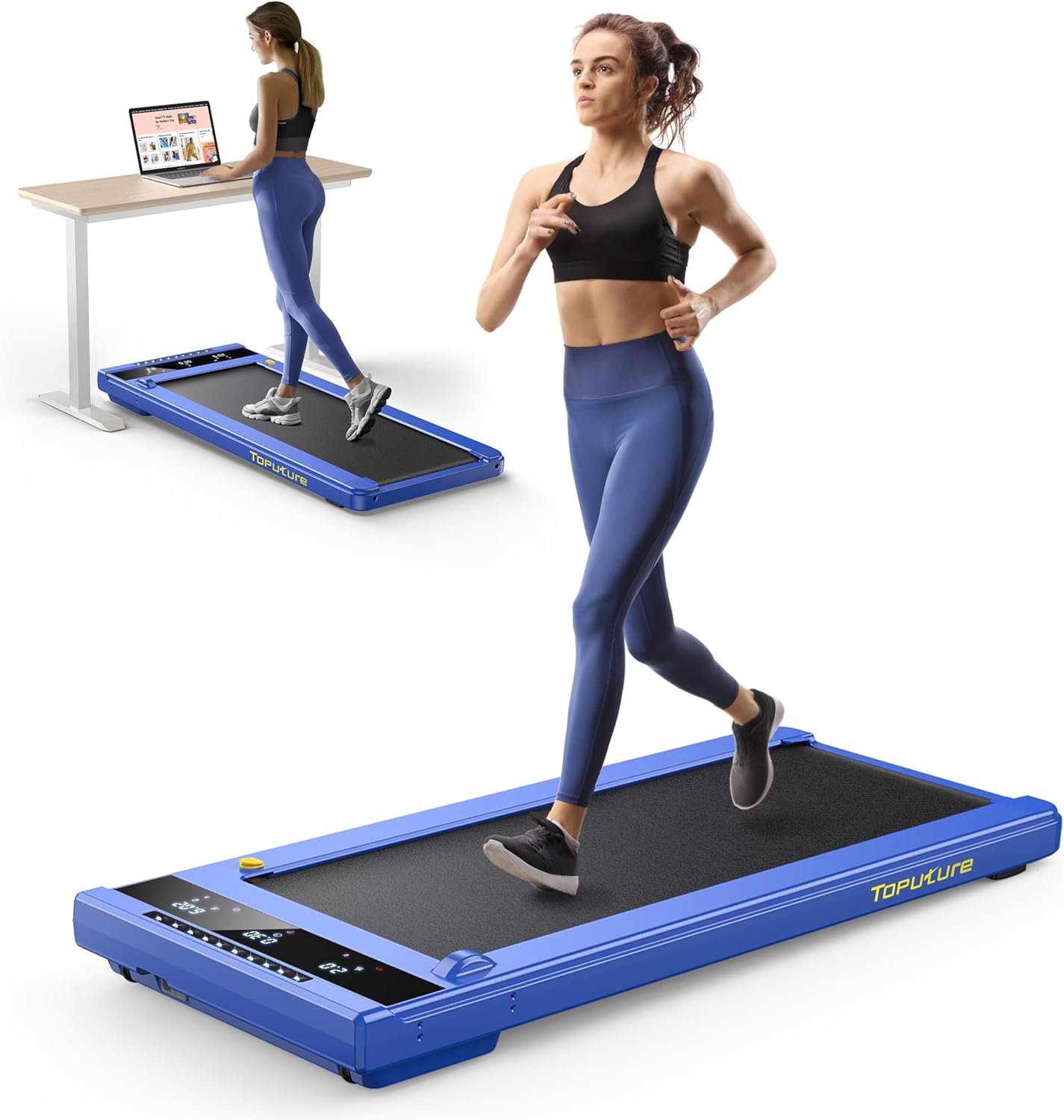


5. Setup
The TOPUTURE TP-TM01W Walking Pad Treadmill arrives fully assembled and ready for use. No complex assembly is required.
- Unpack: Carefully remove the treadmill from its packaging.
- Placement: Place the treadmill on a firm, level surface. Ensure there is at least 2 feet (0.6 meters) of clear space behind the treadmill and 1 foot (0.3 meters) on each side.
- Power Connection: Plug the power cord into a grounded electrical outlet.
- Safety Key: Attach the safety key to the designated slot on the treadmill. The treadmill will not operate without the safety key in place.
6. Operating Instructions
6.1. Power On/Off
- To power on, ensure the safety key is in place and press the power button on the LED display or remote control.
- To power off, press and hold the power button, or remove the safety key.
6.2. Using the Remote Control
The remote control allows you to start/stop the treadmill and adjust the speed.
- Start/Stop: Press the play/pause button to start or stop the running belt.
- Speed Adjustment: Use the 'Speed+' and 'Speed-' buttons to increase or decrease the speed.
- Mode/Program: The 'M' button cycles through different modes, and the 'P' button selects pre-set programs.
6.3. Using the FITSHOW App
Download the "FITSHOW" app from the App Store or Google Play to connect your treadmill via Bluetooth. The app provides additional features:
- Track fitness data (time, speed, distance, calories).
- Access various workout plans and scenic videos.
- Control treadmill functions directly from your smartphone.
6.4. Speed Modes
- Walking Mode: Speed range of 0.6 - 2 MPH. Ideal for use under a desk or for light exercise.
- Jogging Mode: Speed range of 3 - 6.2 MPH. Suitable for more intense cardio workouts.
7. Maintenance
Regular maintenance ensures the longevity and optimal performance of your treadmill.
- Cleaning: Wipe down the treadmill with a damp cloth after each use. Do not use abrasive cleaners.
- Lubrication: The running belt requires periodic lubrication. Use the provided lubricating oil and apply it to the lubricating hole as indicated in the product overview image. The manufacturer recommends lubricating once a month, or as needed based on usage.
- Belt Adjustment: The running belt may occasionally require adjustment to remain centered. Use the hex wrench from the tool kit to adjust the screws at the rear of the treadmill to center the belt. Refer to the detailed instructions in the full user manual for precise adjustment procedures.
- Storage: When not in use, the treadmill can be easily moved and stored under a bed, sofa, or desk using its built-in wheels.
8. Troubleshooting
If you encounter issues with your treadmill, refer to the following common problems and solutions:
| Problem | Possible Cause | Solution |
|---|---|---|
| Treadmill does not start | Safety key not in place; Power cord not connected; Power switch off. | Ensure safety key is attached; Check power cord connection; Turn on power switch. |
| Running belt slips or stops | Belt too loose; Insufficient lubrication. | Adjust belt tension; Apply lubricating oil. |
| Unusual noise during operation | Loose parts; Lack of lubrication; Belt misalignment. | Check for loose screws and tighten; Lubricate belt; Adjust belt alignment. |
| Remote control not responding | Dead batteries; Remote not paired. | Replace batteries; Refer to pairing instructions in the full manual. |
For issues not listed here or if problems persist, please contact TOPUTURE customer support.
9. Specifications
- Model Name: TP-TM01W
- Brand: TOPUTURE
- Product Dimensions: 50"D x 22.4"W x 5"H (127 cm D x 56.9 cm W x 12.7 cm H)
- Folded Size: 50"D x 22.4"W x 5"H (127 cm D x 56.9 cm W x 12.7 cm H)
- Item Weight: 50 Pounds (22.7 kg)
- Material: Alloy Steel
- Maximum Horsepower: 2.25 HP
- Minimum Speed: 0.6 Miles per Hour (0.97 km/h)
- Maximum Speed: 6.2 Miles per Hour (9.98 km/h)
- Maximum Weight Recommendation: 300 Pounds (136 kg)
- Deck Length: 40 Inches (101.6 cm)
- Deck Width: 16 Inches (40.6 cm)
- Display Type: LCD (18 Inches screen size)
- Metrics Measured: Speed, Calories Burned, Time, Distance
- Special Features: Touch Screen, No Assembly, Compact Design, Shock Absorbent, Wheeled
- Power Source: Corded Electric
10. Warranty and Support
Your TOPUTURE TP-TM01W Walking Pad Treadmill comes with a 24-month warranty. This warranty covers manufacturing defects and ensures the product meets quality standards.
For warranty claims, technical assistance, or any questions regarding your product, please contact TOPUTURE customer support. Details for contacting support can typically be found on the product packaging or the official TOPUTURE website.