
1. Product Overview
The DEWENWILS Wireless Remote Control Outlet Kit provides a convenient solution for controlling electrical appliances and lighting. This kit includes two wireless outlets and one remote control wall switch, allowing you to manage devices from a distance. The system operates independently of Wi-Fi and is pre-programmed for immediate use.

Image 1: DEWENWILS Wireless Remote Control Outlet Kit components.
Key Features:
- Removable Wall Switch: The remote control can be detached from its base and used as a portable remote.
- Wireless Control: Operate lights and appliances from up to 30 meters (100 feet) in open areas.
- Pre-programmed: Ready for use right out of the box.
- Energy Efficient: Low standby power consumption of 0.6W. Outlets remain off after a power outage.
- Compact Design: Space-saving and modern white appearance.
- High Power Capacity: Supports up to 3680 Watts.
2. Safety Information
Please read and understand all safety instructions before using this product. Failure to follow these instructions may result in electric shock, fire, or serious injury.
- Do not exceed the maximum load capacity of 3680W or 16A.
- For indoor use only. Do not expose to water or damp conditions.
- Ensure the product is fully inserted into the wall socket.
- Keep out of reach of children. The outlets feature child protection mechanisms.
- Do not disassemble or modify the product.
- Unplug the device from the power outlet when not in use for extended periods or during cleaning.
- The product housing is made from high-quality, flame-retardant material for safety.
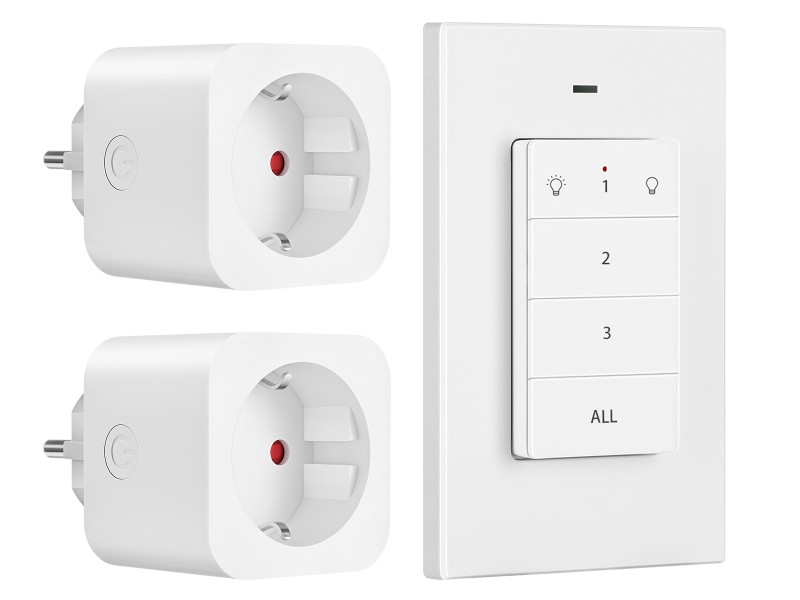
Image 2: Child safety features and flame-retardant material.
3. Package Contents
Verify that all items are present in your package:
- 2 x DEWENWILS Wireless Remote Control Outlets
- 1 x DEWENWILS Wireless Remote Control Wall Switch (with CR2032 battery installed)
- 1 x User Manual
4. Setup
4.1 Installing the Outlets
- Plug a wireless remote control outlet into a standard wall socket.
- Connect the appliance or light you wish to control into the wireless outlet.
- Ensure the appliance is switched on if it has its own power switch.
4.2 Installing the Remote Control Wall Switch
The remote control wall switch can be mounted on a wall or used as a portable remote.
- Wall Mounting: Use the included adhesive strips or screws to attach the remote's base plate to a desired wall location. Ensure the location is within the 30-meter operating range of the outlets.
- Portable Use: The remote control can be easily removed from its magnetic base plate for portable use.
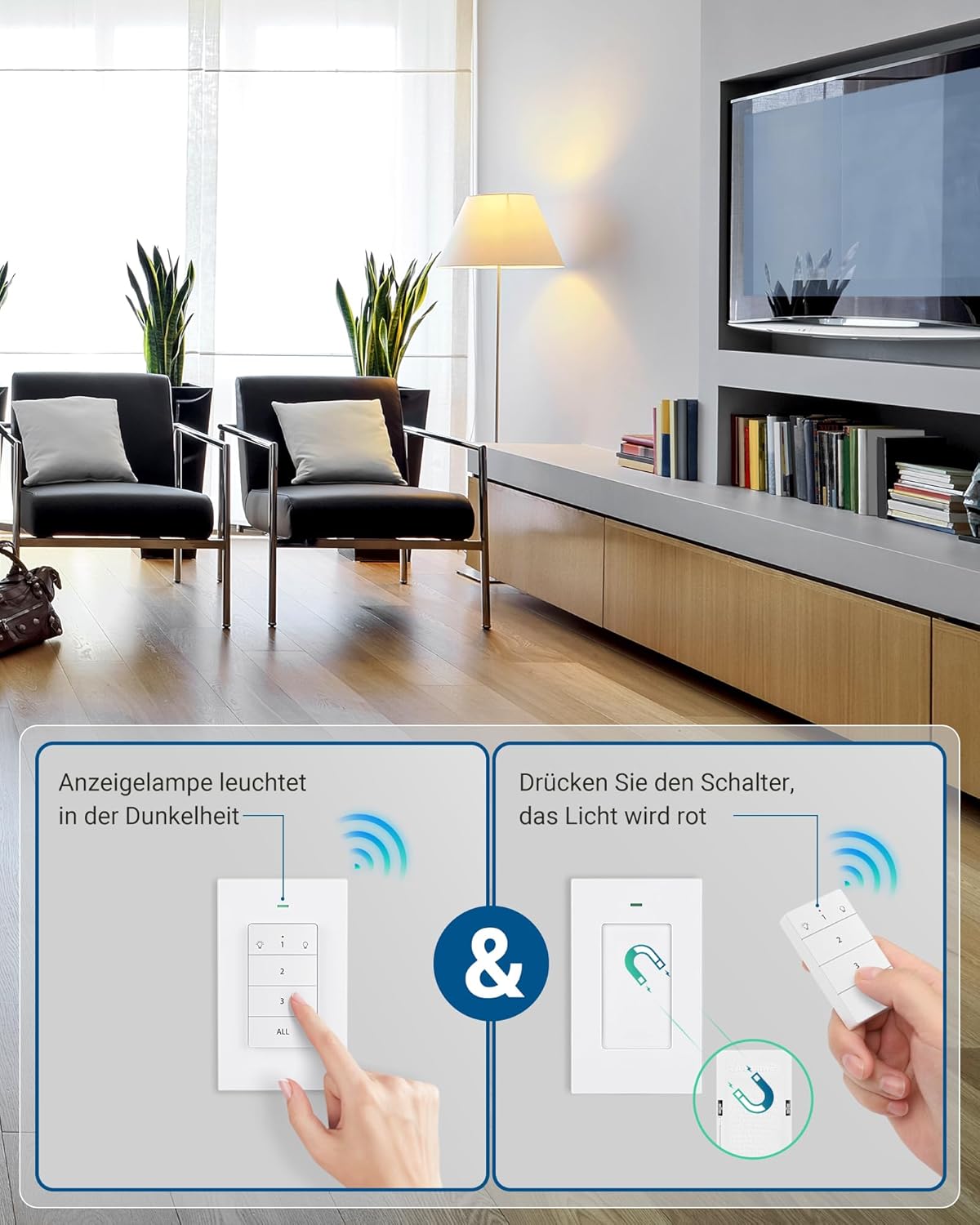
Image 3: Remote control wall switch mounted on a wall.
5. Operating Instructions
The remote control wall switch is pre-programmed to control the two included outlets. Each button on the remote corresponds to a specific outlet or controls all outlets simultaneously.
5.1 Remote Control Layout

Image 4: Remote Control Buttons.
- Button 1: Controls the first paired outlet. Press once to turn ON, press again to turn OFF.
- Button 2: Controls the second paired outlet. Press once to turn ON, press again to turn OFF.
- Button 3: (If applicable) Controls a third paired outlet. This kit includes two outlets, so this button may be used for expansion.
- ALL Button: Controls all paired outlets simultaneously. Press once to turn all ON, press again to turn all OFF.
5.2 Indicator Light
The remote control features an indicator light that illuminates when a button is pressed, confirming signal transmission. The outlets also have a red indicator light that shows their power status (ON/OFF).
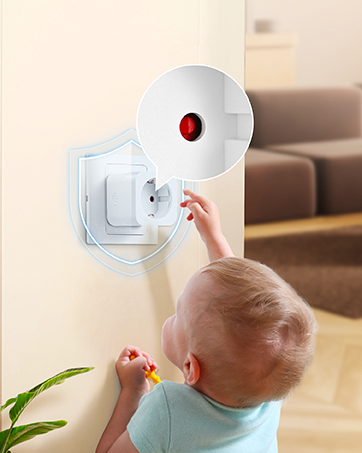
Image 5: Outlet with red indicator light.
6. Programming and Expandability
The outlets and remote are pre-programmed at the factory. However, you can re-program or add additional DEWENWILS remote controls or outlets (sold separately) to expand your system.
6.1 Pairing a New Remote or Outlet
- Plug the outlet into a wall socket.
- Press and hold the small power button on the side of the outlet for approximately 3 seconds until the red indicator light flashes slowly.
- While the indicator light is flashing, press the desired ON/OFF button (1, 2, 3, or ALL) on your remote control.
- The outlet's indicator light will stop flashing and remain solid ON or OFF, indicating successful pairing.
6.2 Unpairing an Outlet
- Plug the outlet into a wall socket.
- Press and hold the small power button on the side of the outlet for approximately 6 seconds until the red indicator light flashes rapidly.
- The outlet is now unpaired.

Image 6: Expandability with additional DEWENWILS accessories.
7. Maintenance
- Clean the product with a dry, soft cloth. Do not use abrasive cleaners or solvents.
- Replace the CR2032 battery in the remote control when its operating range decreases or it stops responding. To replace, open the battery compartment on the back of the remote.
- Store the product in a cool, dry place when not in use.
8. Troubleshooting
| Problem | Possible Cause | Solution |
|---|---|---|
| Outlet does not respond to remote. | 1. Remote battery is low or dead. 2. Outlet is not plugged in or powered. 3. Outlet is out of range. 4. Outlet is not paired with the remote. |
1. Replace the CR2032 battery in the remote. 2. Ensure the outlet is securely plugged into a live wall socket. 3. Move the remote closer to the outlet. 4. Re-pair the outlet with the remote (refer to Section 6.1). |
| Remote indicator light does not illuminate. | Remote battery is low or dead. | Replace the CR2032 battery in the remote. |
| Outlet turns off unexpectedly. | Power outage occurred. | The outlet is designed to remain off after a power outage for safety. Turn it back on manually or with the remote. |
9. Specifications
| Specification | Value |
|---|---|
| Model Number | DHRLS12L |
| Brand | DEWENWILS |
| Operating Voltage | 230 Volts |
| Max. Current | 16 A |
| Max. Power | 3680 Watts |
| Wireless Frequency | 433.92 MHz (RF) |
| Wireless Range | Up to 30 meters (100 feet) in open areas |
| Remote Battery Type | 1 x CR2032 (included) |
| Standby Power Consumption | 0.6 W |
| Material | Plastic (Flame-retardant) |
| Outlet Dimensions (L x W x H) | 50 x 44 x 50 mm |
| Certifications | CE |
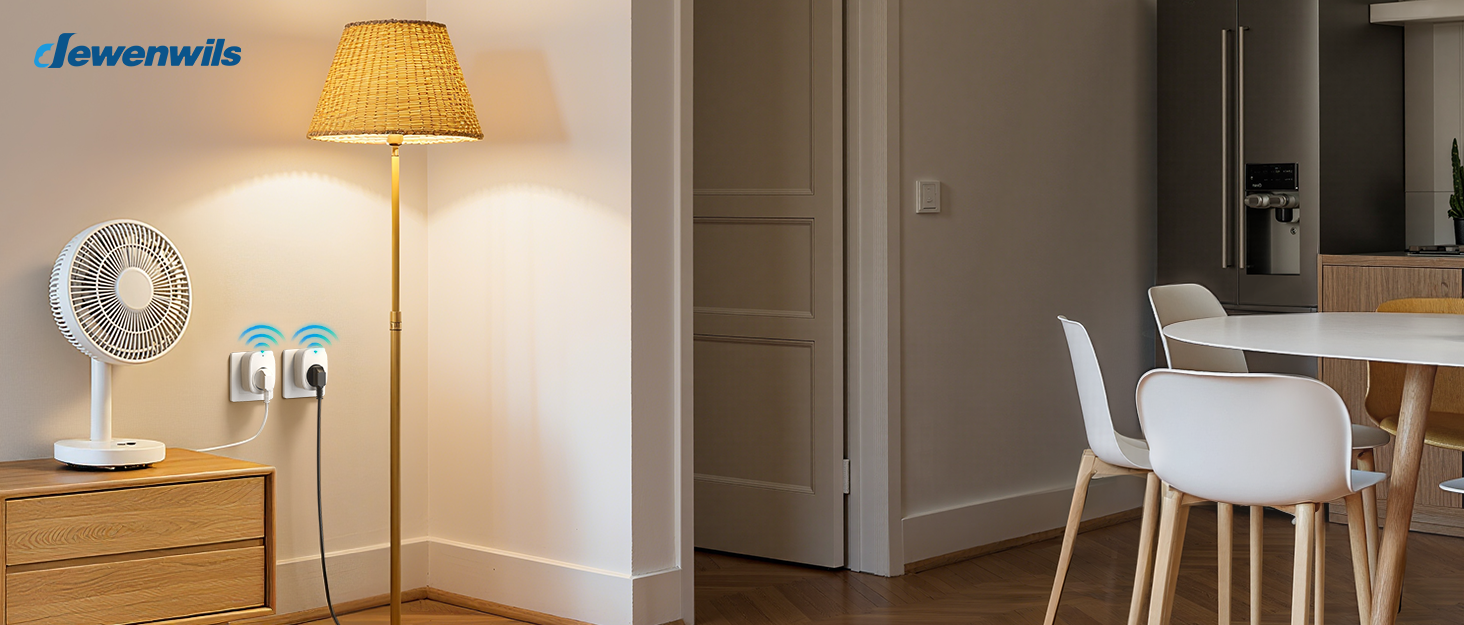
Image 7: Maximum power capacity and compatible appliances.

Image 8: 30-meter RF operating range.
10. Warranty and Support
Warranty and support information is not available in the provided product data. Please refer to the product packaging or contact DEWENWILS customer service for details regarding warranty coverage and technical support.
For further assistance, please visit the official DEWENWILS website or contact their customer support channels.


