
Jectse K1691
Jectse K1691 Neckband Bluetooth Headphones User Manual
Model: K1691
1. Introduction
Thank you for choosing the Jectse K1691 Neckband Bluetooth Headphones. This manual provides essential information for the proper setup, operation, and maintenance of your new headphones. Please read it thoroughly before use to ensure optimal performance and longevity of the product.
2. Safety Information
- Do not expose the headphones to extreme temperatures, humidity, or corrosive substances.
- Avoid dropping or subjecting the headphones to strong impacts.
- Do not disassemble or attempt to repair the headphones yourself. This will void the warranty.
- Clean the headphones with a soft, dry cloth. Do not use harsh chemicals or abrasive materials.
- Keep out of reach of children.
- Dispose of the product responsibly according to local regulations.
3. Package Contents
Please check the package for the following items:
- 1 x Jectse K1691 BT Neckband Headphone
- 1 x USB Type-C Charging Cable
- 2 x Pairs of Spare Eartips (different sizes)
- 1 x Instruction Manual (this document)
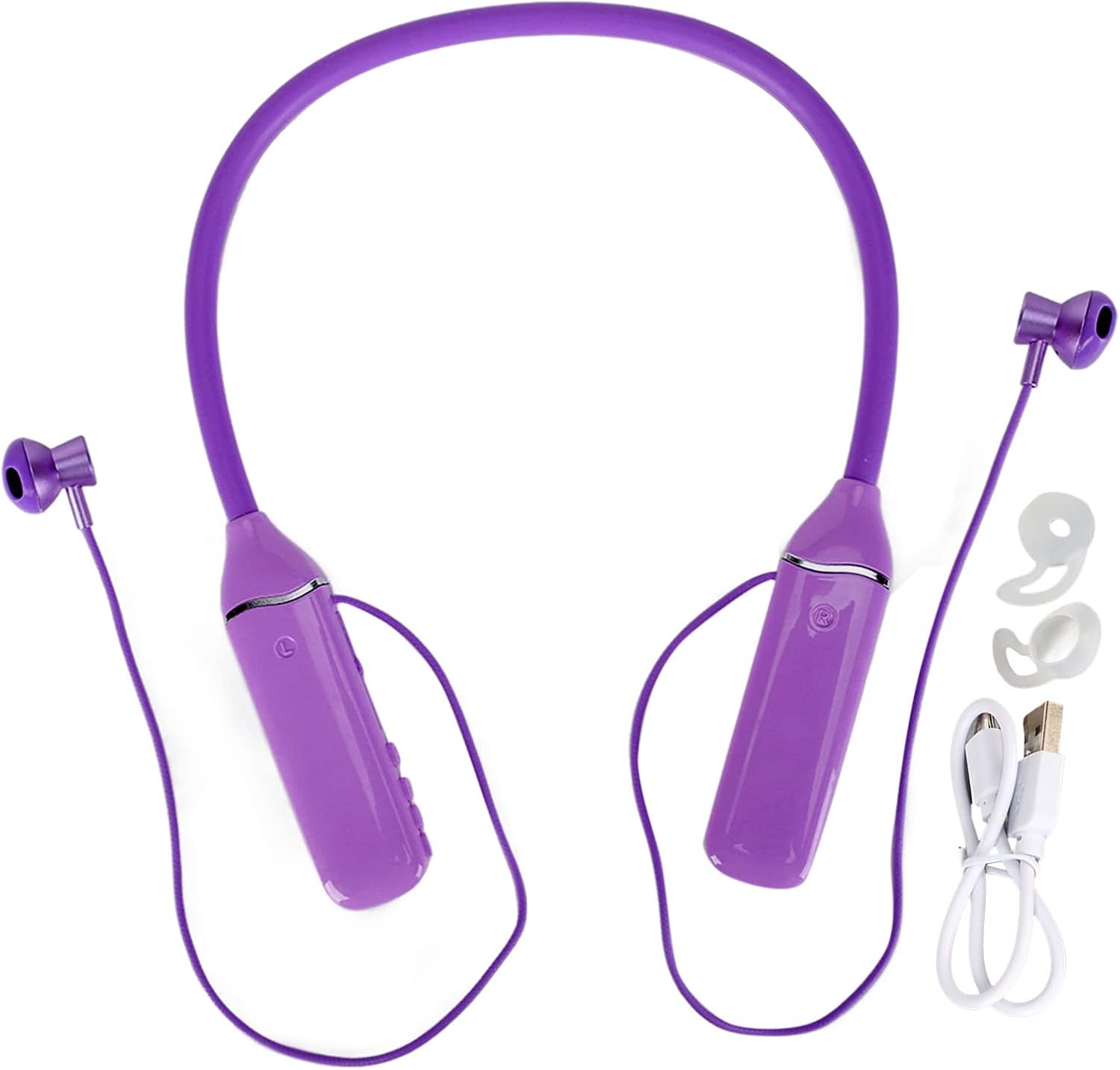
Image: The Jectse K1691 neckband headphones shown with the USB-C charging cable and two pairs of spare eartips.
4. Product Overview
The Jectse K1691 features a flexible neckband design with in-ear earbuds, integrated controls, an LED power display, and RGB lighting.
4.1 Key Features
- Bluetooth 5.3: Ensures stable connection and low power consumption.
- 14mm Dynamic Drivers: Delivers clear stereo sound with enhanced bass.
- RGB Backlight: Multi-color slow flash auto-switching lighting effects.
- LED Digital Display: Shows battery power level.
- Magnetic Earbuds: Prevents tangling and loss when not in use.
- IPX5 Water Resistance: Protects against sweat and light splashes.
- Memory Card Support: Play music directly from a MicroSD card (up to 256GB, not included).
- Voice Assistant Support: Activate your phone's voice assistant.

Image: The Jectse K1691 headphones resting on a smartphone next to a laptop, showcasing the LED power display and RGB lighting on the neckband.
4.2 Controls and Indicators
Refer to the diagram below for the location of buttons, ports, and indicators.

Image: A detailed diagram illustrating the control buttons on the neckband, including sound effect switching, volume up/next song, volume down/previous song, and power on/off/play/pause. It also highlights the 500mAh battery, 2-3 hour charging time, and 200-hour standby time.
- Power Button: Power On/Off, Play/Pause.
- Volume Up (+): Short press for volume up, long press for next song.
- Volume Down (-): Short press for volume down, long press for previous song.
- Voice Button: Activate phone's voice assistant.
- Sound Effect Button: Switch lighting modes.
- Type-C Charging Port: For charging the headphones.
- MicroSD Card Slot: For memory card playback.
- LED Digital Display: Shows battery percentage.
- RGB Lights: Indicate various lighting effects.
5. Setup
5.1 Charging the Headphones
- Connect the provided USB Type-C charging cable to the charging port on the headphones.
- Connect the other end of the cable to a USB power source (e.g., computer USB port, wall adapter).
- The LED digital display will show the charging status. A full charge typically takes 2 to 3 hours.
- Once fully charged, the display will indicate 100%. Disconnect the charging cable.
The headphones have a built-in 500mAh lithium battery, providing up to 200 hours of standby time on a full charge.
5.2 Bluetooth Pairing
- Ensure the headphones are fully charged.
- Press and hold the Power button until the LED indicator flashes, indicating pairing mode.
- On your device (smartphone, tablet, laptop), enable Bluetooth and search for available devices.
- Select "K1691" from the list of devices.
- Once connected, the LED indicator will stop flashing, and a voice prompt will confirm the connection.
- The headphones will automatically reconnect to the last paired device when powered on, if within range.
5.3 Inserting a Memory Card (MicroSD)
The headphones support MicroSD cards up to 256GB for direct music playback.
- Locate the MicroSD card slot on the neckband.
- Gently insert the MicroSD card into the slot until it clicks into place.
- The headphones will automatically switch to memory card playback mode if a card with music files is detected.
- To remove, gently press the card inward until it springs out.
6. Operating Instructions
6.1 Power On/Off
- Power On: Press and hold the Power button for approximately 3 seconds until the LED indicator lights up and a voice prompt is heard.
- Power Off: Press and hold the Power button for approximately 3 seconds until the LED indicator turns off and a voice prompt is heard.
6.2 Music Playback
- Play/Pause: Short press the Power button.
- Volume Up: Short press the "+" button.
- Volume Down: Short press the "-" button.
- Next Song: Long press the "+" button.
- Previous Song: Long press the "-" button.
6.3 Call Management
- Answer/End Call: Short press the Power button.
- Reject Call: Long press the Power button.
- Redial Last Number: Double-press the Power button.
6.4 Voice Assistant
- Activate Voice Assistant: Short press the Voice button to wake up your phone's system sound assistant (e.g., Siri, Google Assistant).
6.5 RGB Light Modes
The headphones feature cool RGB LEDs on the outside of the neckband.

Image: The Jectse K1691 headphones with their RGB lights glowing in multiple colors in a dimly lit environment.
- Switch Light Mode: Short press the Sound Effect button to cycle through different RGB lighting modes, including multi-color slow flash auto-switching, breathing light, fade, and single color modes.
7. Maintenance
7.1 Cleaning
- Wipe the headphones with a soft, dry, lint-free cloth.
- Do not use liquid cleaners, sprays, or solvents.
- For the eartips, they can be gently removed and cleaned with mild soap and water, then thoroughly dried before reattaching.
7.2 Storage
- Store the headphones in a cool, dry place away from direct sunlight and extreme temperatures.
- The magnetic design of the earbuds allows them to be adsorbed to each other, preventing tangling and making storage easier.

Image: A close-up view showing the magnetic attraction between the two earbuds of the Jectse K1691 headphones, illustrating the magnetic suction design.
8. Troubleshooting
| Problem | Possible Cause | Solution |
|---|---|---|
| Headphones do not power on | Low battery | Charge the headphones fully. |
| Cannot pair with device | Bluetooth not enabled on device; Headphones not in pairing mode; Out of range | Ensure Bluetooth is on. Put headphones in pairing mode. Move device closer to headphones (within 15m). |
| No sound | Volume too low; Headphones not connected; Incorrect audio output selected | Increase volume on headphones and device. Re-pair headphones. Check device's audio output settings. |
| Poor sound quality | Weak Bluetooth signal; Interference | Move closer to the paired device. Avoid obstacles between headphones and device. |
| Memory card not playing | Card not inserted correctly; Unsupported file format; Corrupted card | Reinsert the MicroSD card. Ensure music files are in a supported format. Try a different card. |
| RGB lights not working as expected | Incorrect mode selected | Press the Sound Effect button to cycle through available lighting modes. |
9. Specifications
| Feature | Detail |
|---|---|
| Model | K1691 |
| Material | Silicone, ABS |
| Bluetooth Version | V5.3 |
| Transmission Distance | Approx. 15m / 49.2ft |
| Frequency Range | 20Hz-20KHz |
| Sensitivity | 110dB ± 3dB |
| Impedance | 32Ω |
| Speaker Specification | 14mm |
| Charging Port | Type-C |
| Battery Capacity | 500mAh Lithium Battery |
| Charging Time | 2 to 3 hours |
| Standby Time | 200 hours |
| Memory Card Support | Maximum 256GB (MicroSD, not included) |
| Water Resistance | IPX5 |
| Weight | Approx. 4.9 ounces (139g) |
10. Warranty and Support
Jectse products are designed for reliability and performance. For warranty information or technical support, please refer to the purchase platform or contact Jectse customer service directly. Keep your proof of purchase for warranty claims.
For further assistance, please visit the official Jectse store or contact their support channels.
Jectse Store: https://www.amazon.com/stores/Jectse/page/57C53043-6E68-418A-A503-6FE3B5BB3DF6
Ask a question about this manual
Ask about setup, troubleshooting, compatibility, parts, safety, or missing instructions. Manuals+ will review the question and use this page’s manual context to help answer it.