
OnePlus OnePlus Pad
OnePlus Pad User Manual
Model: OnePlus Pad
Introduction
The OnePlus Pad is designed to provide a seamless and efficient mobile experience, combining immersive entertainment with a comfortable design. This manual provides essential information for setting up, operating, and maintaining your device.
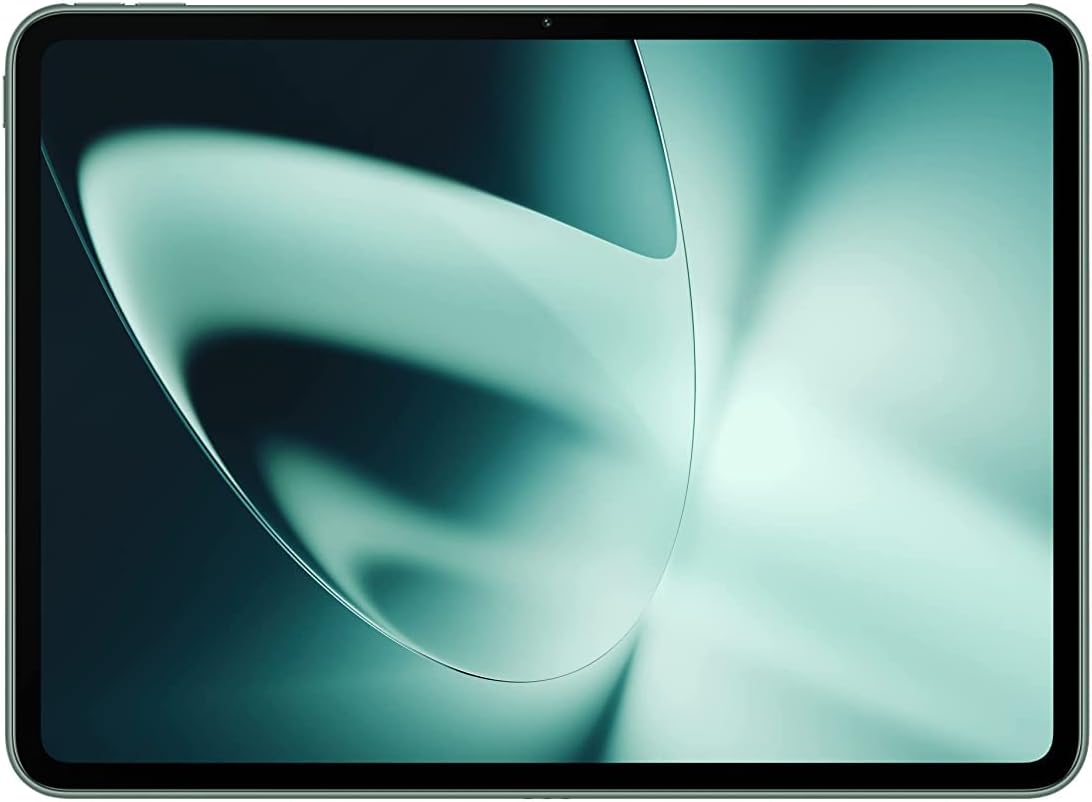
The OnePlus Pad, showcasing its sleek design and vibrant display.
What's in the Box
Upon unboxing your OnePlus Pad, you will find the following items:
- OnePlus Pad device
- Type-C Cable
- Quick Start Guide
- Safety Information and Warranty Card
- SUPERVOOC Power Adapter

The OnePlus Pad with its optional accessories, including the keyboard and stylus, demonstrating its versatility for work and play.
Setup
Follow these steps to set up your new OnePlus Pad:
- Charge the Device: Connect the provided Type-C Cable to the OnePlus Pad and the SUPERVOOC Power Adapter. Plug the adapter into a power outlet. The device supports 67W SUPERVOOC charging for rapid power replenishment.
- Power On: Press and hold the power button (located on the side) until the OnePlus logo appears on the screen.
- Initial Configuration: Follow the on-screen prompts to select your language, connect to a Wi-Fi network, and set up your Google account.
- Optional Accessories: If you have the OnePlus Stylo or OnePlus Magnetic Keyboard, they can be paired with the device for enhanced productivity. The OnePlus Stylo offers precise input for creativity, while the Magnetic Keyboard provides an effortless typing experience.

The OnePlus Pad connected to its 67W SUPERVOOC charger, illustrating the fast charging capability.
Operating Your OnePlus Pad
Display and Visuals
The OnePlus Pad features an 11.61-inch LCD display with a unique 7:5 ReadFit ratio, optimizing content viewing and reading comfort. It boasts a 2800x2000 pixel resolution (296 PPI) and a silky-smooth 144 Hz refresh rate for ultra-responsive scrolling and fluid visuals. With 500 nits of brightness and 2048 levels of intelligent brightness control, the display is designed for comfortable viewing in various lighting conditions. It also supports 10-bit True Color for vibrant and natural color reproduction.

The OnePlus Pad's 7:5 ReadFit display ratio, designed for an optimized viewing and reading experience.
Performance
Powered by the MediaTek Dimensity 9000 processor, the OnePlus Pad delivers fast and smooth performance for multitasking, entertainment, and productivity. The Android 13.1 operating system provides a user-friendly interface and access to a wide range of applications.
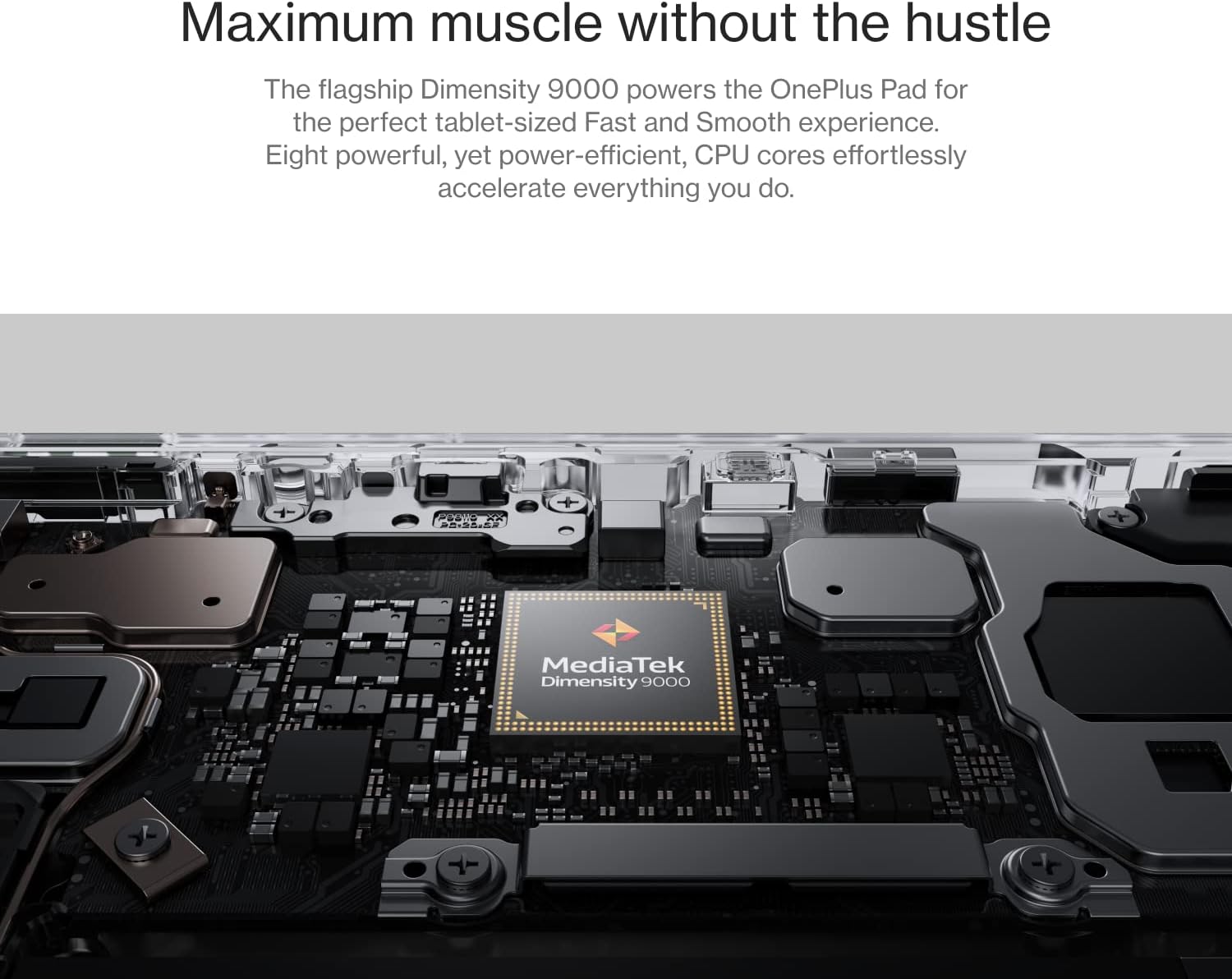
An internal view of the OnePlus Pad, highlighting the MediaTek Dimensity 9000 processor, which ensures smooth performance.
Audio and Entertainment
Experience immersive audio with Dolby Vision and Dolby Atmos support. The tablet's omnibearing sound field provides rich, cinematic sound for all your media. The 6.7mm super-slim bezels and 88% screen-to-body ratio maximize your immersive viewing experience.

A user enjoying multimedia content on the OnePlus Pad, demonstrating its suitability for entertainment on the go.
Connectivity
The OnePlus Pad supports Wi-Fi (802.11n) and offers cellular data sharing capabilities, ensuring smooth and secure connectivity. Bluetooth 5.3 is also available for connecting wireless accessories.
Cameras
The tablet is equipped with a 13MP rear camera and an 8MP front camera, capable of 1080p video recording. The rear camera is centrally positioned for convenience.
Official Product Video
Official product video showcasing the features and design of the OnePlus Pad, including its powerful chipset, sleek design, ReadFit display, 144Hz refresh rate, Dolby Vision & Atmos, Omnibearing Sound Field, 5G Cellular Data Sharing, 67W SUPERVOOC charging, and compatibility with OnePlus Stylo and Magnetic Keyboard.
Maintenance
To ensure the longevity and optimal performance of your OnePlus Pad, consider the following:
- Battery Health: Utilize the advanced Battery Health Engine for optimized charging. Avoid extreme temperatures and prolonged exposure to direct sunlight.
- Cleaning: Use a soft, lint-free cloth to clean the screen and body. Avoid abrasive materials or harsh chemicals.
- Software Updates: Regularly check for and install system updates to ensure your device has the latest features and security enhancements.
Troubleshooting
If you encounter any issues with your OnePlus Pad, try the following basic troubleshooting steps:
- Device Unresponsive: Press and hold the power button for about 10-15 seconds to force a restart.
- Charging Issues: Ensure the charging cable and adapter are securely connected and free from damage. Try a different outlet.
- Wi-Fi/Bluetooth Connectivity: Toggle Wi-Fi or Bluetooth off and on. Restart your router or the connected device if necessary.
- App Issues: If an app is not working correctly, try clearing its cache or reinstalling it.
- Factory Reset: As a last resort, you may perform a factory reset. Note: This will erase all data on your device. Back up important information before proceeding.
For more detailed troubleshooting or persistent issues, please refer to the official OnePlus support resources.
Specifications
| Feature | Detail |
|---|---|
| Model Name | OnePlus Pad |
| Display Size | 11.61 Inches |
| Screen Resolution | 2800 x 2000 pixels (296 PPI) |
| Refresh Rate | 144 Hz |
| Brightness | 500 nits (2048 levels intelligent brightness control) |
| Color Depth | 10-bit True Color |
| Processor | MediaTek Dimensity 9000 (3.05 GHz) |
| Operating System | Android 13.1 |
| RAM | 8GB |
| Storage | 128 GB Flash Memory |
| Rear Camera | 13 MP (1080p recording) |
| Front Camera | 8 MP (1080p recording) |
| Wireless Connectivity | Wi-Fi (802.11n), Bluetooth 5.3, Cellular Data Sharing |
| Battery | 1 Lithium Ion battery (included) |
| Charging | 67W SUPERVOOC |
| Dimensions | 11.1 x 8.46 x 2.17 inches (Package) |
| Weight | 552g (approx. 1.22 lbs) |
| Screen-to-Body Ratio | 88% |
| Bezels | 6.7mm super-slim |
Warranty and Support
Your OnePlus Pad comes with a warranty as detailed in the included Safety Information and Warranty Card. For technical support, service, or warranty claims, please visit the official OnePlus support website or contact their customer service. Keep your proof of purchase for warranty validation.
For more information, visit the OnePlus Store on Amazon.
Related documentsOnePlus Pad


Ask a question about this manual
Ask about setup, troubleshooting, compatibility, parts, safety, or missing instructions. Manuals+ will review the question and use this page’s manual context to help answer it.