
Introduction
This manual provides detailed instructions for the proper use and care of your OnePlus Magnetic Keyboard Green. Designed to enhance your OnePlus Pad experience, this keyboard offers seamless connectivity and intuitive functionality.
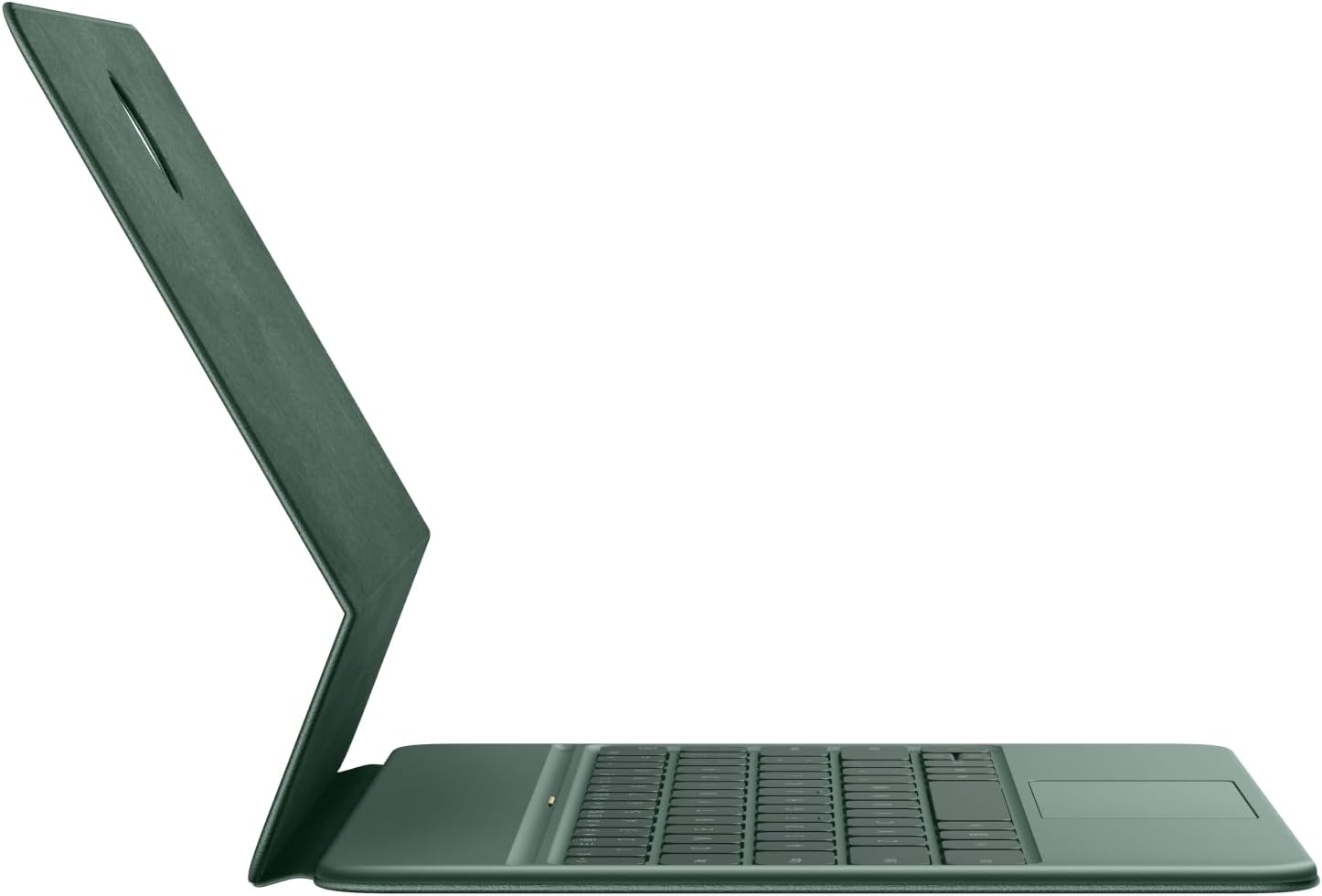
Image: The OnePlus Magnetic Keyboard Green, shown attached to a compatible tablet, highlighting its slim profile and integrated design.
Package Contents
Verify that all items are present in the package:
- OnePlus Magnetic Keyboard Green
- USB Cable
Setup
Magnetic Connection
The OnePlus Magnetic Keyboard is designed for effortless attachment to your OnePlus Pad. Simply align the keyboard with the magnetic connectors on your tablet. The keyboard will snap into place securely, establishing an instant connection without the need for Bluetooth pairing or additional cables.

Image: A detailed view of the magnetic connection interface, showing how the keyboard attaches to the tablet.
Operating Instructions
Touchpad Usage
The integrated touchpad functions similarly to your tablet's screen, supporting various gestures for navigation and interaction. Utilize smooth swipes, taps, and multi-finger gestures for efficient control of your device.
Adjustable Tilt
The keyboard allows your OnePlus Pad to be tilted to a comfortable 120-degree angle. This adjustable viewing angle is optimized for both reading and productivity tasks, enhancing your overall user experience.

Image: The keyboard and tablet configured to the 120-degree tilt, demonstrating an optimal viewing and working position.

Image: A user interacting with the OnePlus Magnetic Keyboard and tablet, illustrating its portability and ease of use.
Maintenance
To ensure the longevity and optimal performance of your OnePlus Magnetic Keyboard, follow these maintenance guidelines:
- Cleaning: Gently wipe the keyboard and touchpad surfaces with a soft, lint-free cloth. For stubborn dirt, slightly dampen the cloth with water or a mild, non-abrasive cleaner. Avoid excessive moisture.
- Storage: When not in use, keep the keyboard attached to your OnePlus Pad or store it in a clean, dry environment to prevent dust accumulation and potential damage.
- Avoid Liquids: Do not expose the keyboard to liquids. Spills can cause internal damage.
- Handle with Care: Avoid dropping the keyboard or subjecting it to strong impacts, which can damage internal components or the magnetic connection.
Troubleshooting
If you encounter issues with your OnePlus Magnetic Keyboard, refer to the following common solutions:
- Keyboard Not Responding:
- Ensure the keyboard is securely attached to the OnePlus Pad. Re-attach it to confirm the magnetic connection.
- Check if the OnePlus Pad's operating system is updated to the latest version.
- Restart your OnePlus Pad.
- Touchpad Issues:
- Verify that the touchpad is clean and free of debris.
- Ensure no settings on your OnePlus Pad are disabling touchpad functionality.
- Physical Damage or Missing Keys:
- Upon receiving the product, carefully inspect for any missing keys or physical defects. If any are found, contact customer support immediately.
- Note: Replacement keys for unique keyboard sizes may not be readily available.
Specifications
| Feature | Detail |
|---|---|
| Brand | OnePlus |
| Model Name | Magnetic Keyboard |
| Item Model Number | One Pad |
| Color | Green |
| Connectivity Technology | Magnetic Connection (not Bluetooth for primary connection) |
| Compatible Devices | OnePlus Pad |
| Special Feature | Magnetic attachment, Integrated Touchpad, 120-Degree Tilt |
| Material | Plastic with Metal components |
| Item Weight | 1.26 pounds |
| Package Dimensions | 11.5 x 8.5 x 1.5 inches |
| Included Components | USB Cable |
Warranty and Support
For warranty information, product support, or to report any issues, please refer to the official OnePlus website or contact their customer service directly. Keep your purchase receipt as proof of purchase for warranty claims.
Online Support: Visit the OnePlus Support Page for FAQs, troubleshooting guides, and contact options.


