
1. Safety Information
Please read all safety information before operating the Silverlit TOOKO My First Mist-Projecting Activity Truck. Keep this manual for future reference.
- Warning: Not suitable for children under 36 months due to small parts which may present a choking hazard.
- Adult supervision is recommended during play, especially when filling the water tank.
- Do not immerse the toy in water.
- Ensure batteries are inserted with correct polarity. Do not mix old and new batteries, or different types of batteries.
- Remove batteries if the toy will not be used for an extended period.
- Use only clean tap water for the mist effect. Do not add any other liquids or chemicals.
2. Product Overview
The Silverlit TOOKO My First Mist-Projecting Activity Truck is an interactive toy designed for young children aged 2 years and above. It features a unique mist effect, sound and light effects, and a simple 'Press & Go' function for easy operation.

3. Package Contents
Verify that all items listed below are included in your package:
- 1 x Silverlit TOOKO My First Mist-Projecting Activity Truck
- 1 x Water Container (for mist effect)
- Instruction Manual (this document)
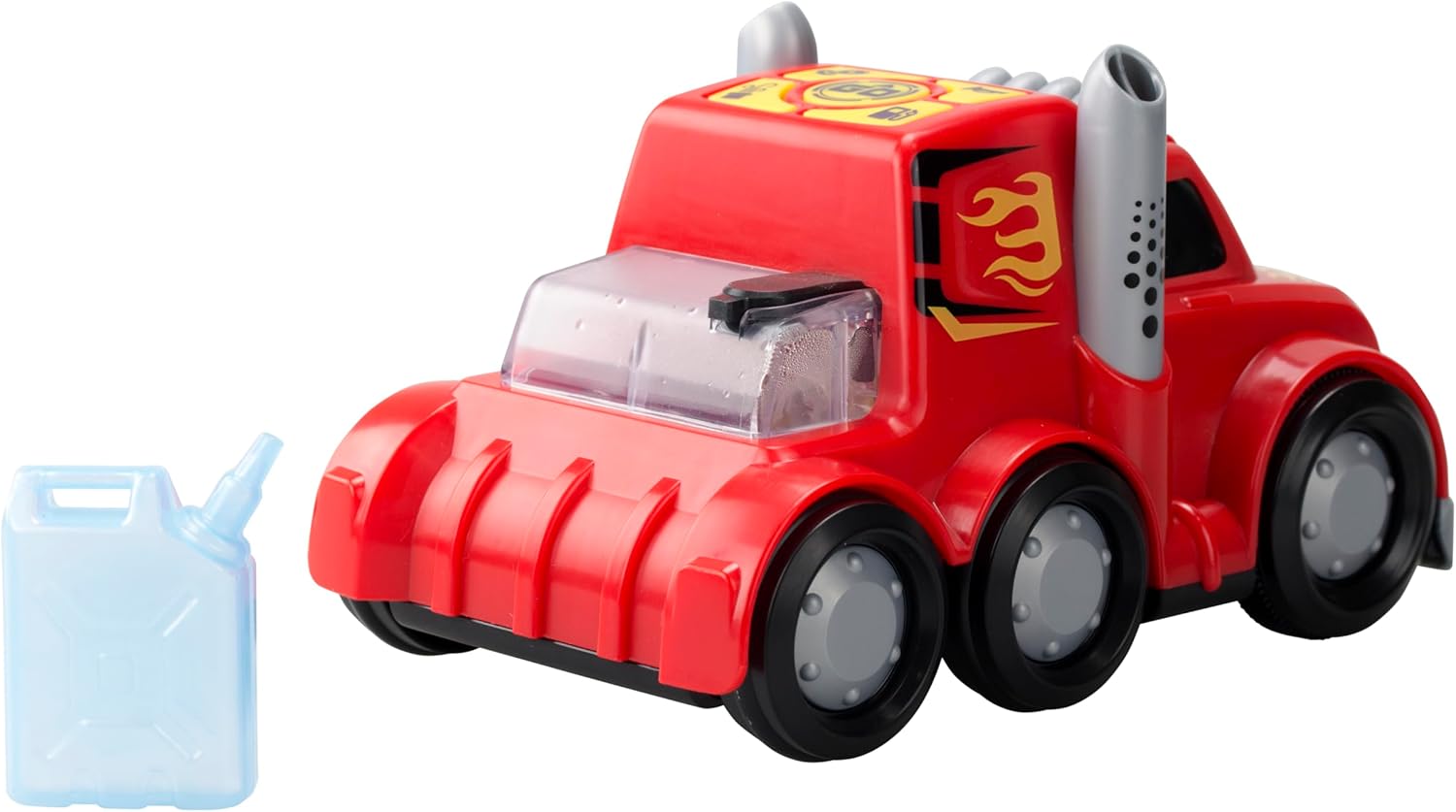
4. Setup
4.1 Battery Installation
The truck requires 3 x AAA batteries (not included) for operation.
- Locate the battery compartment on the underside of the truck.
- Using a screwdriver (not included), unscrew the battery compartment cover.
- Insert 3 new AAA batteries, ensuring correct polarity (+/-) as indicated inside the compartment.
- Replace the battery compartment cover and secure it with the screw.
4.2 Water Filling for Mist Effect
To activate the mist effect, the water tank needs to be filled.
- Locate the water tank opening on the top rear of the truck.
- Fill the provided water container with clean tap water.
- Carefully pour the water from the container into the truck's water tank opening. Do not overfill.
- Ensure the water tank cap (if present) is securely closed after filling.

5. Operating Instructions
5.1 Power On/Off
Locate the power switch on the underside or side of the truck. Slide the switch to the 'ON' position to power on the toy. Slide it to 'OFF' to power off.
5.2 Press & Go Function
The truck features a simple 'Press & Go' mechanism for forward movement.
- Ensure the truck is powered on.
- Press the designated 'Go' button on the top panel of the truck.
- The truck will move forward for a short distance.

5.3 Mist Effect Activation
Once the water tank is filled and the truck is powered on, the mist effect can be activated.
- Press the dedicated mist button on the control panel.
- Mist will be projected from the exhaust pipes, simulating a real misting truck.
5.4 Sound and Light Effects
The truck is equipped with integrated sound and light features.
- These effects typically activate automatically when the truck is in motion or when specific buttons (e.g., horn button) are pressed.
- Refer to the icons on the control panel for specific sound functions.
6. Maintenance
6.1 Cleaning
- Wipe the truck with a soft, damp cloth. Do not use harsh chemicals or abrasive cleaners.
- Ensure the toy is completely dry before storing.
6.2 Storage
- Store the toy in a cool, dry place away from direct sunlight.
- Remove batteries if the toy will not be used for an extended period to prevent leakage.
- Empty the water tank completely before storing to prevent mold or residue buildup.
7. Troubleshooting
| Problem | Possible Cause | Solution |
|---|---|---|
| Truck does not move or power on. | Batteries are dead or incorrectly installed. | Replace batteries with new ones, ensuring correct polarity. Check power switch is ON. |
| Mist effect is not working. | Water tank is empty or mist nozzle is blocked. | Refill the water tank with clean tap water. Gently check the mist nozzle for any obstructions. |
| Sound or light effects are not working. | Batteries are low or a specific button is not pressed. | Replace batteries. Ensure the correct button for the desired effect is pressed. |
8. Specifications
| Feature | Detail |
|---|---|
| Model Number | SL-81478 |
| Brand | Silverlit |
| Dimensions (L x W x H) | 23.01 x 10.8 x 14 cm (9.06 x 4.25 x 5.51 inches) |
| Weight | 290.3 grams (0.64 lbs) |
| Material | Plastic |
| Power Source | Battery-powered |
| Battery Type | 3 x AAA (Alkaline recommended, not included) |
| Recommended Age | 24 months and up |
| Special Features | Mist effect, Sound effects, Light effects, Press & Go function |
9. Warranty and Support
This product is covered by a standard manufacturer's warranty against defects in materials and workmanship. Please retain your proof of purchase for warranty claims.
For technical support, troubleshooting assistance, or warranty inquiries, please contact Silverlit customer service through their official website or the retailer where the product was purchased.
Note: Warranty terms may vary by region.