
1. Product Overview
The Silvergear LED Grow Light is designed to provide optimal light conditions for faster and stronger growth of your indoor plants. It features a full-spectrum daylight simulation and an adjustable height mechanism, promoting healthy development for various plant types, including flowers and herbs. This lamp helps create an ideal growing environment even in compact spaces.
The full-spectrum LED light provides a balanced blend of warm and cool tones, offering benefits for different stages of plant growth:
- Blue Light: Encourages denser and fuller foliage growth.
- Red Light: Supports plant elongation, stimulates root development, and promotes flowering. It also aids in enlarging plant leaves for enhanced light absorption.
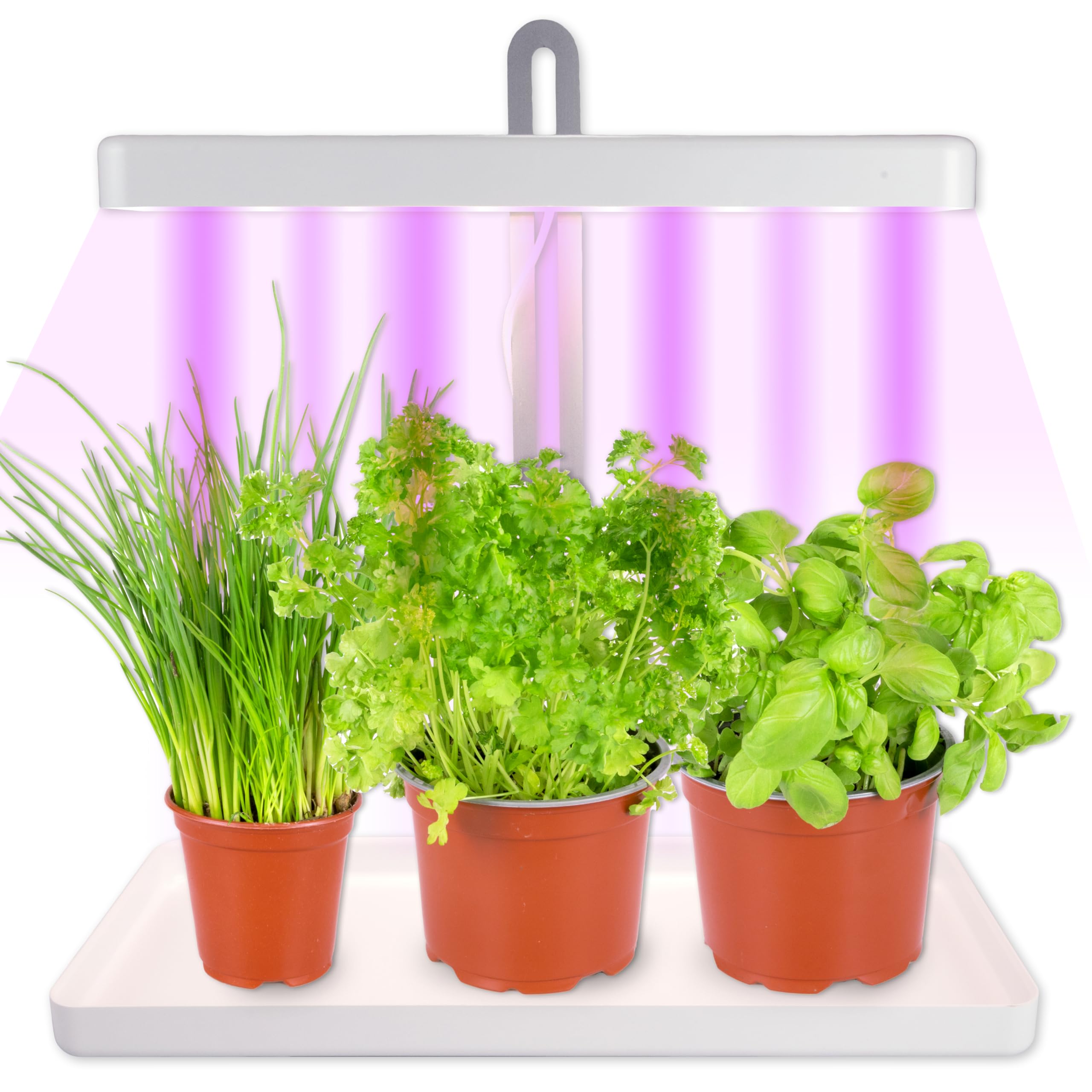
Figure 1: Silvergear LED Grow Light with three plants.
2. Package Contents
Please verify that all components are present in the package:
- LED Grow Light Unit (with integrated cable)
- Wooden Base Tray
- Instruction Manual
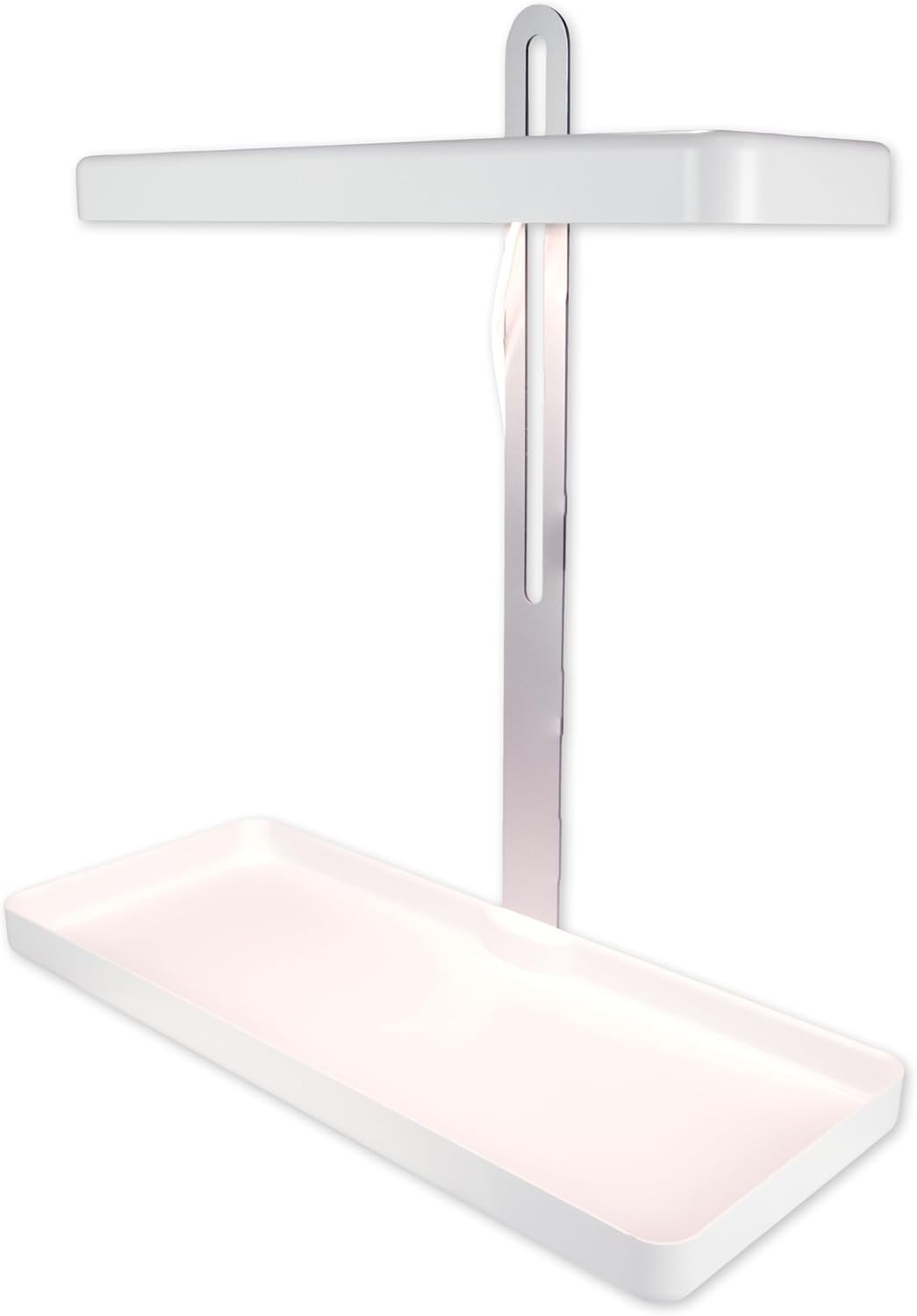
Figure 2: Grow light unit and base tray.
3. Setup Instructions
- Unpack Components: Carefully remove all items from the packaging.
- Assemble Base: Place the wooden base tray on a stable, flat surface.
- Insert Light Unit: Insert the vertical support of the LED grow light unit into the designated slot in the center of the base tray. Ensure it is securely seated.
- Position Plants: Place your potted plants onto the base tray.
- Connect Power: Plug the power adapter into a standard electrical outlet (220-240 VAC).

Figure 3: Assembled grow light unit.
4. Operating Instructions
4.1 Power On/Off
Locate the push-button switch on the power cable. Press the button once to turn the light on. Press it again to turn the light off.
4.2 Integrated Timer Function
The grow light features an integrated timer that operates on a 16-hour on, 8-hour off cycle. Once activated, the timer will automatically turn the light off after 16 hours and then turn it back on after 8 hours of darkness, maintaining a consistent light cycle for your plants.
- To activate the timer, ensure the light is on and then press and hold the power button for approximately 3 seconds until you see a subtle indicator (e.g., a flash or change in light intensity) confirming the timer is set.
- The timer will then automatically manage the light cycle.
- To deactivate the timer, press and hold the power button again until the indicator confirms deactivation, or simply unplug the unit.
4.3 Light Spectrum
The Silvergear LED Grow Light provides a full spectrum of light, simulating natural daylight with a color temperature of 4000K. This spectrum is suitable for all stages of plant growth, from germination to flowering.

Figure 4: LED panel displaying full spectrum light.
5. Height Adjustment
The height of the LED grow light can be adjusted to accommodate plants of different sizes, up to a maximum height of 50 cm. This allows you to provide the optimal light intensity for vigorous growth, regardless of the plant's current size.
- Adjusting Height: Gently slide the light bar up or down along the vertical support.
- Secure Position: The mechanism is designed to hold the light bar securely at your desired height. Ensure it is stable after adjustment.
- Optimal Distance: Position the light approximately 10-30 cm above the tallest leaves of your plants, adjusting as they grow.

Figure 5: Adjustable height feature of the grow light.
6. Care and Maintenance
- Cleaning: Disconnect the power before cleaning. Use a soft, dry cloth to wipe the light unit and base tray. Do not use abrasive cleaners or solvents.
- Water Exposure: Avoid direct water exposure to the electrical components. The unit is not waterproof.
- Storage: When not in use for extended periods, store the grow light in a cool, dry place.
7. Troubleshooting
| Problem | Possible Cause | Solution |
|---|---|---|
| Light does not turn on | No power supply; loose connection; faulty switch | Check power outlet; ensure cable is securely plugged in; press switch firmly. |
| Timer not working | Timer not activated correctly | Refer to Section 4.2 to properly activate the timer. |
| Plants are not growing well | Incorrect light distance; insufficient watering/nutrients; other environmental factors | Adjust light height (Section 5); ensure proper plant care (watering, fertilizer, temperature, humidity). |
8. Technical Specifications
| Specification | Detail |
|---|---|
| Brand | Silvergear |
| Model Number | PL352728 |
| Product Dimensions (L x W x H) | 21 x 21 x 51.7 cm |
| Material | ABS, PC, Wood |
| Voltage | 220-240 VAC |
| Wattage | 9 Watts |
| Lumen | 550 lm |
| Color Temperature | 4000K |
| Light Source Type | LED |
| Switch Type | Push-button |
| Installation Type | Table Mount |
| Energy Label | Efficient (Energy Class A) |
| Country of Origin | Switzerland |
9. Safety Information
- Read all instructions before use and retain for future reference.
- Do not disassemble or modify the product. This may cause damage or injury and will void the warranty.
- Keep the device away from water and high humidity.
- Ensure the power supply matches the specifications of the device.
- Do not look directly into the LED lights for extended periods, as this may cause eye strain.
- Keep out of reach of children and pets.
10. Warranty and Support
This product is covered by a standard manufacturer's warranty against defects in materials and workmanship. For warranty claims or technical support, please contact your retailer or the Silvergear customer service department. Please have your model number (PL352728) and proof of purchase ready when contacting support.