
1. Product Overview
The EF ECOFLOW DELTA 2 MAX Power Station is a versatile and powerful portable energy solution designed for home backup, emergency use, and outdoor camping. It features an advanced LFP battery, offering long-lasting performance and rapid charging capabilities. This manual provides essential information for the safe and efficient operation, maintenance, and troubleshooting of your DELTA 2 MAX Power Station.

Figure 1.1: The DELTA 2 MAX Power Station shown with an optional Smart Extra Battery, highlighting its compact and robust design.
Key Features:
- Expandable Capacity: Base capacity of 2048Wh, expandable up to 6144Wh with two Smart Extra Batteries.
- Fast Charging: Achieve 80% charge in approximately 43 minutes with combined AC and solar input (up to 1000W solar input). AC charging alone reaches 80% in 1.1 hours.
- Long-Lasting LFP Battery: Utilizes LiFePO4 (LFP) battery chemistry, providing over 3000 cycles to 80% capacity, ensuring a lifespan of approximately 10 years.
- High Power Output: Delivers up to 2400W AC output, capable of powering 99% of household appliances. X-Boost mode supports devices up to 3400W.
- Multiple Outlets: Equipped with 15 outlets, including AC, USB-A, USB-C, DC5521, and car outlet ports.
- Quiet Operation: Operates at a low noise level, starting from 30 dB, suitable for indoor use.
- Lightweight Design: Weighs approximately 50 lbs, making it highly portable for its capacity.
2. Setup
2.1 Unboxing and Initial Inspection
Upon receiving your DELTA 2 MAX, carefully open the packaging and remove all components. Verify that all items listed in the package contents are present and undamaged. If any items are missing or damaged, contact customer support immediately.
Package Contents:
- EcoFlow DELTA 2 Max Power Station
- AC Charging Cable
- Car Charging Cable
- DC5521 to DC5525 Cable
- User Manual (this document)
2.2 Initial Charging
Before first use, it is recommended to fully charge the DELTA 2 MAX. This optimizes battery performance and calibration.
- Connect the provided AC Charging Cable to the AC input port on the DELTA 2 MAX.
- Plug the other end of the AC Charging Cable into a standard wall outlet (110V).
- The LCD screen will display the charging status and estimated time to full charge.
- Charging is complete when the battery indicator shows 100%.
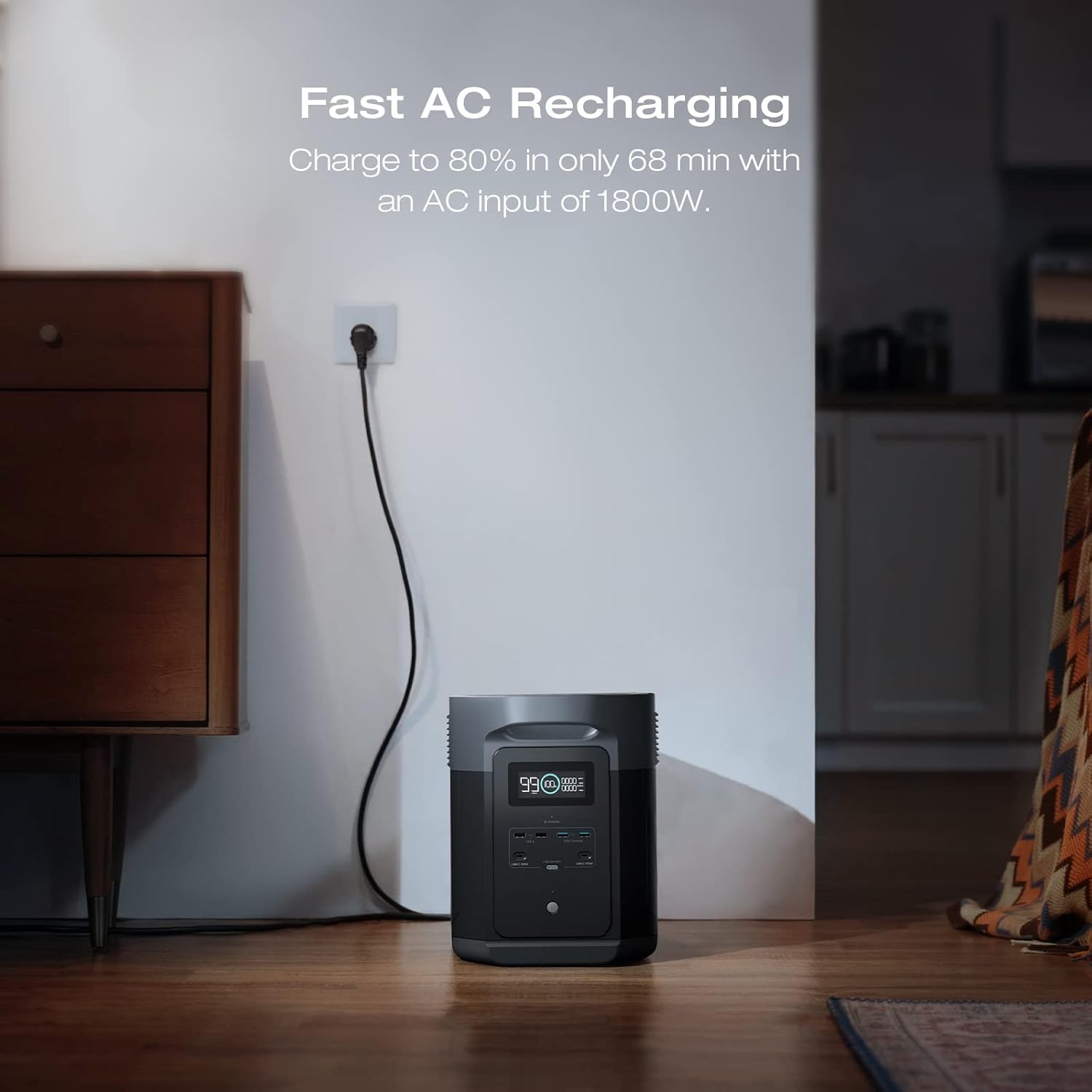
Figure 2.1: Illustrates the fast AC recharging process, showing the power station connected to a wall outlet.
2.3 Connecting Smart Extra Battery (Optional)
To expand the capacity of your DELTA 2 MAX, you can connect up to two Smart Extra Batteries. Ensure both units are powered off before connecting.
- Align the expansion port on the DELTA 2 MAX with the corresponding port on the Smart Extra Battery.
- Securely connect the expansion cable between the two units.
- Power on the DELTA 2 MAX. The display will show the combined capacity.

Figure 2.2: The DELTA 2 MAX with two Smart Extra Batteries stacked, demonstrating the expandable capacity.
3. Operating Instructions
3.1 Powering On/Off
- To power on, press and hold the main power button until the LCD screen illuminates.
- To power off, press and hold the main power button until the LCD screen turns off.
3.2 Using AC Outlets
The DELTA 2 MAX provides 6 AC output sockets for powering household appliances.
- Ensure the power station is on.
- Press the AC power button to activate the AC outlets. The AC indicator on the LCD screen will light up.
- Plug your appliance into any of the AC outlets.
- To deactivate AC outlets, press the AC power button again.

Figure 3.1: Diagram showing the various output ports on the DELTA 2 MAX, including AC, USB, and DC outlets.
3.3 Using USB and DC Outlets
The power station includes USB-A, USB-C, DC5521, and a car outlet for various devices.
- Ensure the power station is on.
- Press the DC power button to activate the DC and USB outlets. The DC indicator on the LCD screen will light up.
- Connect your devices to the appropriate USB or DC ports.
- To deactivate DC and USB outlets, press the DC power button again.
3.4 Solar Charging
The DELTA 2 MAX supports up to 1000W solar input for efficient recharging.
- Position solar panels in direct sunlight for maximum efficiency.
- Connect the solar panels to the solar input port on the DELTA 2 MAX using the appropriate cables (MC4 to XT60 cable, not included).
- The LCD screen will show the incoming solar wattage and charging status.

Figure 3.2: A visual representation of the DELTA 2 MAX being charged by solar panels in an outdoor setting, demonstrating optimal panel placement.
3.5 EcoFlow App Integration
Manage and monitor your DELTA 2 MAX remotely using the EcoFlow app. The app allows you to control output ports, view real-time power consumption, customize charging speeds, and update firmware.
- Download the EcoFlow app from your device's app store.
- Follow the in-app instructions to connect your DELTA 2 MAX via Bluetooth or Wi-Fi.
- Explore the various features for enhanced control and monitoring.
4. Maintenance
4.1 General Care
- Keep the power station in a dry, well-ventilated area, away from direct sunlight, heat sources, and moisture.
- Clean the exterior with a soft, dry cloth. Do not use abrasive cleaners or solvents.
- Ensure ventilation openings are clear of dust and debris to prevent overheating.
4.2 Battery Storage
For long-term storage, it is recommended to discharge the battery to approximately 50% capacity and recharge it to 50% every 3-6 months. This helps prolong battery life.

Figure 4.1: Illustrates the long cycle life of the LFP battery, emphasizing its durability over 3000 cycles.
4.3 Environmental Considerations
- Operate the DELTA 2 MAX within its specified operating temperature range (typically 14°F to 113°F / -10°C to 45°C).
- Avoid exposing the unit to extreme temperatures or sudden temperature changes.
5. Troubleshooting
| Problem | Possible Cause | Solution |
|---|---|---|
| Unit does not power on. | Battery is fully discharged. | Connect to AC power and charge the unit. |
| AC outlets not working. | AC output is not enabled. Overload protection activated. | Press the AC power button. Reduce connected load. |
| Slow charging speed. | Low solar input (cloudy, incorrect panel angle). AC input current limited. | Adjust solar panel angle/location. Check EcoFlow app settings for charging speed. |
| Unit displays an error code. | Internal system error. | Refer to the EcoFlow app for specific error code details or contact customer support. |
For further assistance, please refer to the official EcoFlow user manual PDF available online or contact EcoFlow customer support.
6. Specifications
| Feature | Detail |
|---|---|
| Model Name | DELTA 2 Max (EFD350) |
| Capacity | 2048Wh (Expandable to 6144Wh) |
| Battery Chemistry | LFP (LiFePO4) |
| Cycle Life | 3000 cycles to 80%+ capacity |
| AC Output | 6 x 120V AC outlets, 2400W total (Surge 4800W), X-Boost up to 3400W |
| USB-A Output | 2 ports, 12W max per port |
| USB-A Fast Charge | 2 ports, 18W max per port |
| USB-C Output | 2 ports, 100W max per port |
| DC5521 Output | 2 ports, 38W max per port |
| Car Power Output | 1 port, 126W max |
| AC Input | 1800W max |
| Solar Input | 1000W max, 11-60V, 15A |
| Dimensions (L x W x H) | 12.2" x 9.7" x 20" (31 x 24.6 x 50.8 cm) |
| Weight | 50 lbs (22.7 kg) |
7. Warranty and Support
The EF ECOFLOW DELTA 2 MAX Power Station comes with an extended 5-year service warranty, reflecting the manufacturer's confidence in its long-lasting LFP battery technology.
For warranty claims, technical support, or any inquiries, please contact EF ECOFLOW customer service through their official website or the EcoFlow app. You may also find additional resources and FAQs on the EF ECOFLOW Store on Amazon.
A comprehensive User Manual (PDF) is also available for download: Download User Manual PDF.


