
DOOGEE T30PRO
DOOGEE T30 PRO 11 Inch Tablet
User Manual
1. Product Overview
The DOOGEE T30 PRO is an 11-inch Android tablet designed for high performance and an immersive visual experience. It features a 2.5K display, a powerful MediaTek Helio G99 octa-core processor, and ample memory for multitasking and storage. This manual provides essential information to help you get the most out of your device.

Figure 1.1: Front and rear view of the DOOGEE T30 PRO tablet, showcasing its key specifications.
2. Setup Guide
2.1 Initial Charging
Before first use, fully charge the tablet using the provided 33W fast charger. The tablet is equipped with an 8580mAh battery for extended usage.
2.2 Power On/Off
- To Power On: Press and hold the Power button until the DOOGEE logo appears.
- To Power Off: Press and hold the Power button, then select 'Power off' from the options.
2.3 SIM and TF Card Installation
The DOOGEE T30 PRO supports dual 4G LTE and TF card expansion up to 2TB. Locate the SIM/TF card tray on the side of the tablet. Use the provided ejector tool to open the tray. Insert your Nano-SIM cards and/or TF card into the designated slots, ensuring correct orientation. Close the tray securely.
2.4 First-Time Setup
Upon first power-on, follow the on-screen prompts to complete the initial setup. This includes selecting your language, connecting to a Wi-Fi network, and signing in with your Google account. The tablet is GMS certified, ensuring full access to the Google Play Store and Google services.
Video 2.1: An unboxing video of the DOOGEE T30 PRO tablet, demonstrating the initial setup and contents.
3. Operating Your Tablet
3.1 Display and Visuals
Experience stunning visuals on the 11-inch 2.5K (2560x1600) display. The tablet features TÜV SÜD Eye Safety Certification for low blue light, reducing eye strain during prolonged use.

Figure 3.1: The tablet's display capabilities, emphasizing its high resolution and immersive viewing experience.
3.2 Performance and Storage
Powered by the MediaTek Helio G99 octa-core processor, the T30 PRO delivers smooth performance for gaming, multitasking, and demanding applications. It comes with 15GB RAM (8GB physical + 7GB virtual) and 256GB of internal storage, expandable up to 2TB via TF card.
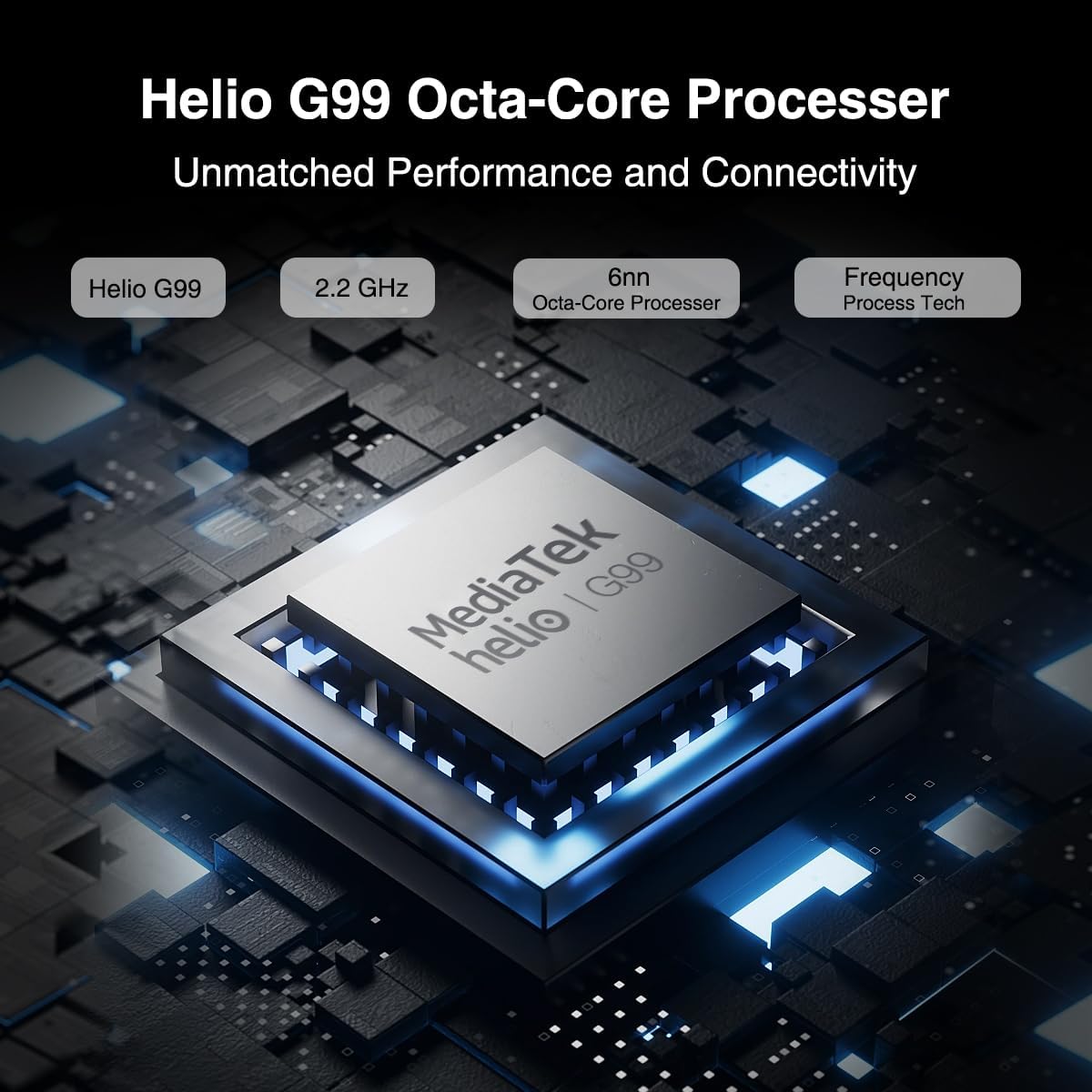
Figure 3.2: Illustration of the MediaTek Helio G99 processor, highlighting its core specifications.
3.3 Camera Functions
The tablet features a 20MP main camera, an 8MP front camera, and a 2MP macro camera. These cameras are suitable for capturing photos, video conferencing, and e-learning.

Figure 3.3: The tablet's camera capabilities, ideal for video calls and capturing moments.
3.4 Audio System
Enjoy rich audio with the tablet's four Hi-res Stereo Speakers, providing an enhanced sound experience for media consumption.
3.5 Connectivity
Stay connected with dual 4G LTE support, dual-band Wi-Fi (2.4G/5G), and Bluetooth 5.0. The tablet also supports Widevine L1 for high-quality streaming from services like Prime Video, Disney+, and Hulu.

Figure 3.4: The tablet's robust connectivity options for seamless work and entertainment.
3.6 Multitasking and Productivity
The Android 13 operating system allows for efficient multitasking, including split-screen functionality, enabling you to run multiple applications simultaneously.

Figure 3.5: The tablet's split-screen feature for enhanced productivity.
4. Maintenance and Care
4.1 Battery Care
- Avoid extreme temperatures, as they can degrade battery life.
- For optimal battery longevity, avoid fully discharging the battery frequently.
- Use only the original charger or a certified compatible charger.
4.2 Cleaning Your Tablet
- Use a soft, lint-free cloth to clean the screen and body.
- For stubborn smudges, slightly dampen the cloth with water or a screen cleaner.
- Avoid using harsh chemicals, abrasive materials, or aerosol sprays directly on the tablet.
5. Troubleshooting
This section addresses common issues you might encounter with your DOOGEE T30 PRO tablet.
| Problem | Possible Cause | Solution |
|---|---|---|
| Tablet does not power on | Low battery; System crash | Charge the tablet for at least 30 minutes. If still unresponsive, press and hold the Power button for 10-15 seconds to force restart. |
| Slow performance | Too many apps running in background; Low storage space | Close unnecessary applications. Clear cache and data for frequently used apps. Free up storage by deleting unused files or apps. |
| Wi-Fi connectivity issues | Incorrect password; Router issues; Out of range | Ensure correct Wi-Fi password. Restart your Wi-Fi router. Move closer to the Wi-Fi router. |
| Battery drains quickly | High screen brightness; Background apps; Frequent network usage | Reduce screen brightness. Disable Wi-Fi/Bluetooth when not in use. Close background apps. Check battery usage in settings to identify power-hungry apps. |
6. Specifications
| Feature | Detail |
|---|---|
| Model Name | T30PRO |
| Operating System | Android 13 |
| Processor | MediaTek Helio G99 Octa-core (2.2 GHz) |
| RAM | 15GB (8GB + 7GB Virtual) |
| Internal Storage | 256GB |
| Expandable Storage | Up to 2TB (TF Card) |
| Screen Size | 11 Inches |
| Screen Resolution | 2.5K (2560x1600) |
| Rear Camera | 20 MP |
| Front Camera | 8 MP |
| Battery Capacity | 8580mAh |
| Charging | 33W Fast Charging |
| Wireless Connectivity | 802.11a/b/g/n/ac (2.4G/5G Wi-Fi), Bluetooth 5.0 |
| Cellular Connectivity | Dual 4G LTE (TD-LTE, FDD-LTE) |
| Dimensions (LxWxH) | 10.11 x 0.3 x 6.64 inches |
| Item Weight | 11.1 ounces |
7. Warranty and Support
The DOOGEE T30 PRO comes with a 2-year warranty. DOOGEE provides lifetime technical support and full 24/7 customer service to assist you with any inquiries or issues you may encounter. For support, please refer to the contact information provided on the official DOOGEE website or your purchase documentation.
Related documentsT30PRO


Ask a question about this manual
Ask about setup, troubleshooting, compatibility, parts, safety, or missing instructions. Manuals+ will review the question and use this page’s manual context to help answer it.