
1. Introduction
Thank you for choosing the BXQ Anti Bark Training Collar. This device is designed to assist in training your dog to reduce excessive barking through humane and effective methods. It features advanced barking recognition technology, multiple training modes, and adjustable sensitivity levels. Please read this manual thoroughly before use to ensure proper operation and your dog's safety.
1.1 Safety Guidelines
- This collar is intended for training purposes only. Do not use it as a primary restraint.
- Ensure the collar is fitted correctly. An improperly fitted collar may cause skin irritation or reduce effectiveness.
- Do not leave the collar on your dog for more than 12 consecutive hours to prevent pressure sores.
- Regularly check your dog's neck for any signs of irritation or discomfort. If irritation occurs, discontinue use and consult a veterinarian.
- The static shock mode should be used responsibly and only if necessary, after exhausting other training methods. Always start with the lowest effective level.
- Keep the device away from children.
1.2 Package Contents
- BXQ Anti Bark Training Collar (Q9-N)
- Adjustable Nylon Strap
- USB Type-C Charging Cable
- Conductive Probe Covers (Silicone Sleeves)
- User Manual
2. Product Overview
Familiarize yourself with the components of your BXQ Anti Bark Training Collar.

Image: Detailed diagram illustrating the various parts of the BXQ Anti Bark Training Collar, including the display, buttons, microphone sensor, charging port, and stainless steel probes.
2.1 Collar Components
- Beep+Vibrate Mode Indicator: Displays when the collar is in beep and vibration mode.
- Sensitivity Level Display: Shows the current sensitivity setting (1-5).
- Sensitivity Adjust Display: Indicates when sensitivity is being adjusted.
- Power/Set Button: Used to power on/off and confirm settings.
- Battery Status: Indicates the current battery charge level.
- Beep+Vibrate+Shock Mode Indicator: Displays when the collar is in beep, vibration, and static shock mode.
- Mode Button: Used to switch between training modes.
- Microphone Sensor: Detects dog's barking.
- Charging Port Cover: Protects the Type-C charging port.
- Charging Port: For connecting the Type-C charging cable.
- Stainless Steel Probe: Conducts vibration and static shock.
- Conductive Probe Cover: Silicone sleeves to protect the dog's skin from direct contact with probes.
3. Setup
3.1 Charging the Collar
Before first use, fully charge the collar. A full charge takes approximately 2 hours and provides up to 15 days of use.
- Open the charging port cover on the device.
- Connect the provided Type-C charging cable to the collar and a USB power source (e.g., USB adapter, power bank, car charger, laptop/PC).
- The battery indicator on the screen will show charging status.
- Once fully charged, disconnect the cable and securely close the charging port cover to maintain IP67 waterproof rating.
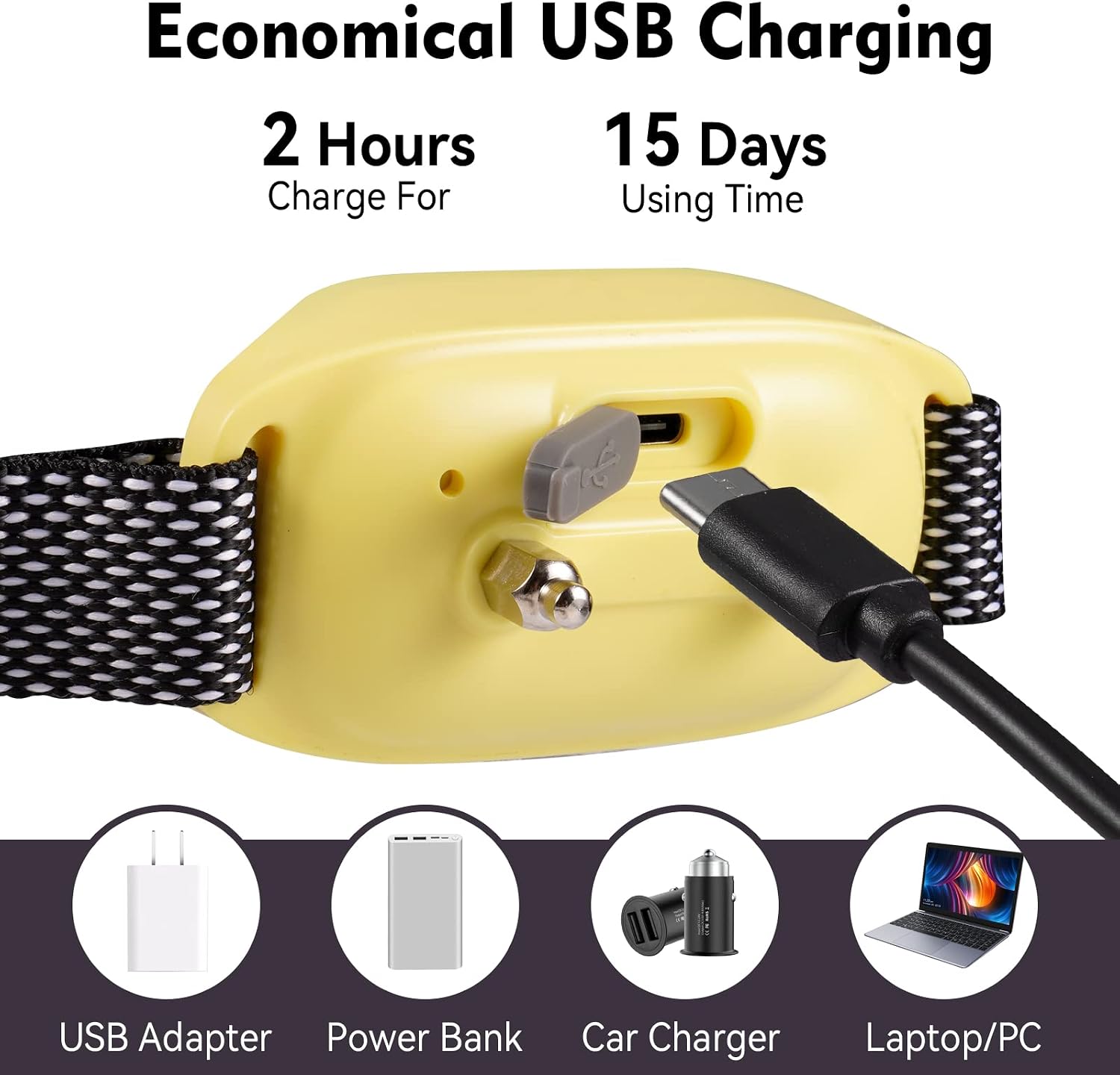
Image: The BXQ Anti Bark Training Collar connected to a USB-C charging cable, illustrating the charging process and compatible power sources.
3.2 Attaching the Collar Strap
The collar comes with an adjustable nylon strap suitable for dogs weighing 8-120 lbs with neck sizes 7-26 inches.
- Thread the adjustable nylon strap through the loops on the collar unit.
- Adjust the strap length to fit your dog's neck comfortably.

Image: The BXQ Anti Bark Training Collar with its adjustable strap, demonstrating its suitability for various dog sizes from 8 to 120 lbs.
3.3 Installing Conductive Probe Covers
To prevent skin irritation and ensure comfort, it is recommended to use the provided silicone conductive probe covers.
- Select the appropriate size of silicone cover for your dog's coat length.
- Gently push the silicone covers onto the stainless steel probes until they are securely in place.

Image: Close-up view of the BXQ Anti Bark Training Collar's probes with silicone protective sleeves, highlighting their use for skin protection.
3.4 Fitting the Collar on Your Dog
Proper fit is crucial for both effectiveness and comfort.
- Place the collar around your dog's neck, ensuring the device unit is positioned centrally under the chin or on the side of the neck.
- Adjust the strap so that it is snug but not too tight. You should be able to fit one or two fingers between the collar and your dog's neck.
- Ensure the probes make consistent contact with your dog's skin. You may need to trim long fur around the probe area for better contact.
4. Operating Instructions
4.1 Power On/Off
- To Power On: Press and hold the Power/Set Button until the screen illuminates.
- To Power Off: Press and hold the Power/Set Button until the screen turns off.
4.2 Selecting Training Modes
The collar offers two primary training modes: No Shock Mode and Shock Mode.

Image: The BXQ Anti Bark Training Collar display showing the two available training modes: No Shock (Beep+Vibration) and Shock (Beep+Vibration+Shock).
- No Shock Mode (Beep + Vibration): Press the Mode Button to select this mode. The green indicator will light up. This mode uses audible beeps and vibrations to deter barking.
- Shock Mode (Beep + Vibration + Static Shock): Press the Mode Button again to select this mode. The red indicator will light up. This mode adds a static shock correction after beep and vibration.

Image: A visual representation of the two training modes, 'Vibrate Mode' (Beep+Vibration) and 'Shock Mode' (Beep+Vibration+Static Shock), with a dog wearing the collar.
4.3 Adjusting Sensitivity Levels
The collar has 5 adjustable sensitivity levels (1-5). Level 5 is the most sensitive, detecting barking more easily, while Level 1 is the least sensitive.

Image: The BXQ Anti Bark Training Collar's digital display showing the number '5', indicating the highest sensitivity level.
- With the collar powered on, press the Power/Set Button briefly to enter sensitivity adjustment mode. The sensitivity level will flash.
- Press the Mode Button to cycle through sensitivity levels (1-5).
- Press the Power/Set Button again to confirm your selection.
4.4 Security Lock Function
The collar features a security lock to prevent accidental changes to settings, especially for the static shock mode.
- To activate the security lock, press and hold the Mode Button until a lock icon appears on the screen.
- To deactivate, press and hold the Mode Button again until the lock icon disappears.
4.5 Automatic Anti-Barking & Protection Mode
The collar is designed to automatically detect and respond to your dog's barking. It also includes a safety protection mode.

Image: A diagram illustrating the 6-step Smart Protection Mode sequence of the BXQ Anti Bark Training Collar, showing increasing intensity of corrections.
- The collar will activate a correction sequence (beep, vibration, or static shock, depending on the selected mode) when it detects barking.
- If your dog barks continuously within 30 seconds after a correction, the collar will proceed to the next step in its 6-step correction sequence, gradually increasing intensity.
- If the collar triggers 6 times within a short period, it will enter a 2-minute safety protection mode, indicated by an 'E' on the digital display. During this time, the collar will temporarily stop working to prevent over-correction.
- After 2 minutes, the collar will reset and resume normal operation. You can also press the power button to exit protection mode manually.
4.6 Anti-Interference Technique
The BXQ collar incorporates an upgraded smart barking recognition chip to minimize false triggers.

Image: Two dogs in a grassy area, one wearing the BXQ Anti Bark Training Collar, illustrating its anti-interference technology that prevents false triggers from other noises or dog barks.
- The collar is designed to primarily activate only when your dog barks, filtering out other sounds like other dogs' barking, head shaking, or general environmental noise.
- This technology helps ensure that corrections are delivered only when intended, making training more effective and fair for your dog.
5. Maintenance
5.1 Cleaning the Collar
- Regularly clean the collar unit and strap with a damp cloth.
- Ensure the probes and the area around them are clean to maintain good contact with your dog's skin.
- Do not use harsh chemicals or abrasive cleaners.
5.2 Water Resistance (IP67)
The BXQ Anti Bark Training Collar is IP67 waterproof, meaning it is protected against immersion in water up to 1 meter for up to 30 minutes.

Image: A golden retriever swimming in water while wearing the BXQ Anti Bark Training Collar, illustrating its IP67 waterproof capability for outdoor use.
- Your dog can wear the collar during swimming, bathing, or playing in the rain.
- Always ensure the charging port cover is securely closed to maintain its waterproof integrity.
- After exposure to water, dry the collar thoroughly before charging.
5.3 Storage
- Store the collar in a cool, dry place when not in use.
- Avoid extreme temperatures.
6. Troubleshooting
| Problem | Possible Cause | Solution |
|---|---|---|
| Collar not activating when dog barks. |
|
|
| Collar activating without dog barking (false triggers). |
|
|
| Collar not holding charge or short battery life. |
|
|
| Screen display shows 'E'. | Collar is in safety protection mode. | Wait 2 minutes for the collar to reset automatically, or press the power button to exit protection mode. |
| Settings change accidentally. | Security lock not activated. | Activate the security lock function as described in section 4.4. |
7. Specifications
| Feature | Detail |
|---|---|
| Model Name | Q9-N |
| Training Modes | Beep + Vibration, Beep + Vibration + Static Shock |
| Sensitivity Levels | 5 Levels |
| Battery Type | Lithium Polymer (included) |
| Charging Time | Approx. 2 hours (Type-C) |
| Usage Time | Up to 15 days |
| Waterproof Rating | IP67 |
| Adjustable Collar Size | 7-26 inches (for dogs 8-120 lbs) |
| Material | Acrylonitrile Butadiene Styrene, Nylon |
| Item Weight | 5 ounces |
| Manufacturer | BXQ |
8. Warranty and Support
8.1 Warranty Information
The BXQ Anti Bark Training Collar comes with a 12-month warranty from the date of purchase. This warranty covers manufacturing defects and malfunctions under normal use.
- The warranty does not cover damage caused by misuse, accident, unauthorized modification, or normal wear and tear.
- Please retain your proof of purchase for warranty claims.
8.2 Customer Support
If you encounter any issues or have questions regarding your BXQ Anti Bark Training Collar, please contact our customer support team. We are committed to providing assistance and ensuring your satisfaction.
- For support, please refer to the contact information provided with your product packaging or visit the official BXQ website.