
SoulBay LC004R
SoulBay Rechargeable Flameless LED Tea Lights with Remote (Model LC004R) - Instruction Manual
Introduction
Thank you for choosing SoulBay Rechargeable Flameless LED Tea Lights. This manual provides essential information for the safe and efficient use of your new LED tea lights. Please read it thoroughly before initial use and retain it for future reference.
Safety Information
- This product is designed for indoor use only. Avoid exposure to water or high humidity.
- Do not attempt to open or modify the tea lights or remote control. This may cause damage and void the warranty.
- Keep the product away from direct heat sources, open flames, and flammable materials.
- Ensure the charging cables are not damaged before use. Discontinue use if any damage is observed.
- This product contains small parts and is not a toy. Keep out of reach of children and pets.
What's in the Box
Your SoulBay Rechargeable Flameless LED Tea Lights package includes the following components:
- 12 x Rechargeable LED Tea Lights
- 1 x Remote Control
- 2 x USB-C Charging Cables (each capable of charging 6 tea lights simultaneously)

Figure 1: Contents of the SoulBay Rechargeable Flameless LED Tea Lights package, showing 12 tea lights, the remote, and two multi-head USB-C charging cables.
Setup
1. Initial Charging
Before first use, fully charge all LED tea lights. Each tea light has a USB-C charging port located at its base. Use the provided USB-C charging cables to connect the tea lights to a compatible USB power source (e.g., wall adapter, computer USB port).
- A red indicator light will illuminate on the tea light during charging.
- The red light will turn off once charging is complete.
- Charging time is approximately 1.5-2 hours for a full charge.
- A full charge provides 24-42 hours of working time, depending on the selected lighting mode.

Figure 2: Multiple tea lights connected to a USB power source using the multi-head charging cable. The red light indicates charging status.
2. Remote Control Preparation
The remote control is pre-paired with the tea lights. Ensure the plastic tab is removed from the battery compartment of the remote before use.
Operating Instructions
1. Power On/Off
Each tea light has a small switch on its base. Slide the switch to the 'ON' position to activate the tea light. To turn off, slide the switch to the 'OFF' position. The remote control can also be used to turn all activated tea lights on or off simultaneously.
2. Using the Remote Control
The included 12-key remote control allows for convenient operation of your tea lights. Point the remote directly at the tea lights for optimal response.

Figure 3: Remote control layout with buttons for power, brightness, light modes, and timer functions.
- ON/OFF: Press to turn all active tea lights on or off.
- Luminosity (+/-): Adjust the brightness level of the tea lights. There are 5 adjustable brightness levels.
- Mode (SL/FL/BF/Light): Select different lighting effects:
- SL (Slow Flicker): A gentle, slow flickering effect.
- FL (Fast Flicker): A more rapid flickering effect.
- BF (Breathing Flicker): A subtle, pulsating light effect.
- Light: Constant, steady illumination.
- Timer (2H/4H/6H/8H): Set the tea lights to automatically turn off after a specified duration. Once set, the timer will activate daily at the same time. For example, if you set a 4-hour timer at 6:00 PM, the lights will turn off at 10:00 PM and automatically turn on again at 6:00 PM the next day.
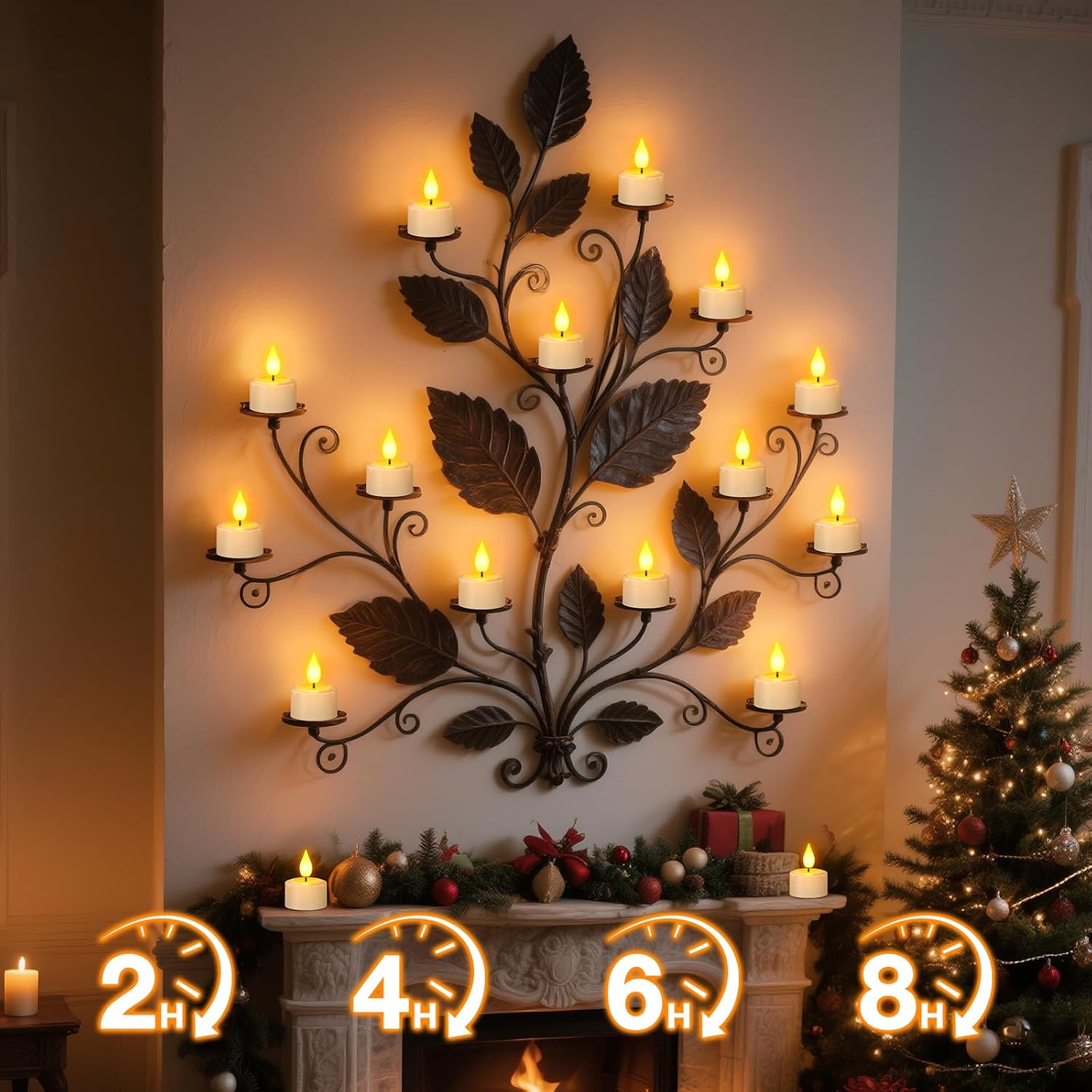
Figure 4: Tea lights demonstrating the timer function, which allows for automatic on/off cycles.
3. Product Demonstration Video
Video 1: This video demonstrates the features and operation of the SoulBay Rechargeable LED Flickering Tea Lights, including remote control functions and charging.
Maintenance
- Cleaning: Wipe the tea lights and remote control with a soft, dry cloth. Do not use abrasive cleaners or immerse in water.
- Storage: When not in use for extended periods, store the tea lights and remote in a cool, dry place. Ensure the tea lights are fully charged before storage to prolong battery life.
- Battery Care: The tea lights contain built-in rechargeable lithium batteries. Avoid overcharging or completely draining the batteries frequently to maintain optimal performance.
Troubleshooting
| Problem | Possible Cause | Solution |
|---|---|---|
| Tea lights do not turn on. | Battery is drained. Power switch is off. | Charge the tea lights fully. Ensure the switch on the base of each tea light is in the 'ON' position. |
| Remote control is not working. | Remote battery is dead or plastic tab not removed. Obstruction between remote and tea lights. | Remove the plastic tab from the remote's battery compartment. Replace the remote battery if necessary. Ensure a clear line of sight between the remote and the tea lights. |
| Tea lights flicker inconsistently or dim quickly. | Low battery. Interference. | Recharge the tea lights. Move tea lights away from other electronic devices that may cause interference. |
Specifications
| Feature | Detail |
|---|---|
| Brand | SoulBay |
| Model Name | LC004R |
| Lamp Type | Rechargeable LED Tea Lights |
| Light Source Type | LED |
| Product Dimensions | 1.57"D x 1.57"W x 2.17"H (4cm D x 4cm W x 5.5cm H) |
| Item Weight | 10.6 ounces (300 Grams) |
| Material | Acrylonitrile Butadiene Styrene |
| Power Source | Corded Electric (USB-C for charging) |
| Voltage | 5 Volts |
| Wattage | 1 watts |
| Special Features | Dimmable, Energy Efficient, Rechargeable, Timer, Remote Control |
| Batteries | 12 Lithium Ion batteries required (included, built-in) |
| Charging Time | 1.5-2 hours |
| Working Time | 24-42 hours (depending on lighting mode) |
| Control Method | Remote |
| Indoor/Outdoor Usage | Indoor |
| Water Resistance Level | Not Water Resistant |

Figure 5: Detailed dimensions and charging port location on the tea light.
Warranty and Support
SoulBay products are manufactured with quality and customer satisfaction in mind. For warranty information, technical support, or any questions regarding your product, please refer to the contact information provided with your purchase or visit the official SoulBay website. Please retain your proof of purchase for warranty claims.
Related documentsLC004R

Ask a question about this manual
Ask about setup, troubleshooting, compatibility, parts, safety, or missing instructions. Manuals+ will review the question and use this page’s manual context to help answer it.