Keychron Q6 Pro Full Aluminum Custom Mechanical Keyboard User Manual
Model: Q6P-M1
1. Introduction
Welcome to the user manual for your Keychron Q6 Pro Full Aluminum QMK/VIA Programmable Knob Bluetooth Custom Mechanical Keyboard. This keyboard is designed to provide an exceptional typing experience with its full-size layout, durable aluminum body, and advanced customization options. It features hot-swappable Keychron K Pro Red mechanical switches, KSA double-shot PBT keycaps, a double-gasket design, screw-in stabilizers, and south-facing RGB backlighting.
The Q6 Pro offers both wireless (Bluetooth 5.1) and wired (USB Type-C) connectivity, making it versatile for various devices including laptops, phones, and tablets. Its QMK/VIA compatibility allows for extensive key remapping and macro creation, powered by an ultra-low-power ARM Cortex-M4 32-bit STM32L432 chip.

Image 1.1: Keychron Q6 Pro Full Aluminum Custom Mechanical Keyboard with a close-up of a red switch.
2. Package Contents
Please verify that all items are present in your package:
- 1x Fully Assembled Keyboard
- 1x Aluminum Case
- 1x PCB (Printed Circuit Board)
- 1x PC Plate
- 1x Sound Absorbing Foam
- 1x Case Foam
- 16x Gaskets (12 Installed and 4 in the Box)
- 8 sets x Stabilizers
- 1 set x Keycaps (Double-Shot KSA PBT)
- 1 set x Switches
- 1x Type-C to Type-C Cable
- 1x Type-A to Type-C Adapter
- 1x Switch Puller
- 1x Keycap Puller
- 1x Screwdriver
- 1x Hex Key

Image 2.1: Visual representation of the Keychron Q6 Pro package contents, including the keyboard, cables, and tools.
3. Setup
3.1 Initial Charging
Before first use, it is recommended to fully charge the keyboard. Connect the provided USB Type-C cable to the keyboard's Type-C port and the other end to a USB power source (e.g., computer, wall adapter). The keyboard contains a 4000 mAh rechargeable Li-polymer battery.
3.2 Wired Connection
To use the keyboard in wired mode, connect the USB Type-C cable from the keyboard to your computer. The keyboard will automatically detect the wired connection. The polling rate in wired mode is 1000 Hz.
3.3 Bluetooth Wireless Connection
The Q6 Pro can connect to up to 3 devices wirelessly via Bluetooth 5.1.
- Ensure the keyboard is charged.
- Toggle the switch on the back of the keyboard to the Bluetooth (BT) mode.
- On your device (laptop, phone, tablet), enable Bluetooth and search for available devices.
- Select "Keychron Q6 Pro" from the list of devices.
- If prompted, enter the pairing code displayed on your screen.
- To switch between paired devices, use the designated function keys (refer to the keyboard layout or QMK/VIA software for specific key combinations). The polling rate in wireless mode is 90 Hz.
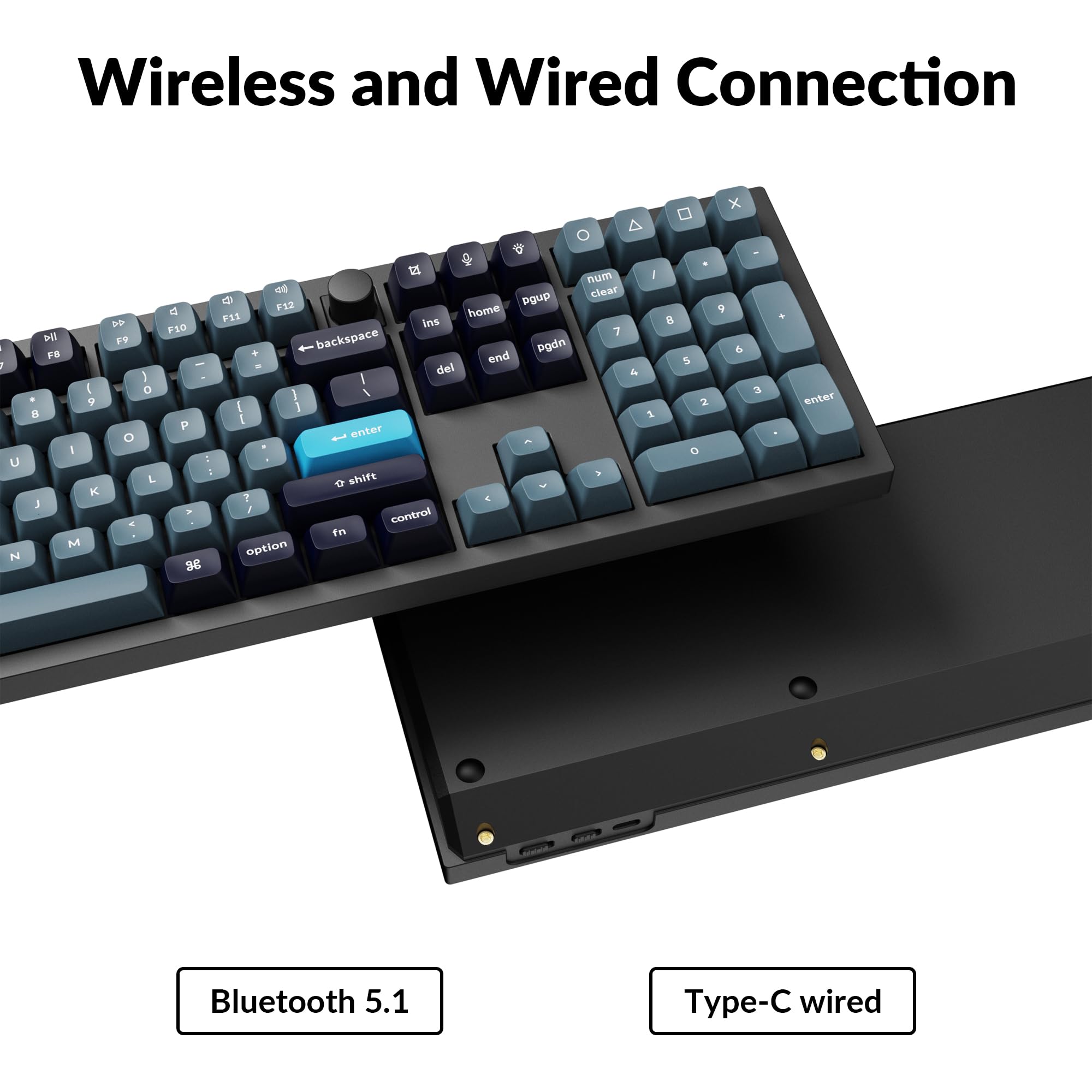
Image 3.1: The USB Type-C port and the wireless/wired mode switch on the Keychron Q6 Pro keyboard.
3.4 Operating System Switch
The keyboard is compatible with both Mac and Windows operating systems. Use the OS switch located on the back of the keyboard to select the appropriate mode for your system. This ensures correct key mapping for modifier keys like Command/Alt.
4. Operating Instructions
4.1 QMK/VIA Customization
The Keychron Q6 Pro supports QMK/VIA firmware, allowing extensive customization of key functions, macros, and lighting effects. To use VIA:
- Download the VIA software from the official Keychron website (www.keychron.com/pages/qmk-via).
- Connect your keyboard to your computer via the USB Type-C cable.
- Launch the VIA application. The software should automatically detect your Q6 Pro keyboard.
- You can now remap any key, create complex macros, and customize lighting settings across multiple layers.

Image 4.1: The VIA software interface demonstrating key remapping and layer management.
4.2 RGB Backlighting
The Q6 Pro features south-facing RGB backlighting with 22 types of preset effects. You can adjust the RGB hue, saturation, brightness, and effect speed directly on the keyboard using specific key combinations (refer to the keyboard's default layout or VIA software for details). These settings can also be remapped via QMK/VIA.
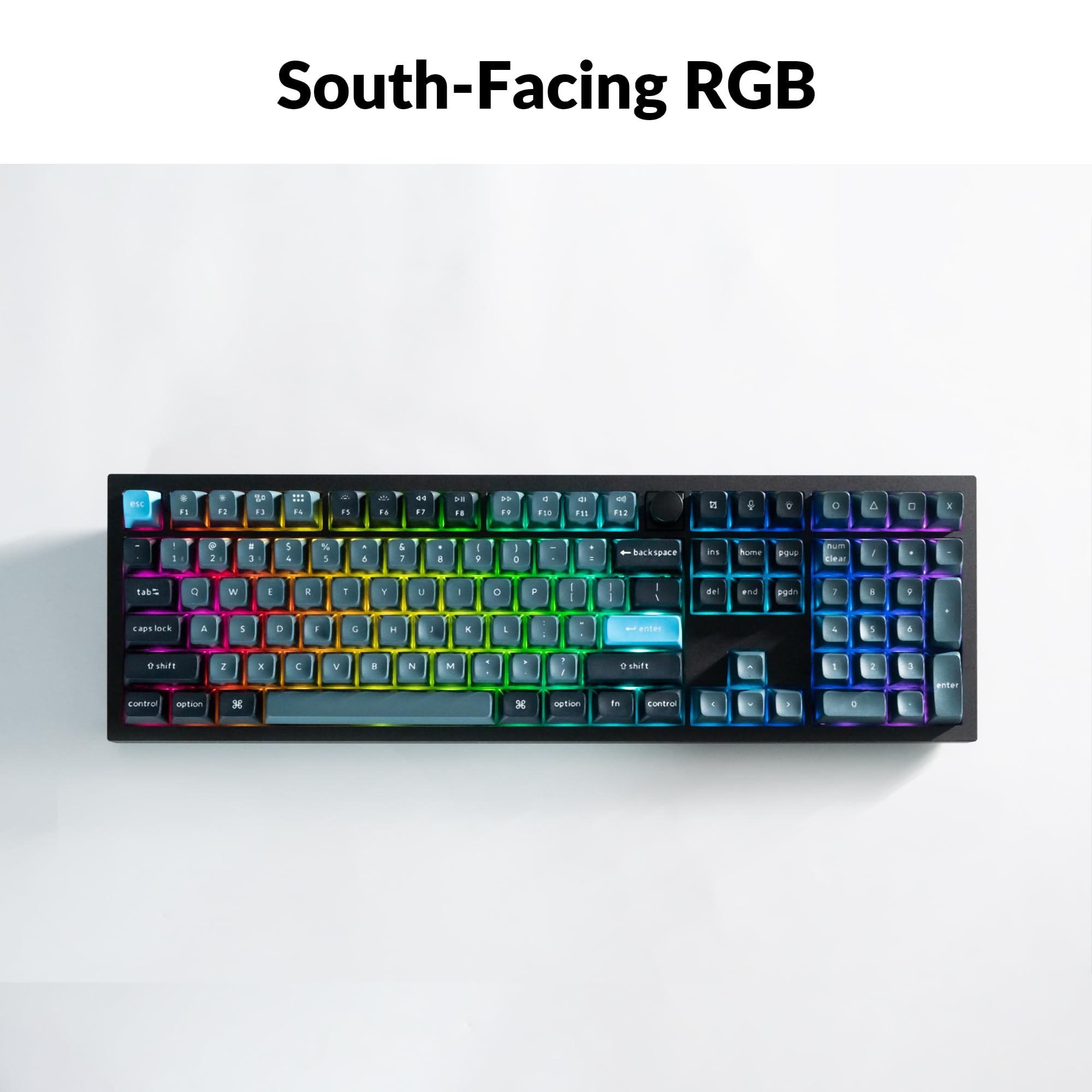
Image 4.2: The Keychron Q6 Pro keyboard illuminated with south-facing RGB backlighting.
4.3 Programmable Knob
The integrated programmable knob typically controls volume by default (turn to adjust, press to mute/unmute). Its function can be fully customized using the QMK/VIA software to perform other actions such as scrolling, zooming, or switching applications.
5. Maintenance
5.1 Cleaning the Keyboard
To maintain optimal performance and appearance, regularly clean your keyboard:
- Keycaps: Use the provided keycap puller to carefully remove keycaps. Clean them with a mild soap solution and a soft cloth, then rinse and dry thoroughly before reattaching.
- Keyboard Body: Use a soft, lint-free cloth, slightly dampened with water or a mild cleaning solution, to wipe down the aluminum case. Avoid excessive moisture.
- Between Keys: Use compressed air to remove dust and debris from between the switches.
5.2 Hot-Swapping Switches
The Q6 Pro features hot-swappable sockets, allowing you to change switches without soldering. It is compatible with most 3-pin and 5-pin MX-style mechanical switches.
- Remove Keycap: Use the keycap puller to gently remove the desired keycap.
- Remove Switch: Use the switch puller to carefully grip the top and bottom clips of the switch and pull it straight up.
- Install New Switch: Align the pins of the new switch with the holes on the PCB. Ensure the pins are straight to avoid bending. Press the switch firmly until it clicks into place.
- Reattach Keycap: Place the keycap onto the new switch stem and press down gently.
Always ensure the keyboard is disconnected from power before hot-swapping switches to prevent damage.
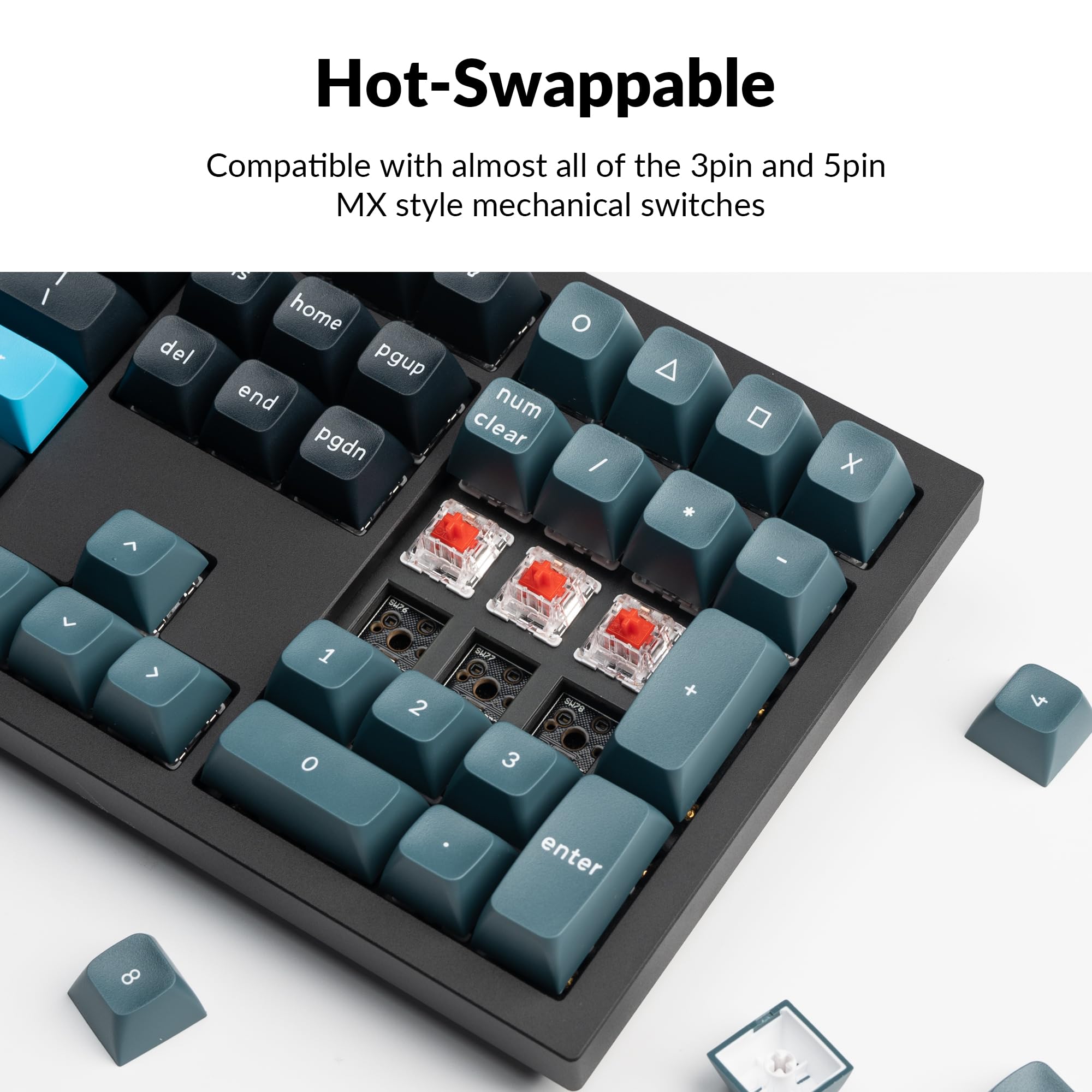
Image 5.1: Demonstrating the hot-swappable feature of the Keychron Q6 Pro, showing switches being removed and inserted.
6. Troubleshooting
6.1 Keyboard Not Responding
- Wired Mode: Ensure the USB-C cable is securely connected to both the keyboard and the computer. Try a different USB port or cable.
- Wireless Mode: Check if the keyboard is charged. Ensure Bluetooth is enabled on your device and the keyboard is in Bluetooth mode. Try re-pairing the keyboard.
- OS Switch: Verify the OS switch on the back of the keyboard is set to the correct operating system (Mac/Windows).
6.2 Bluetooth Connectivity Issues
- Interference: Move the keyboard closer to your device and away from other wireless devices that might cause interference.
- Device Limit: The keyboard supports up to 3 paired devices. If you're trying to connect a fourth, you may need to unpair one of the existing connections.
- Re-pairing: Remove "Keychron Q6 Pro" from your device's Bluetooth list and attempt to pair again.
6.3 Keys Not Registering or Double-Typing
- Switch Issue: This might indicate a faulty switch. Use the switch puller to remove the problematic switch and replace it with a spare or a known working switch.
- Debris: Check for any debris under the keycap or around the switch stem.
6.4 RGB Backlight Not Working
- Brightness: Ensure the backlight brightness is not set to minimum. Adjust using the keyboard's function keys.
- Software: If using VIA, check the lighting settings within the software.
7. Specifications

Image 7.1: Detailed technical specifications for the Keychron Q6 Pro keyboard.
Keychron Q6 Pro Technical Specifications| Feature | Detail |
|---|
| Model | Q6P-M1 |
| Dimensions (L x W x H) | 17.56 x 5.39 x 1.28 inches (446 x 137 x 32.6 mm) |
| Weight | 6.69 pounds (3034 g) |
| Body Material | Full CNC machined aluminum |
| Keycaps | KSA double-shot PBT (not shine-through) |
| Switches | Keychron K Pro Red Mechanical Switches (Hot-swappable) |
| Backlight | South-facing RGB LED |
| Connectivity | Bluetooth 5.1 / USB Type-C wired |
| Polling Rate | 1000 Hz (wired) / 90 Hz (wireless) |
| Battery | 4000 mAh Rechargeable Li-polymer battery |
| Battery Life (Backlight off) | Up to 300 hours |
| Battery Life (RGB) | Up to 100 hours (lowest brightness) |
| Compatible Systems | macOS/Windows/Linux |
| MCU | Ultra-low-power ARM Cortex-M4 32-bit STM32L432 (128KB Flash) |
| N-Key Rollover (NKRO) | Yes (both wireless and wired modes) |
| Operating Environment | -10 to 50°C |
8. Warranty and Support
Keychron products are manufactured with high-quality standards. For warranty information, technical support, or to access additional resources (such as firmware updates or VIA keymap files), please visit the official Keychron website:
www.keychron.com
You may also consider purchasing extended protection plans for your device. Details on available protection plans can be found where you purchased the product or through authorized retailers.


