Introduction
Welcome to the Fire-Boltt Ninja Call Pro Max Smart Watch. This manual provides essential information and instructions to help you get started and make the most of your device's features, including its 51.05mm (2.01 inch) HD display, Bluetooth calling, extensive sports modes, and comprehensive health suite.
What's in the Box
- 1U Smartwatch
- 1U Charging Cable
- 1U Warranty Card

Image: Contents of the Fire-Boltt Ninja Call Pro Max Smart Watch box, including the smartwatch, charging cable, and user manual.
Setup
1. Charging the Device
Before initial use, fully charge your Fire-Boltt Ninja Call Pro Max Smart Watch. Connect the provided charging cable to the watch's charging port and a compatible USB power source (a 3.7V to 5V adapter or a laptop USB port). The watch requires approximately 2 hours to reach a full 100% charge.

Image: The Fire-Boltt Ninja Call Pro Max Smart Watch connected to its charging cable.
2. Pairing with Your Smartphone
- Download the official Fire-Boltt application from your smartphone's app store (available for Android and iOS).
- Ensure Bluetooth is enabled on your smartphone.
- Open the Fire-Boltt app and follow the on-screen instructions to search for and connect to your Ninja Call Pro Max Smart Watch.
- Confirm the pairing request on both your phone and the smartwatch.
Operating Your Smart Watch
Display and Navigation
The watch features a 51.05mm (2.01 inch) HD display with 240*296 pixels resolution and 320 NITS Peak Brightness. Navigate through menus and features by swiping across the screen and tapping icons. The watch supports multiple watch faces, which can be customized via the companion app.

Image: The Fire-Boltt Ninja Call Pro Max Smart Watch showcasing its large 2.01-inch HD display with a vibrant image.

Image: A selection of multiple watch faces available for the Fire-Boltt Ninja Call Pro Max Smart Watch.
Bluetooth Calling
With Bluetooth calling, you can make and receive calls directly from your wrist. Ensure your watch is connected to your smartphone via Bluetooth. The watch features an in-built microphone and speaker for clear audio during calls.
- Making Calls: Access the dial pad, recent calls, or contact list directly from the watch interface.
- Receiving Calls: Answer or reject incoming calls with a tap on the watch screen.

Image: The Fire-Boltt Ninja Call Pro Max Smart Watch showing its Bluetooth calling interface, including dial pad and call logs.
Health Monitoring
The watch includes a comprehensive health suite to help you monitor your well-being.
- Heart Rate Tracking: Monitors your heart rate throughout the day.
- SpO2 Monitoring: Measures your blood oxygen saturation levels.
- Sleep Monitoring: Tracks your sleep patterns, including restful and light sleep stages.
- Steps & Calories Count: Records your daily steps and estimated calorie burn.
- Breath Training: Guided breathing exercises for relaxation.
- Female Health Care: Provides cycle tracking and prediction features.
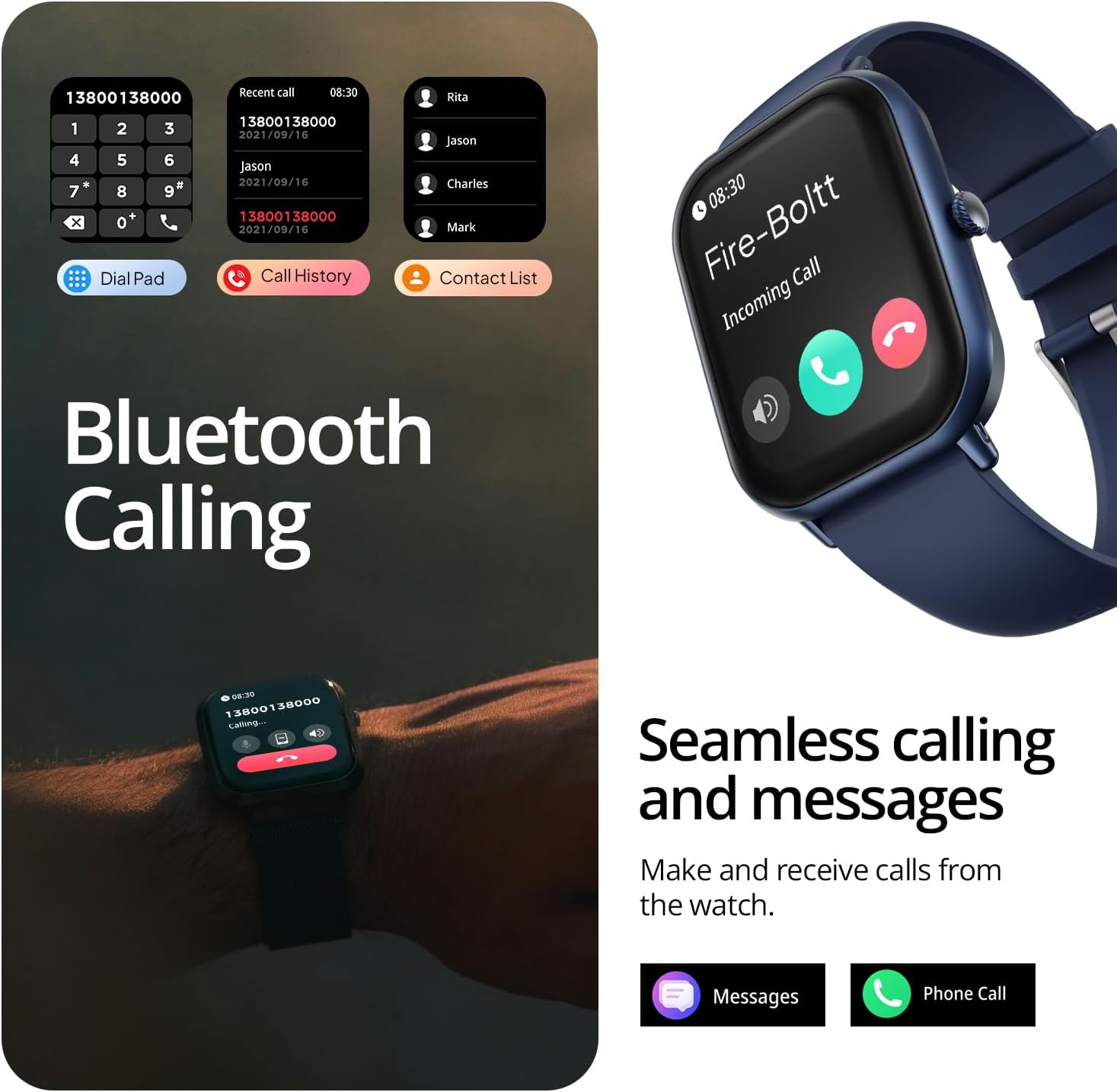
Image: The Fire-Boltt Ninja Call Pro Max Smart Watch showing its health assistant features, including heart rate and SpO2 monitoring.
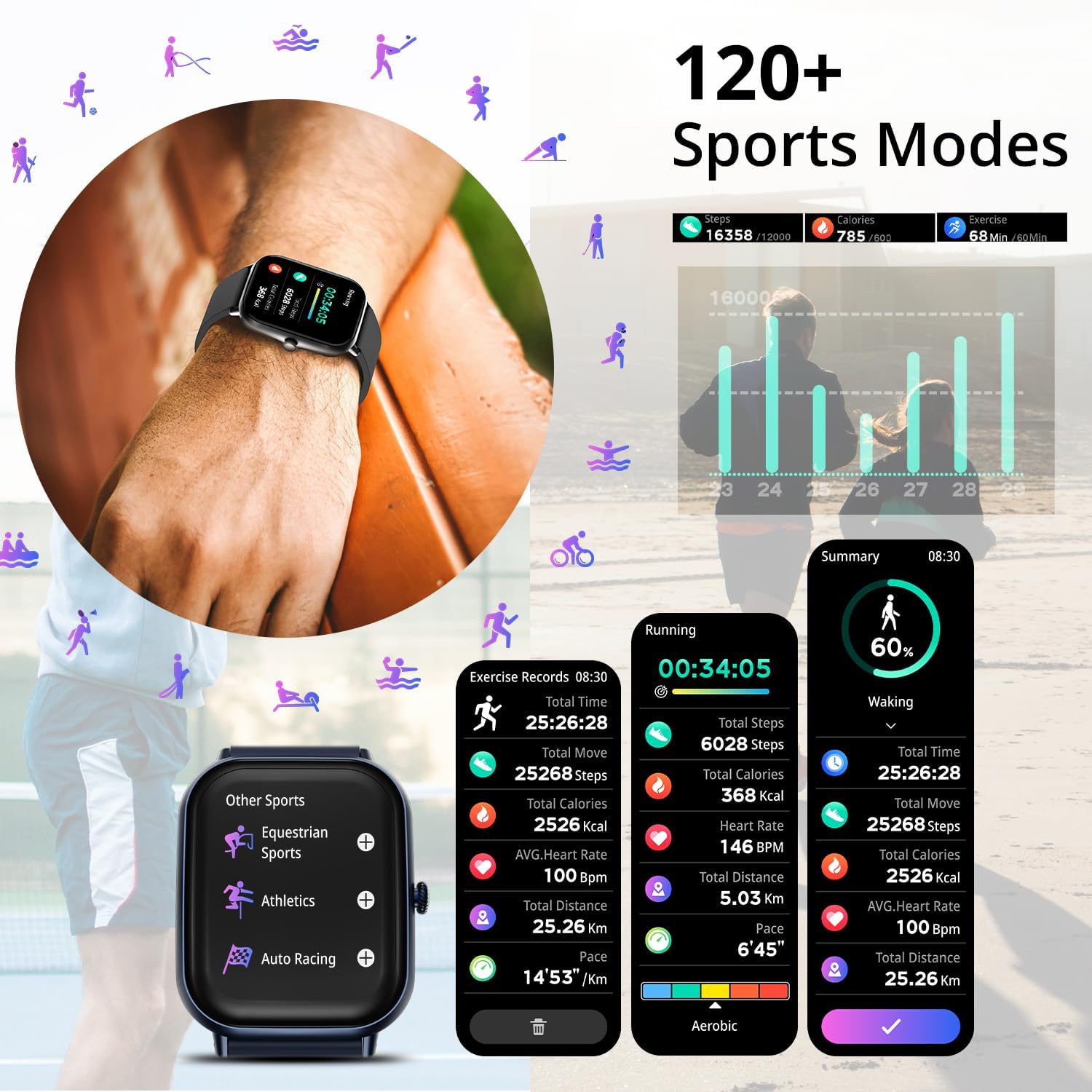
Image: The Fire-Boltt Ninja Call Pro Max Smart Watch displaying sleep monitoring data, including sleep duration and quality.

Image: The Fire-Boltt Ninja Call Pro Max Smart Watch showing its female health care tracking interface.
120+ Sports Modes
The watch supports over 120 sports modes, providing detailed tracking and insights for various physical activities. Select your activity to monitor metrics such as steps, calories burned, distance, heart rate, and pace.

Image: The Fire-Boltt Ninja Call Pro Max Smart Watch showing its 120+ sports modes and detailed exercise records.
Smart Features
- Voice Assistant: Activate your phone's voice assistant (Siri or Google Assistant) directly from the watch.
- Camera Control: Use your watch as a remote shutter for your smartphone camera.
- Music Control: Control music playback on your smartphone (play, pause, skip tracks). Note: Music cannot be stored on the watch, and volume cannot be controlled directly from the watch.
- Weather Updates: Get real-time weather forecasts.
- Smart Notifications: Receive alerts for SMS, emails, and social media directly on your wrist.
- Inbuilt Games: Enjoy simple games directly on your watch.
- Drink Water Reminder: Set reminders to stay hydrated.
- Sedentary Reminder: Get alerts when you've been inactive for too long.
- Adjust Brightness: Customize screen brightness for optimal viewing.
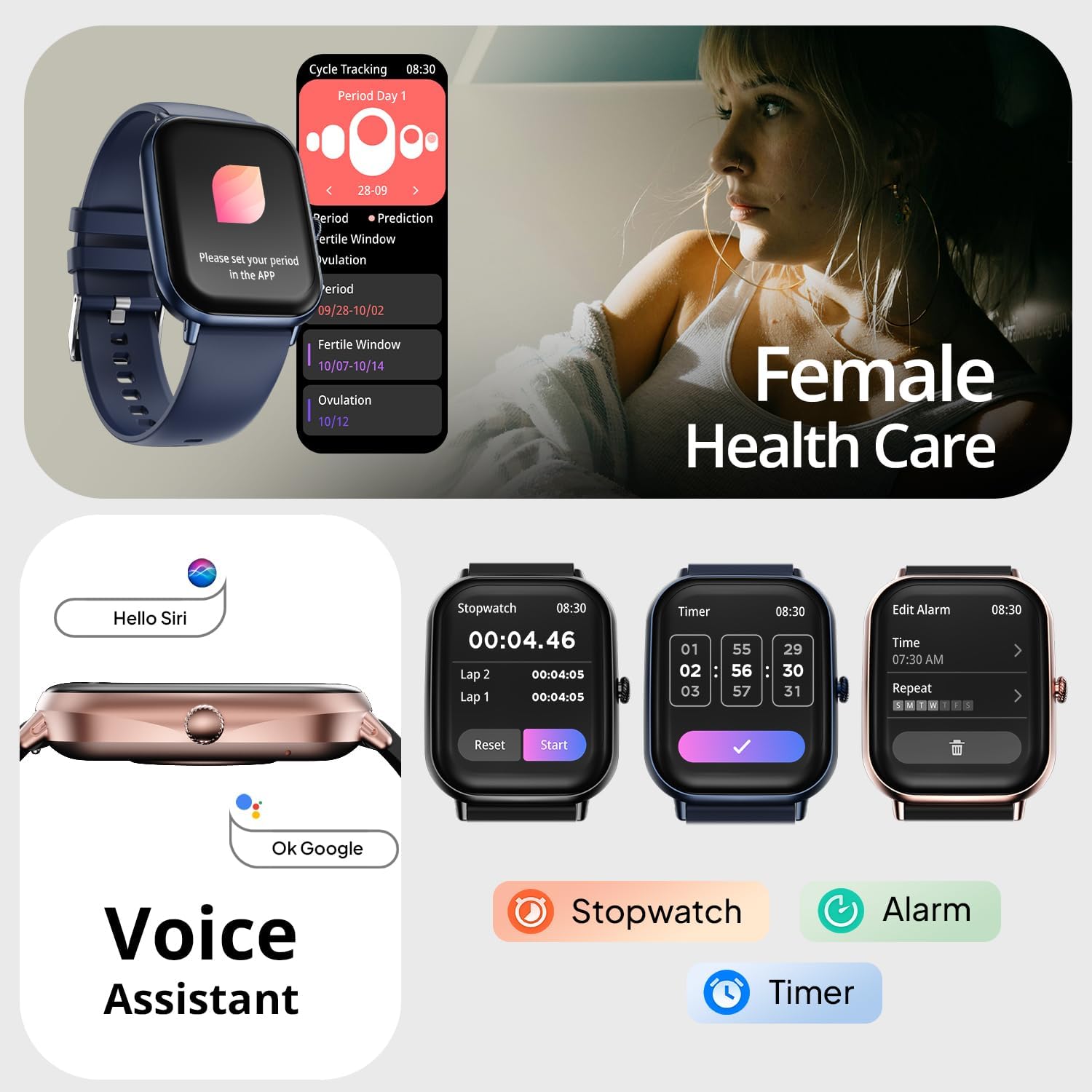
Image: The Fire-Boltt Ninja Call Pro Max Smart Watch showing its voice assistant, stopwatch, timer, and alarm functions.

Image: The Fire-Boltt Ninja Call Pro Max Smart Watch demonstrating weather updates, camera control, and music control.
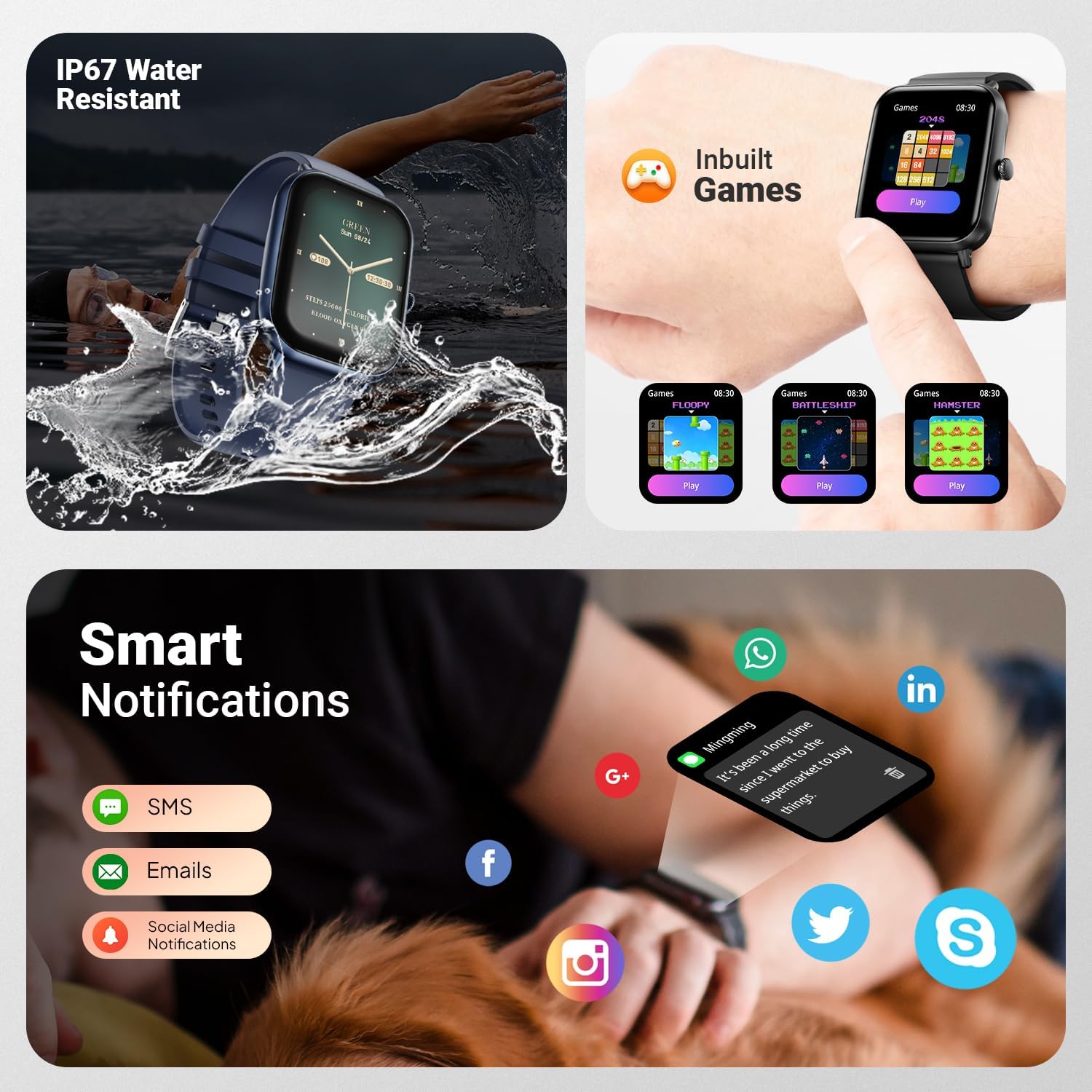
Image: The Fire-Boltt Ninja Call Pro Max Smart Watch highlighting IP67 water resistance, inbuilt games, and smart notifications.

Image: The Fire-Boltt Ninja Call Pro Max Smart Watch showing battery life information and additional smart features.
Maintenance
Cleaning Your Smart Watch
Regularly clean your watch and strap to prevent skin irritation and maintain device performance. Use a soft, damp cloth to wipe the screen and body. For the strap, follow the manufacturer's recommendations for the specific material.
Water Resistance (IP67)
The Fire-Boltt Ninja Call Pro Max Smart Watch is IP67 water-resistant. This means it is protected against dust and can withstand immersion in water up to 1 meter for up to 30 minutes. It is suitable for daily use and activities like hand washing or light rain. Avoid prolonged immersion, hot water, or exposure to high-pressure water jets.
Troubleshooting
- Watch not turning on: Ensure the watch is fully charged. Connect it to the charger for at least 30 minutes.
- Cannot pair with smartphone:
- Ensure Bluetooth is enabled on your phone and the watch.
- Make sure the watch is within range of your phone.
- Restart both your phone and the watch.
- Try unpairing and re-pairing through the Fire-Boltt app.
- Inaccurate health data: Ensure the watch is worn snugly on your wrist, not too tight or too loose. Clean the sensors regularly.
- Touch screen unresponsive: Restart the watch. If the issue persists, ensure the screen is clean and dry.
- Short battery life: Reduce screen brightness, disable unnecessary notifications, and limit continuous heart rate monitoring if not needed.
If you encounter persistent issues, refer to the official Fire-Boltt support resources or contact customer service.
Specifications
| Feature | Detail |
|---|---|
| Model Number | BSW053 |
| Display Size | 51.05mm (2.01 inches) |
| Resolution | 240*296 pixels |
| Peak Brightness | 320 NITS |
| Connectivity | Bluetooth |
| Battery Capacity | 230 Milliamp Hours |
| Charging Time | Approx. 2 hours |
| Typical Usage Battery Life | Up to 7 days |
| Standby Time | Up to 15 days |
| Water Resistance | IP67 |
| Operating System Compatibility | Android, iOS |
| Item Weight | 46 Grams (1.62 ounces) |
| Product Dimensions | 1.69 x 1.96 x 1.3 inches |
Warranty and Support
Your Fire-Boltt Ninja Call Pro Max Smart Watch comes with a warranty. Please register your product to activate your warranty and access support services.
For warranty registration and further support, please visit: rewardz.fireboltt.com/Registerwarranty

Image: Fire-Boltt warranty card with instructions for online registration.