
Introduction
This manual provides instructions for the ALLIMITY T4HU1608/35k IR Replacement Remote Control. This remote is designed as a direct replacement for specific Optimum Cablevision remote control models, including T4HU1608/35k and T4HU1714/36k. It operates using infrared (IR) technology and does not feature voice control functionality.
The remote is ready for use upon battery installation and does not require any programming for compatible devices.

Image: Front view of the ALLIMITY T4HU1608/35k IR Replacement Remote Control, showcasing all buttons and its ergonomic design.
Setup
Battery Installation
- Locate the battery compartment on the back of the remote control.
- Slide the battery compartment cover downwards or outwards to open it.
- Insert two (2) 1.5V AAA alkaline batteries, ensuring the positive (+) and negative (-) terminals align correctly with the markings inside the compartment.
- Replace the battery compartment cover by sliding it back into position until it clicks securely.
Once batteries are installed, the remote control is ready for immediate use with compatible Optimum Cablevision devices. No additional setup or programming is required.

Image: Rear view of the remote control with the battery compartment open, showing the slots for two AAA batteries.
Operating Instructions
This remote control provides standard functions for navigating and controlling your Optimum Cablevision device. Familiarize yourself with the button layout for optimal use.
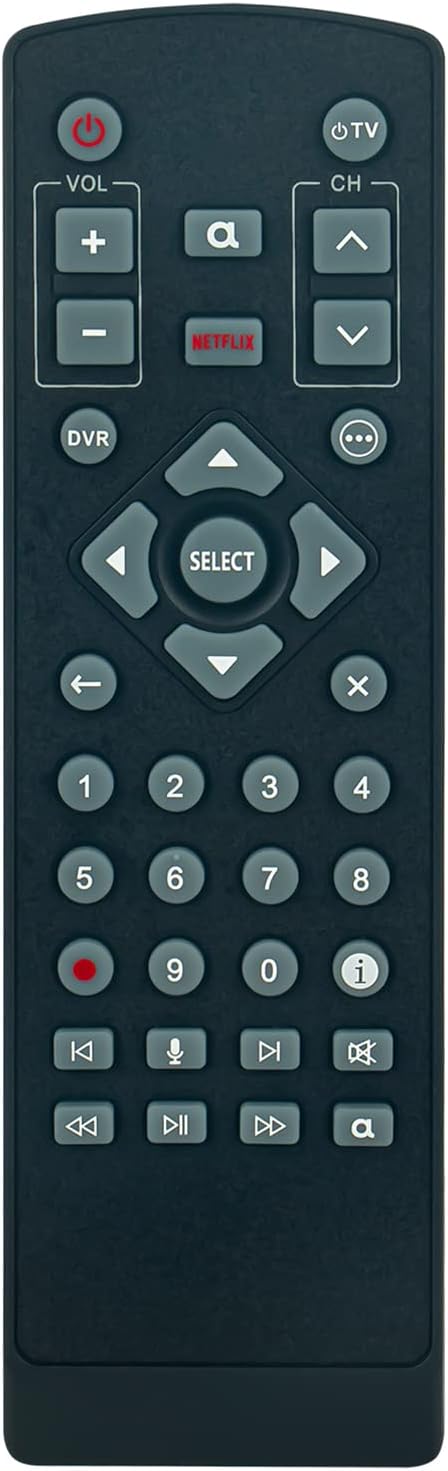
Image: Close-up front view of the remote control, highlighting the arrangement and labels of all buttons.
Key Functions:
- Power (Red Button): Turns the connected device on or off.
- TV Power (Top Right): Controls the power for your television.
- VOL +/-: Adjusts the volume level.
- CH +/-: Changes channels up or down.
- Number Pad (0-9): Directly enters channel numbers or other numerical inputs.
- Navigation Pad (Arrows & SELECT): Used to navigate menus and select options.
- DVR: Accesses Digital Video Recorder functions.
- NETFLIX: Direct access button for the Netflix application.
- Playback Controls (Rewind, Play/Pause, Fast Forward, Stop, Record): Controls media playback.
- Info (i): Displays program information.
- Back (Arrow Left): Returns to the previous screen or menu.
- Exit (X): Exits current menu or application.
Note: This remote control does not support voice command functions, as indicated by the product description. The microphone button on the remote is non-functional for this model.
Maintenance
Cleaning the Remote
- Use a soft, dry cloth to wipe the surface of the remote control.
- For stubborn dirt, slightly dampen the cloth with water or a mild, non-abrasive cleaner. Ensure no liquid enters the remote's interior.
- Avoid using harsh chemicals, solvents, or abrasive cleaning materials, as these can damage the remote's finish or internal components.
Battery Replacement
- Replace batteries when the remote's performance degrades or if it stops responding.
- Always replace both batteries simultaneously with new 1.5V AAA alkaline batteries.
- Do not mix old and new batteries, or different types of batteries.
- Remove batteries if the remote will not be used for an extended period to prevent leakage.
Troubleshooting
Remote Not Responding
- Check Batteries: Ensure batteries are inserted correctly with the correct polarity (+/-). Replace with fresh 1.5V AAA alkaline batteries.
- Line of Sight: Confirm there is a clear line of sight between the remote's IR emitter and the device's IR receiver. Obstructions can block the signal.
- Distance: Ensure you are within the effective operating range of the remote control.
- Device Compatibility: Verify that your device is one of the compatible Optimum Cablevision models (T4HU1608/35k, T4HU1714/36k). This remote is a direct replacement and is not universally programmable for other devices.
No Programming Required
This ALLIMITY remote control is designed as a direct replacement and does not require any programming steps for the specified Optimum Cablevision models. If you are attempting to program it for a different television or device, this remote may not be compatible or may lack the necessary programming features. It functions as an infrared (IR) replacement for the original remote.
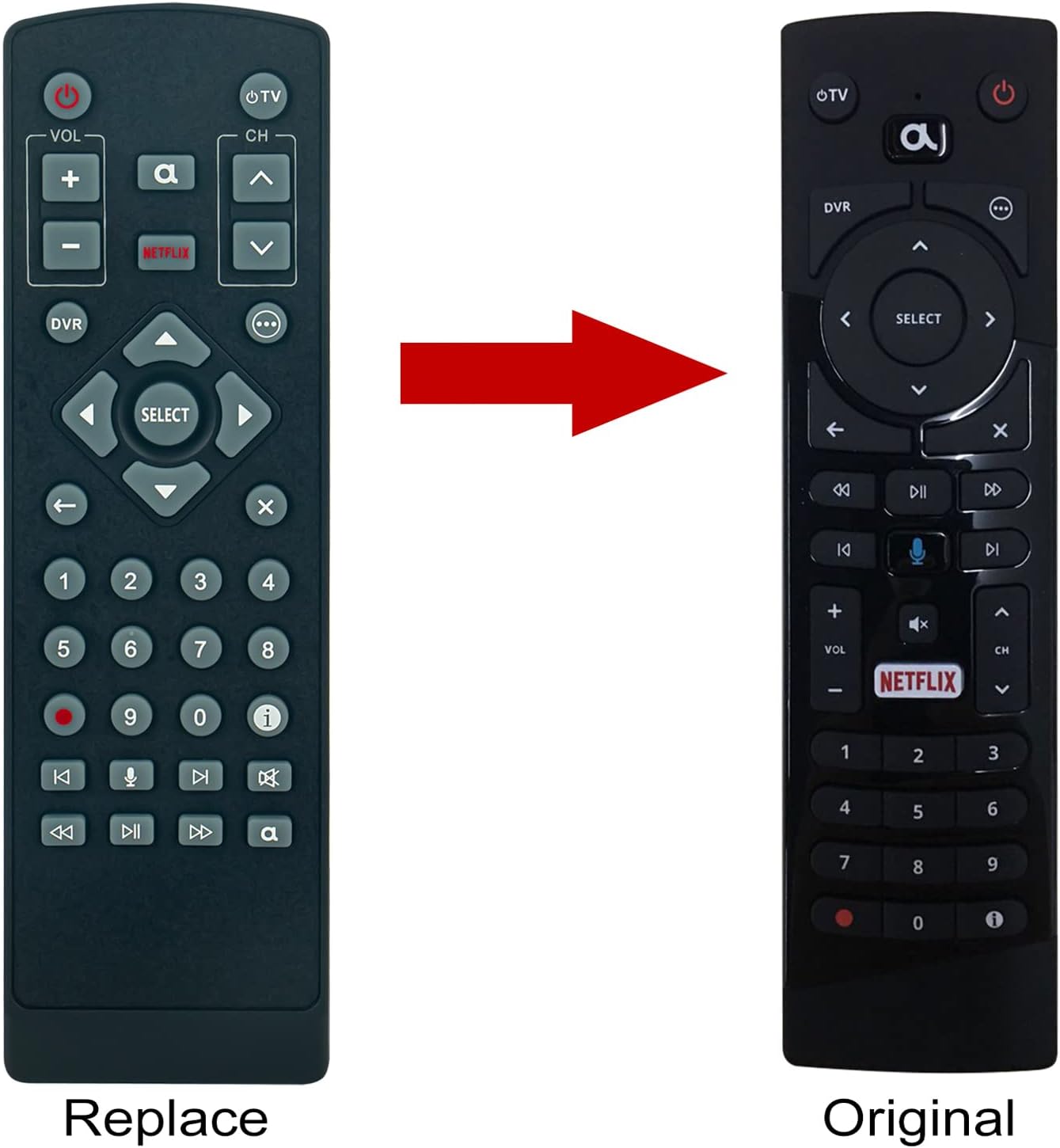
Image: A visual comparison showing the ALLIMITY replacement remote on the left and an original Optimum Cablevision remote on the right, indicating the replacement functionality.
Specifications
| Brand | ALLIMITY |
| Model Number | T4HU1608/35k (Item Model Number: CV-T4HU1608-SH) |
| Compatible Models | Optimum Cablevision T4HU1608/35k, T4HU1714/36k |
| Connectivity Technology | Infrared (IR) |
| Power Supply | 2 x 1.5V AAA Batteries (not included) |
| Special Feature | No Programming Required |
| Voice Function | Not Supported |
| Product Dimensions | 6.5 x 1.38 x 0.72 inches |
| Item Weight | 2 ounces |
Warranty Information
Specific warranty details for the ALLIMITY T4HU1608/35k IR Replacement Remote Control are not provided in the available product information. For warranty inquiries, please refer to the product packaging or contact the manufacturer directly.
Support
For further assistance or technical support regarding your ALLIMITY T4HU1608/35k IR Replacement Remote Control, please contact the manufacturer, ALLIMITY. Contact information may be available on the product packaging or their official website.