
Zilan ZLN1314
Zilan Air Cooler ZLN1314 Instruction Manual
Model: ZLN1314
Introduction
Thank you for choosing the Zilan Air Cooler ZLN1314. This appliance is designed to provide cooling, purification, and humidification for your indoor environment. It features an intuitive LED touch panel, a convenient remote control, three fan speeds, an oscillation function, and a large 7-liter water tank. Please read this manual carefully before operating the device to ensure safe and efficient use.
Important Safety Instructions
- Read all instructions before using the appliance.
- Ensure the power supply voltage matches the rating label on the appliance.
- Do not immerse the appliance, cord, or plug in water or other liquids.
- Unplug from the outlet when not in use, before cleaning, or before moving.
- Do not operate any appliance with a damaged cord or plug, or after the appliance malfunctions or has been damaged in any manner.
- Keep the appliance out of reach of children.
- Place the appliance on a stable, flat surface to prevent tipping.
- Do not block air inlets or outlets.
- Only use the appliance for its intended household purpose.
Product Overview
The Zilan Air Cooler ZLN1314 is a versatile unit designed for air cooling, purification, and humidification. It features a compact design with integrated wheels for easy portability.

Figure 1: Front view of the Zilan Air Cooler ZLN1314, showing the main air outlet and control panel.

Figure 2: Side view of the Zilan Air Cooler ZLN1314, highlighting its portable design with wheels.
Key Components:
- Control Panel: LED touch panel for operating functions.
- Air Outlet: Front grille for air distribution.
- Water Tank: Removable 7-liter tank for water and ice packs.
- Air Filter/Honeycomb Cooling Element: Located at the rear for air purification and cooling.
- Wheels: Four caster wheels for easy movement.
- Remote Control: For convenient operation from a distance.
Setup
1. Unpacking and Placement
- Carefully remove the air cooler from its packaging.
- Place the unit on a firm, level surface. Ensure there is at least 20 cm of clear space around the unit for proper airflow.
- Ensure the power cord is not pinched or damaged.
2. Filling the Water Tank and Adding Ice Packs
For cooling and humidification functions, the water tank must be filled. The unit comes with 4 ice packs to enhance cooling performance.
- Pull out the water tank from the bottom rear of the unit.
- Fill the water tank with clean water. Do not exceed the 'MAX' level indicator and ensure it is above the 'MIN' level.
- For enhanced cooling, place the provided ice packs in a freezer until completely frozen. Once frozen, place them into the water tank.
- Carefully push the water tank back into the unit until it clicks into place.

Figure 3: Water tank with clear MIN and MAX fill indicators. Ensure water level is between these marks.
3. Power Connection
Plug the power cord into a suitable electrical outlet. The unit will enter standby mode.
Operating Instructions
The Zilan Air Cooler can be operated using the LED touch panel on top of the unit or the included remote control.

Figure 4: Top-mounted LED touch control panel with various function icons.
Control Panel Functions:
- Power Button (⏻): Turns the unit ON or OFF.
- Speed Button (☰): Selects fan speed (Low, Medium, High).
- Mode Button (M): Cycles through operating modes (Normal, Natural, Sleep).
- Cooling/Humidification Button (☔): Activates or deactivates the water pump for cooling/humidification.
- Oscillation Button (⇆): Starts or stops the automatic horizontal oscillation of the air vents.
- Timer Button (⏱): Sets the operating timer from 1 to 12 hours.
Using the Remote Control:
The remote control duplicates all functions available on the LED touch panel, allowing for convenient operation from a distance. Ensure batteries are correctly inserted.
Maintenance
Regular cleaning and maintenance will ensure the longevity and optimal performance of your Zilan Air Cooler.
1. Cleaning the Exterior
- Always unplug the unit before cleaning.
- Wipe the exterior surfaces with a soft, damp cloth. Do not use abrasive cleaners or solvents.
- Ensure no water enters the control panel or other electrical parts.
2. Cleaning the Water Tank
- Remove the water tank as described in the Setup section.
- Empty any remaining water.
- Clean the inside of the tank with a mild detergent and rinse thoroughly with clean water.
- Allow the tank to air dry completely before reinserting.
3. Cleaning the Air Filter / Honeycomb Cooling Element
The air filter and honeycomb cooling element should be cleaned regularly (e.g., every two weeks, depending on usage) to maintain air quality and cooling efficiency.
- Unplug the air cooler from the power outlet.
- Locate the air filter panel at the rear of the unit.
- Carefully remove the filter panel and the honeycomb cooling element.
- Rinse the filter and honeycomb element under running water to remove dust and debris. For stubborn dirt, use a soft brush and mild detergent.
- Allow both components to dry completely in a shaded, well-ventilated area before reassembling. Do not expose to direct sunlight.
- Reinsert the honeycomb cooling element and then the air filter panel.
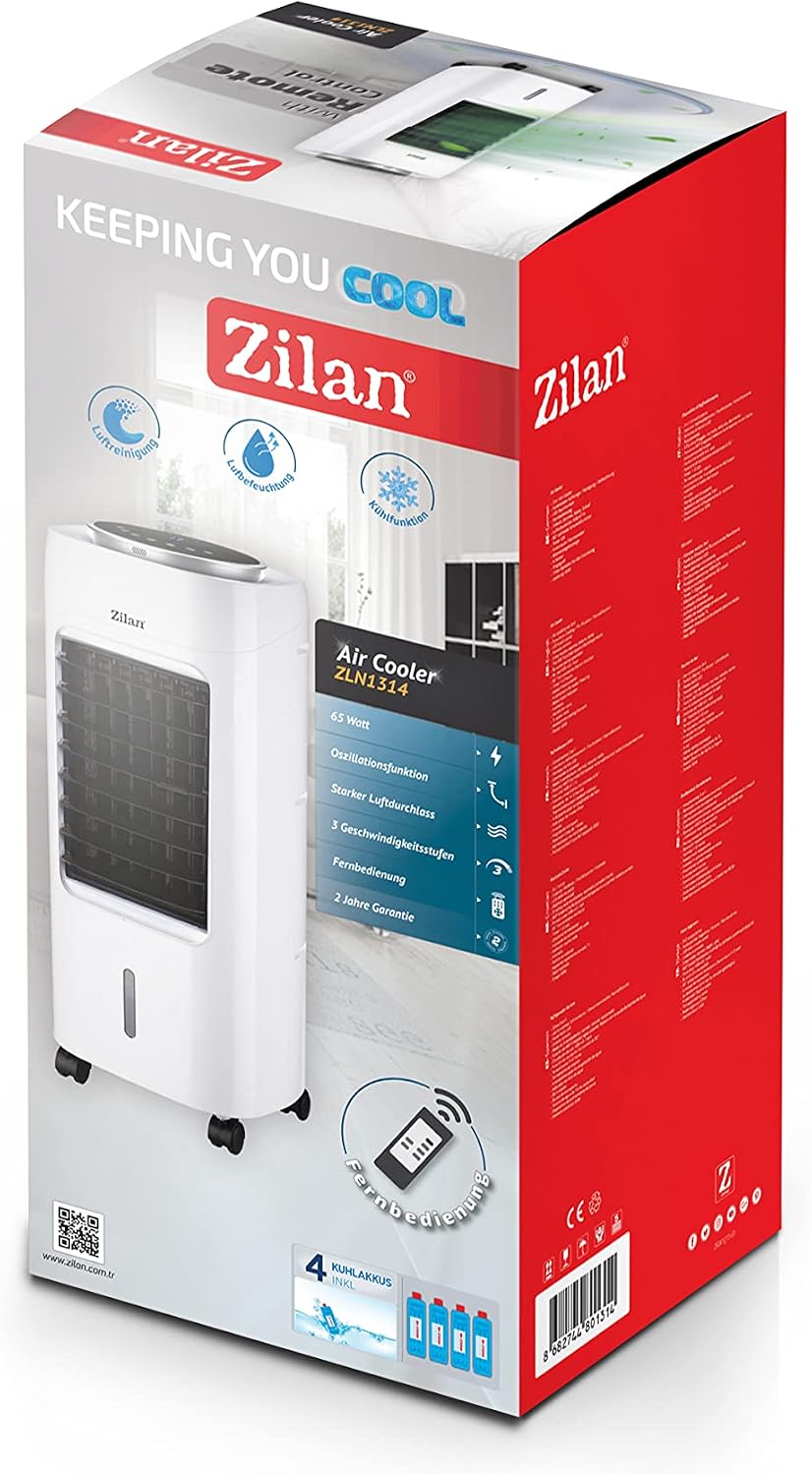
Figure 5: Rear view of the air cooler, showing the removable air filter and access to the honeycomb cooling element.
4. Storage
If the unit will not be used for an extended period, ensure it is clean and dry. Store it in a cool, dry place, preferably in its original packaging.
Troubleshooting
Before contacting customer support, please refer to the following troubleshooting guide for common issues.
| Problem | Possible Cause | Solution |
|---|---|---|
| Unit does not turn on. | No power supply. Power button not pressed. | Check if the power cord is securely plugged into a working outlet. Press the Power button on the control panel or remote. |
| No cooling effect. | Water tank is empty. Cooling/Humidification function is off. Ice packs not used or not frozen. | Fill the water tank to the appropriate level. Activate the Cooling/Humidification function. Freeze and add ice packs to the water tank. |
| Weak airflow. | Air filter is dirty. Air inlets/outlets are blocked. | Clean the air filter and honeycomb cooling element. Ensure there are no obstructions around the unit. |
| Unusual noise. | Unit is not on a level surface. Foreign object inside. | Place the unit on a stable, flat surface. Unplug and check for any foreign objects. If noise persists, contact support. |
Specifications
| Model Number | ZLN1314 |
| Brand | Zilan |
| Functions | Cooling, Purification, Humidification |
| Power | 65 Watts |
| Water Tank Capacity | 7 Liters |
| Dimensions (L x W x H) | 31 x 31 x 76 cm |
| Weight | 7.5 Kilograms |
| Control Type | LED Touch Panel, Remote Control |
| Fan Speeds | 3 (Low, Medium, High) |
| Timer | 1-12 Hours |
| Special Features | Oscillation function, Portable (with wheels), Internal thermometer, Honeycomb cooling element, 4 Ice packs included |
| Material | Plastic |
| Color | White |
Warranty and Support
For warranty information, please refer to the documentation provided with your purchase or contact your retailer. Zilan aims to provide reliable products and customer satisfaction.
If you encounter issues not covered in the troubleshooting section, please contact the retailer where you purchased the product or visit the official Zilan website for support.
Related documentsZLN1314


Ask a question about this manual
Ask about setup, troubleshooting, compatibility, parts, safety, or missing instructions. Manuals+ will review the question and use this page’s manual context to help answer it.