
1. Introduction
Thank you for choosing the Smof LK06 Bone Conduction Headphones. These open-ear wireless headphones utilize bone conduction technology to transmit sound, allowing you to remain aware of your surroundings while enjoying audio. Designed for comfort and durability, they are suitable for various activities.
Key Features:
- Open-Ear Design: Ensures situational awareness and comfort, preventing discomfort associated with in-ear headphones.
- Bone Conduction Technology: Delivers audio through your cheekbones, leaving your ears open.
- Bluetooth 5.3: Provides stable and fast wireless connectivity.
- IPX6 Waterproof: Resistant to sweat and splashes, ideal for sports and outdoor activities (not suitable for swimming).
- Long Battery Life: Up to 10 hours of music/talk time on a single charge.
- Lightweight and Flexible: Made from memory titanium alloy, bendable for secure fit and portability.
2. Package Contents
Please check the package for the following items:
- Smof LK06 Bone Conduction Headphones x 1
- USB Type-C Charging Cable x 1
- User Manual x 1

Image Description: An image displaying the contents of the Smof LK06 Bone Conduction Headphones package. It shows the retail box, the black bone conduction headphones, a USB Type-C charging cable, and a user manual booklet.
3. Product Overview
Familiarize yourself with the components of your Smof LK06 headphones.

Image Description: A clear, front-facing view of the black Smof LK06 Bone Conduction Headphones. The headphones feature an open-ear design with transducers resting near the temples and a flexible band connecting them behind the head. A control button is visible on one of the earpieces.
The headphones are designed to be lightweight and flexible, conforming to the shape of your head for a secure fit during various activities. The main control button is typically located on one of the transducers for easy access.
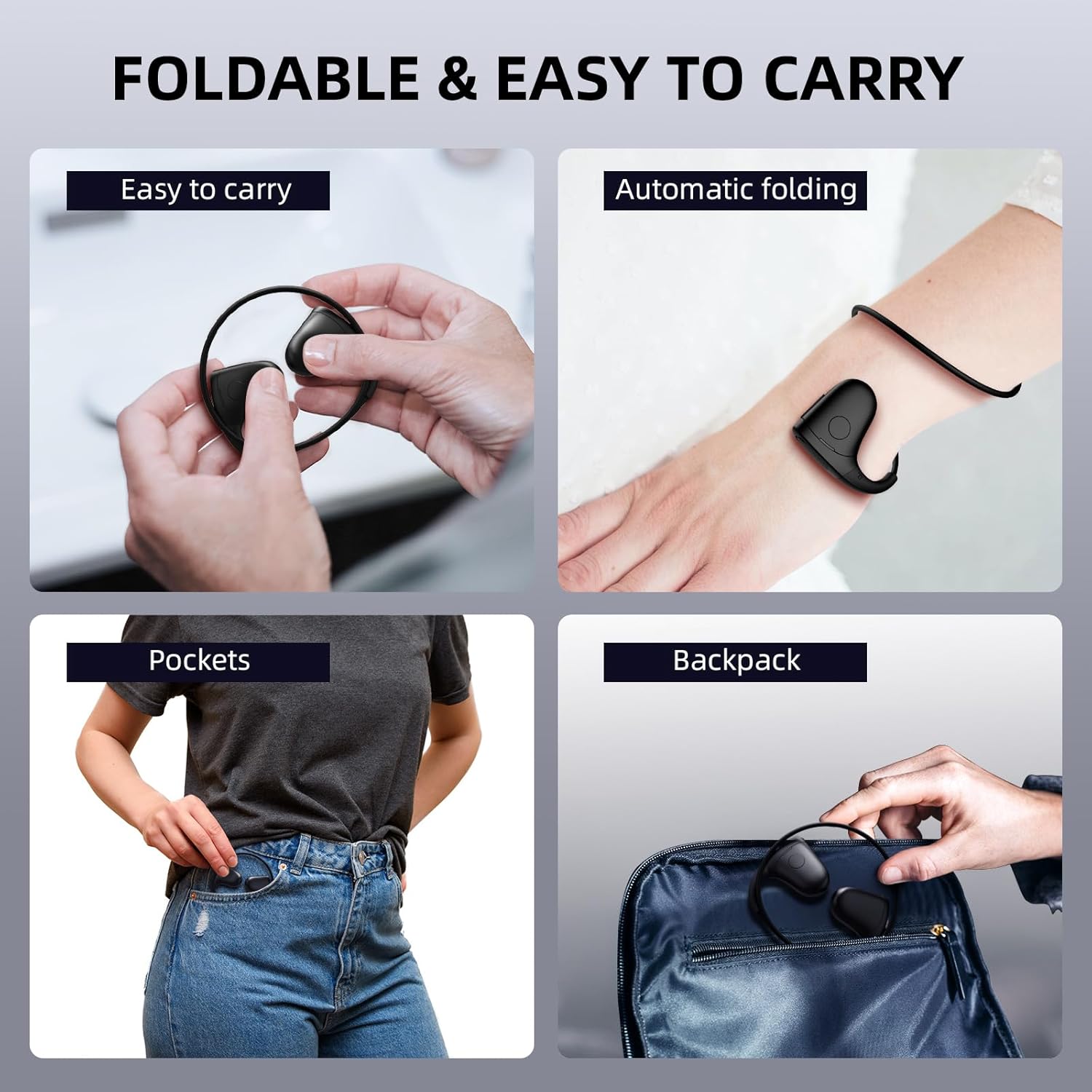
Image Description: A four-panel image demonstrating the foldable and portable nature of the Smof LK06 headphones. Panels show the headphones being folded, worn on a wrist, placed in a pants pocket, and stored in a backpack, highlighting their compact design.
4. Setup
4.1 Charging the Headphones
Before first use, fully charge your headphones.
- Connect the USB Type-C charging cable to the charging port on the headphones.
- Connect the other end of the cable to a USB power adapter (not included) or a computer's USB port.
- The charging indicator light will illuminate during charging.
- Charging typically takes approximately 1.5 hours. The indicator light will turn off once charging is complete.
A full charge provides approximately 8-10 hours of music playback or talk time, depending on usage and volume levels.

Image Description: An image illustrating the charging process of the Smof LK06 headphones. It shows a USB Type-C cable connected to the headphone's charging port, with lightning bolt icons indicating power flow. Icons below depict 1.5 hours for fast charge, 8-10 hours battery life, and Type-C charging.
4.2 Pairing with a Bluetooth Device
To connect your headphones to a smartphone, tablet, or other Bluetooth-enabled device:
- Ensure the headphones are fully charged and powered off.
- Press and hold the power button on the headphones until the indicator light flashes red and blue alternately, indicating pairing mode.
- On your device, enable Bluetooth and search for available devices.
- Select "Smof LK06" from the list of found devices.
- Once connected, the indicator light on the headphones will typically turn solid blue or flash slowly.
The headphones will automatically attempt to reconnect to the last paired device when powered on.
5. Operating Instructions
The Smof LK06 headphones feature intuitive controls for audio playback and call management.
5.1 Power On/Off
- Power On: Press and hold the power button for 3 seconds.
- Power Off: Press and hold the power button for 5 seconds.
5.2 Music Control
- Play/Pause: Single press the multi-function button.
- Next Track: Double press the multi-function button.
- Previous Track: Triple press the multi-function button.
- Volume Up: Single press the Volume + button.
- Volume Down: Single press the Volume - button.
5.3 Call Management
- Answer/End Call: Single press the multi-function button.
- Reject Call: Press and hold the multi-function button for 2 seconds.
5.4 Voice Assistant
- Activate Voice Assistant: Press the multi-function button four times rapidly.

Image Description: A four-panel image showcasing various situations where the Smof LK06 headphones can be used. Panels depict individuals running, cycling, driving, and gaming, illustrating the versatility and open-ear safety benefits in different environments.
6. Maintenance
Proper care will extend the lifespan of your Smof LK06 headphones.
- Cleaning: Wipe the headphones with a soft, damp cloth. Do not use harsh chemicals or abrasive cleaners.
- Water Resistance: The headphones are IPX6 waterproof, meaning they are resistant to strong jets of water and sweat. Do not submerge them in water or use them for swimming.
- Storage: Store the headphones in a cool, dry place away from direct sunlight and extreme temperatures. When not in use, it is recommended to store them in a protective pouch to prevent damage.
- Battery Care: To maintain battery health, avoid fully discharging the headphones frequently. Charge them regularly, even if not in use for extended periods.
7. Troubleshooting
If you encounter issues with your headphones, refer to the following common solutions:
| Problem | Possible Cause | Solution |
|---|---|---|
| Headphones do not power on | Low battery | Charge the headphones fully. |
| Cannot pair with device | Bluetooth not enabled, headphones not in pairing mode, or device too far. | Ensure Bluetooth is on, put headphones in pairing mode (flashing red/blue), and keep devices within 10 meters. |
| No sound | Volume too low, not connected, or incorrect audio output selected. | Increase headphone and device volume, re-pair, or check device's audio settings. |
| Poor sound quality | Interference, low battery, or device too far. | Move closer to the device, charge headphones, or avoid environments with strong wireless interference. |
8. Specifications
| Feature | Detail |
|---|---|
| Model | LK06 |
| Connectivity Technology | Wireless (Bluetooth 5.3) |
| Ear Placement | Open Ear |
| Form Factor | Over Ear |
| Material | Plastic (Memory Titanium Alloy) |
| Water Resistance | IPX6 (Sweatproof) |
| Battery Life | Up to 10 hours |
| Charging Time | Approx. 1.5 hours |
| Charging Port | Type-C |
| Item Weight | 20 grams |
| Product Dimensions | 12.5 x 9.5 x 3.2 cm |

Image Description: A stylized diagram illustrating the internal components of the Smof LK06 headphones, emphasizing the Bluetooth 5.3 chip and sound drivers. Blue light effects emanate from the components, suggesting advanced technology and high sound quality.
9. Warranty and Support
For warranty information or technical support, please refer to the contact details provided in the product packaging or on the official Smof website. Keep your purchase receipt for warranty claims.
