
Introduction
This manual provides detailed instructions for the installation, operation, and maintenance of your UNITOPSCI 10.36 Inch Portable Wireless CarPlay/Android Auto Car Stereo. Please read this manual thoroughly before using the device to ensure proper functionality and safety.
Safety Information
- Always operate the device responsibly and in accordance with local traffic laws. Distracted driving can lead to accidents.
- Ensure the device is securely mounted and does not obstruct your view or interfere with vehicle controls.
- Do not attempt to disassemble or modify the device. This may void the warranty and pose a safety risk.
- Keep the device away from extreme temperatures, direct sunlight for prolonged periods, and moisture.
- Use only the provided power cord and accessories.
Package Contents
Verify that all items listed below are included in your package:
- 1 x Portable Car Stereo
- 1 x Power Cord
- 1 x Accessories (Mounting Bracket)
- 1 x Bracket Fixing Sticker
- 1 x 3M AUX Cable
- 1 x User Manual

Figure 1: Package Contents and Product Dimensions
Product Features
- Wireless Apple CarPlay & Android Auto: Seamless integration with your smartphone for navigation, calls, music, and more.
- Voice Control: Utilize Siri or Google Assistant for hands-free operation.
- Mirror Link Function: Display your phone's screen (Android Cast for Android, Airplay for iOS) directly on the stereo.
- Hands-free Bluetooth: Make and receive calls, stream music wirelessly.
- Multiple Audio Output Options: Built-in speaker, FM radio transmitter, AUX output.
- High-Resolution Touch Screen: 10.36-inch HD capacitive touch screen with 1600*720 resolution for clear visuals and responsive interaction.
- Backup Camera Input: Supports connection to a backup camera (not included) for enhanced parking safety.
- Wide Compatibility: Compatible with 7-32V DC vehicles, suitable for cars, taxis, trucks, and vans.

Figure 2: Vehicle Compatibility

Figure 3: High-Resolution Touch Screen and Backup Camera View
Setup
1. Mounting
The UNITOPSCI car stereo is designed for dash mounting. Use the provided accessories and bracket fixing sticker to securely attach the device to your car's center dashboard in a position that does not obstruct your view or access to vehicle controls.
2. Power Connection
Connect the provided power cord to the device and your vehicle's power outlet (e.g., cigarette lighter socket). The device is compatible with 7-32V DC vehicle power systems.
3. Audio Output Options
The device offers three methods for audio output:
- Built-in Speaker: The unit has an integrated speaker for direct audio playback.
- FM Transmitter: Transmit audio to your car's original stereo system by tuning both the car stereo and the UNITOPSCI unit to the same FM frequency.
- AUX Output: Connect the provided 3M AUX cable from the UNITOPSCI unit's AUX jack to your car's AUX input for a wired audio connection.

Figure 4: Audio Output Methods
Operating Instructions
1. Wireless CarPlay / Android Auto Connection
To connect your smartphone wirelessly:
- Ensure Wi-Fi and Bluetooth are enabled on your smartphone.
- On the UNITOPSCI unit, navigate to the Apple CarPlay or Android Auto section.
- On your smartphone, search for and connect to the device's Bluetooth name (e.g., T86-170EED).
- Confirm the pairing request on both devices.
- Once connected via Bluetooth, the system will automatically initiate the wireless CarPlay or Android Auto connection.
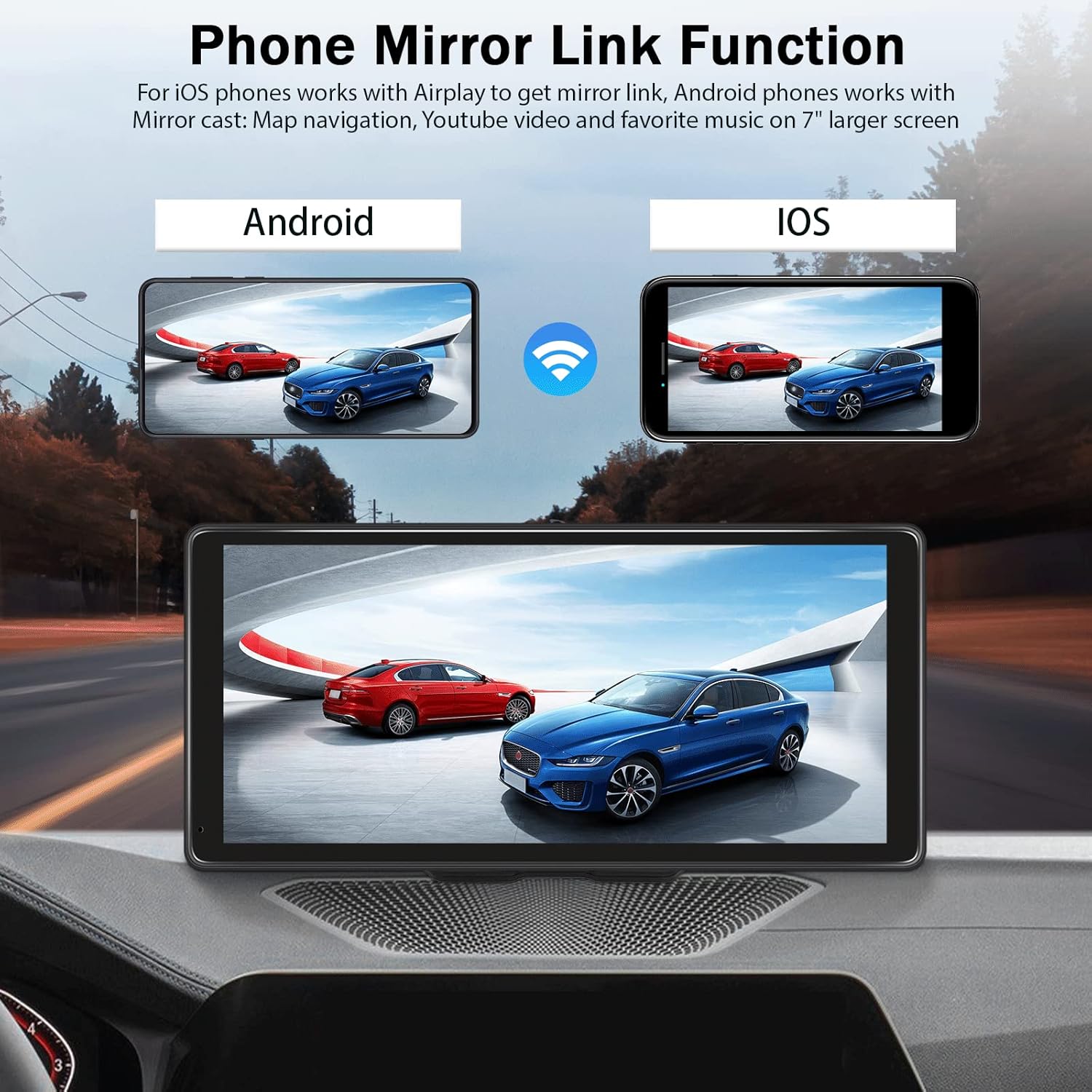
Figure 5: Wireless CarPlay Interface
Video 1: Demonstration of Wireless CarPlay and Android Auto connection and functionality on the 10.36-inch screen.
2. Mirror Link Function
The Mirror Link feature allows you to display your smartphone's screen on the UNITOPSCI unit.
- For iOS Phones: Use Airplay to mirror your screen.
- For Android Phones: Use Android Cast to mirror your screen.
Connect via Bluetooth, then follow the on-screen prompts or your phone's mirroring instructions to synchronize content like maps, videos, or music.

Figure 6: Phone Mirror Link Function
3. Voice Control
Once connected to CarPlay or Android Auto, you can use voice commands for various functions:
- Navigation: "Hey Siri, navigate home" or "OK Google, go to the nearest gas station."
- Calling: "Hey Siri, call Mom" or "OK Google, message Nelson."
- Music: "Hey Siri, play music on Spotify."

Figure 7: Voice Control and GPS Navigation
4. Hands-free Bluetooth Calling
With your phone paired via Bluetooth, you can make and receive calls directly through the UNITOPSCI unit, enhancing driving safety.
5. Backup Camera Input
If you have a compatible backup camera (not included), connect it to the designated camera input on the UNITOPSCI unit. When reversing, the screen will automatically display the rear view with calibration lines.
Troubleshooting
- No Power: Ensure the power cord is securely connected to both the device and the vehicle's power outlet. Check the vehicle's fuse for the power outlet.
- No Audio: Verify your selected audio output method (built-in speaker, FM, AUX). If using FM, ensure the frequencies match. If using AUX, confirm the cable is properly connected and your car's stereo is set to AUX input.
- Bluetooth/CarPlay/Android Auto Disconnection: Ensure your phone's Bluetooth and Wi-Fi are active. Try re-pairing the device. Check for any software updates for your phone or the car stereo.
- Screen Visibility with Polarized Sunglasses: Due to the screen technology, visibility may be reduced when wearing polarized sunglasses. This is a characteristic of some display types and not a defect.
- Touch Screen Unresponsive: Restart the device. If the issue persists, ensure the screen is clean and free from debris.
Specifications
| Display Size | 10.36 Inches |
| Resolution | 1600*720 |
| Item Weight | 2.4 pounds |
| Product Dimensions | 10.6 x 3.7 x 5.2 inches |
| Connectivity Technology | Auxiliary, Bluetooth, USB, Wi-Fi |
| Mounting Type | Dashboard Mount |
| Vehicle Service Type | Car, Truck |
| Audio Output Mode | Stereo |
Warranty
The UNITOPSCI 10.36 Inch Portable Wireless CarPlay/Android Auto Car Stereo comes with a 1-year warranty from the date of purchase. Please retain your proof of purchase for warranty claims. The warranty covers manufacturing defects but does not cover damage caused by misuse, accidents, or unauthorized modifications.
Support
For further assistance, technical support, or warranty inquiries, please contact UNITOPSCI customer service through the retailer where the product was purchased or refer to the contact information provided on the official UNITOPSCI website.

