
Introduction
This manual provides detailed instructions for the installation, operation, and maintenance of your ACEBELL Wireless WiFi Video Intercom System. Please read this manual thoroughly before using the product to ensure proper function and safety.

The ACEBELL Wireless WiFi Video Intercom System, featuring a doorbell camera, 7-inch monitor, and smartphone app control.
Package Contents
Verify that all items are present in your package:
- 1 x Doorbell Camera
- 1 x 7-inch Display Monitor
- 1 x Memory Card (TF card)
- 1 x Double-ended Charging Cable
- 1 x Charger
- 1 x Unlock Module (optional, for electronic lock integration)
- 1 x Bag of Accessories (screws, mounting hardware)
- 1 x User Manual
Key Features
- 100% Wireless Operation: Utilizes 915MHz private protocol for signal transmission, functioning with or without WiFi.
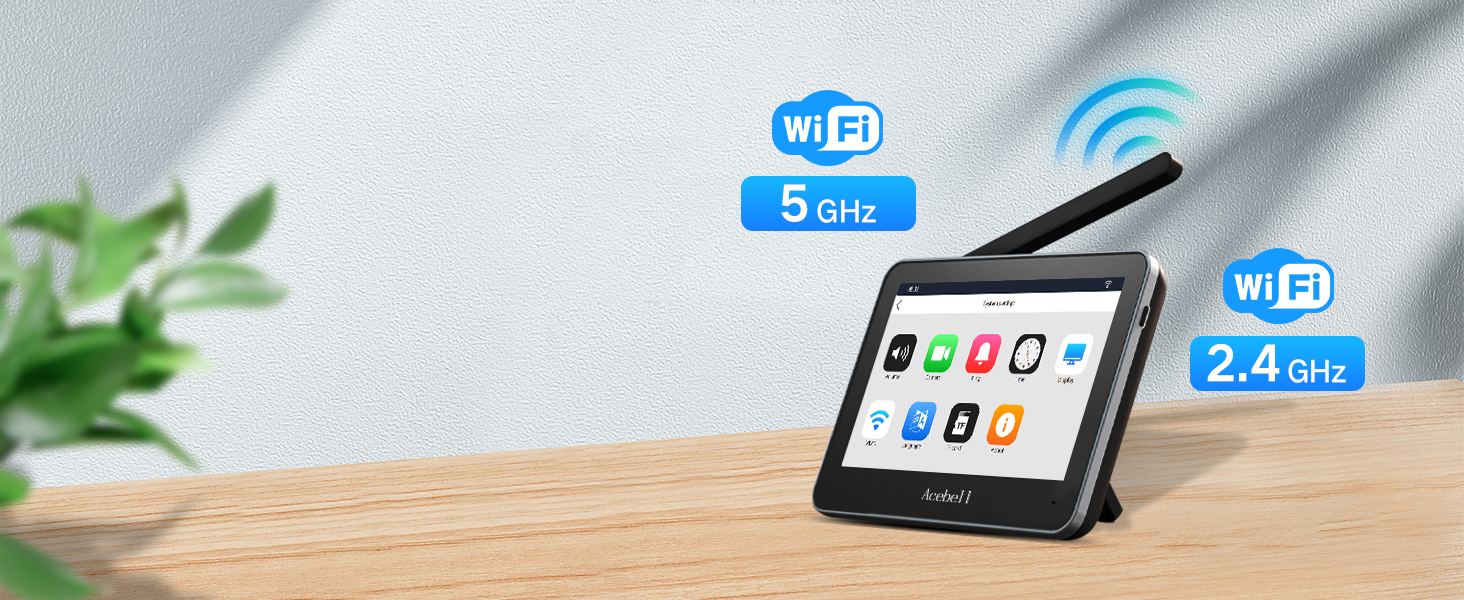
- Dual-band WiFi Support: Indoor monitor connects to 2.4G or 5G WiFi for app connectivity.
- 1080P HD Camera: Provides clear, high-quality video resolution.
- 160° Wide-Angle Lens: Offers an expansive view of your doorstep.
- Infrared Night Vision: Automatic switching to night vision mode for clear visibility in low light.
- 7-inch HD Touch Screen Monitor: Intuitive interface for easy control and viewing.
- Local Storage: Records videos directly to an included TF card, with no monthly subscription fees.
- PIR Motion Detection: Detects movement and sends alerts to your phone and monitor.
- Two-Way Audio: Enables simultaneous conversation with visitors.
- Remote Control & Unlock: Manage the system and unlock doors via the TuyaSmart app.
- IP55 Waterproof Doorbell: Designed to withstand various weather conditions.
- Long-lasting Battery: Doorbell with 7000mAh battery, monitor with 5000mAh battery.
Setup
1. Installation Considerations
The system operates wirelessly using a 915MHz frequency, which offers good penetration through walls. However, signal performance can vary based on the environment.
- Avoid Metal Surfaces: Do not install the doorbell camera on metal doors or walls, as metal significantly interferes with wireless signals.
- Optimal Placement: Position the doorbell and monitor to minimize obstructions for best signal strength.
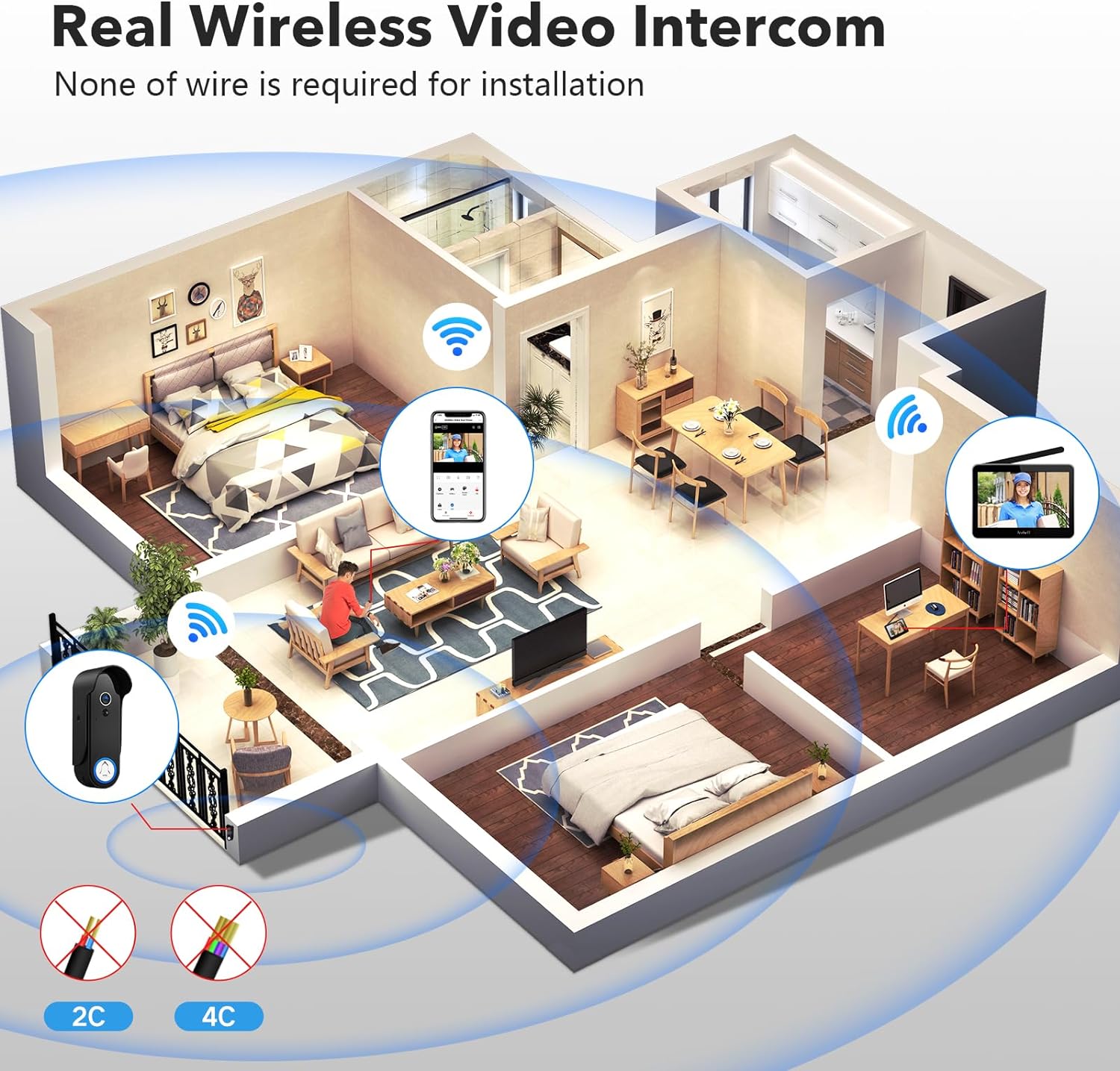
Wireless signal transmission within a typical home environment.
Wireless signal strength through various materials.
Recommended and non-recommended doorbell installation locations.
2. Powering the Devices
Doorbell Camera:
- Rechargeable Battery: The doorbell includes a 7000mAh rechargeable battery. Ensure it is fully charged before installation. Use the provided screws to secure the battery to prevent loosening.
- External Power Supply (Optional): For continuous power, connect the doorbell to existing wires (12-24V recommended). The necessary wiring board and quick-connect terminal are included.
Monitor:
- The monitor has a built-in 5000mAh battery. Charge it using the provided charger and cable.

Doorbell power supply options: battery or wired connection.
3. Physical Installation
The doorbell can be installed using the provided adhesive pad or screws. Ensure it is securely mounted at an appropriate height for optimal viewing.

Installation of the doorbell camera.
4. App Setup (TuyaSmart)
- Download the TuyaSmart app from the Google Play Store or Apple App Store.
- Register or log in to your TuyaSmart account.
- Ensure your indoor monitor is connected to your home WiFi (supports 2.4G and 5G networks).
- Follow the in-app instructions to add your ACEBELL system. Note: Some setup prompts may suggest resetting your device; this step is often unnecessary. Ensure the monitor is connected to WiFi first.
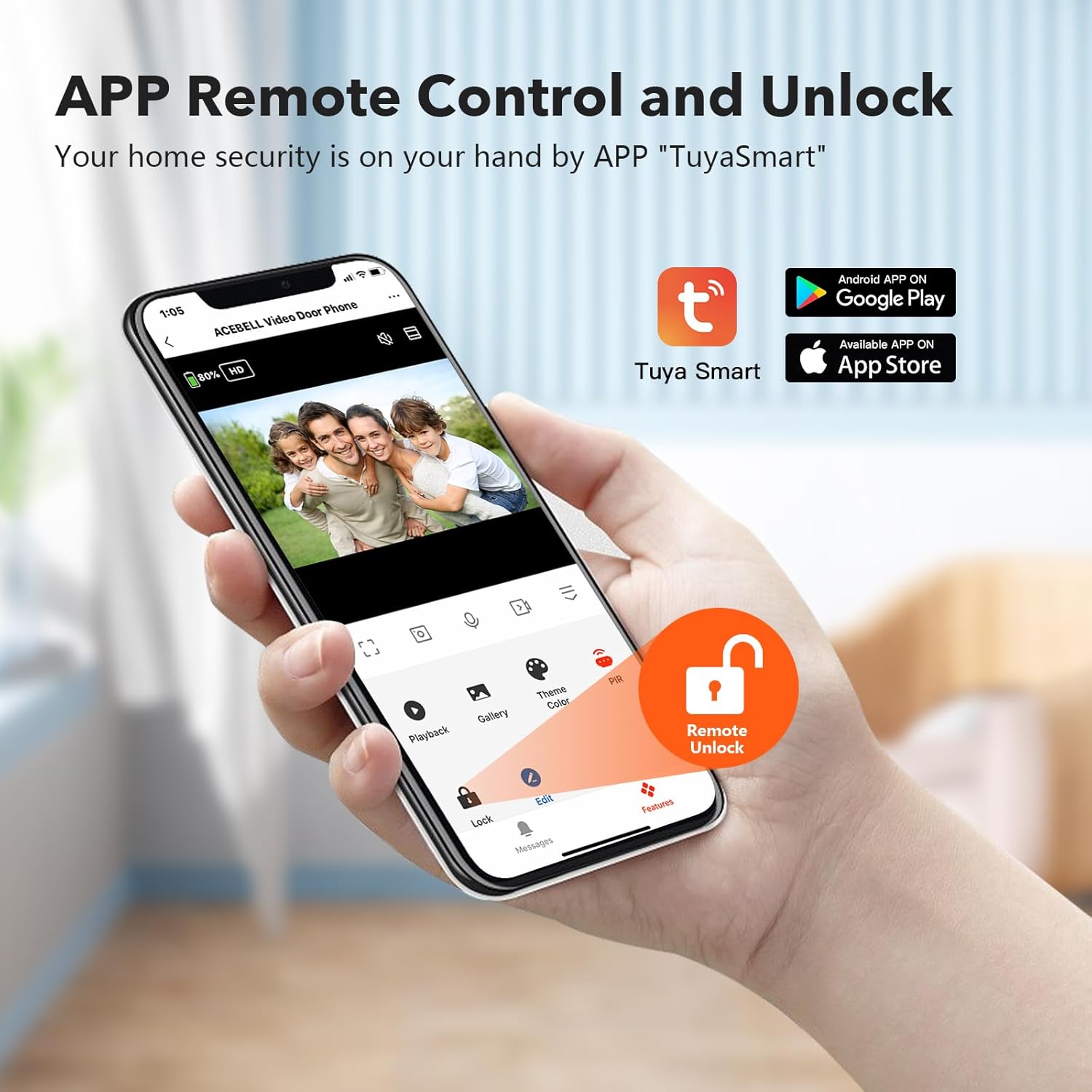
TuyaSmart app interface for remote control.
Operation
1. Answering Calls
When a visitor presses the doorbell, the indoor monitor will ring, and a notification will be sent to your smartphone via the TuyaSmart app. You can answer the call from either the monitor or your phone.
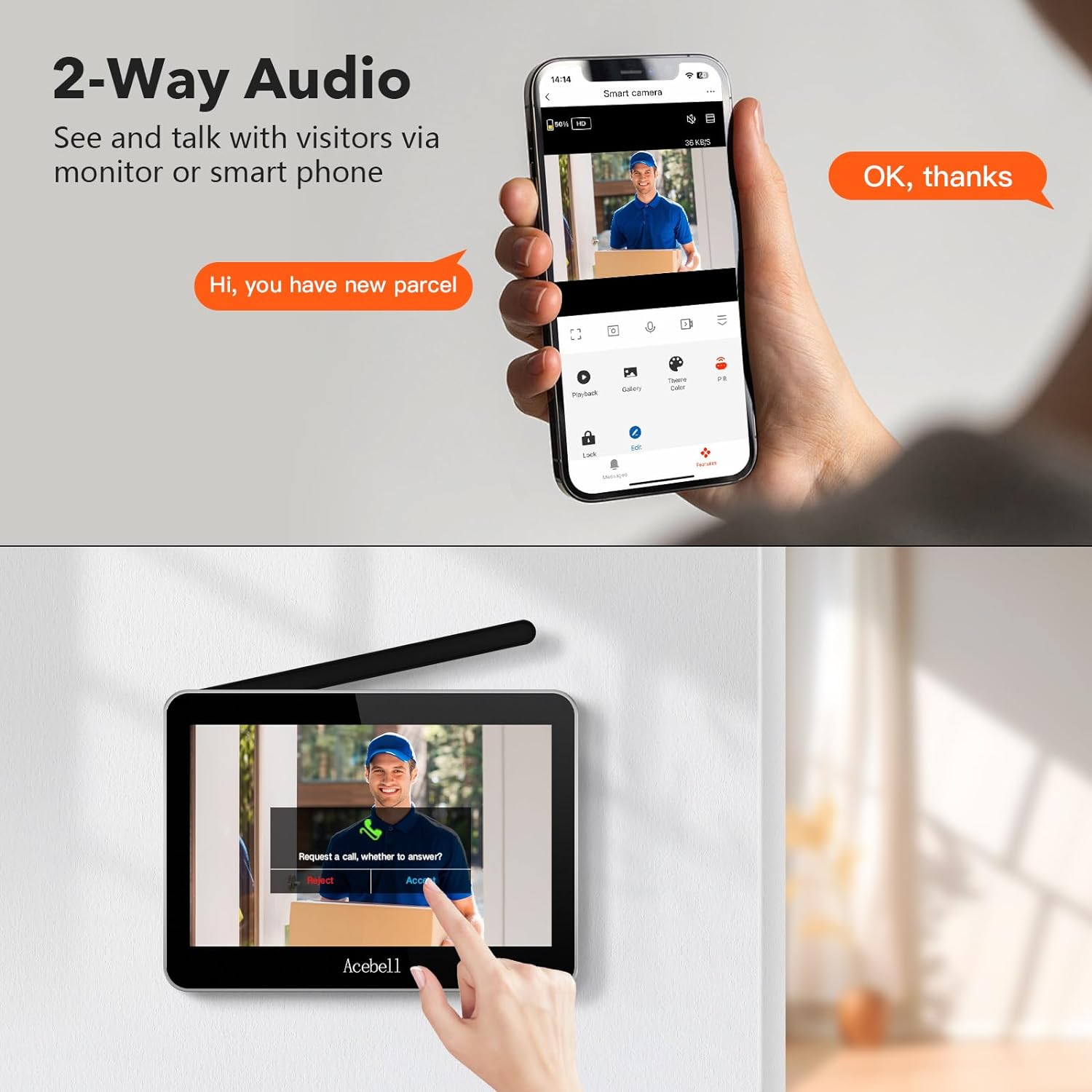
Two-way audio communication via monitor and smartphone.
2. Two-Way Audio
The system supports two-way audio, allowing you to speak with visitors at your door and hear their responses simultaneously through the monitor or the app.
3. Remote Unlock (Optional)
If the optional unlock module is connected to an electronic lock, you can remotely unlock the door directly from the monitor or through the TuyaSmart app.

Wiring diagram for the remote unlock module.
4. Motion Detection (PIR)
The doorbell camera features PIR motion detection. When movement is detected, an alert will be sent to your phone and the indoor monitor. The system will automatically record a video and save it to the TF card.
- Sensitivity Adjustment: PIR sensitivity can be set to high, medium, or low via the monitor settings.

Motion detection alert on smartphone.
5. Night Vision
The doorbell camera is equipped with infrared lights that automatically activate night vision mode in low-light conditions, ensuring clear visibility at night.

Day and night vision comparison.
6. Local Storage and Playback
All recorded videos are stored on the included TF card within the monitor. You can view these recordings directly on the monitor or through the TuyaSmart app on your phone. There are no subscription fees for storage.
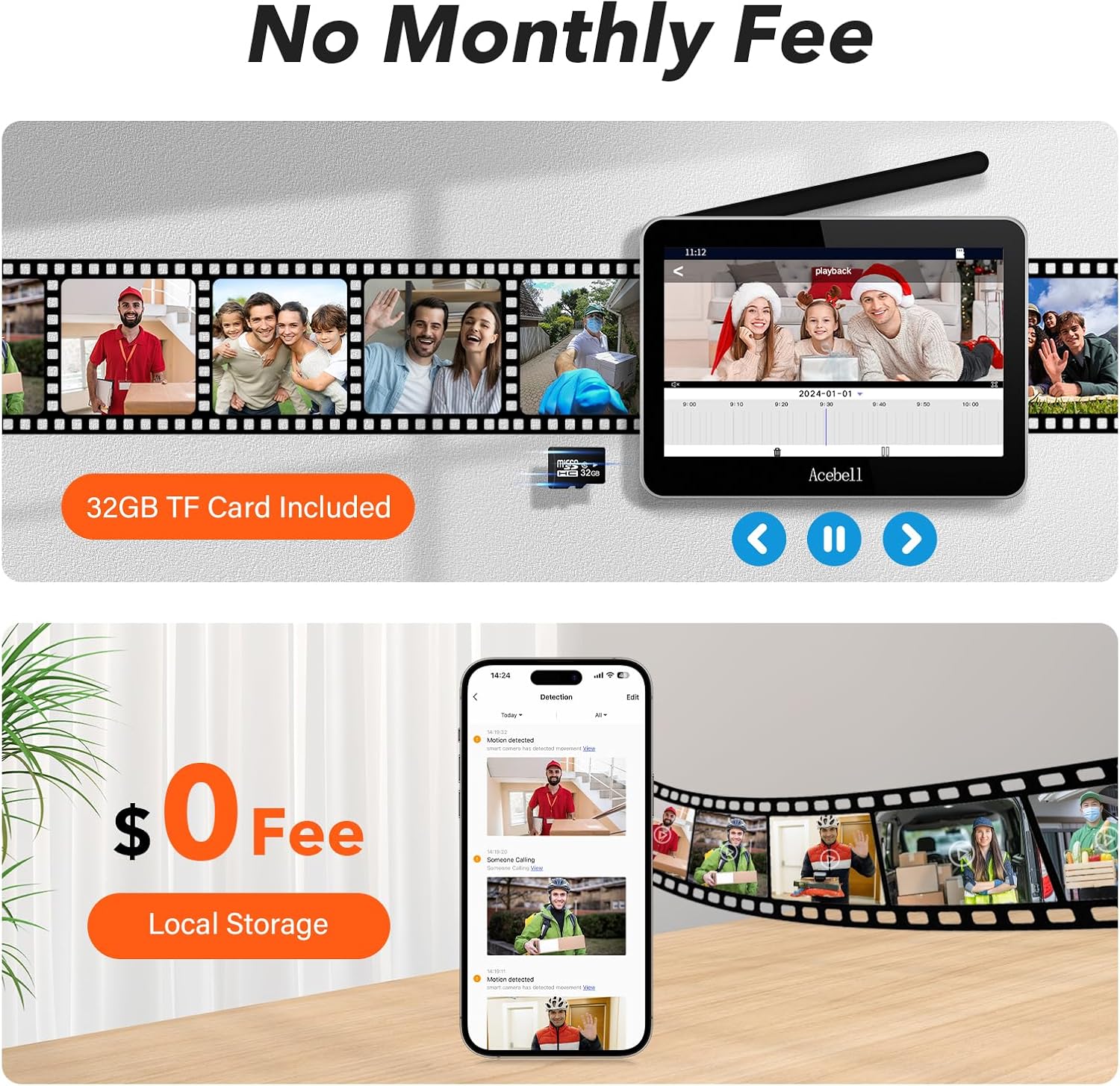
Local storage and app playback interface.
Maintenance
1. Battery Charging
- Doorbell: The 7000mAh battery typically lasts 60-90 days on a full charge, depending on usage frequency (doorbell presses, PIR triggers, monitoring). If wired, it will continuously charge.
- Monitor: The 5000mAh battery provides 5-8 hours of use when fully charged. Connect the monitor to the charger when not in use or when the battery is low.

Charging the indoor monitor.
2. Cleaning
Wipe the doorbell camera and monitor surfaces with a soft, damp cloth. Avoid using harsh chemicals or abrasive cleaners.
Troubleshooting
| Issue | Possible Cause | Solution |
|---|---|---|
| No signal between doorbell and monitor | Metal interference, excessive distance, thick walls. | Relocate doorbell away from metal surfaces. Ensure monitor is within effective range. Consider signal strength diagram in Setup section. |
| App connectivity issues | Incorrect WiFi password, monitor not connected to WiFi, router channel issues. | Verify WiFi password. Ensure monitor is connected to a 2.4G or 5G WiFi network. No need to adjust router channels. |
| Doorbell not charging / low battery life | Faulty charger/cable, high usage frequency, cold weather. | Test charger and cable. Reduce frequency of doorbell presses, PIR triggers, and monitoring. Consider external wired power supply for continuous operation. |
| PIR motion detection false alarms | Sunlight changes, moving shadows (e.g., trees), passing vehicles. | Adjust PIR sensitivity to medium or low in the monitor settings. |
| Monitor screen turns off too quickly | Default power saving settings. | Check display settings on the monitor to adjust screen timeout. Note that continuous live feed may be limited to conserve power. |
Specifications
| Feature | Detail |
|---|---|
| Model Name | TL-AH708-Tuya |
| Video Capture Resolution | 1080p |
| Viewing Angle | 160 Degrees |
| Night Vision Range | 50 Meters |
| Wireless Communication Technology | Wi-Fi (2.4G/5G for monitor), 915MHz (doorbell to monitor) |
| Doorbell Battery Capacity | 7000mAh Lithium Ion |
| Monitor Battery Capacity | 5000mAh Lithium Ion |
| Water Resistance Level | IP55 Waterproof |
| Storage | TF Card (included) |
| Compatible Devices | Smartphone (iOS/Android) |
| Mounting Type | Doorbell Mount (adhesive or screw) |
| Product Dimensions (L x W x H) | 25.4 x 5.08 x 127 cm (Doorbell) |
| Item Weight | 1.14 kg |
Warranty and Support
Your ACEBELL Wireless WiFi Video Intercom System comes with a 2-year quality warranty.
For any questions or issues, please contact ACEBELL customer support. Our professional after-sales team is available 24/7 to assist you.
Contact information: cs@dgjiasong.com
