
Devoko 180x80cm Black Frame+Beige Desktop
Devoko 180x80 cm Height Adjustable Standing Desk User Manual
Model: 180x80cm Black Frame+Beige Desktop
Introduction
This manual provides detailed instructions for the assembly, operation, maintenance, and troubleshooting of your Devoko 180x80 cm Height Adjustable Standing Desk. Please read this manual thoroughly before assembly and use to ensure proper function and safety.

Figure 1: Devoko 180x80 cm Height Adjustable Standing Desk with various office items, showcasing its spacious desktop and integrated features.
Setup and Assembly
Assembly of the Devoko standing desk is required. Please ensure all components are present before beginning. It is recommended to have two people for assembly.
Package Contents:
- Desktop (Splice Board)
- Desk Frame (Alloy Steel)
- Motor System
- Control Panel with USB/Type-C charging ports
- Folding Cable Management Tray
- 4 Lockable Castors
- 4 Non-slip Feet
- Assembly Hardware (screws, tools, etc.)
Assembly Steps:
- Unpack all components and verify against the package contents list.
- Attach the desk frame components according to the included diagram. Ensure the frame is stable and securely fastened.

Figure 2: Detail of the desk frame base, indicating its extended design for enhanced stability. The base measures 70cm in length and 8cm in width.
- Secure the desktop splice board to the assembled frame.
- Install the control panel in the designated location on the desktop.
- Attach the folding cable management tray to the underside of the desk.
- Choose between the 4 lockable castors or 4 non-slip feet and install them on the bottom of the desk legs. Castors allow for easy movement, while non-slip feet provide stationary stability.
- Connect all necessary cables for the motor system and control panel.
- Optionally, attach the integrated hooks for headphones or bags.

Figure 3: Integrated hook located on the underside of the desk, suitable for hanging headphones or other small items, contributing to a tidy workspace.
Operating Instructions
Height Adjustment:
The desk features a high-performance motor for smooth and quiet height adjustments. The height can be adjusted between 72cm and 118cm.
- Use the Up (▲) and Down (▼) buttons on the control panel to manually adjust the desk height.
- The LED indicator on the control panel will display the current height.

Figure 4: The control panel features memory buttons (1, 2, 3, 4), an LED indicator for current height, and up/down adjustment buttons. This panel allows for precise height control and preset memory functions.
Memory Settings:
The desk includes 4-position height memory settings for quick and precise adjustment to your preferred heights.
- Adjust the desk to your desired height using the Up/Down buttons.
- Press one of the memory buttons (1, 2, 3, or 4) until the LED indicator flashes or a beep is heard, indicating the height has been saved.
- To recall a saved height, simply press the corresponding memory button. The desk will automatically move to the preset height.
USB Charging Ports:
The control panel is equipped with Type-C and standard USB charging ports, allowing direct charging of various devices.
- Connect your device's charging cable to the appropriate USB or Type-C port on the control panel.
- Ensure the desk is powered on for charging functionality.
Maintenance
Regular maintenance will ensure the longevity and optimal performance of your Devoko standing desk.
- Cleaning: Wipe the desktop and frame with a soft, damp cloth. Avoid abrasive cleaners or harsh chemicals that may damage the surface.
- Motor Care: The motor system is designed for durability. Avoid overloading the desk beyond its maximum weight capacity.
- Cable Management: Periodically check the cable management tray and ensure all cables are neatly organized to prevent snagging or damage during height adjustments.
- Fasteners: Occasionally check all screws and fasteners to ensure they are tight. Retighten if necessary.
Troubleshooting
This section addresses common issues you might encounter with your standing desk.
Common Issues and Solutions:
- Desk Not Moving:
- Check if the power cord is securely plugged into both the desk and the wall outlet.
- Ensure no obstructions are blocking the desk's movement.
- Anti-Collision Protection Activated:
- The motor system includes anti-collision protection. If the desk encounters an obstacle during adjustment, it will stop and slightly reverse. Remove the obstruction and try again.
- Overheating Protection:
- The motor has overheating protection. If the desk is operated continuously for an extended period, it may temporarily stop to cool down. Allow it to rest for 10-20 minutes before resuming operation.
- Uneven Movement or Noise:
- Ensure the desk is on a level surface.
- Check that all assembly screws are tightened.
- The motor operates at a low noise level (≤50dB). If unusual noises occur, contact customer support.
If you experience issues not covered here, please refer to the "Support" section for assistance.
Specifications
| Feature | Detail |
|---|---|
| Model | 180x80cm Black Frame+Beige Desktop |
| Brand | Devoko |
| Desktop Dimensions | 180 cm (Length) x 80 cm (Width)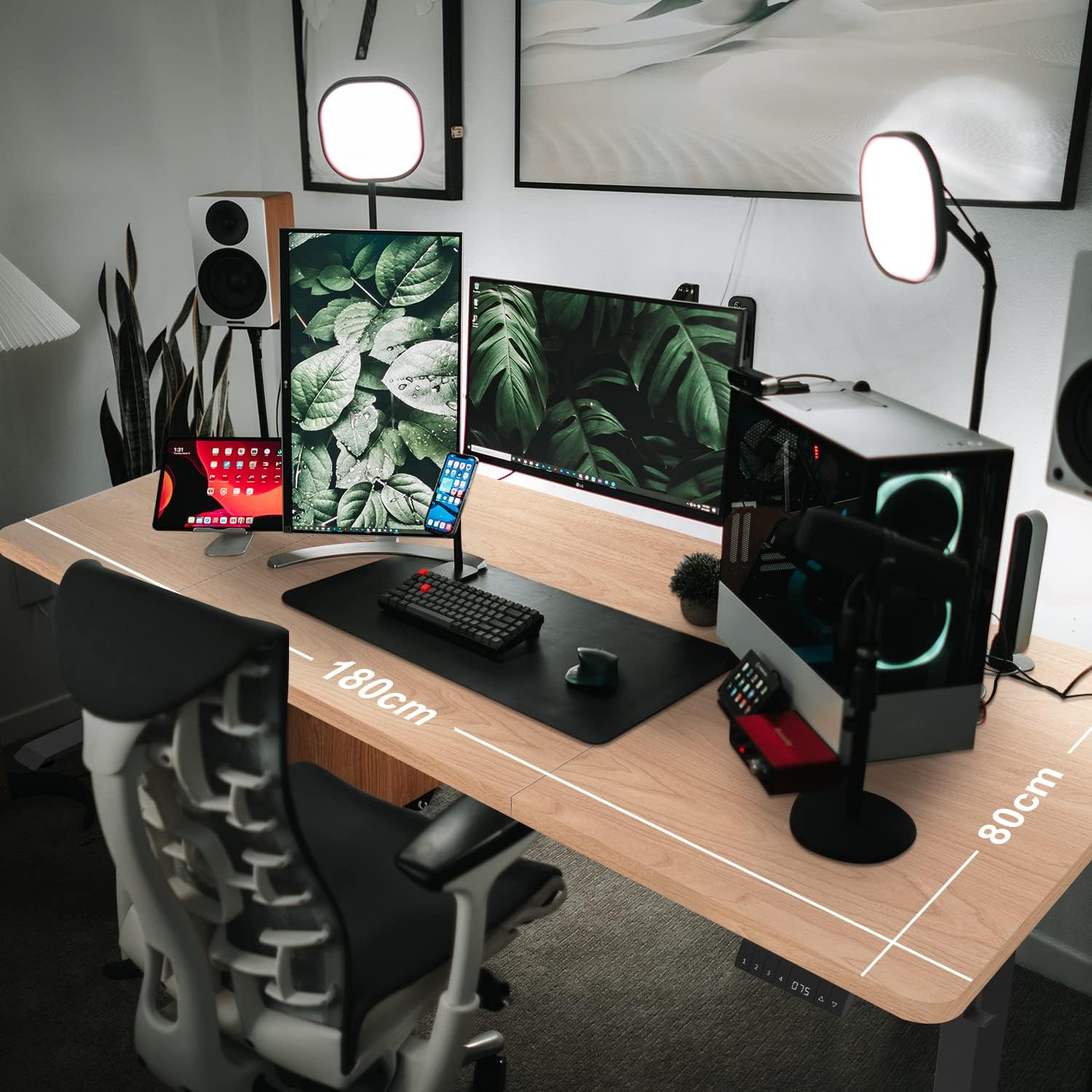 Figure 5: Overhead view illustrating the 180cm length and 80cm width of the desk surface. |
| Desktop Thickness | 2.5 cm |
| Height Adjustment Range | 72 cm to 118 cm |
| Adjustment Speed | 25 mm/sec |
| Motor Noise Level | ≤50dB |
| Weight Capacity | Up to 80 kg |
| Base Material | Alloy Steel |
| Special Features | Adjustable Height, Built-In USB Outlet (Type-C & USB), Electric, Ergonomic, 4-Position Height Memory, Anti-Collision Protection, Overheating Protection |
| Certifications | TÜV/CE/BIFMA/FSC certified |
| Assembly Required | Yes |
Warranty Information
Devoko provides a comprehensive warranty for your standing desk:
- Desk Frame: 5-year warranty
- Motor: 5-year warranty
This warranty covers defects in materials and workmanship under normal use. Please retain your proof of purchase for warranty claims.
Customer Support
For any questions regarding your Devoko standing desk, including pre-sales inquiries, damaged parts, or product quality concerns, please contact our customer service team.
We are committed to customer satisfaction and will respond with a professional solution within 24 hours.
Please visit the official Devoko store on Amazon for more information or to contact support:
Ask a question about this manual
Ask about setup, troubleshooting, compatibility, parts, safety, or missing instructions. Manuals+ will review the question and use this page’s manual context to help answer it.