
1. Introduction
This manual provides detailed instructions for the safe and effective operation of your POPOMAN A8 Nano Laser Distance Meter. Please read this manual thoroughly before using the device and keep it for future reference. The POPOMAN A8 Nano is a compact, portable digital laser distance meter designed for accurate and quick measurements of distance, area, and volume, featuring a Type-C rechargeable battery and an IP54 rating for durability.
2. Safety Information
WARNING: Laser Radiation
The POPOMAN A8 Nano emits a Class 2 laser beam. Avoid direct eye exposure to the laser beam. Do not stare into the beam or view it directly with optical instruments. Never point the laser beam at people or animals. Use caution when operating the device to prevent accidental exposure.
- Do not attempt to modify or disassemble the device.
- Keep the device out of reach of children.
- Do not use the device in explosive environments or near flammable materials.
- Ensure the measurement surface is clear of obstructions.
The laser output is less than 1mW.

Image: The laser beam output from the device. This is a Class 2 laser with a maximum output of less than 1mW.
3. Product Overview and Components
The POPOMAN A8 Nano is designed for ease of use and portability. Familiarize yourself with its components:

Image: Comparison of the POPOMAN A8 Nano with a larger laser distance meter, highlighting its compact 'Nano Design' and dimensions (85mm height, 23mm width, 11.5mm thickness).
Device Layout

Image: Diagram illustrating the button functions and features of the POPOMAN A8 Nano, including the laser beam output, backlit screen, Type-C port, and buttons for power/measure/settings and mode/unit switch.
- Laser Output Aperture: Where the laser beam exits.
- Backlit LCD Screen: Displays measurement data, battery indicator, and mode.
- Power/Measure/Settings Button: Used to turn the device on/off, initiate measurements, and access settings.
- Mode/Unit Switch Button: Used to cycle through measurement modes and change units.
- Type-C Charging Port: For recharging the internal battery.
Display Indicators

Image: Explanation of the LCD screen indicators, showing measurement mode, battery indicator, measurement reference, maximum/minimum values, and data units.
- Measurement Mode Icon: Indicates the current measurement function (e.g., single distance, area, volume).
- Battery Indicator: Shows the remaining battery level.
- Measurement Reference: Indicates whether the measurement is taken from the front or rear of the device.
- Max/Min Value: Displays maximum and minimum values in continuous measurement mode.
- Measurement Data: The primary display for measurement results.
- Units: Shows the current unit of measurement (e.g., m, in, ft).
4. Setup
4.1 Charging the Device
The POPOMAN A8 Nano comes with a built-in 220mAh lithium polymer rechargeable battery. Before first use, ensure the device is fully charged.
- Connect the provided Type-C charging cable to the device's Type-C port.
- Connect the other end of the cable to a standard USB power adapter (not included) or a computer's USB port.
- The battery indicator on the screen will show charging status.
- A full charge allows for approximately 5000 measurements.
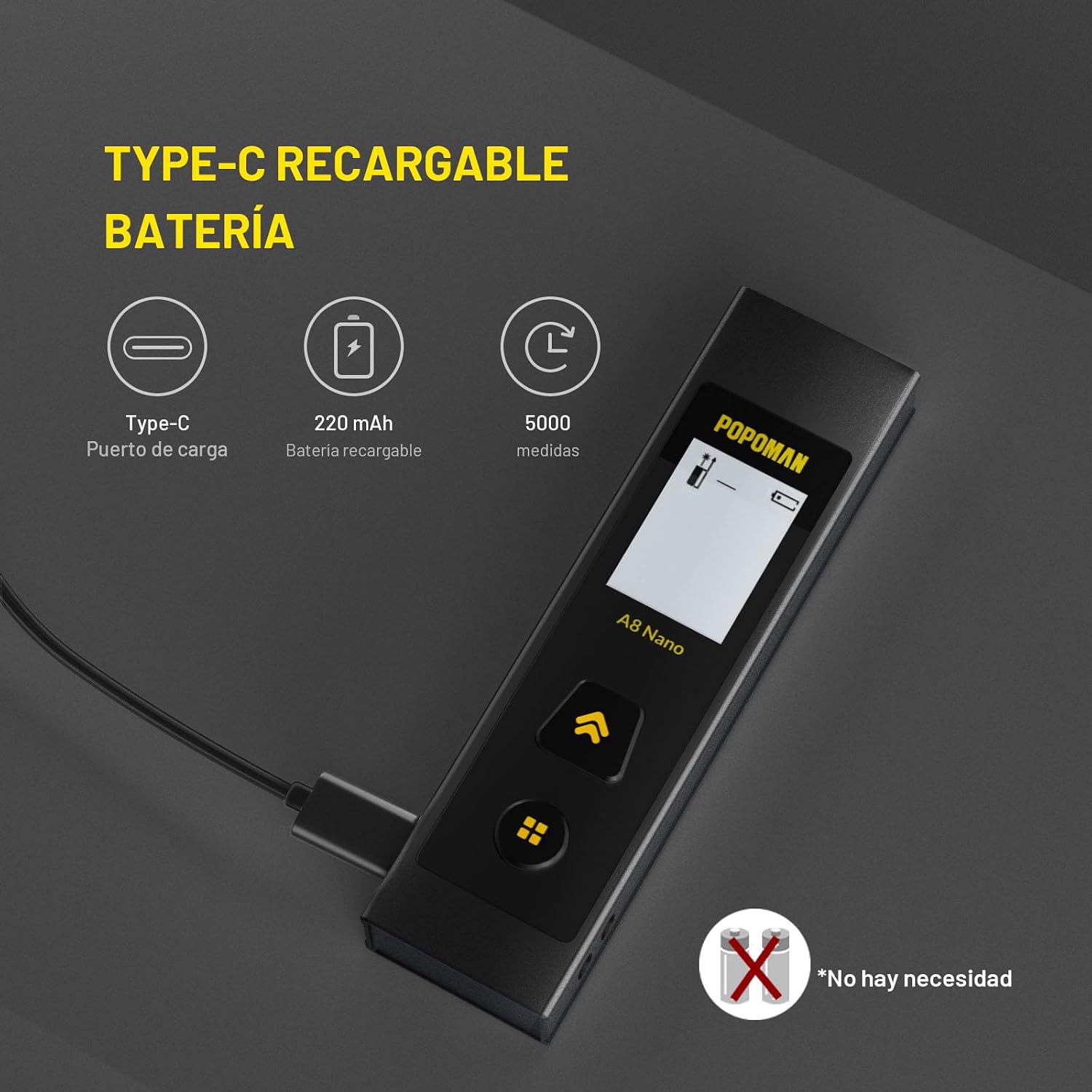
Image: The POPOMAN A8 Nano connected to a Type-C charging cable, illustrating its rechargeable battery feature.
4.2 Powering On/Off
- To Power On: Press the Power/Measure button briefly. The screen will light up.
- To Power Off: Press and hold the Power/Measure button for approximately 2 seconds. The device will also automatically power off after 150 seconds of inactivity to save battery.
5. Operating Instructions
5.1 Changing Measurement Units
The device supports multiple units: Meters (m), Inches (in), Feet (ft), and Feet+Inches (ft+in).
- While the device is on, press and hold the Mode/Unit Switch button for 2 seconds to cycle through the available units.
- Release the button when your desired unit is displayed.

Image: Instructions for changing measurement units (M, In, Ft, Ft+Inch) by pressing the unit switch button for 2 seconds, and changing the measurement reference point (front or rear) by holding the power button during power-off.
5.2 Changing Measurement Reference Point
The device can measure from its front edge or its rear edge.
- To change the reference point, press and hold the Power/Measure button while the device is powering off.
- Briefly press the Power/Measure button to toggle between front reference (default) and rear reference.
- The display will show an icon indicating the active reference point.
5.3 Basic Distance Measurement
- Power on the device.
- Ensure the desired measurement unit and reference point are selected.
- Point the laser at the target surface.
- Press the Power/Measure button briefly. The laser will activate.
- Press the Power/Measure button again to take the measurement. The result will be displayed on the screen.

Image: The POPOMAN A8 Nano measuring a vertical distance between a table and a picture frame, displaying the measurement result.
5.4 Continuous Measurement (Tracking)
Continuous measurement allows you to track distances in real-time, displaying maximum and minimum values.
- Power on the device.
- Press and hold the Power/Measure button for 2 seconds to activate continuous measurement. The laser will remain active, and values will update in real-time.
- Move the device to measure different points. The screen will show the current, maximum, and minimum measured distances.
- Press the Power/Measure button again to stop continuous measurement.

Image: Illustration of continuous measurement in real-time, showing the device tracking a moving target and displaying updated measurements.
5.5 Advanced Measurement Modes
The POPOMAN A8 Nano supports various advanced measurement functions:

Image: Visual representation of the four main measurement modes: Single Distance Measurement, Area Measurement, Volume Measurement, and Pythagoras Measurement (2-point and 3-point).
- Area Measurement:
- Press the Mode/Unit Switch button repeatedly until the area icon appears on the screen.
- Take the first measurement (e.g., length).
- Take the second measurement (e.g., width).
- The device will automatically calculate and display the area.
- Volume Measurement:
- Press the Mode/Unit Switch button repeatedly until the volume icon appears.
- Take three consecutive measurements: length, width, and height.
- The device will calculate and display the volume.
- Pythagoras Measurement (2-point):
- Press the Mode/Unit Switch button until the 2-point Pythagoras icon appears.
- Measure the hypotenuse (diagonal distance).
- Measure one leg of the right triangle (e.g., vertical distance).
- The device will calculate the other leg (e.g., horizontal distance).
- Pythagoras Measurement (3-point):
- Press the Mode/Unit Switch button until the 3-point Pythagoras icon appears.
- Follow the on-screen prompts to take three measurements to determine an indirect height or distance.
- The device will calculate the required distance.
6. Maintenance
- Cleaning: Use a soft, damp cloth to clean the device. Do not use abrasive cleaners or solvents. Clean the laser lens carefully with a soft cloth, similar to cleaning camera lenses.
- Storage: Store the device in a cool, dry place, away from direct sunlight and extreme temperatures.
- Battery Care: Recharge the battery regularly, even if the device is not used frequently, to maintain battery health. Avoid fully discharging the battery for extended periods.
- IP54 Rating: The device is IP54 rated, meaning it is protected against dust ingress and splashing water from any direction. However, it is not fully waterproof; do not immerse it in water.
7. Troubleshooting
| Problem | Possible Cause | Solution |
|---|---|---|
| Device does not power on | Low battery or device malfunction. | Charge the device fully. If the problem persists, contact customer support. |
| Inaccurate measurements | Unstable measurement surface, strong light interference, or incorrect reference point. | Ensure a stable measurement. Avoid strong direct sunlight. Verify the correct reference point (front/rear) is selected. |
| Laser beam not visible | Strong ambient light or distance too far. | Use in lower light conditions or at shorter distances. |
| Display error message | Measurement out of range or internal error. | Ensure measurement is within 0.05m to 30m range. Restart the device. If the error persists, contact customer support. |
8. Specifications
| Feature | Detail |
|---|---|
| Brand | POPOMAN |
| Model | A8 Nano |
| Measuring Range | 0.05m - 30m |
| Measurement Accuracy | ±3mm |
| Laser Class | Class 2 |
| Laser Output | <1mW |
| Battery Type | Lithium Polymer, 220 mAh, Rechargeable |
| Charging Port | Type-C |
| Measurements per Charge | Approx. 5000 |
| Automatic Power Off | 150 seconds of inactivity |
| IP Rating | IP54 (Dust protected, splash water protected) |
| Units of Measurement | m, in, ft, ft+in |
| Functions | Single Distance, Continuous, Area, Volume, Pythagoras (2-point, 3-point) |
9. Warranty and Support
POPOMAN products are designed for reliability and performance. For warranty information and technical support, please refer to the warranty card included with your product or visit the official POPOMAN website. If you encounter any issues or have questions regarding your A8 Nano Laser Distance Meter, please contact our customer service team for assistance.
You can often find additional support and contact information on the brand's Amazon store page: POPOMAN Amazon Store

